Author: Jaiprakash Pandey

  • Best laptops for Fusion 360 – Our top 10 pick for 2023

    Best laptops for Fusion 360 – Our top 10 pick for 2023

    [fusion_builder_container admin_label=”Intro” type=”flex” hundred_percent=”no” hundred_percent_height=”no” min_height_medium=”” min_height_small=”” min_height=”” hundred_percent_height_scroll=”no” align_content=”stretch” flex_align_items=”flex-start” flex_justify_content=”flex-start” flex_column_spacing=”” hundred_percent_height_center_content=”yes” equal_height_columns=”no” container_tag=”div” menu_anchor=”” hide_on_mobile=”small-visibility,medium-visibility,large-visibility” status=”published” publish_date=”” class=”” id=”” margin_top_medium=”” margin_bottom_medium=”” margin_top_small=”” margin_bottom_small=”” margin_top=”” margin_bottom=”” padding_top_medium=”” padding_right_medium=”” padding_bottom_medium=”” padding_left_medium=”” padding_top_small=”” padding_right_small=”” padding_bottom_small=”” padding_left_small=”” padding_top=”” padding_right=”” padding_bottom=”” padding_left=”” link_color=”var(–awb-color3)” hue=”” saturation=”” lightness=”” alpha=”” link_hover_color=”var(–awb-color4)” border_sizes_top=”” border_sizes_right=”” border_sizes_bottom=”” border_sizes_left=”” border_color=”” border_style=”solid” box_shadow=”no” box_shadow_vertical=”” box_shadow_horizontal=”” box_shadow_blur=”0″ box_shadow_spread=”0″ box_shadow_color=”” box_shadow_style=”” z_index=”” overflow=”” gradient_start_color=”” gradient_end_color=”” gradient_start_position=”0″ gradient_end_position=”100″ gradient_type=”linear” radial_direction=”center center” linear_angle=”180″ background_color=”” background_image=”” skip_lazy_load=”” background_position=”center center” background_repeat=”no-repeat” fade=”no” background_parallax=”none” enable_mobile=”no” parallax_speed=”0.3″ background_blend_mode=”none” video_mp4=”” video_webm=”” video_ogv=”” video_url=”” video_aspect_ratio=”16:9″ video_loop=”yes” video_mute=”yes” video_preview_image=”” pattern_bg=”none” pattern_custom_bg=”” pattern_bg_color=”” pattern_bg_style=”default” pattern_bg_opacity=”100″ pattern_bg_size=”” pattern_bg_blend_mode=”normal” mask_bg=”none” mask_custom_bg=”” mask_bg_color=”” mask_bg_accent_color=”” mask_bg_style=”default” mask_bg_opacity=”100″ mask_bg_transform=”left” mask_bg_blend_mode=”normal” render_logics=”” absolute=”off” absolute_devices=”small,medium,large” sticky=”off” sticky_devices=”small-visibility,medium-visibility,large-visibility” sticky_background_color=”” sticky_height=”” sticky_offset=”” sticky_transition_offset=”0″ scroll_offset=”0″ animation_type=”” animation_direction=”left” animation_speed=”0.3″ animation_offset=”” filter_hue=”0″ filter_saturation=”100″ filter_brightness=”100″ filter_contrast=”100″ filter_invert=”0″ filter_sepia=”0″ filter_opacity=”100″ filter_blur=”0″ filter_hue_hover=”0″ filter_saturation_hover=”100″ filter_brightness_hover=”100″ filter_contrast_hover=”100″ filter_invert_hover=”0″ filter_sepia_hover=”0″ filter_opacity_hover=”100″ filter_blur_hover=”0″ admin_toggled=”yes”][fusion_builder_row][fusion_builder_column type=”1_1″ layout=”1_1″ align_self=”auto” content_layout=”column” align_content=”flex-start” valign_content=”flex-start” content_wrap=”wrap” spacing=”” center_content=”no” link=”” target=”_self” link_description=”” min_height=”” hide_on_mobile=”small-visibility,medium-visibility,large-visibility” sticky_display=”normal,sticky” class=”” id=”” type_medium=”” type_small=”” order_medium=”0″ order_small=”0″ dimension_spacing_medium=”” dimension_spacing_small=”” dimension_spacing=”” dimension_margin_medium=”” dimension_margin_small=”” margin_top=”” margin_bottom=”” padding_medium=”” padding_small=”” padding_top=”” padding_right=”” padding_bottom=”” padding_left=”” hover_type=”none” border_sizes=”” border_color=”” border_style=”solid” border_radius=”” box_shadow=”no” dimension_box_shadow=”” box_shadow_blur=”0″ box_shadow_spread=”0″ box_shadow_color=”” box_shadow_style=”” overflow=”” background_type=”single” gradient_start_color=”” gradient_end_color=”” gradient_start_position=”0″ gradient_end_position=”100″ gradient_type=”linear” radial_direction=”center center” linear_angle=”180″ background_color=”” background_image=”” background_image_id=”” background_position=”left top” background_repeat=”no-repeat” background_blend_mode=”none” render_logics=”” filter_type=”regular” filter_hue=”0″ filter_saturation=”100″ filter_brightness=”100″ filter_contrast=”100″ filter_invert=”0″ filter_sepia=”0″ filter_opacity=”100″ filter_blur=”0″ filter_hue_hover=”0″ filter_saturation_hover=”100″ filter_brightness_hover=”100″ filter_contrast_hover=”100″ filter_invert_hover=”0″ filter_sepia_hover=”0″ filter_opacity_hover=”100″ filter_blur_hover=”0″ animation_type=”” animation_direction=”left” animation_speed=”0.3″ animation_offset=”” last=”true” border_position=”all” first=”true”][fusion_text columns=”” column_min_width=”” column_spacing=”” rule_style=”” rule_size=”” rule_color=”” hue=”” saturation=”” lightness=”” alpha=”” content_alignment_medium=”” content_alignment_small=”” content_alignment=”” hide_on_mobile=”small-visibility,medium-visibility,large-visibility” sticky_display=”normal,sticky” class=”” id=”” margin_top=”” margin_right=”” margin_bottom=”” margin_left=”” fusion_font_family_text_font=”” fusion_font_variant_text_font=”” font_size=”” line_height=”” letter_spacing=”” text_transform=”none” text_color=”” animation_type=”” animation_direction=”left” animation_color=”” animation_speed=”0.3″ animation_delay=”0″ animation_offset=”” logics=””]

    When buying the best laptops for Fusion 360 you should focus primarily on processor single-core speed over anything else.

    [/fusion_text][fusion_tagline_box content_alignment=”left” link=”” button=”” linktarget=”_self” modal=”” button_size=”” button_type=”” buttoncolor=”default” title=”” description=”” hide_on_mobile=”small-visibility,medium-visibility,large-visibility” class=”” id=”” fusion_font_family_title_font=”” fusion_font_variant_title_font=”” title_font_size=”14px” title_line_height=”” title_letter_spacing=”” title_text_transform=”” title_color=”var(–awb-color2)” hue=”” saturation=”” lightness=”” alpha=”” description_font_size=”” content_font_size=”” backgroundcolor=”” shadow=”no” shadowopacity=”0.7″ border=”1″ bordercolor=”” highlightposition=”left” button_border_radius_top_left=”” button_border_radius_top_right=”” button_border_radius_bottom_right=”” button_border_radius_bottom_left=”” padding_top=”” padding_right=”” padding_bottom=”” padding_left=”” margin_top=”” margin_bottom=”” animation_type=”” animation_direction=”left” animation_color=”” animation_speed=”0.3″ animation_delay=”0″ animation_offset=””]

    Some of the links on this page are affiliate links which means we may earn a commission when you purchase through those links at no additional cost to you. Learn more about it here.

    [/fusion_tagline_box][fusion_text columns=”” column_min_width=”” column_spacing=”” rule_style=”” rule_size=”” rule_color=”” hue=”” saturation=”” lightness=”” alpha=”” content_alignment_medium=”” content_alignment_small=”” content_alignment=”” hide_on_mobile=”small-visibility,medium-visibility,large-visibility” sticky_display=”normal,sticky” class=”” id=”” margin_top=”” margin_right=”” margin_bottom=”” margin_left=”” fusion_font_family_text_font=”” fusion_font_variant_text_font=”” font_size=”” line_height=”” letter_spacing=”” text_transform=”none” text_color=”” animation_type=”” animation_direction=”left” animation_color=”” animation_speed=”0.3″ animation_delay=”0″ animation_offset=”” logics=””]

    Almost all the tasks like modeling, rendering, assembly, and simulation are heavily dependent on CPU speed and Fusion 360 relies on a faster single-core performance to do these tasks.

    That doesn’t mean you can completely ignore all the other hardware.

    You should ensure that other hardware are also good so that the CPU gets data fast enough to process.

    If other hardware peripherals can’t deliver data fast enough to the CPU then it will remain idle most of the time impacting the speed even when you have the best-in-class CPU.

    So, go for a balanced approach when selecting the hardware to avoid any performance bottlenecks.

    Moreover, if your work involves working with smaller parts or learning Fusion 360 then a modest hardware configuration will be just fine.

    If however Fusion is your bread and butter and you need the top-performing machine then get the best laptop money can buy from the recommend list down below.

    If you don’t want to check the hardware recommendation and want to see the list of best Fusion 360 laptops directly then you can find it here.

    Processor

    Fusion 360 is quite heavily reliant on single-core performance for 3D mdeling, assembly and even for rendering and simulation.

    So, essentially you should look for a processor with a faster single-core performance which is measured in clock speed and then look for other peripherals only after you’ve decided on your CPU.

    But that doesn’t mean you can ignore multicore processors altogether.

    If possible always go with at least 6 cores, the higher the better.

    Just a note though, anything beyond 12 cores is not going to give you a significant boost in performance when compared with the money you would be spending to get those extra cores.

    Moreover, Fusion 360 also works well with Mac chips.

    Here also processor speed should be the primary selection criteria for Fusion 360 laptop.

    CPU architecture is another thing to consider when buying a laptop for Fusion 360.

    The latest CPU architecture with slower clock speeds tends to outperform some older CPU’s with higher single-core clock speeds, so keep this in mind as well.

    Our recommendation for CPU speed is at least 3.1 GHz with faster the better.

    Also, take a look at the cache memory.

    This is like a temporary data dump from where the CPU accesses data for processing and if it is available directly on the CPU it will perform the fastest.

    If you want to squeeze the best performance out of your CPU then you should go with the CPU that supports overclocking.

    Some Intel processors like the i7 8700K can be overclocked and all AMD processors support overclocking.

    Check for K or X suffix in Intel CU names, these are the ones that support overclocking.

    Memory

    For Fusion 360 you should go with at least 16 GB of RAM and prefer the one with higher speed.

    As RAMs are quite inexpensive, I would suggest you get 32 GB of RAM to ensure enough breathing space for other applications that might run parallelly on your laptop.

    Don’t always rely on RAM to get better performance as after a certain point adding more RAM sticks is not going to make performance improvements.

    Make sure your laptop has more slots for at least 64 GB of RAM to future-proof your setup.

    The latest generation DDR4 or DDR 5 RAM sticks with a minimum of 3200 MHz data transfer rate should be your choice.

    Here your preference should not be only getting more RAM but also a faster data transfer rate.

    Graphics Card (GPU)

    Fusion 360 is heavily dependent on the CPU and even for tasks like rendering and simulations, it relies heavily on CPU speed and performance.

    That doesn’t mean you can ignore GPU altogether, insated you should get a fairly decent dedicated GPU for your Fusion 360 laptop.

    This will ensure your scenes are rendered properly and textures look better for your parts and assemblies.

    So a dedicated graphics card with a minimum of 4 GB VRAM is quite sufficient for Fusion 360.

    Also, make sure it is compatible with DirectX11 or higher.

    You don’t need to spend a fortune on the latest high-end GPU as it won’t make a significant impact on the performance of rendering, simulation or modelling.

    Hard Drive

    I can’t stress this enough… stay away from hard disks and only look for laptops that have SSDs.

    The performance boost you see from an SSD is massive and the read-write speed of an SSD is certainly way faster than a hard drive.

    So, you should always go with a laptop that has the operating system installed on SSD and you can use a hard drive for storing data that won’t be directly used in your Fusion 360 workflow.

    In SSD go with PCIe M.2 NVMe and don’t go for SATA SSDs as they will create a speed bottleneck due to the limited data transfer rate of SATA.

    256 GB of SSD is quite sufficient for installing the operating system and Fusion 360 but I would recommend at least 512 GB of SSD space or go with 1 TB if you want to future-proof your Fusion 360 laptop.

    Operating System

    Fusion 360 supports Windows as well as Mac operating systems.

    So, you can go with Windows 10, 11 or MacOS 11 Big Sur, MacOS 12 Monterey or MacOS 13 Ventura.

    Fusion 360 does not work with a 32-bit operating system so you should always go with a 64-bit system.

    So, that’s about the hardware and system requirements and how to choose one for Fusion 360.

    Now, here is our list of recommended laptops for Fusion 360 based on the hardware recommendations we shared earlier.

    [/fusion_text][fusion_menu_anchor name=”Laptop-list” class=”” /][fusion_text columns=”” column_min_width=”” column_spacing=”” rule_style=”” rule_size=”” rule_color=”” hue=”” saturation=”” lightness=”” alpha=”” content_alignment_medium=”” content_alignment_small=”” content_alignment=”” hide_on_mobile=”small-visibility,medium-visibility,large-visibility” sticky_display=”normal,sticky” class=”” id=”” margin_top=”” margin_right=”” margin_bottom=”” margin_left=”” fusion_font_family_text_font=”” fusion_font_variant_text_font=”” font_size=”” line_height=”” letter_spacing=”” text_transform=”none” text_color=”” animation_type=”” animation_direction=”left” animation_color=”” animation_speed=”0.3″ animation_delay=”0″ animation_offset=””]

    Now based on the hardware recommendations presented above here is our selected list of 10 best laptops for Solidworks that meet all the essential technical requirements.

    [/fusion_text][/fusion_builder_column][/fusion_builder_row][/fusion_builder_container][fusion_builder_container type=”flex” hundred_percent=”no” hundred_percent_height=”no” min_height_medium=”” min_height_small=”” min_height=”” hundred_percent_height_scroll=”no” align_content=”stretch” flex_align_items=”flex-start” flex_justify_content=”flex-start” flex_column_spacing=”” hundred_percent_height_center_content=”yes” equal_height_columns=”no” container_tag=”div” menu_anchor=”” hide_on_mobile=”small-visibility,medium-visibility,large-visibility” status=”published” publish_date=”” class=”” id=”” margin_top_medium=”” margin_bottom_medium=”” margin_top_small=”” margin_bottom_small=”” margin_top=”” margin_bottom=”” padding_top_medium=”” padding_right_medium=”” padding_bottom_medium=”” padding_left_medium=”” padding_top_small=”” padding_right_small=”” padding_bottom_small=”” padding_left_small=”” padding_top=”” padding_right=”” padding_bottom=”” padding_left=”” link_color=”” link_hover_color=”” border_sizes_top=”” border_sizes_right=”” border_sizes_bottom=”” border_sizes_left=”” border_color=”” border_style=”solid” box_shadow=”no” box_shadow_vertical=”” box_shadow_horizontal=”” box_shadow_blur=”0″ box_shadow_spread=”0″ box_shadow_color=”” box_shadow_style=”” z_index=”” overflow=”” gradient_start_position=”0″ gradient_end_position=”100″ gradient_type=”linear” radial_direction=”center center” linear_angle=”180″ background_color=”” background_image=”” skip_lazy_load=”” background_position=”center center” background_repeat=”no-repeat” fade=”no” background_parallax=”none” enable_mobile=”no” parallax_speed=”0.3″ background_blend_mode=”none” video_mp4=”” video_webm=”” video_ogv=”” video_url=”” video_aspect_ratio=”16:9″ video_loop=”yes” video_mute=”yes” video_preview_image=”” absolute=”off” absolute_devices=”small,medium,large” sticky=”off” sticky_devices=”small-visibility,medium-visibility,large-visibility” sticky_background_color=”” sticky_height=”” sticky_offset=”” sticky_transition_offset=”0″ scroll_offset=”0″ animation_type=”” animation_direction=”left” animation_speed=”0.3″ animation_offset=”” filter_hue=”0″ filter_saturation=”100″ filter_brightness=”100″ filter_contrast=”100″ filter_invert=”0″ filter_sepia=”0″ filter_opacity=”100″ filter_blur=”0″ filter_hue_hover=”0″ filter_saturation_hover=”100″ filter_brightness_hover=”100″ filter_contrast_hover=”100″ filter_invert_hover=”0″ filter_sepia_hover=”0″ filter_opacity_hover=”100″ filter_blur_hover=”0″ admin_label=”HP Victus 15.6″ admin_toggled=”yes”][fusion_builder_row][fusion_builder_column type=”1_1″ layout=”1_1″ align_self=”auto” content_layout=”column” align_content=”flex-start” valign_content=”flex-start” content_wrap=”wrap” spacing=”” center_content=”no” link=”” target=”_self” link_description=”” min_height=”” hide_on_mobile=”small-visibility,medium-visibility,large-visibility” sticky_display=”normal,sticky” class=”” id=”” order_medium=”0″ order_small=”0″ hover_type=”none” border_color=”” border_style=”solid” box_shadow=”no” box_shadow_blur=”0″ box_shadow_spread=”0″ box_shadow_color=”” box_shadow_style=”” overflow=”” background_type=”single” gradient_start_position=”0″ gradient_end_position=”100″ gradient_type=”linear” radial_direction=”center center” linear_angle=”180″ background_color=”” background_image=”” background_image_id=”” background_position=”left top” background_repeat=”no-repeat” background_blend_mode=”none” filter_type=”regular” filter_hue=”0″ filter_saturation=”100″ filter_brightness=”100″ filter_contrast=”100″ filter_invert=”0″ filter_sepia=”0″ filter_opacity=”100″ filter_blur=”0″ filter_hue_hover=”0″ filter_saturation_hover=”100″ filter_brightness_hover=”100″ filter_contrast_hover=”100″ filter_invert_hover=”0″ filter_sepia_hover=”0″ filter_opacity_hover=”100″ filter_blur_hover=”0″ animation_type=”” animation_direction=”left” animation_speed=”0.3″ animation_offset=”” last=”true” border_position=”all” first=”true”][fusion_text columns=”” column_min_width=”” column_spacing=”” rule_style=”” rule_size=”” rule_color=”” hue=”” saturation=”” lightness=”” alpha=”” content_alignment_medium=”” content_alignment_small=”” content_alignment=”” hide_on_mobile=”small-visibility,medium-visibility,large-visibility” sticky_display=”normal,sticky” class=”” id=”” margin_top=”” margin_right=”” margin_bottom=”” margin_left=”” fusion_font_family_text_font=”” fusion_font_variant_text_font=”” font_size=”” line_height=”” letter_spacing=”” text_transform=”none” text_color=”” animation_type=”” animation_direction=”left” animation_color=”” animation_speed=”0.3″ animation_delay=”0″ animation_offset=”” logics=””]

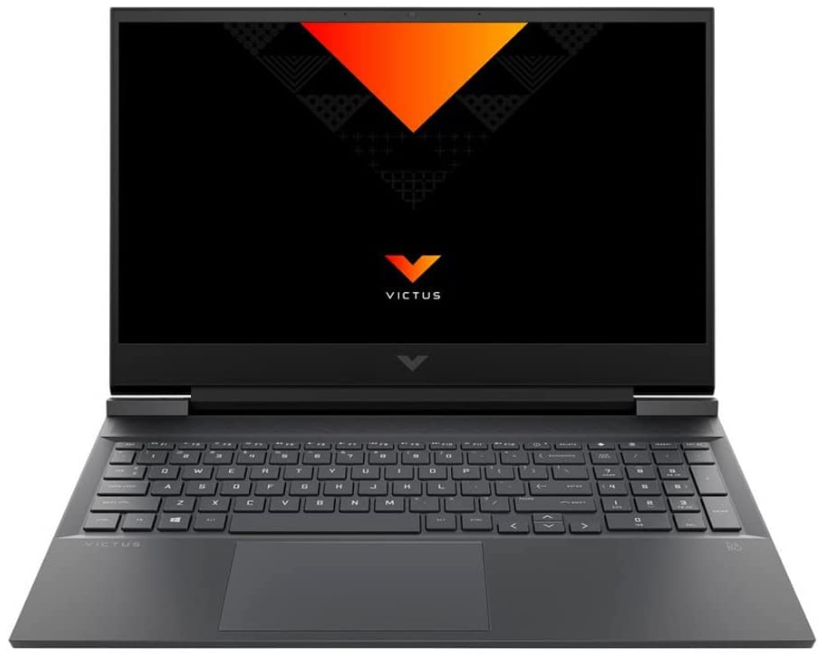
    HP Victus 15.6″ Gaming Laptop
    [/fusion_text][fusion_table fusion_table_type=”1″ fusion_table_rows=”8″ fusion_table_columns=”2″ margin_top=”” margin_right=”” margin_bottom=”” margin_left=”” hide_on_mobile=”small-visibility,medium-visibility,large-visibility” class=”” id=”” animation_type=”” animation_direction=”left” animation_color=”” hue=”” saturation=”” lightness=”” alpha=”” animation_speed=”0.3″ animation_delay=”0″ animation_offset=””]

    Component Specification
    Processor AMD Ryzen 7 5800H, 8 cores 16 threads, 4.4 GHz Max Turbo Frequency
     Memory 16 GB DDR4-3200 MHz
    Storage 512 GB M.2 NVMe PCIe SSD
    Graphics NVIDIA GeForce RTX 3050, 4 GB
    Ports 2 USB 3.0 Ports
    Operating system Windows 11
    Recommended for Small to medium-size 3D modeling, medium-size assemblies, medium simulations and renderings

    [/fusion_table][fusion_button link=”https://geni.us/aZMH” title=”” target=”_blank” link_attributes=”” alignment_medium=”” alignment_small=”” alignment=”left” modal=”” hide_on_mobile=”small-visibility,medium-visibility,large-visibility” sticky_display=”normal,sticky” class=”” id=”” color=”default” button_gradient_top_color_hover=”” hue=”” saturation=”” lightness=”” alpha=”” button_gradient_top_color=”” button_gradient_bottom_color_hover=”” button_gradient_bottom_color=”” gradient_start_position=”” gradient_end_position=”” gradient_type=”” radial_direction=”” linear_angle=”180″ accent_hover_color=”” accent_color=”” type=”flat” bevel_color=”” bevel_color_hover=”” border_top=”” border_right=”” border_bottom=”” border_left=”” border_radius_top_left=”” border_radius_top_right=”” border_radius_bottom_right=”” border_radius_bottom_left=”” border_hover_color=”” border_color=”” size=”medium” padding_top=”” padding_right=”” padding_bottom=”” padding_left=”” fusion_font_family_button_font=”” fusion_font_variant_button_font=”” font_size=”” line_height=”” letter_spacing=”” text_transform=”” stretch=”default” margin_top=”4%” margin_right=”” margin_bottom=”” margin_left=”” icon=”” icon_position=”left” icon_divider=”no” hover_transition=”none” animation_type=”” animation_direction=”left” animation_color=”” animation_speed=”0.3″ animation_delay=”0″ animation_offset=””]Buy From Amazon[/fusion_button][/fusion_builder_column][/fusion_builder_row][/fusion_builder_container][fusion_builder_container type=”flex” hundred_percent=”no” hundred_percent_height=”no” min_height_medium=”” min_height_small=”” min_height=”” hundred_percent_height_scroll=”no” align_content=”stretch” flex_align_items=”flex-start” flex_justify_content=”flex-start” flex_column_spacing=”” hundred_percent_height_center_content=”yes” equal_height_columns=”no” container_tag=”div” menu_anchor=”” hide_on_mobile=”small-visibility,medium-visibility,large-visibility” status=”published” publish_date=”” class=”” id=”” margin_top_medium=”” margin_bottom_medium=”” margin_top_small=”” margin_bottom_small=”” margin_top=”” margin_bottom=”” padding_top_medium=”” padding_right_medium=”” padding_bottom_medium=”” padding_left_medium=”” padding_top_small=”” padding_right_small=”” padding_bottom_small=”” padding_left_small=”” padding_top=”” padding_right=”” padding_bottom=”” padding_left=”” link_color=”” link_hover_color=”” border_sizes_top=”” border_sizes_right=”” border_sizes_bottom=”” border_sizes_left=”” border_color=”” border_style=”solid” box_shadow=”no” box_shadow_vertical=”” box_shadow_horizontal=”” box_shadow_blur=”0″ box_shadow_spread=”0″ box_shadow_color=”” box_shadow_style=”” z_index=”” overflow=”” gradient_start_position=”0″ gradient_end_position=”100″ gradient_type=”linear” radial_direction=”center center” linear_angle=”180″ background_color=”” background_image=”” skip_lazy_load=”” background_position=”center center” background_repeat=”no-repeat” fade=”no” background_parallax=”none” enable_mobile=”no” parallax_speed=”0.3″ background_blend_mode=”none” video_mp4=”” video_webm=”” video_ogv=”” video_url=”” video_aspect_ratio=”16:9″ video_loop=”yes” video_mute=”yes” video_preview_image=”” absolute=”off” absolute_devices=”small,medium,large” sticky=”off” sticky_devices=”small-visibility,medium-visibility,large-visibility” sticky_background_color=”” sticky_height=”” sticky_offset=”” sticky_transition_offset=”0″ scroll_offset=”0″ animation_type=”” animation_direction=”left” animation_speed=”0.3″ animation_offset=”” filter_hue=”0″ filter_saturation=”100″ filter_brightness=”100″ filter_contrast=”100″ filter_invert=”0″ filter_sepia=”0″ filter_opacity=”100″ filter_blur=”0″ filter_hue_hover=”0″ filter_saturation_hover=”100″ filter_brightness_hover=”100″ filter_contrast_hover=”100″ filter_invert_hover=”0″ filter_sepia_hover=”0″ filter_opacity_hover=”100″ filter_blur_hover=”0″ admin_label=”MSI Thin GF65″ admin_toggled=”yes”][fusion_builder_row][fusion_builder_column type=”1_1″ layout=”1_1″ align_self=”auto” content_layout=”column” align_content=”flex-start” valign_content=”flex-start” content_wrap=”wrap” spacing=”” center_content=”no” link=”” target=”_self” link_description=”” min_height=”” hide_on_mobile=”small-visibility,medium-visibility,large-visibility” sticky_display=”normal,sticky” class=”” id=”” order_medium=”0″ order_small=”0″ hover_type=”none” border_color=”” border_style=”solid” box_shadow=”no” box_shadow_blur=”0″ box_shadow_spread=”0″ box_shadow_color=”” box_shadow_style=”” overflow=”” background_type=”single” gradient_start_position=”0″ gradient_end_position=”100″ gradient_type=”linear” radial_direction=”center center” linear_angle=”180″ background_color=”” background_image=”” background_image_id=”” background_position=”left top” background_repeat=”no-repeat” background_blend_mode=”none” filter_type=”regular” filter_hue=”0″ filter_saturation=”100″ filter_brightness=”100″ filter_contrast=”100″ filter_invert=”0″ filter_sepia=”0″ filter_opacity=”100″ filter_blur=”0″ filter_hue_hover=”0″ filter_saturation_hover=”100″ filter_brightness_hover=”100″ filter_contrast_hover=”100″ filter_invert_hover=”0″ filter_sepia_hover=”0″ filter_opacity_hover=”100″ filter_blur_hover=”0″ animation_type=”” animation_direction=”left” animation_speed=”0.3″ animation_offset=”” last=”true” border_position=”all” first=”true”][fusion_text columns=”” column_min_width=”” column_spacing=”” rule_style=”” rule_size=”” rule_color=”” hue=”” saturation=”” lightness=”” alpha=”” content_alignment_medium=”” content_alignment_small=”” content_alignment=”” hide_on_mobile=”small-visibility,medium-visibility,large-visibility” sticky_display=”normal,sticky” class=”” id=”” margin_top=”” margin_right=”” margin_bottom=”” margin_left=”” fusion_font_family_text_font=”” fusion_font_variant_text_font=”” font_size=”” line_height=”” letter_spacing=”” text_transform=”none” text_color=”” animation_type=”” animation_direction=”left” animation_color=”” animation_speed=”0.3″ animation_delay=”0″ animation_offset=”” logics=””]

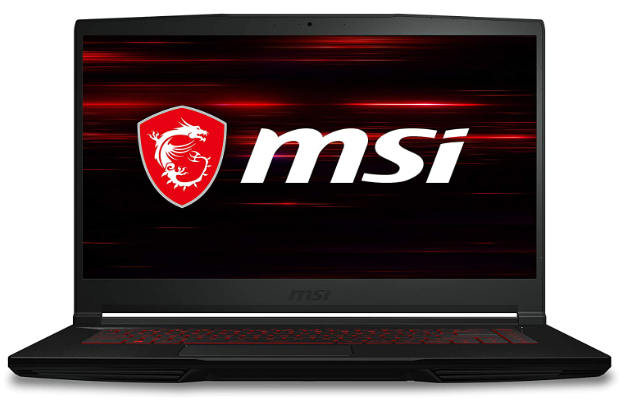
    MSI Thin GF65
    [/fusion_text][fusion_table fusion_table_type=”1″ fusion_table_rows=”8″ fusion_table_columns=”2″ margin_top=”” margin_right=”” margin_bottom=”” margin_left=”” hide_on_mobile=”small-visibility,medium-visibility,large-visibility” class=”” id=”” animation_type=”” animation_direction=”left” animation_color=”” hue=”” saturation=”” lightness=”” alpha=”” animation_speed=”0.3″ animation_delay=”0″ animation_offset=””]

    Component Specification
    Processor Intel Core i7-10750H , 6 core 12 threads, 5 GHz Max Turbo Frequency
     Memory 16GB DDR4-3200MHz
    Storage 512 GB PCIe NVMe, TLC M.2 SSD
    Graphics NVIDIA GeForce RTX 3060, 6GB GDDR6
    Ports 2 USB 3.0 Ports
    Operating system Windows 10 home
    Recommended For Simple to large size 3D modeling, rendering, assemblies and simulations

    [/fusion_table][fusion_button link=”https://geni.us/MZVU” title=”” target=”_blank” link_attributes=”” alignment_medium=”” alignment_small=”” alignment=”left” modal=”” hide_on_mobile=”small-visibility,medium-visibility,large-visibility” sticky_display=”normal,sticky” class=”” id=”” color=”default” button_gradient_top_color_hover=”” hue=”” saturation=”” lightness=”” alpha=”” button_gradient_top_color=”” button_gradient_bottom_color_hover=”” button_gradient_bottom_color=”” gradient_start_position=”” gradient_end_position=”” gradient_type=”” radial_direction=”” linear_angle=”180″ accent_hover_color=”” accent_color=”” type=”flat” bevel_color=”” bevel_color_hover=”” border_top=”” border_right=”” border_bottom=”” border_left=”” border_radius_top_left=”” border_radius_top_right=”” border_radius_bottom_right=”” border_radius_bottom_left=”” border_hover_color=”” border_color=”” size=”medium” padding_top=”” padding_right=”” padding_bottom=”” padding_left=”” fusion_font_family_button_font=”” fusion_font_variant_button_font=”” font_size=”” line_height=”” letter_spacing=”” text_transform=”” stretch=”default” margin_top=”4%” margin_right=”” margin_bottom=”” margin_left=”” icon=”” icon_position=”left” icon_divider=”no” hover_transition=”none” animation_type=”” animation_direction=”left” animation_color=”” animation_speed=”0.3″ animation_delay=”0″ animation_offset=””]Buy From Amazon[/fusion_button][/fusion_builder_column][/fusion_builder_row][/fusion_builder_container][fusion_builder_container type=”flex” hundred_percent=”no” hundred_percent_height=”no” min_height_medium=”” min_height_small=”” min_height=”” hundred_percent_height_scroll=”no” align_content=”stretch” flex_align_items=”flex-start” flex_justify_content=”flex-start” flex_column_spacing=”” hundred_percent_height_center_content=”yes” equal_height_columns=”no” container_tag=”div” menu_anchor=”” hide_on_mobile=”small-visibility,medium-visibility,large-visibility” status=”published” publish_date=”” class=”” id=”” spacing_medium=”” margin_top_medium=”” margin_bottom_medium=”” spacing_small=”” margin_top_small=”” margin_bottom_small=”” margin_top=”” margin_bottom=”” padding_dimensions_medium=”” padding_top_medium=”” padding_right_medium=”” padding_bottom_medium=”” padding_left_medium=”” padding_dimensions_small=”” padding_top_small=”” padding_right_small=”” padding_bottom_small=”” padding_left_small=”” padding_top=”” padding_right=”” padding_bottom=”” padding_left=”” link_color=”” link_hover_color=”” border_sizes=”” border_sizes_top=”” border_sizes_right=”” border_sizes_bottom=”” border_sizes_left=”” border_color=”” border_style=”solid” box_shadow=”no” box_shadow_vertical=”” box_shadow_horizontal=”” box_shadow_blur=”0″ box_shadow_spread=”0″ box_shadow_color=”” box_shadow_style=”” z_index=”” overflow=”” gradient_start_color=”” gradient_end_color=”” gradient_start_position=”0″ gradient_end_position=”100″ gradient_type=”linear” radial_direction=”center center” linear_angle=”180″ background_color=”” background_image=”” skip_lazy_load=”” background_position=”center center” background_repeat=”no-repeat” fade=”no” background_parallax=”none” enable_mobile=”no” parallax_speed=”0.3″ background_blend_mode=”none” video_mp4=”” video_webm=”” video_ogv=”” video_url=”” video_aspect_ratio=”16:9″ video_loop=”yes” video_mute=”yes” video_preview_image=”” render_logics=”” absolute=”off” absolute_devices=”small,medium,large” sticky=”off” sticky_devices=”small-visibility,medium-visibility,large-visibility” sticky_background_color=”” sticky_height=”” sticky_offset=”” sticky_transition_offset=”0″ scroll_offset=”0″ animation_type=”” animation_direction=”left” animation_speed=”0.3″ animation_offset=”” filter_hue=”0″ filter_saturation=”100″ filter_brightness=”100″ filter_contrast=”100″ filter_invert=”0″ filter_sepia=”0″ filter_opacity=”100″ filter_blur=”0″ filter_hue_hover=”0″ filter_saturation_hover=”100″ filter_brightness_hover=”100″ filter_contrast_hover=”100″ filter_invert_hover=”0″ filter_sepia_hover=”0″ filter_opacity_hover=”100″ filter_blur_hover=”0″ admin_label=”Acer Predator Helios 16 Gaming Laptop” admin_toggled=”yes”][fusion_builder_row][fusion_builder_column type=”1_1″ layout=”1_1″ align_self=”auto” content_layout=”column” align_content=”flex-start” valign_content=”flex-start” content_wrap=”wrap” spacing=”” center_content=”no” link=”” target=”_self” link_description=”” min_height=”” hide_on_mobile=”small-visibility,medium-visibility,large-visibility” sticky_display=”normal,sticky” class=”” id=”” type_medium=”” type_small=”” order_medium=”0″ order_small=”0″ dimension_spacing_medium=”” dimension_spacing_small=”” dimension_spacing=”” dimension_margin_medium=”” dimension_margin_small=”” margin_top=”” margin_bottom=”” padding_medium=”” padding_small=”” padding_top=”” padding_right=”” padding_bottom=”” padding_left=”” hover_type=”none” border_sizes=”” border_color=”” border_style=”solid” border_radius=”” box_shadow=”no” dimension_box_shadow=”” box_shadow_blur=”0″ box_shadow_spread=”0″ box_shadow_color=”” box_shadow_style=”” overflow=”” background_type=”single” gradient_start_color=”” gradient_end_color=”” gradient_start_position=”0″ gradient_end_position=”100″ gradient_type=”linear” radial_direction=”center center” linear_angle=”180″ background_color=”” background_image=”” background_image_id=”” background_position=”left top” background_repeat=”no-repeat” background_blend_mode=”none” render_logics=”” filter_type=”regular” filter_hue=”0″ filter_saturation=”100″ filter_brightness=”100″ filter_contrast=”100″ filter_invert=”0″ filter_sepia=”0″ filter_opacity=”100″ filter_blur=”0″ filter_hue_hover=”0″ filter_saturation_hover=”100″ filter_brightness_hover=”100″ filter_contrast_hover=”100″ filter_invert_hover=”0″ filter_sepia_hover=”0″ filter_opacity_hover=”100″ filter_blur_hover=”0″ animation_type=”” animation_direction=”left” animation_speed=”0.3″ animation_offset=”” last=”true” border_position=”all” first=”true”][fusion_text columns=”” column_min_width=”” column_spacing=”” rule_style=”” rule_size=”” rule_color=”” hue=”” saturation=”” lightness=”” alpha=”” content_alignment_medium=”” content_alignment_small=”” content_alignment=”” hide_on_mobile=”small-visibility,medium-visibility,large-visibility” sticky_display=”normal,sticky” class=”” id=”” margin_top=”” margin_right=”” margin_bottom=”” margin_left=”” fusion_font_family_text_font=”” fusion_font_variant_text_font=”” font_size=”” line_height=”” letter_spacing=”” text_transform=”none” text_color=”” animation_type=”” animation_direction=”left” animation_color=”” animation_speed=”0.3″ animation_delay=”0″ animation_offset=”” logics=””]

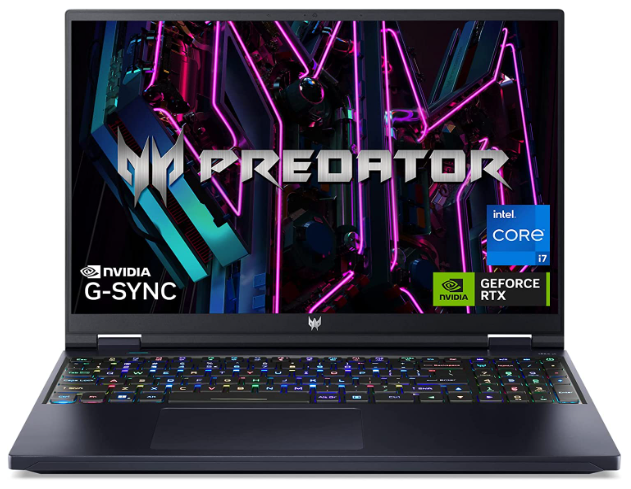
    Acer Predator Helios 16 Gaming Laptop
    [/fusion_text][fusion_table fusion_table_type=”1″ fusion_table_rows=”8″ fusion_table_columns=”2″ margin_top=”” margin_right=”” margin_bottom=”” margin_left=”” hide_on_mobile=”small-visibility,medium-visibility,large-visibility” class=”” id=”” animation_type=”” animation_direction=”left” animation_color=”” hue=”” saturation=”” lightness=”” alpha=”” animation_speed=”0.3″ animation_delay=”0″ animation_offset=””]

    Component Specification
    Processor 13th Gen Intel Core i7-13700HX, 16 core 24 threads, 5 GHz Max Turbo Frequency
     Memory 16GB DDR5-4800MHz
    Storage 1 TB PCIe NVMe, TLC M.2 SSD
    Graphics NVIDIA GeForce RTX 4060, GDDR6 8GB
    Ports 5 USB 3.0 Ports
    Operating system Windows 11 Home
    Recommended for Small to large size 3D modeling, assemblies, rendering and simulations

    [/fusion_table][fusion_button link=”https://geni.us/IEiF” title=”” target=”_blank” link_attributes=”” alignment_medium=”” alignment_small=”” alignment=”left” modal=”” hide_on_mobile=”small-visibility,medium-visibility,large-visibility” sticky_display=”normal,sticky” class=”” id=”” color=”default” button_gradient_top_color_hover=”” hue=”” saturation=”” lightness=”” alpha=”” button_gradient_top_color=”” button_gradient_bottom_color_hover=”” button_gradient_bottom_color=”” gradient_start_position=”” gradient_end_position=”” gradient_type=”” radial_direction=”” linear_angle=”180″ accent_hover_color=”” accent_color=”” type=”flat” bevel_color=”” bevel_color_hover=”” border_top=”” border_right=”” border_bottom=”” border_left=”” border_radius_top_left=”” border_radius_top_right=”” border_radius_bottom_right=”” border_radius_bottom_left=”” border_hover_color=”” border_color=”” size=”medium” padding_top=”” padding_right=”” padding_bottom=”” padding_left=”” fusion_font_family_button_font=”” fusion_font_variant_button_font=”” font_size=”” line_height=”” letter_spacing=”” text_transform=”” stretch=”default” margin_top=”4%” margin_right=”” margin_bottom=”” margin_left=”” icon=”” icon_position=”left” icon_divider=”no” hover_transition=”none” animation_type=”” animation_direction=”left” animation_color=”” animation_speed=”0.3″ animation_delay=”0″ animation_offset=””]Buy From Amazon[/fusion_button][/fusion_builder_column][/fusion_builder_row][/fusion_builder_container][fusion_builder_container type=”flex” hundred_percent=”no” hundred_percent_height=”no” min_height_medium=”” min_height_small=”” min_height=”” hundred_percent_height_scroll=”no” align_content=”stretch” flex_align_items=”flex-start” flex_justify_content=”flex-start” flex_column_spacing=”” hundred_percent_height_center_content=”yes” equal_height_columns=”no” container_tag=”div” menu_anchor=”” hide_on_mobile=”small-visibility,medium-visibility,large-visibility” status=”published” publish_date=”” class=”” id=”” margin_top_medium=”” margin_bottom_medium=”” margin_top_small=”” margin_bottom_small=”” margin_top=”” margin_bottom=”” padding_top_medium=”” padding_right_medium=”” padding_bottom_medium=”” padding_left_medium=”” padding_top_small=”” padding_right_small=”” padding_bottom_small=”” padding_left_small=”” padding_top=”” padding_right=”” padding_bottom=”” padding_left=”” link_color=”” link_hover_color=”” border_sizes_top=”” border_sizes_right=”” border_sizes_bottom=”” border_sizes_left=”” border_color=”” border_style=”solid” box_shadow=”no” box_shadow_vertical=”” box_shadow_horizontal=”” box_shadow_blur=”0″ box_shadow_spread=”0″ box_shadow_color=”” box_shadow_style=”” z_index=”” overflow=”” gradient_start_position=”0″ gradient_end_position=”100″ gradient_type=”linear” radial_direction=”center center” linear_angle=”180″ background_color=”” background_image=”” skip_lazy_load=”” background_position=”center center” background_repeat=”no-repeat” fade=”no” background_parallax=”none” enable_mobile=”no” parallax_speed=”0.3″ background_blend_mode=”none” video_mp4=”” video_webm=”” video_ogv=”” video_url=”” video_aspect_ratio=”16:9″ video_loop=”yes” video_mute=”yes” video_preview_image=”” absolute=”off” absolute_devices=”small,medium,large” sticky=”off” sticky_devices=”small-visibility,medium-visibility,large-visibility” sticky_background_color=”” sticky_height=”” sticky_offset=”” sticky_transition_offset=”0″ scroll_offset=”0″ animation_type=”” animation_direction=”left” animation_speed=”0.3″ animation_offset=”” filter_hue=”0″ filter_saturation=”100″ filter_brightness=”100″ filter_contrast=”100″ filter_invert=”0″ filter_sepia=”0″ filter_opacity=”100″ filter_blur=”0″ filter_hue_hover=”0″ filter_saturation_hover=”100″ filter_brightness_hover=”100″ filter_contrast_hover=”100″ filter_invert_hover=”0″ filter_sepia_hover=”0″ filter_opacity_hover=”100″ filter_blur_hover=”0″ admin_label=”Apple MacBook Pro M2 Chip” admin_toggled=”yes”][fusion_builder_row][fusion_builder_column type=”1_1″ layout=”1_1″ align_self=”auto” content_layout=”column” align_content=”flex-start” valign_content=”flex-start” content_wrap=”wrap” spacing=”” center_content=”no” link=”” target=”_self” link_description=”” min_height=”” hide_on_mobile=”small-visibility,medium-visibility,large-visibility” sticky_display=”normal,sticky” class=”” id=”” order_medium=”0″ order_small=”0″ hover_type=”none” border_color=”” border_style=”solid” box_shadow=”no” box_shadow_blur=”0″ box_shadow_spread=”0″ box_shadow_color=”” box_shadow_style=”” overflow=”” background_type=”single” gradient_start_position=”0″ gradient_end_position=”100″ gradient_type=”linear” radial_direction=”center center” linear_angle=”180″ background_color=”” background_image=”” background_image_id=”” background_position=”left top” background_repeat=”no-repeat” background_blend_mode=”none” filter_type=”regular” filter_hue=”0″ filter_saturation=”100″ filter_brightness=”100″ filter_contrast=”100″ filter_invert=”0″ filter_sepia=”0″ filter_opacity=”100″ filter_blur=”0″ filter_hue_hover=”0″ filter_saturation_hover=”100″ filter_brightness_hover=”100″ filter_contrast_hover=”100″ filter_invert_hover=”0″ filter_sepia_hover=”0″ filter_opacity_hover=”100″ filter_blur_hover=”0″ animation_type=”” animation_direction=”left” animation_speed=”0.3″ animation_offset=”” last=”true” border_position=”all” first=”true”][fusion_text columns=”” column_min_width=”” column_spacing=”” rule_style=”” rule_size=”” rule_color=”” hue=”” saturation=”” lightness=”” alpha=”” content_alignment_medium=”” content_alignment_small=”” content_alignment=”” hide_on_mobile=”small-visibility,medium-visibility,large-visibility” sticky_display=”normal,sticky” class=”” id=”” margin_top=”” margin_right=”” margin_bottom=”” margin_left=”” fusion_font_family_text_font=”” fusion_font_variant_text_font=”” font_size=”” line_height=”” letter_spacing=”” text_transform=”none” text_color=”” animation_type=”” animation_direction=”left” animation_color=”” animation_speed=”0.3″ animation_delay=”0″ animation_offset=”” logics=””]

    Apple 2021 MacBook Pro

    [/fusion_text][fusion_table fusion_table_type=”1″ fusion_table_rows=”8″ fusion_table_columns=”2″ margin_top=”” margin_right=”” margin_bottom=”” margin_left=”” hide_on_mobile=”small-visibility,medium-visibility,large-visibility” class=”” id=”” animation_type=”” animation_direction=”left” animation_color=”” hue=”” saturation=”” lightness=”” alpha=”” animation_speed=”0.3″ animation_delay=”0″ animation_offset=””]

    Component Specification
    Processor M1 Pro chip, 3.2 GHz, 10 cores
     Memory 32 GB RAM
    Storage 512 GB SSD
    Graphics Integrated 16-core GPU
    Ports USB Type C Ports
    Operating system MacOS 12 Monterey
    Recommended for Small to medium-sized 3D modeling, rendering, assembly and simulations

    [/fusion_table][fusion_button link=”https://geni.us/GTZP2J9″ title=”” target=”_blank” link_attributes=”” alignment_medium=”” alignment_small=”” alignment=”left” modal=”” hide_on_mobile=”small-visibility,medium-visibility,large-visibility” sticky_display=”normal,sticky” class=”” id=”” color=”default” button_gradient_top_color_hover=”” hue=”” saturation=”” lightness=”” alpha=”” button_gradient_top_color=”” button_gradient_bottom_color_hover=”” button_gradient_bottom_color=”” gradient_start_position=”” gradient_end_position=”” gradient_type=”” radial_direction=”” linear_angle=”180″ accent_hover_color=”” accent_color=”” type=”flat” bevel_color=”” bevel_color_hover=”” border_top=”” border_right=”” border_bottom=”” border_left=”” border_radius_top_left=”” border_radius_top_right=”” border_radius_bottom_right=”” border_radius_bottom_left=”” border_hover_color=”” border_color=”” size=”medium” padding_top=”” padding_right=”” padding_bottom=”” padding_left=”” fusion_font_family_button_font=”” fusion_font_variant_button_font=”” font_size=”” line_height=”” letter_spacing=”” text_transform=”” stretch=”default” margin_top=”4%” margin_right=”” margin_bottom=”” margin_left=”” icon=”” icon_position=”left” icon_divider=”no” hover_transition=”none” animation_type=”” animation_direction=”left” animation_color=”” animation_speed=”0.3″ animation_delay=”0″ animation_offset=””]Buy From Amazon[/fusion_button][/fusion_builder_column][/fusion_builder_row][/fusion_builder_container][fusion_builder_container type=”flex” hundred_percent=”no” hundred_percent_height=”no” min_height_medium=”” min_height_small=”” min_height=”” hundred_percent_height_scroll=”no” align_content=”stretch” flex_align_items=”flex-start” flex_justify_content=”flex-start” flex_column_spacing=”” hundred_percent_height_center_content=”yes” equal_height_columns=”no” container_tag=”div” menu_anchor=”” hide_on_mobile=”small-visibility,medium-visibility,large-visibility” status=”published” publish_date=”” class=”” id=”” margin_top_medium=”” margin_bottom_medium=”” margin_top_small=”” margin_bottom_small=”” margin_top=”” margin_bottom=”” padding_top_medium=”” padding_right_medium=”” padding_bottom_medium=”” padding_left_medium=”” padding_top_small=”” padding_right_small=”” padding_bottom_small=”” padding_left_small=”” padding_top=”” padding_right=”” padding_bottom=”” padding_left=”” link_color=”” link_hover_color=”” border_sizes_top=”” border_sizes_right=”” border_sizes_bottom=”” border_sizes_left=”” border_color=”” border_style=”solid” box_shadow=”no” box_shadow_vertical=”” box_shadow_horizontal=”” box_shadow_blur=”0″ box_shadow_spread=”0″ box_shadow_color=”” box_shadow_style=”” z_index=”” overflow=”” gradient_start_position=”0″ gradient_end_position=”100″ gradient_type=”linear” radial_direction=”center center” linear_angle=”180″ background_color=”” background_image=”” skip_lazy_load=”” background_position=”center center” background_repeat=”no-repeat” fade=”no” background_parallax=”none” enable_mobile=”no” parallax_speed=”0.3″ background_blend_mode=”none” video_mp4=”” video_webm=”” video_ogv=”” video_url=”” video_aspect_ratio=”16:9″ video_loop=”yes” video_mute=”yes” video_preview_image=”” absolute=”off” absolute_devices=”small,medium,large” sticky=”off” sticky_devices=”small-visibility,medium-visibility,large-visibility” sticky_background_color=”” sticky_height=”” sticky_offset=”” sticky_transition_offset=”0″ scroll_offset=”0″ animation_type=”” animation_direction=”left” animation_speed=”0.3″ animation_offset=”” filter_hue=”0″ filter_saturation=”100″ filter_brightness=”100″ filter_contrast=”100″ filter_invert=”0″ filter_sepia=”0″ filter_opacity=”100″ filter_blur=”0″ filter_hue_hover=”0″ filter_saturation_hover=”100″ filter_brightness_hover=”100″ filter_contrast_hover=”100″ filter_invert_hover=”0″ filter_sepia_hover=”0″ filter_opacity_hover=”100″ filter_blur_hover=”0″ admin_label=”MSI Raider GE77HX” admin_toggled=”yes”][fusion_builder_row][fusion_builder_column type=”1_1″ layout=”1_1″ align_self=”auto” content_layout=”column” align_content=”flex-start” valign_content=”flex-start” content_wrap=”wrap” spacing=”” center_content=”no” link=”” target=”_self” link_description=”” min_height=”” hide_on_mobile=”small-visibility,medium-visibility,large-visibility” sticky_display=”normal,sticky” class=”” id=”” order_medium=”0″ order_small=”0″ hover_type=”none” border_color=”” border_style=”solid” box_shadow=”no” box_shadow_blur=”0″ box_shadow_spread=”0″ box_shadow_color=”” box_shadow_style=”” overflow=”” background_type=”single” gradient_start_position=”0″ gradient_end_position=”100″ gradient_type=”linear” radial_direction=”center center” linear_angle=”180″ background_color=”” background_image=”” background_image_id=”” background_position=”left top” background_repeat=”no-repeat” background_blend_mode=”none” filter_type=”regular” filter_hue=”0″ filter_saturation=”100″ filter_brightness=”100″ filter_contrast=”100″ filter_invert=”0″ filter_sepia=”0″ filter_opacity=”100″ filter_blur=”0″ filter_hue_hover=”0″ filter_saturation_hover=”100″ filter_brightness_hover=”100″ filter_contrast_hover=”100″ filter_invert_hover=”0″ filter_sepia_hover=”0″ filter_opacity_hover=”100″ filter_blur_hover=”0″ animation_type=”” animation_direction=”left” animation_speed=”0.3″ animation_offset=”” last=”true” border_position=”all” first=”true”][fusion_text columns=”” column_min_width=”” column_spacing=”” rule_style=”” rule_size=”” rule_color=”” hue=”” saturation=”” lightness=”” alpha=”” content_alignment_medium=”” content_alignment_small=”” content_alignment=”” hide_on_mobile=”small-visibility,medium-visibility,large-visibility” sticky_display=”normal,sticky” class=”” id=”” margin_top=”” margin_right=”” margin_bottom=”” margin_left=”” fusion_font_family_text_font=”” fusion_font_variant_text_font=”” font_size=”” line_height=”” letter_spacing=”” text_transform=”none” text_color=”” animation_type=”” animation_direction=”left” animation_color=”” animation_speed=”0.3″ animation_delay=”0″ animation_offset=”” logics=””]

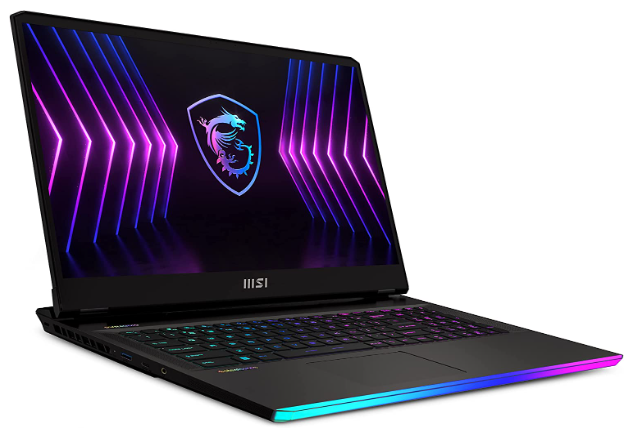
    MSI Raider GE77HX
    [/fusion_text][fusion_table fusion_table_type=”1″ fusion_table_rows=”8″ fusion_table_columns=”2″ margin_top=”” margin_right=”” margin_bottom=”” margin_left=”” hide_on_mobile=”small-visibility,medium-visibility,large-visibility” class=”” id=”” animation_type=”” animation_direction=”left” animation_color=”” hue=”” saturation=”” lightness=”” alpha=”” animation_speed=”0.3″ animation_delay=”0″ animation_offset=””]

    Component Specification
    Processor Intel Core i7-12800HX, 4.80 GHz Max Turbo Frequency, 16 cores and 24 threads
     Memory 16GB DDR5-4800MHz
    Storage 1 TB M.2 NVMe PCIe 3.0 SSD
    Graphics RTX3080TI with 12GB GDDR6 memory
    Ports 1 USB 3.0 Ports
    Operating system Windows 11
    Recommended for Small to large-size 3D modeling, rendering, assembly and simulations

    [/fusion_table][fusion_button link=”https://geni.us/RnIhb0″ title=”” target=”_blank” link_attributes=”” alignment_medium=”” alignment_small=”” alignment=”left” modal=”” hide_on_mobile=”small-visibility,medium-visibility,large-visibility” sticky_display=”normal,sticky” class=”” id=”” color=”default” button_gradient_top_color_hover=”” hue=”” saturation=”” lightness=”” alpha=”” button_gradient_top_color=”” button_gradient_bottom_color_hover=”” button_gradient_bottom_color=”” gradient_start_position=”” gradient_end_position=”” gradient_type=”” radial_direction=”” linear_angle=”180″ accent_hover_color=”” accent_color=”” type=”flat” bevel_color=”” bevel_color_hover=”” border_top=”” border_right=”” border_bottom=”” border_left=”” border_radius_top_left=”” border_radius_top_right=”” border_radius_bottom_right=”” border_radius_bottom_left=”” border_hover_color=”” border_color=”” size=”medium” padding_top=”” padding_right=”” padding_bottom=”” padding_left=”” fusion_font_family_button_font=”” fusion_font_variant_button_font=”” font_size=”” line_height=”” letter_spacing=”” text_transform=”” stretch=”default” margin_top=”4%” margin_right=”” margin_bottom=”” margin_left=”” icon=”” icon_position=”left” icon_divider=”no” hover_transition=”none” animation_type=”” animation_direction=”left” animation_color=”” animation_speed=”0.3″ animation_delay=”0″ animation_offset=””]Buy From Amazon[/fusion_button][/fusion_builder_column][/fusion_builder_row][/fusion_builder_container][fusion_builder_container type=”flex” hundred_percent=”no” hundred_percent_height=”no” min_height_medium=”” min_height_small=”” min_height=”” hundred_percent_height_scroll=”no” align_content=”stretch” flex_align_items=”flex-start” flex_justify_content=”flex-start” flex_column_spacing=”” hundred_percent_height_center_content=”yes” equal_height_columns=”no” container_tag=”div” menu_anchor=”” hide_on_mobile=”small-visibility,medium-visibility,large-visibility” status=”published” publish_date=”” class=”” id=”” margin_top_medium=”” margin_bottom_medium=”” margin_top_small=”” margin_bottom_small=”” margin_top=”” margin_bottom=”” padding_top_medium=”” padding_right_medium=”” padding_bottom_medium=”” padding_left_medium=”” padding_top_small=”” padding_right_small=”” padding_bottom_small=”” padding_left_small=”” padding_top=”” padding_right=”” padding_bottom=”” padding_left=”” link_color=”” link_hover_color=”” border_sizes_top=”” border_sizes_right=”” border_sizes_bottom=”” border_sizes_left=”” border_color=”” border_style=”solid” box_shadow=”no” box_shadow_vertical=”” box_shadow_horizontal=”” box_shadow_blur=”0″ box_shadow_spread=”0″ box_shadow_color=”” box_shadow_style=”” z_index=”” overflow=”” gradient_start_position=”0″ gradient_end_position=”100″ gradient_type=”linear” radial_direction=”center center” linear_angle=”180″ background_color=”” background_image=”” skip_lazy_load=”” background_position=”center center” background_repeat=”no-repeat” fade=”no” background_parallax=”none” enable_mobile=”no” parallax_speed=”0.3″ background_blend_mode=”none” video_mp4=”” video_webm=”” video_ogv=”” video_url=”” video_aspect_ratio=”16:9″ video_loop=”yes” video_mute=”yes” video_preview_image=”” absolute=”off” absolute_devices=”small,medium,large” sticky=”off” sticky_devices=”small-visibility,medium-visibility,large-visibility” sticky_background_color=”” sticky_height=”” sticky_offset=”” sticky_transition_offset=”0″ scroll_offset=”0″ animation_type=”” animation_direction=”left” animation_speed=”0.3″ animation_offset=”” filter_hue=”0″ filter_saturation=”100″ filter_brightness=”100″ filter_contrast=”100″ filter_invert=”0″ filter_sepia=”0″ filter_opacity=”100″ filter_blur=”0″ filter_hue_hover=”0″ filter_saturation_hover=”100″ filter_brightness_hover=”100″ filter_contrast_hover=”100″ filter_invert_hover=”0″ filter_sepia_hover=”0″ filter_opacity_hover=”100″ filter_blur_hover=”0″ admin_label=”Dell G16 7620 Gaming Laptop” admin_toggled=”yes”][fusion_builder_row][fusion_builder_column type=”1_1″ layout=”1_1″ align_self=”auto” content_layout=”column” align_content=”flex-start” valign_content=”flex-start” content_wrap=”wrap” spacing=”” center_content=”no” link=”” target=”_self” link_description=”” min_height=”” hide_on_mobile=”small-visibility,medium-visibility,large-visibility” sticky_display=”normal,sticky” class=”” id=”” order_medium=”0″ order_small=”0″ hover_type=”none” border_color=”” border_style=”solid” box_shadow=”no” box_shadow_blur=”0″ box_shadow_spread=”0″ box_shadow_color=”” box_shadow_style=”” overflow=”” background_type=”single” gradient_start_position=”0″ gradient_end_position=”100″ gradient_type=”linear” radial_direction=”center center” linear_angle=”180″ background_color=”” background_image=”” background_image_id=”” background_position=”left top” background_repeat=”no-repeat” background_blend_mode=”none” filter_type=”regular” filter_hue=”0″ filter_saturation=”100″ filter_brightness=”100″ filter_contrast=”100″ filter_invert=”0″ filter_sepia=”0″ filter_opacity=”100″ filter_blur=”0″ filter_hue_hover=”0″ filter_saturation_hover=”100″ filter_brightness_hover=”100″ filter_contrast_hover=”100″ filter_invert_hover=”0″ filter_sepia_hover=”0″ filter_opacity_hover=”100″ filter_blur_hover=”0″ animation_type=”” animation_direction=”left” animation_speed=”0.3″ animation_offset=”” last=”true” border_position=”all” first=”true”][fusion_text columns=”” column_min_width=”” column_spacing=”” rule_style=”” rule_size=”” rule_color=”” hue=”” saturation=”” lightness=”” alpha=”” content_alignment_medium=”” content_alignment_small=”” content_alignment=”” hide_on_mobile=”small-visibility,medium-visibility,large-visibility” sticky_display=”normal,sticky” class=”” id=”” margin_top=”” margin_right=”” margin_bottom=”” margin_left=”” fusion_font_family_text_font=”” fusion_font_variant_text_font=”” font_size=”” line_height=”” letter_spacing=”” text_transform=”none” text_color=”” animation_type=”” animation_direction=”left” animation_color=”” animation_speed=”0.3″ animation_delay=”0″ animation_offset=”” logics=””]

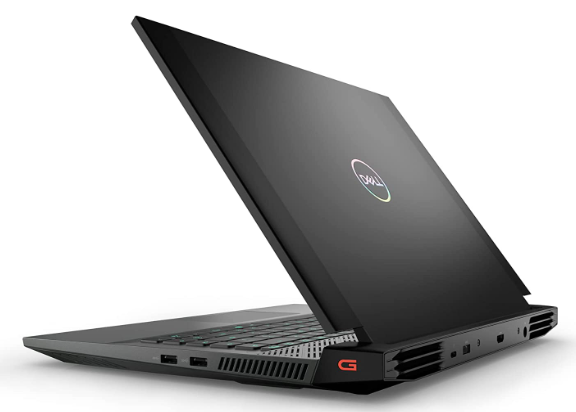
    Dell G16 7620 Gaming Laptop
    [/fusion_text][fusion_table fusion_table_type=”1″ fusion_table_rows=”8″ fusion_table_columns=”2″ margin_top=”” margin_right=”” margin_bottom=”” margin_left=”” hide_on_mobile=”small-visibility,medium-visibility,large-visibility” class=”” id=”” animation_type=”” animation_direction=”left” animation_color=”” hue=”” saturation=”” lightness=”” alpha=”” animation_speed=”0.3″ animation_delay=”0″ animation_offset=””]

    Component Specification
    Processor Intel Core i9-12900H, 14 cores 20 threads, 5 GHz Max Turbo Frequency
     Memory  32 GB DDR5-4800 MHz
    Storage 1 TB M.2 NVMe PCIe SSD
    Graphics NVIDIA GeForce RTX3070Ti, 8GB GDDR6
    Ports 3 USB 3.0 ports
    Operating system Windows 11 Home
    Recommended for Small to large-size 3D modeling, rendering, assembly and simulations

    [/fusion_table][fusion_button link=”https://geni.us/xhmjrEp” title=”” target=”_blank” link_attributes=”” alignment_medium=”” alignment_small=”” alignment=”left” modal=”” hide_on_mobile=”small-visibility,medium-visibility,large-visibility” sticky_display=”normal,sticky” class=”” id=”” color=”default” button_gradient_top_color_hover=”” hue=”” saturation=”” lightness=”” alpha=”” button_gradient_top_color=”” button_gradient_bottom_color_hover=”” button_gradient_bottom_color=”” gradient_start_position=”” gradient_end_position=”” gradient_type=”” radial_direction=”” linear_angle=”180″ accent_hover_color=”” accent_color=”” type=”flat” bevel_color=”” bevel_color_hover=”” border_top=”” border_right=”” border_bottom=”” border_left=”” border_radius_top_left=”” border_radius_top_right=”” border_radius_bottom_right=”” border_radius_bottom_left=”” border_hover_color=”” border_color=”” size=”medium” padding_top=”” padding_right=”” padding_bottom=”” padding_left=”” fusion_font_family_button_font=”” fusion_font_variant_button_font=”” font_size=”” line_height=”” letter_spacing=”” text_transform=”” stretch=”default” margin_top=”4%” margin_right=”” margin_bottom=”” margin_left=”” icon=”” icon_position=”left” icon_divider=”no” hover_transition=”none” animation_type=”” animation_direction=”left” animation_color=”” animation_speed=”0.3″ animation_delay=”0″ animation_offset=””]Buy From Amazon[/fusion_button][/fusion_builder_column][/fusion_builder_row][/fusion_builder_container][fusion_builder_container type=”flex” hundred_percent=”no” hundred_percent_height=”no” min_height_medium=”” min_height_small=”” min_height=”” hundred_percent_height_scroll=”no” align_content=”stretch” flex_align_items=”flex-start” flex_justify_content=”flex-start” flex_column_spacing=”” hundred_percent_height_center_content=”yes” equal_height_columns=”no” container_tag=”div” menu_anchor=”” hide_on_mobile=”small-visibility,medium-visibility,large-visibility” status=”published” publish_date=”” class=”” id=”” margin_top_medium=”” margin_bottom_medium=”” margin_top_small=”” margin_bottom_small=”” margin_top=”” margin_bottom=”” padding_top_medium=”” padding_right_medium=”” padding_bottom_medium=”” padding_left_medium=”” padding_top_small=”” padding_right_small=”” padding_bottom_small=”” padding_left_small=”” padding_top=”” padding_right=”” padding_bottom=”” padding_left=”” link_color=”” link_hover_color=”” border_sizes_top=”” border_sizes_right=”” border_sizes_bottom=”” border_sizes_left=”” border_color=”” border_style=”solid” box_shadow=”no” box_shadow_vertical=”” box_shadow_horizontal=”” box_shadow_blur=”0″ box_shadow_spread=”0″ box_shadow_color=”” box_shadow_style=”” z_index=”” overflow=”” gradient_start_position=”0″ gradient_end_position=”100″ gradient_type=”linear” radial_direction=”center center” linear_angle=”180″ background_color=”” background_image=”” skip_lazy_load=”” background_position=”center center” background_repeat=”no-repeat” fade=”no” background_parallax=”none” enable_mobile=”no” parallax_speed=”0.3″ background_blend_mode=”none” video_mp4=”” video_webm=”” video_ogv=”” video_url=”” video_aspect_ratio=”16:9″ video_loop=”yes” video_mute=”yes” video_preview_image=”” absolute=”off” absolute_devices=”small,medium,large” sticky=”off” sticky_devices=”small-visibility,medium-visibility,large-visibility” sticky_background_color=”” sticky_height=”” sticky_offset=”” sticky_transition_offset=”0″ scroll_offset=”0″ animation_type=”” animation_direction=”left” animation_speed=”0.3″ animation_offset=”” filter_hue=”0″ filter_saturation=”100″ filter_brightness=”100″ filter_contrast=”100″ filter_invert=”0″ filter_sepia=”0″ filter_opacity=”100″ filter_blur=”0″ filter_hue_hover=”0″ filter_saturation_hover=”100″ filter_brightness_hover=”100″ filter_contrast_hover=”100″ filter_invert_hover=”0″ filter_sepia_hover=”0″ filter_opacity_hover=”100″ filter_blur_hover=”0″ admin_label=”ASUS TUF Dash 15″ admin_toggled=”yes”][fusion_builder_row][fusion_builder_column type=”1_1″ layout=”1_1″ align_self=”auto” content_layout=”column” align_content=”flex-start” valign_content=”flex-start” content_wrap=”wrap” spacing=”” center_content=”no” link=”” target=”_self” link_description=”” min_height=”” hide_on_mobile=”small-visibility,medium-visibility,large-visibility” sticky_display=”normal,sticky” class=”” id=”” order_medium=”0″ order_small=”0″ hover_type=”none” border_color=”” border_style=”solid” box_shadow=”no” box_shadow_blur=”0″ box_shadow_spread=”0″ box_shadow_color=”” box_shadow_style=”” overflow=”” background_type=”single” gradient_start_position=”0″ gradient_end_position=”100″ gradient_type=”linear” radial_direction=”center center” linear_angle=”180″ background_color=”” background_image=”” background_image_id=”” background_position=”left top” background_repeat=”no-repeat” background_blend_mode=”none” filter_type=”regular” filter_hue=”0″ filter_saturation=”100″ filter_brightness=”100″ filter_contrast=”100″ filter_invert=”0″ filter_sepia=”0″ filter_opacity=”100″ filter_blur=”0″ filter_hue_hover=”0″ filter_saturation_hover=”100″ filter_brightness_hover=”100″ filter_contrast_hover=”100″ filter_invert_hover=”0″ filter_sepia_hover=”0″ filter_opacity_hover=”100″ filter_blur_hover=”0″ animation_type=”” animation_direction=”left” animation_speed=”0.3″ animation_offset=”” last=”true” border_position=”all” first=”true”][fusion_text columns=”” column_min_width=”” column_spacing=”” rule_style=”” rule_size=”” rule_color=”” hue=”” saturation=”” lightness=”” alpha=”” content_alignment_medium=”” content_alignment_small=”” content_alignment=”” hide_on_mobile=”small-visibility,medium-visibility,large-visibility” sticky_display=”normal,sticky” class=”” id=”” margin_top=”” margin_right=”” margin_bottom=”” margin_left=”” fusion_font_family_text_font=”” fusion_font_variant_text_font=”” font_size=”” line_height=”” letter_spacing=”” text_transform=”none” text_color=”” animation_type=”” animation_direction=”left” animation_color=”” animation_speed=”0.3″ animation_delay=”0″ animation_offset=”” logics=””]

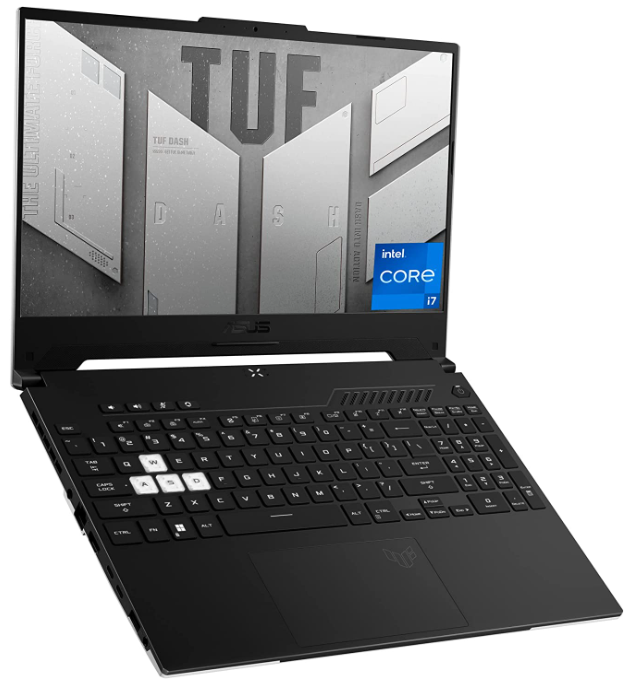
    ASUS TUF Dash 15
    [/fusion_text][fusion_table fusion_table_type=”1″ fusion_table_rows=”8″ fusion_table_columns=”2″ margin_top=”” margin_right=”” margin_bottom=”” margin_left=”” hide_on_mobile=”small-visibility,medium-visibility,large-visibility” class=”” id=”” animation_type=”” animation_direction=”left” animation_color=”” hue=”” saturation=”” lightness=”” alpha=”” animation_speed=”0.3″ animation_delay=”0″ animation_offset=””]

    Component Specification
    Processor Intel Core i7-12650H, 10 core 16 threads, 4.7 GHz Max Boost Clock Speed
     Memory 16 GB DDR5-4800MHz
    Storage 512 GB M.2 NVMe PCIe SSD
    Graphics NVIDIA GeForce RTX 3060, 6GB VRAM
    Ports 3 USB 3.0 Ports
    Operating system Windows 11 Home
    Recommended for Small to medium-sized 3D modeling, assembly, rendering and simulations

    [/fusion_table][fusion_button link=”https://geni.us/m4WC5W7″ title=”” target=”_blank” link_attributes=”” alignment_medium=”” alignment_small=”” alignment=”left” modal=”” hide_on_mobile=”small-visibility,medium-visibility,large-visibility” sticky_display=”normal,sticky” class=”” id=”” color=”default” button_gradient_top_color_hover=”” hue=”” saturation=”” lightness=”” alpha=”” button_gradient_top_color=”” button_gradient_bottom_color_hover=”” button_gradient_bottom_color=”” gradient_start_position=”” gradient_end_position=”” gradient_type=”” radial_direction=”” linear_angle=”180″ accent_hover_color=”” accent_color=”” type=”flat” bevel_color=”” bevel_color_hover=”” border_top=”” border_right=”” border_bottom=”” border_left=”” border_radius_top_left=”” border_radius_top_right=”” border_radius_bottom_right=”” border_radius_bottom_left=”” border_hover_color=”” border_color=”” size=”medium” padding_top=”” padding_right=”” padding_bottom=”” padding_left=”” fusion_font_family_button_font=”” fusion_font_variant_button_font=”” font_size=”” line_height=”” letter_spacing=”” text_transform=”” stretch=”default” margin_top=”4%” margin_right=”” margin_bottom=”” margin_left=”” icon=”” icon_position=”left” icon_divider=”no” hover_transition=”none” animation_type=”” animation_direction=”left” animation_color=”” animation_speed=”0.3″ animation_delay=”0″ animation_offset=””]Buy From Amazon[/fusion_button][/fusion_builder_column][/fusion_builder_row][/fusion_builder_container][fusion_builder_container type=”flex” hundred_percent=”no” hundred_percent_height=”no” min_height_medium=”” min_height_small=”” min_height=”” hundred_percent_height_scroll=”no” align_content=”stretch” flex_align_items=”flex-start” flex_justify_content=”flex-start” flex_column_spacing=”” hundred_percent_height_center_content=”yes” equal_height_columns=”no” container_tag=”div” menu_anchor=”” hide_on_mobile=”small-visibility,medium-visibility,large-visibility” status=”published” publish_date=”” class=”” id=”” margin_top_medium=”” margin_bottom_medium=”” margin_top_small=”” margin_bottom_small=”” margin_top=”” margin_bottom=”” padding_top_medium=”” padding_right_medium=”” padding_bottom_medium=”” padding_left_medium=”” padding_top_small=”” padding_right_small=”” padding_bottom_small=”” padding_left_small=”” padding_top=”” padding_right=”” padding_bottom=”” padding_left=”” link_color=”” link_hover_color=”” border_sizes_top=”” border_sizes_right=”” border_sizes_bottom=”” border_sizes_left=”” border_color=”” border_style=”solid” box_shadow=”no” box_shadow_vertical=”” box_shadow_horizontal=”” box_shadow_blur=”0″ box_shadow_spread=”0″ box_shadow_color=”” box_shadow_style=”” z_index=”” overflow=”” gradient_start_position=”0″ gradient_end_position=”100″ gradient_type=”linear” radial_direction=”center center” linear_angle=”180″ background_color=”” background_image=”” skip_lazy_load=”” background_position=”center center” background_repeat=”no-repeat” fade=”no” background_parallax=”none” enable_mobile=”no” parallax_speed=”0.3″ background_blend_mode=”none” video_mp4=”” video_webm=”” video_ogv=”” video_url=”” video_aspect_ratio=”16:9″ video_loop=”yes” video_mute=”yes” video_preview_image=”” absolute=”off” absolute_devices=”small,medium,large” sticky=”off” sticky_devices=”small-visibility,medium-visibility,large-visibility” sticky_background_color=”” sticky_height=”” sticky_offset=”” sticky_transition_offset=”0″ scroll_offset=”0″ animation_type=”” animation_direction=”left” animation_speed=”0.3″ animation_offset=”” filter_hue=”0″ filter_saturation=”100″ filter_brightness=”100″ filter_contrast=”100″ filter_invert=”0″ filter_sepia=”0″ filter_opacity=”100″ filter_blur=”0″ filter_hue_hover=”0″ filter_saturation_hover=”100″ filter_brightness_hover=”100″ filter_contrast_hover=”100″ filter_invert_hover=”0″ filter_sepia_hover=”0″ filter_opacity_hover=”100″ filter_blur_hover=”0″ admin_label=”Alienware M15 R6″ admin_toggled=”yes”][fusion_builder_row][fusion_builder_column type=”1_1″ layout=”1_1″ align_self=”auto” content_layout=”column” align_content=”flex-start” valign_content=”flex-start” content_wrap=”wrap” spacing=”” center_content=”no” link=”” target=”_self” link_description=”” min_height=”” hide_on_mobile=”small-visibility,medium-visibility,large-visibility” sticky_display=”normal,sticky” class=”” id=”” order_medium=”0″ order_small=”0″ hover_type=”none” border_color=”” border_style=”solid” box_shadow=”no” box_shadow_blur=”0″ box_shadow_spread=”0″ box_shadow_color=”” box_shadow_style=”” overflow=”” background_type=”single” gradient_start_position=”0″ gradient_end_position=”100″ gradient_type=”linear” radial_direction=”center center” linear_angle=”180″ background_color=”” background_image=”” background_image_id=”” background_position=”left top” background_repeat=”no-repeat” background_blend_mode=”none” filter_type=”regular” filter_hue=”0″ filter_saturation=”100″ filter_brightness=”100″ filter_contrast=”100″ filter_invert=”0″ filter_sepia=”0″ filter_opacity=”100″ filter_blur=”0″ filter_hue_hover=”0″ filter_saturation_hover=”100″ filter_brightness_hover=”100″ filter_contrast_hover=”100″ filter_invert_hover=”0″ filter_sepia_hover=”0″ filter_opacity_hover=”100″ filter_blur_hover=”0″ animation_type=”” animation_direction=”left” animation_speed=”0.3″ animation_offset=”” last=”true” border_position=”all” first=”true”][fusion_text columns=”” column_min_width=”” column_spacing=”” rule_style=”” rule_size=”” rule_color=”” hue=”” saturation=”” lightness=”” alpha=”” content_alignment_medium=”” content_alignment_small=”” content_alignment=”” hide_on_mobile=”small-visibility,medium-visibility,large-visibility” sticky_display=”normal,sticky” class=”” id=”” margin_top=”” margin_right=”” margin_bottom=”” margin_left=”” fusion_font_family_text_font=”” fusion_font_variant_text_font=”” font_size=”” line_height=”” letter_spacing=”” text_transform=”none” text_color=”” animation_type=”” animation_direction=”left” animation_color=”” animation_speed=”0.3″ animation_delay=”0″ animation_offset=”” logics=””]

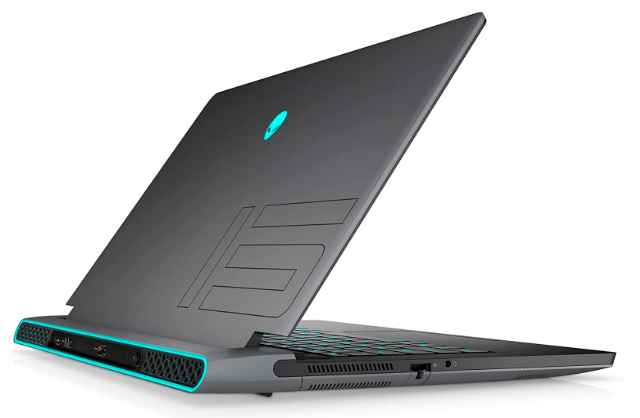
    Alienware M15 R6
    [/fusion_text][fusion_table fusion_table_type=”1″ fusion_table_rows=”8″ fusion_table_columns=”2″ margin_top=”” margin_right=”” margin_bottom=”” margin_left=”” hide_on_mobile=”small-visibility,medium-visibility,large-visibility” class=”” id=”” animation_type=”” animation_direction=”left” animation_color=”” hue=”” saturation=”” lightness=”” alpha=”” animation_speed=”0.3″ animation_delay=”0″ animation_offset=””]

    Component Specification
    Processor Intel Core i7-11800H, 8 cores 16 threads, 4.6 GHz max turbo frequency
     Memory 32 GB DDR4-3200MHz
    Storage 1 TB M.2 NVMe PCIe SSD
    Graphics NVIDIA RTX 3070, 8 GB VRAM
    Ports 3 USB 3.0 Ports
    Operating system Windows 11 Home
    Recommended for Small to medium-sized 3D modeling, assemblies, rendering and simulations

    [/fusion_table][fusion_button link=”https://geni.us/HlXqP2M” title=”” target=”_blank” link_attributes=”” alignment_medium=”” alignment_small=”” alignment=”left” modal=”” hide_on_mobile=”small-visibility,medium-visibility,large-visibility” sticky_display=”normal,sticky” class=”” id=”” color=”default” button_gradient_top_color_hover=”” hue=”” saturation=”” lightness=”” alpha=”” button_gradient_top_color=”” button_gradient_bottom_color_hover=”” button_gradient_bottom_color=”” gradient_start_position=”” gradient_end_position=”” gradient_type=”” radial_direction=”” linear_angle=”180″ accent_hover_color=”” accent_color=”” type=”flat” bevel_color=”” bevel_color_hover=”” border_top=”” border_right=”” border_bottom=”” border_left=”” border_radius_top_left=”” border_radius_top_right=”” border_radius_bottom_right=”” border_radius_bottom_left=”” border_hover_color=”” border_color=”” size=”medium” padding_top=”” padding_right=”” padding_bottom=”” padding_left=”” fusion_font_family_button_font=”” fusion_font_variant_button_font=”” font_size=”” line_height=”” letter_spacing=”” text_transform=”” stretch=”default” margin_top=”4%” margin_right=”” margin_bottom=”” margin_left=”” icon=”” icon_position=”left” icon_divider=”no” hover_transition=”none” animation_type=”” animation_direction=”left” animation_color=”” animation_speed=”0.3″ animation_delay=”0″ animation_offset=””]Buy From Amazon[/fusion_button][/fusion_builder_column][/fusion_builder_row][/fusion_builder_container][fusion_builder_container type=”flex” hundred_percent=”no” hundred_percent_height=”no” min_height_medium=”” min_height_small=”” min_height=”” hundred_percent_height_scroll=”no” align_content=”stretch” flex_align_items=”flex-start” flex_justify_content=”flex-start” flex_column_spacing=”” hundred_percent_height_center_content=”yes” equal_height_columns=”no” container_tag=”div” menu_anchor=”” hide_on_mobile=”small-visibility,medium-visibility,large-visibility” status=”published” publish_date=”” class=”” id=”” margin_top_medium=”” margin_bottom_medium=”” margin_top_small=”” margin_bottom_small=”” margin_top=”” margin_bottom=”” padding_top_medium=”” padding_right_medium=”” padding_bottom_medium=”” padding_left_medium=”” padding_top_small=”” padding_right_small=”” padding_bottom_small=”” padding_left_small=”” padding_top=”” padding_right=”” padding_bottom=”” padding_left=”” link_color=”” link_hover_color=”” border_sizes_top=”” border_sizes_right=”” border_sizes_bottom=”” border_sizes_left=”” border_color=”” border_style=”solid” box_shadow=”no” box_shadow_vertical=”” box_shadow_horizontal=”” box_shadow_blur=”0″ box_shadow_spread=”0″ box_shadow_color=”” box_shadow_style=”” z_index=”” overflow=”” gradient_start_position=”0″ gradient_end_position=”100″ gradient_type=”linear” radial_direction=”center center” linear_angle=”180″ background_color=”” background_image=”” skip_lazy_load=”” background_position=”center center” background_repeat=”no-repeat” fade=”no” background_parallax=”none” enable_mobile=”no” parallax_speed=”0.3″ background_blend_mode=”none” video_mp4=”” video_webm=”” video_ogv=”” video_url=”” video_aspect_ratio=”16:9″ video_loop=”yes” video_mute=”yes” video_preview_image=”” absolute=”off” absolute_devices=”small,medium,large” sticky=”off” sticky_devices=”small-visibility,medium-visibility,large-visibility” sticky_background_color=”” sticky_height=”” sticky_offset=”” sticky_transition_offset=”0″ scroll_offset=”0″ animation_type=”” animation_direction=”left” animation_speed=”0.3″ animation_offset=”” filter_hue=”0″ filter_saturation=”100″ filter_brightness=”100″ filter_contrast=”100″ filter_invert=”0″ filter_sepia=”0″ filter_opacity=”100″ filter_blur=”0″ filter_hue_hover=”0″ filter_saturation_hover=”100″ filter_brightness_hover=”100″ filter_contrast_hover=”100″ filter_invert_hover=”0″ filter_sepia_hover=”0″ filter_opacity_hover=”100″ filter_blur_hover=”0″ admin_label=”Lenovo Legion 5 Pro 16ACH6H” admin_toggled=”yes”][fusion_builder_row][fusion_builder_column type=”1_1″ layout=”1_1″ align_self=”auto” content_layout=”column” align_content=”flex-start” valign_content=”flex-start” content_wrap=”wrap” spacing=”” center_content=”no” link=”” target=”_self” link_description=”” min_height=”” hide_on_mobile=”small-visibility,medium-visibility,large-visibility” sticky_display=”normal,sticky” class=”” id=”” order_medium=”0″ order_small=”0″ hover_type=”none” border_color=”” border_style=”solid” box_shadow=”no” box_shadow_blur=”0″ box_shadow_spread=”0″ box_shadow_color=”” box_shadow_style=”” overflow=”” background_type=”single” gradient_start_position=”0″ gradient_end_position=”100″ gradient_type=”linear” radial_direction=”center center” linear_angle=”180″ background_color=”” background_image=”” background_image_id=”” background_position=”left top” background_repeat=”no-repeat” background_blend_mode=”none” filter_type=”regular” filter_hue=”0″ filter_saturation=”100″ filter_brightness=”100″ filter_contrast=”100″ filter_invert=”0″ filter_sepia=”0″ filter_opacity=”100″ filter_blur=”0″ filter_hue_hover=”0″ filter_saturation_hover=”100″ filter_brightness_hover=”100″ filter_contrast_hover=”100″ filter_invert_hover=”0″ filter_sepia_hover=”0″ filter_opacity_hover=”100″ filter_blur_hover=”0″ animation_type=”” animation_direction=”left” animation_speed=”0.3″ animation_offset=”” last=”true” border_position=”all” first=”true”][fusion_text columns=”” column_min_width=”” column_spacing=”” rule_style=”” rule_size=”” rule_color=”” hue=”” saturation=”” lightness=”” alpha=”” content_alignment_medium=”” content_alignment_small=”” content_alignment=”” hide_on_mobile=”small-visibility,medium-visibility,large-visibility” sticky_display=”normal,sticky” class=”” id=”” margin_top=”” margin_right=”” margin_bottom=”” margin_left=”” fusion_font_family_text_font=”” fusion_font_variant_text_font=”” font_size=”” line_height=”” letter_spacing=”” text_transform=”none” text_color=”” animation_type=”” animation_direction=”left” animation_color=”” animation_speed=”0.3″ animation_delay=”0″ animation_offset=”” logics=””]

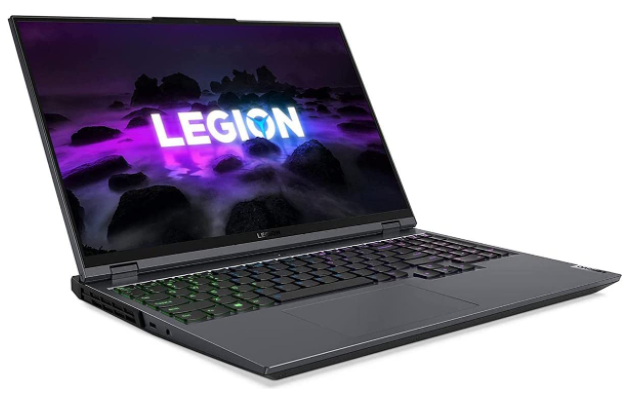
    Lenovo Legion 5 Pro 16ACH6H
    [/fusion_text][fusion_table fusion_table_type=”1″ fusion_table_rows=”8″ fusion_table_columns=”2″ margin_top=”” margin_right=”” margin_bottom=”” margin_left=”” hide_on_mobile=”small-visibility,medium-visibility,large-visibility” class=”” id=”” animation_type=”” animation_direction=”left” animation_color=”” hue=”” saturation=”” lightness=”” alpha=”” animation_speed=”0.3″ animation_delay=”0″ animation_offset=””]

    Component Specification
    Processor AMD Ryzen 7 5800H, 8 cores 16 threads, 4.4 GHz Max Turbo Frequency
     Memory 16GB DDR4-3200MHz
    Storage 1 TB M.2 NVMe PCIe SSD
    Graphics NVIDIA GeForce RTX 3070, 8 GB VRAM
    Ports 4 USB 3.0 Ports
    Operating system Windows 11 Home
    Recommended for Small to medium size 3D modeling, Assemblies, rendering and simulations

    [/fusion_table][fusion_button link=”https://geni.us/sSar” title=”” target=”_blank” link_attributes=”” alignment_medium=”” alignment_small=”” alignment=”left” modal=”” hide_on_mobile=”small-visibility,medium-visibility,large-visibility” sticky_display=”normal,sticky” class=”” id=”” color=”default” button_gradient_top_color_hover=”” hue=”” saturation=”” lightness=”” alpha=”” button_gradient_top_color=”” button_gradient_bottom_color_hover=”” button_gradient_bottom_color=”” gradient_start_position=”” gradient_end_position=”” gradient_type=”” radial_direction=”” linear_angle=”180″ accent_hover_color=”” accent_color=”” type=”flat” bevel_color=”” bevel_color_hover=”” border_top=”” border_right=”” border_bottom=”” border_left=”” border_radius_top_left=”” border_radius_top_right=”” border_radius_bottom_right=”” border_radius_bottom_left=”” border_hover_color=”” border_color=”” size=”medium” padding_top=”” padding_right=”” padding_bottom=”” padding_left=”” fusion_font_family_button_font=”” fusion_font_variant_button_font=”” font_size=”” line_height=”” letter_spacing=”” text_transform=”” stretch=”default” margin_top=”4%” margin_right=”” margin_bottom=”” margin_left=”” icon=”” icon_position=”left” icon_divider=”no” hover_transition=”none” animation_type=”” animation_direction=”left” animation_color=”” animation_speed=”0.3″ animation_delay=”0″ animation_offset=””]Buy From Amazon[/fusion_button][/fusion_builder_column][/fusion_builder_row][/fusion_builder_container][fusion_builder_container type=”flex” hundred_percent=”no” hundred_percent_height=”no” min_height_medium=”” min_height_small=”” min_height=”” hundred_percent_height_scroll=”no” align_content=”stretch” flex_align_items=”flex-start” flex_justify_content=”flex-start” flex_column_spacing=”” hundred_percent_height_center_content=”yes” equal_height_columns=”no” container_tag=”div” menu_anchor=”” hide_on_mobile=”small-visibility,medium-visibility,large-visibility” status=”published” publish_date=”” class=”” id=”” margin_top_medium=”” margin_bottom_medium=”” margin_top_small=”” margin_bottom_small=”” margin_top=”” margin_bottom=”” padding_top_medium=”” padding_right_medium=”” padding_bottom_medium=”” padding_left_medium=”” padding_top_small=”” padding_right_small=”” padding_bottom_small=”” padding_left_small=”” padding_top=”” padding_right=”” padding_bottom=”” padding_left=”” link_color=”” link_hover_color=”” border_sizes_top=”” border_sizes_right=”” border_sizes_bottom=”” border_sizes_left=”” border_color=”” border_style=”solid” box_shadow=”no” box_shadow_vertical=”” box_shadow_horizontal=”” box_shadow_blur=”0″ box_shadow_spread=”0″ box_shadow_color=”” box_shadow_style=”” z_index=”” overflow=”” gradient_start_position=”0″ gradient_end_position=”100″ gradient_type=”linear” radial_direction=”center center” linear_angle=”180″ background_color=”” background_image=”” skip_lazy_load=”” background_position=”center center” background_repeat=”no-repeat” fade=”no” background_parallax=”none” enable_mobile=”no” parallax_speed=”0.3″ background_blend_mode=”none” video_mp4=”” video_webm=”” video_ogv=”” video_url=”” video_aspect_ratio=”16:9″ video_loop=”yes” video_mute=”yes” video_preview_image=”” absolute=”off” absolute_devices=”small,medium,large” sticky=”off” sticky_devices=”small-visibility,medium-visibility,large-visibility” sticky_background_color=”” sticky_height=”” sticky_offset=”” sticky_transition_offset=”0″ scroll_offset=”0″ animation_type=”” animation_direction=”left” animation_speed=”0.3″ animation_offset=”” filter_hue=”0″ filter_saturation=”100″ filter_brightness=”100″ filter_contrast=”100″ filter_invert=”0″ filter_sepia=”0″ filter_opacity=”100″ filter_blur=”0″ filter_hue_hover=”0″ filter_saturation_hover=”100″ filter_brightness_hover=”100″ filter_contrast_hover=”100″ filter_invert_hover=”0″ filter_sepia_hover=”0″ filter_opacity_hover=”100″ filter_blur_hover=”0″ admin_label=”ASUS G614JI-AS94 ROG Strix G16″ admin_toggled=”yes”][fusion_builder_row][fusion_builder_column type=”1_1″ layout=”1_1″ align_self=”auto” content_layout=”column” align_content=”flex-start” valign_content=”flex-start” content_wrap=”wrap” spacing=”” center_content=”no” link=”” target=”_self” link_description=”” min_height=”” hide_on_mobile=”small-visibility,medium-visibility,large-visibility” sticky_display=”normal,sticky” class=”” id=”” order_medium=”0″ order_small=”0″ hover_type=”none” border_color=”” border_style=”solid” box_shadow=”no” box_shadow_blur=”0″ box_shadow_spread=”0″ box_shadow_color=”” box_shadow_style=”” overflow=”” background_type=”single” gradient_start_position=”0″ gradient_end_position=”100″ gradient_type=”linear” radial_direction=”center center” linear_angle=”180″ background_color=”” background_image=”” background_image_id=”” background_position=”left top” background_repeat=”no-repeat” background_blend_mode=”none” filter_type=”regular” filter_hue=”0″ filter_saturation=”100″ filter_brightness=”100″ filter_contrast=”100″ filter_invert=”0″ filter_sepia=”0″ filter_opacity=”100″ filter_blur=”0″ filter_hue_hover=”0″ filter_saturation_hover=”100″ filter_brightness_hover=”100″ filter_contrast_hover=”100″ filter_invert_hover=”0″ filter_sepia_hover=”0″ filter_opacity_hover=”100″ filter_blur_hover=”0″ animation_type=”” animation_direction=”left” animation_speed=”0.3″ animation_offset=”” last=”true” border_position=”all” first=”true”][fusion_text columns=”” column_min_width=”” column_spacing=”” rule_style=”” rule_size=”” rule_color=”” hue=”” saturation=”” lightness=”” alpha=”” content_alignment_medium=”” content_alignment_small=”” content_alignment=”” hide_on_mobile=”small-visibility,medium-visibility,large-visibility” sticky_display=”normal,sticky” class=”” id=”” margin_top=”” margin_right=”” margin_bottom=”” margin_left=”” fusion_font_family_text_font=”” fusion_font_variant_text_font=”” font_size=”” line_height=”” letter_spacing=”” text_transform=”none” text_color=”” animation_type=”” animation_direction=”left” animation_color=”” animation_speed=”0.3″ animation_delay=”0″ animation_offset=”” logics=””]

    ASUS G614JI-AS94 ROG Strix G16
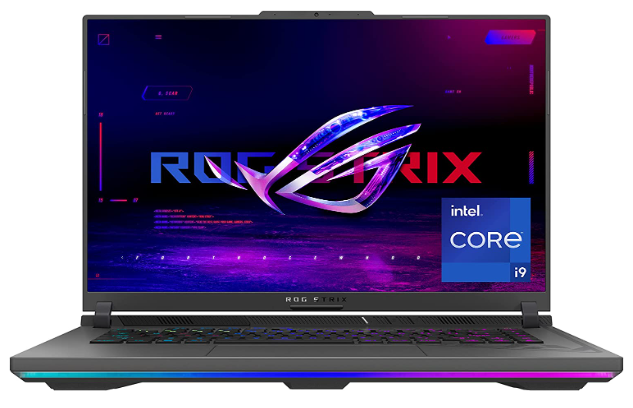
    best laptops for fusion 360

    [/fusion_text][fusion_table fusion_table_type=”1″ fusion_table_rows=”8″ fusion_table_columns=”2″ margin_top=”” margin_right=”” margin_bottom=”” margin_left=”” hide_on_mobile=”small-visibility,medium-visibility,large-visibility” class=”” id=”” animation_type=”” animation_direction=”left” animation_color=”” hue=”” saturation=”” lightness=”” alpha=”” animation_speed=”0.3″ animation_delay=”0″ animation_offset=””]

    Component Specification
    Processor Intel Core i9-13980HX, 24 cores 32 threads,5.6 GHz Max Turbo Frequency
     Memory 16 GB DDR5-4800MHz
    Storage 1 TB M.2 NVMe PCIe
    Graphics NVIDIA GeForce RTX 4070, 12 GB
    Ports 2 USB 3.0 Ports
    Operating system Windows 11 Home
    Recommended for Small to large size 3D modeling, rendering, assemblies and simulations

    [/fusion_table][fusion_button link=”https://geni.us/dfAuqh” title=”” target=”_blank” link_attributes=”” alignment_medium=”” alignment_small=”” alignment=”left” modal=”” hide_on_mobile=”small-visibility,medium-visibility,large-visibility” sticky_display=”normal,sticky” class=”” id=”” color=”default” button_gradient_top_color_hover=”” hue=”” saturation=”” lightness=”” alpha=”” button_gradient_top_color=”” button_gradient_bottom_color_hover=”” button_gradient_bottom_color=”” gradient_start_position=”” gradient_end_position=”” gradient_type=”” radial_direction=”” linear_angle=”180″ accent_hover_color=”” accent_color=”” type=”flat” bevel_color=”” bevel_color_hover=”” border_top=”” border_right=”” border_bottom=”” border_left=”” border_radius_top_left=”” border_radius_top_right=”” border_radius_bottom_right=”” border_radius_bottom_left=”” border_hover_color=”” border_color=”” size=”medium” padding_top=”” padding_right=”” padding_bottom=”” padding_left=”” fusion_font_family_button_font=”” fusion_font_variant_button_font=”” font_size=”” line_height=”” letter_spacing=”” text_transform=”” stretch=”default” margin_top=”4%” margin_right=”” margin_bottom=”” margin_left=”” icon=”” icon_position=”left” icon_divider=”no” hover_transition=”none” animation_type=”” animation_direction=”left” animation_color=”” animation_speed=”0.3″ animation_delay=”0″ animation_offset=””]Buy From Amazon[/fusion_button][/fusion_builder_column][/fusion_builder_row][/fusion_builder_container][fusion_builder_container admin_label=”Conclusion” type=”flex” hundred_percent=”no” hundred_percent_height=”no” min_height_medium=”” min_height_small=”” min_height=”” hundred_percent_height_scroll=”no” align_content=”stretch” flex_align_items=”flex-start” flex_justify_content=”flex-start” flex_column_spacing=”” hundred_percent_height_center_content=”yes” equal_height_columns=”no” container_tag=”div” menu_anchor=”” hide_on_mobile=”small-visibility,medium-visibility,large-visibility” status=”published” publish_date=”” class=”” id=”” margin_top_medium=”” margin_bottom_medium=”” margin_top_small=”” margin_bottom_small=”” margin_top=”” margin_bottom=”” padding_top_medium=”” padding_right_medium=”” padding_bottom_medium=”” padding_left_medium=”” padding_top_small=”” padding_right_small=”” padding_bottom_small=”” padding_left_small=”” padding_top=”” padding_right=”” padding_bottom=”” padding_left=”” link_hover_color=”” hue=”” saturation=”” lightness=”” alpha=”” link_color=”var(–awb-color3)” border_sizes_top=”” border_sizes_right=”” border_sizes_bottom=”” border_sizes_left=”” border_color=”” border_style=”solid” border_radius_top_left=”” border_radius_top_right=”” border_radius_bottom_right=”” border_radius_bottom_left=”” box_shadow=”no” box_shadow_vertical=”” box_shadow_horizontal=”” box_shadow_blur=”0″ box_shadow_spread=”0″ box_shadow_color=”” box_shadow_style=”” z_index=”” overflow=”” gradient_start_color=”” gradient_end_color=”” gradient_start_position=”0″ gradient_end_position=”100″ gradient_type=”linear” radial_direction=”center center” linear_angle=”180″ background_color_medium=”” background_color_small=”” background_color=”” background_image_medium=”” background_image_small=”” background_image=”” skip_lazy_load=”” background_position_medium=”” background_position_small=”” background_position=”center center” background_repeat_medium=”” background_repeat_small=”” background_repeat=”no-repeat” background_size_medium=”” background_size_small=”” background_size=”” background_custom_size=”” background_custom_size_medium=”” background_custom_size_small=”” fade=”no” background_parallax=”none” enable_mobile=”no” parallax_speed=”0.3″ background_blend_mode_medium=”” background_blend_mode_small=”” background_blend_mode=”none” video_mp4=”” video_webm=”” video_ogv=”” video_url=”” video_aspect_ratio=”16:9″ video_loop=”yes” video_mute=”yes” video_preview_image=”” pattern_bg=”none” pattern_custom_bg=”” pattern_bg_color=”” pattern_bg_style=”default” pattern_bg_opacity=”100″ pattern_bg_size=”” pattern_bg_blend_mode=”normal” mask_bg=”none” mask_custom_bg=”” mask_bg_color=”” mask_bg_accent_color=”” mask_bg_style=”default” mask_bg_opacity=”100″ mask_bg_transform=”left” mask_bg_blend_mode=”normal” render_logics=”” absolute=”off” absolute_devices=”small,medium,large” sticky=”off” sticky_devices=”small-visibility,medium-visibility,large-visibility” sticky_background_color=”” sticky_height=”” sticky_offset=”” sticky_transition_offset=”0″ scroll_offset=”0″ animation_type=”” animation_direction=”left” animation_color=”” animation_speed=”0.3″ animation_delay=”0″ animation_offset=”” filter_hue=”0″ filter_saturation=”100″ filter_brightness=”100″ filter_contrast=”100″ filter_invert=”0″ filter_sepia=”0″ filter_opacity=”100″ filter_blur=”0″ filter_hue_hover=”0″ filter_saturation_hover=”100″ filter_brightness_hover=”100″ filter_contrast_hover=”100″ filter_invert_hover=”0″ filter_sepia_hover=”0″ filter_opacity_hover=”100″ filter_blur_hover=”0″ admin_toggled=”yes”][fusion_builder_row][fusion_builder_column type=”1_1″ layout=”1_1″ align_self=”auto” content_layout=”column” align_content=”flex-start” valign_content=”flex-start” content_wrap=”wrap” spacing=”” center_content=”no” link=”” target=”_self” link_description=”” min_height=”” hide_on_mobile=”small-visibility,medium-visibility,large-visibility” sticky_display=”normal,sticky” class=”” id=”” type_medium=”” type_small=”” order_medium=”0″ order_small=”0″ dimension_spacing_medium=”” dimension_spacing_small=”” dimension_spacing=”” dimension_margin_medium=”” dimension_margin_small=”” margin_top=”” margin_bottom=”” padding_medium=”” padding_small=”” padding_top=”” padding_right=”” padding_bottom=”” padding_left=”” hover_type=”none” border_sizes=”” border_color=”” border_style=”solid” border_radius=”” box_shadow=”no” dimension_box_shadow=”” box_shadow_blur=”0″ box_shadow_spread=”0″ box_shadow_color=”” box_shadow_style=”” overflow=”” background_type=”single” gradient_start_color=”” gradient_end_color=”” gradient_start_position=”0″ gradient_end_position=”100″ gradient_type=”linear” radial_direction=”center center” linear_angle=”180″ background_color=”” background_image=”” background_image_id=”” background_position=”left top” background_repeat=”no-repeat” background_blend_mode=”none” render_logics=”” filter_type=”regular” filter_hue=”0″ filter_saturation=”100″ filter_brightness=”100″ filter_contrast=”100″ filter_invert=”0″ filter_sepia=”0″ filter_opacity=”100″ filter_blur=”0″ filter_hue_hover=”0″ filter_saturation_hover=”100″ filter_brightness_hover=”100″ filter_contrast_hover=”100″ filter_invert_hover=”0″ filter_sepia_hover=”0″ filter_opacity_hover=”100″ filter_blur_hover=”0″ animation_type=”” animation_direction=”left” animation_speed=”0.3″ animation_offset=”” last=”true” border_position=”all” first=”true”][fusion_text columns=”” column_min_width=”” column_spacing=”” rule_style=”” rule_size=”” rule_color=”” hue=”” saturation=”” lightness=”” alpha=”” content_alignment_medium=”” content_alignment_small=”” content_alignment=”” hide_on_mobile=”small-visibility,medium-visibility,large-visibility” sticky_display=”normal,sticky” class=”” id=”” margin_top=”” margin_right=”” margin_bottom=”” margin_left=”” fusion_font_family_text_font=”” fusion_font_variant_text_font=”” font_size=”” line_height=”” letter_spacing=”” text_transform=”none” text_color=”” animation_type=”” animation_direction=”left” animation_color=”” animation_speed=”0.3″ animation_delay=”0″ animation_offset=”” logics=””]

    Some Frequently asked questions

    Now that we have shared our list of best Fusion 360 laptops let’s answer some of the questions we usually get from users.

    What is the minimum system requirement to run Fusion 360?

    A simple configuration with really basic hardware can run Fusion 360 but that doesn’t mean it will work in all scenarios.

    For larger data sets or complex tasks, a minimum recommended system configuration will not work.

    Still, if you are interested here is the minimum system requirement as recommended by Autodesk for Fusion 360:

    [/fusion_text][fusion_table fusion_table_type=”1″ fusion_table_rows=”6″ fusion_table_columns=”2″ margin_top=”” margin_right=”” margin_bottom=”” margin_left=”” hide_on_mobile=”small-visibility,medium-visibility,large-visibility” class=”” id=”” animation_type=”” animation_direction=”left” animation_color=”” hue=”” saturation=”” lightness=”” alpha=”” animation_speed=”0.3″ animation_delay=”0″ animation_offset=””]

    Component Specification
    Processor 64 Bit Intel or AMD processors with a minimum of 4 cores and 1.7 GHZ base clock speed, Apple silicon processors require Rosetta 2
    Memory (RAM) Minimum 4 GB (16 GB recommended)
    Disk Storage SSD Recommended
    Display The minimum required is 1366 x 768 but 1920 x 1080 or more is recommended
    Operating system 64 Bit Windows 10 or 11, Mac 11 Big Sur, 12 Monterey or 13 Ventura

    [/fusion_table][fusion_text columns=”” column_min_width=”” column_spacing=”” rule_style=”” rule_size=”” rule_color=”” hue=”” saturation=”” lightness=”” alpha=”” content_alignment_medium=”” content_alignment_small=”” content_alignment=”” hide_on_mobile=”small-visibility,medium-visibility,large-visibility” sticky_display=”normal,sticky” class=”” id=”” margin_top=”2%” margin_right=”” margin_bottom=”” margin_left=”” fusion_font_family_text_font=”” fusion_font_variant_text_font=”” font_size=”” line_height=”” letter_spacing=”” text_transform=”none” text_color=”” animation_type=”” animation_direction=”left” animation_color=”” animation_speed=”0.3″ animation_delay=”0″ animation_offset=”” logics=””]

    What is the best laptop to run Fusion 360?

    If budget allows, Asus G16 14JI-AS94 ROG Strix will be the best among all the laptops recommended in this article for Fusion 360 as it provides the best overall hardware specifications with a fast Processor, SSD, RAM and graphics within a reasonable price tag.

    If you are on a budget then Asus TUF Dash 15 should be your choice of best laptop for Fusion 360 as it has the best hardware in a moderate budget segment.

    Are gaming laptops good for Fusion 360?

    Gaming laptops generally work well with Fusion 360 as it’s mostly CPU dependent and gaming laptops tend to have faster CPUs.

    Fusion 360 however won’t take much advantage of the high-end graphics of gaming laptops as it only relies on graphics for rendering the scenes and everything else is taken care of by the CPU core.

    Should I select more cores or a higher clock speed in a processor for Fusion 360?

    Fusion 360 mostly relies on faster single-core performance so you should always go with the faster single-core speed in processor.

    But multi-core can’t be ignored completely as it will help run other tasks parallelly reducing the overall load on single performance core.

    Conclusion

    As Fusion 360 is an Autodesk product some of the best laptops for AutoCAD and other Autodesk products will work well with Fusion 360 too.

    But in the end, the hardware requirement will purely depend on the workflow and the complexity of the task that you will be performing.

    So, decide the best laptop for Fusion 360 based on your requirement and your budget.

    Which laptop you are using for Fusion 360 currently?

    Let us know in the comments below.

    [/fusion_text][/fusion_builder_column][/fusion_builder_row][/fusion_builder_container][fusion_builder_container type=”flex” hundred_percent=”no” hundred_percent_height=”no” min_height_medium=”” min_height_small=”” min_height=”” hundred_percent_height_scroll=”no” align_content=”stretch” flex_align_items=”flex-start” flex_justify_content=”flex-start” flex_wrap_medium=”” flex_wrap_small=”” flex_wrap=”wrap” flex_column_spacing=”” hundred_percent_height_center_content=”yes” equal_height_columns=”no” container_tag=”div” menu_anchor=”” hide_on_mobile=”small-visibility,medium-visibility,large-visibility” status=”published” publish_date=”” class=”” id=”” spacing_medium=”” margin_top_medium=”” margin_bottom_medium=”” spacing_small=”” margin_top_small=”” margin_bottom_small=”” margin_top=”” margin_bottom=”” padding_dimensions_medium=”” padding_top_medium=”” padding_right_medium=”” padding_bottom_medium=”” padding_left_medium=”” padding_dimensions_small=”” padding_top_small=”” padding_right_small=”” padding_bottom_small=”” padding_left_small=”” padding_top=”” padding_right=”” padding_bottom=”” padding_left=”” link_hover_color=”” link_color=”” border_sizes=”” border_sizes_top=”” border_sizes_right=”” border_sizes_bottom=”” border_sizes_left=”” border_color=”” border_style=”solid” border_radius_top_left=”” border_radius_top_right=”” border_radius_bottom_right=”” border_radius_bottom_left=”” box_shadow=”no” box_shadow_vertical=”” box_shadow_horizontal=”” box_shadow_blur=”0″ box_shadow_spread=”0″ box_shadow_color=”” box_shadow_style=”” z_index=”” overflow=”” gradient_start_color=”” gradient_end_color=”” gradient_start_position=”0″ gradient_end_position=”100″ gradient_type=”linear” radial_direction=”center center” linear_angle=”180″ background_color_medium=”” background_color_small=”” background_color=”” background_image_medium=”” background_image_small=”” background_image=”” skip_lazy_load=”” background_position_medium=”” background_position_small=”” background_position=”center center” background_repeat_medium=”” background_repeat_small=”” background_repeat=”no-repeat” background_size_medium=”” background_size_small=”” background_size=”” background_custom_size=”” background_custom_size_medium=”” background_custom_size_small=”” fade=”no” background_parallax=”none” enable_mobile=”no” parallax_speed=”0.3″ background_blend_mode_medium=”” background_blend_mode_small=”” background_blend_mode=”none” video_mp4=”” video_webm=”” video_ogv=”” video_url=”” video_aspect_ratio=”16:9″ video_loop=”yes” video_mute=”yes” video_preview_image=”” pattern_bg=”none” pattern_custom_bg=”” pattern_bg_color=”” pattern_bg_style=”default” pattern_bg_opacity=”100″ pattern_bg_size=”” pattern_bg_blend_mode=”normal” mask_bg=”none” mask_custom_bg=”” mask_bg_color=”” mask_bg_accent_color=”” mask_bg_style=”default” mask_bg_opacity=”100″ mask_bg_transform=”left” mask_bg_blend_mode=”normal” render_logics=”” logics=”” absolute=”off” absolute_devices=”small,medium,large” sticky=”off” sticky_devices=”small-visibility,medium-visibility,large-visibility” sticky_background_color=”” sticky_height=”” sticky_offset=”” sticky_transition_offset=”0″ scroll_offset=”0″ animation_type=”” animation_direction=”left” animation_color=”” animation_speed=”0.3″ animation_delay=”0″ animation_offset=”” filter_hue=”0″ filter_saturation=”100″ filter_brightness=”100″ filter_contrast=”100″ filter_invert=”0″ filter_sepia=”0″ filter_opacity=”100″ filter_blur=”0″ filter_hue_hover=”0″ filter_saturation_hover=”100″ filter_brightness_hover=”100″ filter_contrast_hover=”100″ filter_invert_hover=”0″ filter_sepia_hover=”0″ filter_opacity_hover=”100″ filter_blur_hover=”0″][fusion_builder_row][fusion_builder_column type=”1_1″ layout=”1_1″ align_self=”auto” content_layout=”column” align_content=”flex-start” valign_content=”flex-start” content_wrap=”wrap” spacing=”” center_content=”no” column_tag=”div” link=”” target=”_self” link_description=”” min_height=”” hide_on_mobile=”small-visibility,medium-visibility,large-visibility” sticky_display=”normal,sticky” class=”” id=”” type_medium=”” type_small=”” flex_grow_medium=”” flex_grow_small=”” flex_grow=”” flex_shrink_medium=”” flex_shrink_small=”” flex_shrink=”” order_medium=”0″ order_small=”0″ dimension_spacing_medium=”” dimension_spacing_small=”” dimension_spacing=”” dimension_margin_medium=”” dimension_margin_small=”” margin_top=”” margin_bottom=”” padding_medium=”” padding_small=”” padding_top=”” padding_right=”” padding_bottom=”” padding_left=”” hover_type=”none” border_sizes=”” border_color_hover=”” border_color=”” border_style=”solid” border_radius=”” box_shadow=”no” dimension_box_shadow=”” box_shadow_blur=”0″ box_shadow_spread=”0″ box_shadow_color=”” box_shadow_style=”” z_index_hover=”” z_index=”” overflow=”” background_type=”single” gradient_start_color=”” gradient_end_color=”” gradient_start_position=”0″ gradient_end_position=”100″ gradient_type=”linear” radial_direction=”center center” linear_angle=”180″ background_color_medium=”” background_color_small=”” background_color_medium_hover=”” background_color_small_hover=”” background_color_hover=”” background_color=”” background_image_medium=”” background_image_small=”” background_image=”” background_image_id_medium=”” background_image_id_small=”” background_image_id=”” lazy_load=”avada” skip_lazy_load=”” background_position_medium=”” background_position_small=”” background_position=”left top” background_repeat_medium=”” background_repeat_small=”” background_repeat=”no-repeat” background_size_medium=”” background_size_small=”” background_size=”” background_custom_size=”” background_custom_size_medium=”” background_custom_size_small=”” background_blend_mode_medium=”” background_blend_mode_small=”” background_blend_mode=”none” render_logics=”” sticky=”off” sticky_devices=”small-visibility,medium-visibility,large-visibility” sticky_offset=”” absolute=”off” absolute_props=”” filter_type=”regular” filter_hover_element=”self” filter_hue=”0″ filter_saturation=”100″ filter_brightness=”100″ filter_contrast=”100″ filter_invert=”0″ filter_sepia=”0″ filter_opacity=”100″ filter_blur=”0″ filter_hue_hover=”0″ filter_saturation_hover=”100″ filter_brightness_hover=”100″ filter_contrast_hover=”100″ filter_invert_hover=”0″ filter_sepia_hover=”0″ filter_opacity_hover=”100″ filter_blur_hover=”0″ transform_type=”regular” transform_hover_element=”self” transform_scale_x=”1″ transform_scale_y=”1″ transform_translate_x=”0″ transform_translate_y=”0″ transform_rotate=”0″ transform_skew_x=”0″ transform_skew_y=”0″ transform_scale_x_hover=”1″ transform_scale_y_hover=”1″ transform_translate_x_hover=”0″ transform_translate_y_hover=”0″ transform_rotate_hover=”0″ transform_skew_x_hover=”0″ transform_skew_y_hover=”0″ transform_origin=”” transition_duration=”300″ transition_easing=”ease” transition_custom_easing=”” motion_effects=”” scroll_motion_devices=”small-visibility,medium-visibility,large-visibility” animation_type=”” animation_direction=”left” animation_color=”” animation_speed=”0.3″ animation_delay=”0″ animation_offset=”” last=”true” border_position=”all” first=”true”][/fusion_builder_column][/fusion_builder_row][/fusion_builder_container]

  • Best laptops for Solidworks – Our top 10 pick of 2023

    Best laptops for Solidworks – Our top 10 pick of 2023

    [fusion_builder_container admin_label=”Intro” type=”flex” hundred_percent=”no” hundred_percent_height=”no” min_height_medium=”” min_height_small=”” min_height=”” hundred_percent_height_scroll=”no” align_content=”stretch” flex_align_items=”flex-start” flex_justify_content=”flex-start” flex_column_spacing=”” hundred_percent_height_center_content=”yes” equal_height_columns=”no” container_tag=”div” menu_anchor=”” hide_on_mobile=”small-visibility,medium-visibility,large-visibility” status=”published” publish_date=”” class=”” id=”” margin_top_medium=”” margin_bottom_medium=”” margin_top_small=”” margin_bottom_small=”” margin_top=”” margin_bottom=”” padding_top_medium=”” padding_right_medium=”” padding_bottom_medium=”” padding_left_medium=”” padding_top_small=”” padding_right_small=”” padding_bottom_small=”” padding_left_small=”” padding_top=”” padding_right=”” padding_bottom=”” padding_left=”” link_color=”var(–awb-color3)” hue=”” saturation=”” lightness=”” alpha=”” link_hover_color=”var(–awb-color4)” border_sizes_top=”” border_sizes_right=”” border_sizes_bottom=”” border_sizes_left=”” border_color=”” border_style=”solid” box_shadow=”no” box_shadow_vertical=”” box_shadow_horizontal=”” box_shadow_blur=”0″ box_shadow_spread=”0″ box_shadow_color=”” box_shadow_style=”” z_index=”” overflow=”” gradient_start_color=”” gradient_end_color=”” gradient_start_position=”0″ gradient_end_position=”100″ gradient_type=”linear” radial_direction=”center center” linear_angle=”180″ background_color=”” background_image=”” skip_lazy_load=”” background_position=”center center” background_repeat=”no-repeat” fade=”no” background_parallax=”none” enable_mobile=”no” parallax_speed=”0.3″ background_blend_mode=”none” video_mp4=”” video_webm=”” video_ogv=”” video_url=”” video_aspect_ratio=”16:9″ video_loop=”yes” video_mute=”yes” video_preview_image=”” pattern_bg=”none” pattern_custom_bg=”” pattern_bg_color=”” pattern_bg_style=”default” pattern_bg_opacity=”100″ pattern_bg_size=”” pattern_bg_blend_mode=”normal” mask_bg=”none” mask_custom_bg=”” mask_bg_color=”” mask_bg_accent_color=”” mask_bg_style=”default” mask_bg_opacity=”100″ mask_bg_transform=”left” mask_bg_blend_mode=”normal” render_logics=”” absolute=”off” absolute_devices=”small,medium,large” sticky=”off” sticky_devices=”small-visibility,medium-visibility,large-visibility” sticky_background_color=”” sticky_height=”” sticky_offset=”” sticky_transition_offset=”0″ scroll_offset=”0″ animation_type=”” animation_direction=”left” animation_speed=”0.3″ animation_offset=”” filter_hue=”0″ filter_saturation=”100″ filter_brightness=”100″ filter_contrast=”100″ filter_invert=”0″ filter_sepia=”0″ filter_opacity=”100″ filter_blur=”0″ filter_hue_hover=”0″ filter_saturation_hover=”100″ filter_brightness_hover=”100″ filter_contrast_hover=”100″ filter_invert_hover=”0″ filter_sepia_hover=”0″ filter_opacity_hover=”100″ filter_blur_hover=”0″ admin_toggled=”yes”][fusion_builder_row][fusion_builder_column type=”1_1″ layout=”1_1″ align_self=”auto” content_layout=”column” align_content=”flex-start” valign_content=”flex-start” content_wrap=”wrap” spacing=”” center_content=”no” link=”” target=”_self” link_description=”” min_height=”” hide_on_mobile=”small-visibility,medium-visibility,large-visibility” sticky_display=”normal,sticky” class=”” id=”” type_medium=”” type_small=”” order_medium=”0″ order_small=”0″ dimension_spacing_medium=”” dimension_spacing_small=”” dimension_spacing=”” dimension_margin_medium=”” dimension_margin_small=”” margin_top=”” margin_bottom=”” padding_medium=”” padding_small=”” padding_top=”” padding_right=”” padding_bottom=”” padding_left=”” hover_type=”none” border_sizes=”” border_color=”” border_style=”solid” border_radius=”” box_shadow=”no” dimension_box_shadow=”” box_shadow_blur=”0″ box_shadow_spread=”0″ box_shadow_color=”” box_shadow_style=”” overflow=”” background_type=”single” gradient_start_color=”” gradient_end_color=”” gradient_start_position=”0″ gradient_end_position=”100″ gradient_type=”linear” radial_direction=”center center” linear_angle=”180″ background_color=”” background_image=”” background_image_id=”” background_position=”left top” background_repeat=”no-repeat” background_blend_mode=”none” render_logics=”” filter_type=”regular” filter_hue=”0″ filter_saturation=”100″ filter_brightness=”100″ filter_contrast=”100″ filter_invert=”0″ filter_sepia=”0″ filter_opacity=”100″ filter_blur=”0″ filter_hue_hover=”0″ filter_saturation_hover=”100″ filter_brightness_hover=”100″ filter_contrast_hover=”100″ filter_invert_hover=”0″ filter_sepia_hover=”0″ filter_opacity_hover=”100″ filter_blur_hover=”0″ animation_type=”” animation_direction=”left” animation_speed=”0.3″ animation_offset=”” last=”true” border_position=”all” first=”true”][fusion_text columns=”” column_min_width=”” column_spacing=”” rule_style=”” rule_size=”” rule_color=”” hue=”” saturation=”” lightness=”” alpha=”” content_alignment_medium=”” content_alignment_small=”” content_alignment=”” hide_on_mobile=”small-visibility,medium-visibility,large-visibility” sticky_display=”normal,sticky” class=”” id=”” margin_top=”” margin_right=”” margin_bottom=”” margin_left=”” fusion_font_family_text_font=”” fusion_font_variant_text_font=”” font_size=”” line_height=”” letter_spacing=”” text_transform=”none” text_color=”” animation_type=”” animation_direction=”left” animation_color=”” animation_speed=”0.3″ animation_delay=”0″ animation_offset=”” logics=””]

    When selecting the best laptops for Solidworks you should heavily base your choice on the CPU speed and its architecture as Solidworks is mostly single-threaded software and a higher CPU speed will make more impact than other peripherals.

    [/fusion_text][fusion_tagline_box content_alignment=”left” link=”” button=”” linktarget=”_self” modal=”” button_size=”” button_type=”” buttoncolor=”default” title=”” description=”” hide_on_mobile=”small-visibility,medium-visibility,large-visibility” class=”” id=”” fusion_font_family_title_font=”” fusion_font_variant_title_font=”” title_font_size=”14px” title_line_height=”” title_letter_spacing=”” title_text_transform=”” title_color=”var(–awb-color2)” hue=”” saturation=”” lightness=”” alpha=”” description_font_size=”” content_font_size=”” backgroundcolor=”” shadow=”no” shadowopacity=”0.7″ border=”1″ bordercolor=”” highlightposition=”left” button_border_radius_top_left=”” button_border_radius_top_right=”” button_border_radius_bottom_right=”” button_border_radius_bottom_left=”” padding_top=”” padding_right=”” padding_bottom=”” padding_left=”” margin_top=”” margin_bottom=”” animation_type=”” animation_direction=”left” animation_color=”” animation_speed=”0.3″ animation_delay=”0″ animation_offset=””]

    Some of the links on this page are affiliate links which means we may earn a commission when you purchase through those links at no additional cost to you. Learn more about it here.

    [/fusion_tagline_box][fusion_text columns=”” column_min_width=”” column_spacing=”” rule_style=”” rule_size=”” rule_color=”” hue=”” saturation=”” lightness=”” alpha=”” content_alignment_medium=”” content_alignment_small=”” content_alignment=”” hide_on_mobile=”small-visibility,medium-visibility,large-visibility” sticky_display=”normal,sticky” class=”” id=”” margin_top=”” margin_right=”” margin_bottom=”” margin_left=”” fusion_font_family_text_font=”” fusion_font_variant_text_font=”” font_size=”” line_height=”” letter_spacing=”” text_transform=”none” text_color=”” animation_type=”” animation_direction=”left” animation_color=”” animation_speed=”0.3″ animation_delay=”0″ animation_offset=”” logics=””]

    Recommending a system specification for Solidworks is not quite straightforward as the hardware configuration will vary based on your workflow.

    As an example higher CPU single-core speed is preferred for 3D modeling and for rendering and simulation, multicore performance is required.

    For large assemblies and rendering GPU performance will make a massive impact.

    So, you should select your Solidworks laptop based on the work you will mostly do.

    You should also avoid selecting a very high-end CPU but basic RAM, GPU, Hard disk and other peripherals as typically the slowest performing hardware may dictate the overall system speed.

    Simply put, if you have a high-end CPU but other peripherals are not delivering data fast enough to the CPU for processing then it’s idle most of the time impacting the performance.

    So, a holistic approach is needed when selecting the best Laptop for Solidworks whether you want it for learning Solidworks or working with it.

    So, with that in mind let’s start with the technical specifications of hardware that will work best with Solidworks.

    If you don’t want to check the hardware recommendation and want to see the list of laptops directly then you can find it here.

    Processor

    Solidworks is predominantly a single-threaded application and runs on one core.

    So, you should always look for higher clock speed and better CPU architecture that ensures higher single-core performance.

    On the other hand, if your work involves rendering and simulation then it will benefit greatly with the multicore configuration.

    So, select at least a 4-core processor with 8 being the sweet spot for most cases and anything beyond 12-core is not going to make a big impact on performance.

    The multicore processor will also help you have enough room for other software that will run on your laptop leaving enough room for Solidworks.

    I would recommend you go with at least 3.1 GHZ speed for the CPU with faster the better.

    Also, look for the size and type of cache memory available on the CPU.

    It is a type of memory that is usually available directly on the CPU (sometimes on the motherboard too) which makes accessing data very fast compared to a typical RAM.

    When comparing CPUs if the specs are almost identical then you can select the one with higher cache memory.

    You can also overclock your CPU to gain that extra speed but not all CPUs support overclocking.

    As an example, the Intel i7 8700K can be overclocked and Intel Core i7 12800H can’t be overclocked.

    Here check for K or X suffix in the CPU name these are the CPUs that support overclocking.

    Xeon processors don’t support overclocking and all AMD processors support overclocking.

    Just a word of caution, when using overclocking make sure you have a proper cooling system installed for your PC or laptop else you will soon run into blue dumps and other crashes.

    Memory

    RAM sticks are quite inexpensive these days and they have a massive impact on the performance of your system.

    So, if you don’t want to create a bottleneck in the performance then go with at least 8 GB of RAM with recommended 16 GB or more.

    If you work with larger data sets like assemblies with limited RAM, then Solidworks may end up using your hard disk as temporary RAM and that will take a hit on performance.

    Beyond a certain point more RAM may not improve the speed as once you reach a threshold where you have sufficient RAM for your workflow adding more to the board will not make much of a difference.

    But it is still better to have more breathing space for occasional high-performance work and if you can get it then going up to 32 or even 64 GB of RAM won’t do any harm.

    You should also look at the RAM speed and go with the one with a higher speed. RAM speed is usually mentioned in MHz and with higher speed the chances of creating a bottleneck are less.

    3200MHz should be the minimum for the RAM speed with the higher the better.

    Another factor to consider is the CAS number of the RAM which is the latency of data.

    Here go with the lower number as lower latency means higher data access speed.

    Graphics Card (GPU)

    If you are working with larger assemblies, complex simulations or renderings then this can have a significant impact on the performance of Solidworks.

    But first let’s make one thing clear, gaming graphics cards are not best for Solidworks as they are made for a completely different kind of environment where you need a higher frame rate for not-so-detailed models.

    On the other hand, in Solidworks, the models, and assemblies are detailed with high polygon count, and you need a high frame rate to view these models.

    Some gaming graphics cards that support Direct X will work well to some extent with Solidworks, but they are still not recommended.

    If you want to take full advantage of graphics card performance, then go with the one that supports Open GL.

    Nvidia Quadro RTX and AMD Radeon Pro are the recommended graphics cards for Solidworks.

    A modest vRAM will do just fine for smaller datasets but for larger assemblies look for graphics with 4 GB or more of vRAM.

    If you are using Solidworks 2019 or higher you will see a massive improvement in performance with the use of better graphics cards as Solidworks introduced an enhanced Graphics performance option in the 2019 version.

    Another thing to note here is that Solidworks doesn’t use multiple GPUs so don’t invest in more than one GPU for a workstation.

    So, the best bet here is the certified graphics from Solidworks that are optimized for performance.

    Also look for graphics cards with higher vRAM especially if you are working with larger assemblies, and renderings containing complex textures.

    So, a graphics card with a minimum of 4GB of vRAM is recommended with at least 8GB for larger assemblies and complex simulations or renderings.

    Hard Drive

    This is the hardware that is quite overlooked but it has the potential of creating a real bottleneck in Solidworks performance.

    My clear recommendation here is this, steer away from hard disks at all costs and always go with an SSD.

    These are the faster and lightweight alternatives that improve data access speed significantly.

    Hard disks can be used for storing data for the long term but when it comes to operating system it should be installed on SSD.

    If possible, go with PCIe M.2 NVMe SSD as they are faster than their SATA counterparts.

    Have at least 512 GB of SSD for operating system and Solidworks and you can install hard disks for storing data for the long term.

    Operating System

    Windows 10 and 11 are recommended for Solidworks and you can’t run it on Mac as it’s unsupported.

    There are some workarounds to run it on Mac but that will significantly impact the performance and is not worth the hassle.

    [/fusion_text][fusion_menu_anchor name=”Laptop-list” class=”” /][fusion_text columns=”” column_min_width=”” column_spacing=”” rule_style=”” rule_size=”” rule_color=”” hue=”” saturation=”” lightness=”” alpha=”” content_alignment_medium=”” content_alignment_small=”” content_alignment=”” hide_on_mobile=”small-visibility,medium-visibility,large-visibility” sticky_display=”normal,sticky” class=”” id=”” margin_top=”” margin_right=”” margin_bottom=”” margin_left=”” fusion_font_family_text_font=”” fusion_font_variant_text_font=”” font_size=”” line_height=”” letter_spacing=”” text_transform=”none” text_color=”” animation_type=”” animation_direction=”left” animation_color=”” animation_speed=”0.3″ animation_delay=”0″ animation_offset=””]

    Now based on the hardware recommendations presented above here is our selected list of 10 best laptops for Solidworks that meet all the essential technical requirements.

    [/fusion_text][/fusion_builder_column][/fusion_builder_row][/fusion_builder_container][fusion_builder_container type=”flex” hundred_percent=”no” hundred_percent_height=”no” min_height_medium=”” min_height_small=”” min_height=”” hundred_percent_height_scroll=”no” align_content=”stretch” flex_align_items=”flex-start” flex_justify_content=”flex-start” flex_column_spacing=”” hundred_percent_height_center_content=”yes” equal_height_columns=”no” container_tag=”div” menu_anchor=”” hide_on_mobile=”small-visibility,medium-visibility,large-visibility” status=”published” publish_date=”” class=”” id=”” margin_top_medium=”” margin_bottom_medium=”” margin_top_small=”” margin_bottom_small=”” margin_top=”” margin_bottom=”” padding_top_medium=”” padding_right_medium=”” padding_bottom_medium=”” padding_left_medium=”” padding_top_small=”” padding_right_small=”” padding_bottom_small=”” padding_left_small=”” padding_top=”” padding_right=”” padding_bottom=”” padding_left=”” link_color=”” link_hover_color=”” border_sizes_top=”” border_sizes_right=”” border_sizes_bottom=”” border_sizes_left=”” border_color=”” border_style=”solid” box_shadow=”no” box_shadow_vertical=”” box_shadow_horizontal=”” box_shadow_blur=”0″ box_shadow_spread=”0″ box_shadow_color=”” box_shadow_style=”” z_index=”” overflow=”” gradient_start_position=”0″ gradient_end_position=”100″ gradient_type=”linear” radial_direction=”center center” linear_angle=”180″ background_color=”” background_image=”” skip_lazy_load=”” background_position=”center center” background_repeat=”no-repeat” fade=”no” background_parallax=”none” enable_mobile=”no” parallax_speed=”0.3″ background_blend_mode=”none” video_mp4=”” video_webm=”” video_ogv=”” video_url=”” video_aspect_ratio=”16:9″ video_loop=”yes” video_mute=”yes” video_preview_image=”” absolute=”off” absolute_devices=”small,medium,large” sticky=”off” sticky_devices=”small-visibility,medium-visibility,large-visibility” sticky_background_color=”” sticky_height=”” sticky_offset=”” sticky_transition_offset=”0″ scroll_offset=”0″ animation_type=”” animation_direction=”left” animation_speed=”0.3″ animation_offset=”” filter_hue=”0″ filter_saturation=”100″ filter_brightness=”100″ filter_contrast=”100″ filter_invert=”0″ filter_sepia=”0″ filter_opacity=”100″ filter_blur=”0″ filter_hue_hover=”0″ filter_saturation_hover=”100″ filter_brightness_hover=”100″ filter_contrast_hover=”100″ filter_invert_hover=”0″ filter_sepia_hover=”0″ filter_opacity_hover=”100″ filter_blur_hover=”0″ admin_label=”HP ZBook Power G9″ admin_toggled=”yes”][fusion_builder_row][fusion_builder_column type=”1_1″ layout=”1_1″ align_self=”auto” content_layout=”column” align_content=”flex-start” valign_content=”flex-start” content_wrap=”wrap” spacing=”” center_content=”no” link=”” target=”_self” link_description=”” min_height=”” hide_on_mobile=”small-visibility,medium-visibility,large-visibility” sticky_display=”normal,sticky” class=”” id=”” order_medium=”0″ order_small=”0″ hover_type=”none” border_color=”” border_style=”solid” box_shadow=”no” box_shadow_blur=”0″ box_shadow_spread=”0″ box_shadow_color=”” box_shadow_style=”” overflow=”” background_type=”single” gradient_start_position=”0″ gradient_end_position=”100″ gradient_type=”linear” radial_direction=”center center” linear_angle=”180″ background_color=”” background_image=”” background_image_id=”” background_position=”left top” background_repeat=”no-repeat” background_blend_mode=”none” filter_type=”regular” filter_hue=”0″ filter_saturation=”100″ filter_brightness=”100″ filter_contrast=”100″ filter_invert=”0″ filter_sepia=”0″ filter_opacity=”100″ filter_blur=”0″ filter_hue_hover=”0″ filter_saturation_hover=”100″ filter_brightness_hover=”100″ filter_contrast_hover=”100″ filter_invert_hover=”0″ filter_sepia_hover=”0″ filter_opacity_hover=”100″ filter_blur_hover=”0″ animation_type=”” animation_direction=”left” animation_speed=”0.3″ animation_offset=”” last=”true” border_position=”all” first=”true”][fusion_text columns=”” column_min_width=”” column_spacing=”” rule_style=”” rule_size=”” rule_color=”” hue=”” saturation=”” lightness=”” alpha=”” content_alignment_medium=”” content_alignment_small=”” content_alignment=”” hide_on_mobile=”small-visibility,medium-visibility,large-visibility” sticky_display=”normal,sticky” class=”” id=”” margin_top=”” margin_right=”” margin_bottom=”” margin_left=”” fusion_font_family_text_font=”” fusion_font_variant_text_font=”” font_size=”” line_height=”” letter_spacing=”” text_transform=”none” text_color=”” animation_type=”” animation_direction=”left” animation_color=”” animation_speed=”0.3″ animation_delay=”0″ animation_offset=””]

    HP ZBook Power G9

    [/fusion_text][fusion_table fusion_table_type=”1″ fusion_table_rows=”7″ fusion_table_columns=”2″ margin_top=”” margin_right=”” margin_bottom=”” margin_left=”” hide_on_mobile=”small-visibility,medium-visibility,large-visibility” class=”” id=”” animation_type=”” animation_direction=”left” animation_color=”” hue=”” saturation=”” lightness=”” alpha=”” animation_speed=”0.3″ animation_delay=”0″ animation_offset=””]

    Component Specification
    Processor Intel Core i7 12th Gen i7-12800H, 14 cores 20 threads, 4.8 GHz Max Turbo Frequency
     Memory 16 GB DDR4-3200 MHz
    Storage 512 GB M.2 NVMe PCIe SSD
    Graphics NVIDIA Quadro T600, 4 GB GDDR6
    Screen 15.6 inch
    Operating system Windows 10 Pro
    Recommended for Small to medium-size 3D modeling, medium-size assemblies, medium simulations and renderings

    [/fusion_table][fusion_button link=”https://geni.us/BEek3Et” title=”” target=”_blank” link_attributes=”” alignment_medium=”” alignment_small=”” alignment=”left” modal=”” hide_on_mobile=”small-visibility,medium-visibility,large-visibility” sticky_display=”normal,sticky” class=”” id=”” color=”default” button_gradient_top_color_hover=”” hue=”” saturation=”” lightness=”” alpha=”” button_gradient_top_color=”” button_gradient_bottom_color_hover=”” button_gradient_bottom_color=”” gradient_start_position=”” gradient_end_position=”” gradient_type=”” radial_direction=”” linear_angle=”180″ accent_hover_color=”” accent_color=”” type=”flat” bevel_color=”” bevel_color_hover=”” border_top=”” border_right=”” border_bottom=”” border_left=”” border_radius_top_left=”” border_radius_top_right=”” border_radius_bottom_right=”” border_radius_bottom_left=”” border_hover_color=”” border_color=”” size=”medium” padding_top=”” padding_right=”” padding_bottom=”” padding_left=”” fusion_font_family_button_font=”” fusion_font_variant_button_font=”” font_size=”” line_height=”” letter_spacing=”” text_transform=”” stretch=”default” margin_top=”4%” margin_right=”” margin_bottom=”” margin_left=”” icon=”” icon_position=”left” icon_divider=”no” hover_transition=”none” animation_type=”” animation_direction=”left” animation_color=”” animation_speed=”0.3″ animation_delay=”0″ animation_offset=””]Buy From Amazon[/fusion_button][/fusion_builder_column][/fusion_builder_row][/fusion_builder_container][fusion_builder_container type=”flex” hundred_percent=”no” hundred_percent_height=”no” min_height_medium=”” min_height_small=”” min_height=”” hundred_percent_height_scroll=”no” align_content=”stretch” flex_align_items=”flex-start” flex_justify_content=”flex-start” flex_column_spacing=”” hundred_percent_height_center_content=”yes” equal_height_columns=”no” container_tag=”div” menu_anchor=”” hide_on_mobile=”small-visibility,medium-visibility,large-visibility” status=”published” publish_date=”” class=”” id=”” margin_top_medium=”” margin_bottom_medium=”” margin_top_small=”” margin_bottom_small=”” margin_top=”” margin_bottom=”” padding_top_medium=”” padding_right_medium=”” padding_bottom_medium=”” padding_left_medium=”” padding_top_small=”” padding_right_small=”” padding_bottom_small=”” padding_left_small=”” padding_top=”” padding_right=”” padding_bottom=”” padding_left=”” link_color=”” link_hover_color=”” border_sizes_top=”” border_sizes_right=”” border_sizes_bottom=”” border_sizes_left=”” border_color=”” border_style=”solid” box_shadow=”no” box_shadow_vertical=”” box_shadow_horizontal=”” box_shadow_blur=”0″ box_shadow_spread=”0″ box_shadow_color=”” box_shadow_style=”” z_index=”” overflow=”” gradient_start_position=”0″ gradient_end_position=”100″ gradient_type=”linear” radial_direction=”center center” linear_angle=”180″ background_color=”” background_image=”” skip_lazy_load=”” background_position=”center center” background_repeat=”no-repeat” fade=”no” background_parallax=”none” enable_mobile=”no” parallax_speed=”0.3″ background_blend_mode=”none” video_mp4=”” video_webm=”” video_ogv=”” video_url=”” video_aspect_ratio=”16:9″ video_loop=”yes” video_mute=”yes” video_preview_image=”” absolute=”off” absolute_devices=”small,medium,large” sticky=”off” sticky_devices=”small-visibility,medium-visibility,large-visibility” sticky_background_color=”” sticky_height=”” sticky_offset=”” sticky_transition_offset=”0″ scroll_offset=”0″ animation_type=”” animation_direction=”left” animation_speed=”0.3″ animation_offset=”” filter_hue=”0″ filter_saturation=”100″ filter_brightness=”100″ filter_contrast=”100″ filter_invert=”0″ filter_sepia=”0″ filter_opacity=”100″ filter_blur=”0″ filter_hue_hover=”0″ filter_saturation_hover=”100″ filter_brightness_hover=”100″ filter_contrast_hover=”100″ filter_invert_hover=”0″ filter_sepia_hover=”0″ filter_opacity_hover=”100″ filter_blur_hover=”0″ admin_label=”Lenovo Thinkpad” admin_toggled=”yes”][fusion_builder_row][fusion_builder_column type=”1_1″ layout=”1_1″ align_self=”auto” content_layout=”column” align_content=”flex-start” valign_content=”flex-start” content_wrap=”wrap” spacing=”” center_content=”no” link=”” target=”_self” link_description=”” min_height=”” hide_on_mobile=”small-visibility,medium-visibility,large-visibility” sticky_display=”normal,sticky” class=”” id=”” order_medium=”0″ order_small=”0″ hover_type=”none” border_color=”” border_style=”solid” box_shadow=”no” box_shadow_blur=”0″ box_shadow_spread=”0″ box_shadow_color=”” box_shadow_style=”” overflow=”” background_type=”single” gradient_start_position=”0″ gradient_end_position=”100″ gradient_type=”linear” radial_direction=”center center” linear_angle=”180″ background_color=”” background_image=”” background_image_id=”” background_position=”left top” background_repeat=”no-repeat” background_blend_mode=”none” filter_type=”regular” filter_hue=”0″ filter_saturation=”100″ filter_brightness=”100″ filter_contrast=”100″ filter_invert=”0″ filter_sepia=”0″ filter_opacity=”100″ filter_blur=”0″ filter_hue_hover=”0″ filter_saturation_hover=”100″ filter_brightness_hover=”100″ filter_contrast_hover=”100″ filter_invert_hover=”0″ filter_sepia_hover=”0″ filter_opacity_hover=”100″ filter_blur_hover=”0″ animation_type=”” animation_direction=”left” animation_speed=”0.3″ animation_offset=”” last=”true” border_position=”all” first=”true”][fusion_text columns=”” column_min_width=”” column_spacing=”” rule_style=”” rule_size=”” rule_color=”” hue=”” saturation=”” lightness=”” alpha=”” content_alignment_medium=”” content_alignment_small=”” content_alignment=”” hide_on_mobile=”small-visibility,medium-visibility,large-visibility” sticky_display=”normal,sticky” class=”” id=”” margin_top=”” margin_right=”” margin_bottom=”” margin_left=”” fusion_font_family_text_font=”” fusion_font_variant_text_font=”” font_size=”” line_height=”” letter_spacing=”” text_transform=”none” text_color=”” animation_type=”” animation_direction=”left” animation_color=”” animation_speed=”0.3″ animation_delay=”0″ animation_offset=””]

    Lenovo ThinkPad P1

    [/fusion_text][fusion_table fusion_table_type=”1″ fusion_table_rows=”8″ fusion_table_columns=”2″ margin_top=”” margin_right=”” margin_bottom=”” margin_left=”” hide_on_mobile=”small-visibility,medium-visibility,large-visibility” class=”” id=”” animation_type=”” animation_direction=”left” animation_color=”” hue=”” saturation=”” lightness=”” alpha=”” animation_speed=”0.3″ animation_delay=”0″ animation_offset=””]

    Component Specification
    Processor Intel Core i7-12800H, 8 core 20 threads, 4.8 GHz Max Turbo Frequency
     Memory 32GB DDR5-4800MHz
    Storage 1 TB PCIe NVMe, TLC M.2 SSD
    Graphics NVIDIA RTX 3070 Ti, 8GB GDDR6
    Screen 16 inch
    Operating system Windows 11 Pro
    Recommended For 3D modeling, Small to medium-sized assemblies, medium-sized Renderings and Simulations

    [/fusion_table][fusion_button link=”https://geni.us/AcdQ5B5″ title=”” target=”_blank” link_attributes=”” alignment_medium=”” alignment_small=”” alignment=”left” modal=”” hide_on_mobile=”small-visibility,medium-visibility,large-visibility” sticky_display=”normal,sticky” class=”” id=”” color=”default” button_gradient_top_color_hover=”” hue=”” saturation=”” lightness=”” alpha=”” button_gradient_top_color=”” button_gradient_bottom_color_hover=”” button_gradient_bottom_color=”” gradient_start_position=”” gradient_end_position=”” gradient_type=”” radial_direction=”” linear_angle=”180″ accent_hover_color=”” accent_color=”” type=”flat” bevel_color=”” bevel_color_hover=”” border_top=”” border_right=”” border_bottom=”” border_left=”” border_radius_top_left=”” border_radius_top_right=”” border_radius_bottom_right=”” border_radius_bottom_left=”” border_hover_color=”” border_color=”” size=”medium” padding_top=”” padding_right=”” padding_bottom=”” padding_left=”” fusion_font_family_button_font=”” fusion_font_variant_button_font=”” font_size=”” line_height=”” letter_spacing=”” text_transform=”” stretch=”default” margin_top=”4%” margin_right=”” margin_bottom=”” margin_left=”” icon=”” icon_position=”left” icon_divider=”no” hover_transition=”none” animation_type=”” animation_direction=”left” animation_color=”” animation_speed=”0.3″ animation_delay=”0″ animation_offset=””]Buy From Amazon[/fusion_button][/fusion_builder_column][/fusion_builder_row][/fusion_builder_container][fusion_builder_container type=”flex” hundred_percent=”no” hundred_percent_height=”no” min_height_medium=”” min_height_small=”” min_height=”” hundred_percent_height_scroll=”no” align_content=”stretch” flex_align_items=”flex-start” flex_justify_content=”flex-start” flex_column_spacing=”” hundred_percent_height_center_content=”yes” equal_height_columns=”no” container_tag=”div” menu_anchor=”” hide_on_mobile=”small-visibility,medium-visibility,large-visibility” status=”published” publish_date=”” class=”” id=”” spacing_medium=”” margin_top_medium=”” margin_bottom_medium=”” spacing_small=”” margin_top_small=”” margin_bottom_small=”” margin_top=”” margin_bottom=”” padding_dimensions_medium=”” padding_top_medium=”” padding_right_medium=”” padding_bottom_medium=”” padding_left_medium=”” padding_dimensions_small=”” padding_top_small=”” padding_right_small=”” padding_bottom_small=”” padding_left_small=”” padding_top=”” padding_right=”” padding_bottom=”” padding_left=”” link_color=”” link_hover_color=”” border_sizes=”” border_sizes_top=”” border_sizes_right=”” border_sizes_bottom=”” border_sizes_left=”” border_color=”” border_style=”solid” box_shadow=”no” box_shadow_vertical=”” box_shadow_horizontal=”” box_shadow_blur=”0″ box_shadow_spread=”0″ box_shadow_color=”” box_shadow_style=”” z_index=”” overflow=”” gradient_start_color=”” gradient_end_color=”” gradient_start_position=”0″ gradient_end_position=”100″ gradient_type=”linear” radial_direction=”center center” linear_angle=”180″ background_color=”” background_image=”” skip_lazy_load=”” background_position=”center center” background_repeat=”no-repeat” fade=”no” background_parallax=”none” enable_mobile=”no” parallax_speed=”0.3″ background_blend_mode=”none” video_mp4=”” video_webm=”” video_ogv=”” video_url=”” video_aspect_ratio=”16:9″ video_loop=”yes” video_mute=”yes” video_preview_image=”” render_logics=”” absolute=”off” absolute_devices=”small,medium,large” sticky=”off” sticky_devices=”small-visibility,medium-visibility,large-visibility” sticky_background_color=”” sticky_height=”” sticky_offset=”” sticky_transition_offset=”0″ scroll_offset=”0″ animation_type=”” animation_direction=”left” animation_speed=”0.3″ animation_offset=”” filter_hue=”0″ filter_saturation=”100″ filter_brightness=”100″ filter_contrast=”100″ filter_invert=”0″ filter_sepia=”0″ filter_opacity=”100″ filter_blur=”0″ filter_hue_hover=”0″ filter_saturation_hover=”100″ filter_brightness_hover=”100″ filter_contrast_hover=”100″ filter_invert_hover=”0″ filter_sepia_hover=”0″ filter_opacity_hover=”100″ filter_blur_hover=”0″ admin_label=”Dell precision” admin_toggled=”yes”][fusion_builder_row][fusion_builder_column type=”1_1″ layout=”1_1″ align_self=”auto” content_layout=”column” align_content=”flex-start” valign_content=”flex-start” content_wrap=”wrap” spacing=”” center_content=”no” link=”” target=”_self” link_description=”” min_height=”” hide_on_mobile=”small-visibility,medium-visibility,large-visibility” sticky_display=”normal,sticky” class=”” id=”” type_medium=”” type_small=”” order_medium=”0″ order_small=”0″ dimension_spacing_medium=”” dimension_spacing_small=”” dimension_spacing=”” dimension_margin_medium=”” dimension_margin_small=”” margin_top=”” margin_bottom=”” padding_medium=”” padding_small=”” padding_top=”” padding_right=”” padding_bottom=”” padding_left=”” hover_type=”none” border_sizes=”” border_color=”” border_style=”solid” border_radius=”” box_shadow=”no” dimension_box_shadow=”” box_shadow_blur=”0″ box_shadow_spread=”0″ box_shadow_color=”” box_shadow_style=”” overflow=”” background_type=”single” gradient_start_color=”” gradient_end_color=”” gradient_start_position=”0″ gradient_end_position=”100″ gradient_type=”linear” radial_direction=”center center” linear_angle=”180″ background_color=”” background_image=”” background_image_id=”” background_position=”left top” background_repeat=”no-repeat” background_blend_mode=”none” render_logics=”” filter_type=”regular” filter_hue=”0″ filter_saturation=”100″ filter_brightness=”100″ filter_contrast=”100″ filter_invert=”0″ filter_sepia=”0″ filter_opacity=”100″ filter_blur=”0″ filter_hue_hover=”0″ filter_saturation_hover=”100″ filter_brightness_hover=”100″ filter_contrast_hover=”100″ filter_invert_hover=”0″ filter_sepia_hover=”0″ filter_opacity_hover=”100″ filter_blur_hover=”0″ animation_type=”” animation_direction=”left” animation_speed=”0.3″ animation_offset=”” last=”true” border_position=”all” first=”true”][fusion_text columns=”” column_min_width=”” column_spacing=”” rule_style=”” rule_size=”” rule_color=”” hue=”” saturation=”” lightness=”” alpha=”” content_alignment_medium=”” content_alignment_small=”” content_alignment=”” hide_on_mobile=”small-visibility,medium-visibility,large-visibility” sticky_display=”normal,sticky” class=”” id=”” margin_top=”” margin_right=”” margin_bottom=”” margin_left=”” fusion_font_family_text_font=”” fusion_font_variant_text_font=”” font_size=”” line_height=”” letter_spacing=”” text_transform=”none” text_color=”” animation_type=”” animation_direction=”left” animation_color=”” animation_speed=”0.3″ animation_delay=”0″ animation_offset=””]

    Dell Precision 7000 workstation

    [/fusion_text][fusion_table fusion_table_type=”1″ fusion_table_rows=”8″ fusion_table_columns=”2″ margin_top=”” margin_right=”” margin_bottom=”” margin_left=”” hide_on_mobile=”small-visibility,medium-visibility,large-visibility” class=”” id=”” animation_type=”” animation_direction=”left” animation_color=”” hue=”” saturation=”” lightness=”” alpha=”” animation_speed=”0.3″ animation_delay=”0″ animation_offset=””]

    Component Specification
    Processor Core i7-12850HX, 16 core 24 threads, 4.80 GHz Max Turbo Frequency
     Memory 16GB DDR5-4800MHz
    Storage 1 TB PCIe NVMe, TLC M.2 SSD
    Graphics Nvidia RTX A3000, GDDR6 6GB
    Screen 15.6 inch
    Operating system Windows 11 Pro
    Recommended for Small to large size 3D modeling, medium to large assemblies, complex simulations and renderings

    [/fusion_table][fusion_button link=”https://geni.us/Sw3XxKT” title=”” target=”_blank” link_attributes=”” alignment_medium=”” alignment_small=”” alignment=”left” modal=”” hide_on_mobile=”small-visibility,medium-visibility,large-visibility” sticky_display=”normal,sticky” class=”” id=”” color=”default” button_gradient_top_color_hover=”” hue=”” saturation=”” lightness=”” alpha=”” button_gradient_top_color=”” button_gradient_bottom_color_hover=”” button_gradient_bottom_color=”” gradient_start_position=”” gradient_end_position=”” gradient_type=”” radial_direction=”” linear_angle=”180″ accent_hover_color=”” accent_color=”” type=”flat” bevel_color=”” bevel_color_hover=”” border_top=”” border_right=”” border_bottom=”” border_left=”” border_radius_top_left=”” border_radius_top_right=”” border_radius_bottom_right=”” border_radius_bottom_left=”” border_hover_color=”” border_color=”” size=”medium” padding_top=”” padding_right=”” padding_bottom=”” padding_left=”” fusion_font_family_button_font=”” fusion_font_variant_button_font=”” font_size=”” line_height=”” letter_spacing=”” text_transform=”” stretch=”default” margin_top=”4%” margin_right=”” margin_bottom=”” margin_left=”” icon=”” icon_position=”left” icon_divider=”no” hover_transition=”none” animation_type=”” animation_direction=”left” animation_color=”” animation_speed=”0.3″ animation_delay=”0″ animation_offset=””]Buy From Amazon[/fusion_button][/fusion_builder_column][/fusion_builder_row][/fusion_builder_container][fusion_builder_container type=”flex” hundred_percent=”no” hundred_percent_height=”no” min_height_medium=”” min_height_small=”” min_height=”” hundred_percent_height_scroll=”no” align_content=”stretch” flex_align_items=”flex-start” flex_justify_content=”flex-start” flex_column_spacing=”” hundred_percent_height_center_content=”yes” equal_height_columns=”no” container_tag=”div” menu_anchor=”” hide_on_mobile=”small-visibility,medium-visibility,large-visibility” status=”published” publish_date=”” class=”” id=”” margin_top_medium=”” margin_bottom_medium=”” margin_top_small=”” margin_bottom_small=”” margin_top=”” margin_bottom=”” padding_top_medium=”” padding_right_medium=”” padding_bottom_medium=”” padding_left_medium=”” padding_top_small=”” padding_right_small=”” padding_bottom_small=”” padding_left_small=”” padding_top=”” padding_right=”” padding_bottom=”” padding_left=”” link_color=”” link_hover_color=”” border_sizes_top=”” border_sizes_right=”” border_sizes_bottom=”” border_sizes_left=”” border_color=”” border_style=”solid” box_shadow=”no” box_shadow_vertical=”” box_shadow_horizontal=”” box_shadow_blur=”0″ box_shadow_spread=”0″ box_shadow_color=”” box_shadow_style=”” z_index=”” overflow=”” gradient_start_position=”0″ gradient_end_position=”100″ gradient_type=”linear” radial_direction=”center center” linear_angle=”180″ background_color=”” background_image=”” skip_lazy_load=”” background_position=”center center” background_repeat=”no-repeat” fade=”no” background_parallax=”none” enable_mobile=”no” parallax_speed=”0.3″ background_blend_mode=”none” video_mp4=”” video_webm=”” video_ogv=”” video_url=”” video_aspect_ratio=”16:9″ video_loop=”yes” video_mute=”yes” video_preview_image=”” absolute=”off” absolute_devices=”small,medium,large” sticky=”off” sticky_devices=”small-visibility,medium-visibility,large-visibility” sticky_background_color=”” sticky_height=”” sticky_offset=”” sticky_transition_offset=”0″ scroll_offset=”0″ animation_type=”” animation_direction=”left” animation_speed=”0.3″ animation_offset=”” filter_hue=”0″ filter_saturation=”100″ filter_brightness=”100″ filter_contrast=”100″ filter_invert=”0″ filter_sepia=”0″ filter_opacity=”100″ filter_blur=”0″ filter_hue_hover=”0″ filter_saturation_hover=”100″ filter_brightness_hover=”100″ filter_contrast_hover=”100″ filter_invert_hover=”0″ filter_sepia_hover=”0″ filter_opacity_hover=”100″ filter_blur_hover=”0″ admin_label=”Asus Pro art” admin_toggled=”yes”][fusion_builder_row][fusion_builder_column type=”1_1″ layout=”1_1″ align_self=”auto” content_layout=”column” align_content=”flex-start” valign_content=”flex-start” content_wrap=”wrap” spacing=”” center_content=”no” link=”” target=”_self” link_description=”” min_height=”” hide_on_mobile=”small-visibility,medium-visibility,large-visibility” sticky_display=”normal,sticky” class=”” id=”” order_medium=”0″ order_small=”0″ hover_type=”none” border_color=”” border_style=”solid” box_shadow=”no” box_shadow_blur=”0″ box_shadow_spread=”0″ box_shadow_color=”” box_shadow_style=”” overflow=”” background_type=”single” gradient_start_position=”0″ gradient_end_position=”100″ gradient_type=”linear” radial_direction=”center center” linear_angle=”180″ background_color=”” background_image=”” background_image_id=”” background_position=”left top” background_repeat=”no-repeat” background_blend_mode=”none” filter_type=”regular” filter_hue=”0″ filter_saturation=”100″ filter_brightness=”100″ filter_contrast=”100″ filter_invert=”0″ filter_sepia=”0″ filter_opacity=”100″ filter_blur=”0″ filter_hue_hover=”0″ filter_saturation_hover=”100″ filter_brightness_hover=”100″ filter_contrast_hover=”100″ filter_invert_hover=”0″ filter_sepia_hover=”0″ filter_opacity_hover=”100″ filter_blur_hover=”0″ animation_type=”” animation_direction=”left” animation_speed=”0.3″ animation_offset=”” last=”true” border_position=”all” first=”true”][fusion_text columns=”” column_min_width=”” column_spacing=”” rule_style=”” rule_size=”” rule_color=”” hue=”” saturation=”” lightness=”” alpha=”” content_alignment_medium=”” content_alignment_small=”” content_alignment=”” hide_on_mobile=”small-visibility,medium-visibility,large-visibility” sticky_display=”normal,sticky” class=”” id=”” margin_top=”” margin_right=”” margin_bottom=”” margin_left=”” fusion_font_family_text_font=”” fusion_font_variant_text_font=”” font_size=”” line_height=”” letter_spacing=”” text_transform=”none” text_color=”” animation_type=”” animation_direction=”left” animation_color=”” animation_speed=”0.3″ animation_delay=”0″ animation_offset=””]

    ASUS ProArt StudioBook

    [/fusion_text][fusion_table fusion_table_type=”1″ fusion_table_rows=”8″ fusion_table_columns=”2″ margin_top=”” margin_right=”” margin_bottom=”” margin_left=”” hide_on_mobile=”small-visibility,medium-visibility,large-visibility” class=”” id=”” animation_type=”” animation_direction=”left” animation_color=”” hue=”” saturation=”” lightness=”” alpha=”” animation_speed=”0.3″ animation_delay=”0″ animation_offset=””]

    Component Specification
    Processor Intel Core i7-9750H, 4.50 Max Turbo Frequency, 6 cores and 12 threads
     Memory 16 GB DDR4-3200MHz, Expandable up to 64GB DDR4
    Storage 1 TB M.2 NVMe PCIe 3.0 SSD
    Graphics NVIDIA Quadro RTX 3000, 6GB GDDR6 VRAM
    Screen 16 inch
    Operating system Windows 10 Pro
    Recommended for 3D modeling, Small to medium-sized assemblies, medium-sized Renderings and Simulations

    [/fusion_table][fusion_button link=”https://geni.us/HgoV” title=”” target=”_blank” link_attributes=”” alignment_medium=”” alignment_small=”” alignment=”left” modal=”” hide_on_mobile=”small-visibility,medium-visibility,large-visibility” sticky_display=”normal,sticky” class=”” id=”” color=”default” button_gradient_top_color_hover=”” hue=”” saturation=”” lightness=”” alpha=”” button_gradient_top_color=”” button_gradient_bottom_color_hover=”” button_gradient_bottom_color=”” gradient_start_position=”” gradient_end_position=”” gradient_type=”” radial_direction=”” linear_angle=”180″ accent_hover_color=”” accent_color=”” type=”flat” bevel_color=”” bevel_color_hover=”” border_top=”” border_right=”” border_bottom=”” border_left=”” border_radius_top_left=”” border_radius_top_right=”” border_radius_bottom_right=”” border_radius_bottom_left=”” border_hover_color=”” border_color=”” size=”medium” padding_top=”” padding_right=”” padding_bottom=”” padding_left=”” fusion_font_family_button_font=”” fusion_font_variant_button_font=”” font_size=”” line_height=”” letter_spacing=”” text_transform=”” stretch=”default” margin_top=”4%” margin_right=”” margin_bottom=”” margin_left=”” icon=”” icon_position=”left” icon_divider=”no” hover_transition=”none” animation_type=”” animation_direction=”left” animation_color=”” animation_speed=”0.3″ animation_delay=”0″ animation_offset=””]Buy From Amazon[/fusion_button][/fusion_builder_column][/fusion_builder_row][/fusion_builder_container][fusion_builder_container type=”flex” hundred_percent=”no” hundred_percent_height=”no” min_height_medium=”” min_height_small=”” min_height=”” hundred_percent_height_scroll=”no” align_content=”stretch” flex_align_items=”flex-start” flex_justify_content=”flex-start” flex_column_spacing=”” hundred_percent_height_center_content=”yes” equal_height_columns=”no” container_tag=”div” menu_anchor=”” hide_on_mobile=”small-visibility,medium-visibility,large-visibility” status=”published” publish_date=”” class=”” id=”” margin_top_medium=”” margin_bottom_medium=”” margin_top_small=”” margin_bottom_small=”” margin_top=”” margin_bottom=”” padding_top_medium=”” padding_right_medium=”” padding_bottom_medium=”” padding_left_medium=”” padding_top_small=”” padding_right_small=”” padding_bottom_small=”” padding_left_small=”” padding_top=”” padding_right=”” padding_bottom=”” padding_left=”” link_color=”” link_hover_color=”” border_sizes_top=”” border_sizes_right=”” border_sizes_bottom=”” border_sizes_left=”” border_color=”” border_style=”solid” box_shadow=”no” box_shadow_vertical=”” box_shadow_horizontal=”” box_shadow_blur=”0″ box_shadow_spread=”0″ box_shadow_color=”” box_shadow_style=”” z_index=”” overflow=”” gradient_start_position=”0″ gradient_end_position=”100″ gradient_type=”linear” radial_direction=”center center” linear_angle=”180″ background_color=”” background_image=”” skip_lazy_load=”” background_position=”center center” background_repeat=”no-repeat” fade=”no” background_parallax=”none” enable_mobile=”no” parallax_speed=”0.3″ background_blend_mode=”none” video_mp4=”” video_webm=”” video_ogv=”” video_url=”” video_aspect_ratio=”16:9″ video_loop=”yes” video_mute=”yes” video_preview_image=”” absolute=”off” absolute_devices=”small,medium,large” sticky=”off” sticky_devices=”small-visibility,medium-visibility,large-visibility” sticky_background_color=”” sticky_height=”” sticky_offset=”” sticky_transition_offset=”0″ scroll_offset=”0″ animation_type=”” animation_direction=”left” animation_speed=”0.3″ animation_offset=”” filter_hue=”0″ filter_saturation=”100″ filter_brightness=”100″ filter_contrast=”100″ filter_invert=”0″ filter_sepia=”0″ filter_opacity=”100″ filter_blur=”0″ filter_hue_hover=”0″ filter_saturation_hover=”100″ filter_brightness_hover=”100″ filter_contrast_hover=”100″ filter_invert_hover=”0″ filter_sepia_hover=”0″ filter_opacity_hover=”100″ filter_blur_hover=”0″ admin_label=”HP Zbook” admin_toggled=”yes”][fusion_builder_row][fusion_builder_column type=”1_1″ layout=”1_1″ align_self=”auto” content_layout=”column” align_content=”flex-start” valign_content=”flex-start” content_wrap=”wrap” spacing=”” center_content=”no” link=”” target=”_self” link_description=”” min_height=”” hide_on_mobile=”small-visibility,medium-visibility,large-visibility” sticky_display=”normal,sticky” class=”” id=”” order_medium=”0″ order_small=”0″ hover_type=”none” border_color=”” border_style=”solid” box_shadow=”no” box_shadow_blur=”0″ box_shadow_spread=”0″ box_shadow_color=”” box_shadow_style=”” overflow=”” background_type=”single” gradient_start_position=”0″ gradient_end_position=”100″ gradient_type=”linear” radial_direction=”center center” linear_angle=”180″ background_color=”” background_image=”” background_image_id=”” background_position=”left top” background_repeat=”no-repeat” background_blend_mode=”none” filter_type=”regular” filter_hue=”0″ filter_saturation=”100″ filter_brightness=”100″ filter_contrast=”100″ filter_invert=”0″ filter_sepia=”0″ filter_opacity=”100″ filter_blur=”0″ filter_hue_hover=”0″ filter_saturation_hover=”100″ filter_brightness_hover=”100″ filter_contrast_hover=”100″ filter_invert_hover=”0″ filter_sepia_hover=”0″ filter_opacity_hover=”100″ filter_blur_hover=”0″ animation_type=”” animation_direction=”left” animation_speed=”0.3″ animation_offset=”” last=”true” border_position=”all” first=”true”][fusion_text columns=”” column_min_width=”” column_spacing=”” rule_style=”” rule_size=”” rule_color=”” hue=”” saturation=”” lightness=”” alpha=”” content_alignment_medium=”” content_alignment_small=”” content_alignment=”” hide_on_mobile=”small-visibility,medium-visibility,large-visibility” sticky_display=”normal,sticky” class=”” id=”” margin_top=”” margin_right=”” margin_bottom=”” margin_left=”” fusion_font_family_text_font=”” fusion_font_variant_text_font=”” font_size=”” line_height=”” letter_spacing=”” text_transform=”none” text_color=”” animation_type=”” animation_direction=”left” animation_color=”” animation_speed=”0.3″ animation_delay=”0″ animation_offset=”” logics=””]

    HP ZBook Studio

    Best laptops for Solidworks

    [/fusion_text][fusion_table fusion_table_type=”1″ fusion_table_rows=”8″ fusion_table_columns=”2″ margin_top=”” margin_right=”” margin_bottom=”” margin_left=”” hide_on_mobile=”small-visibility,medium-visibility,large-visibility” class=”” id=”” animation_type=”” animation_direction=”left” animation_color=”” hue=”” saturation=”” lightness=”” alpha=”” animation_speed=”0.3″ animation_delay=”0″ animation_offset=””]

    Component Specification
    Processor Intel Core i7 12th Gen i7-12800H, 4.80 GHz Max Turbo Frequency, 14 cores and 20 threads
     Memory 32GB DDR5-4800MHz
    Storage 1 TB M.2 NVMe PCIe 3.0 SSD
    Graphics NVIDIA RTX A2000 with 8GB GDDR6 memory
    Screen 15.6 inch
    Operating system Windows 11 Pro
    Recommended for Small to large size 3D modeling, medium to large assemblies, complex simulations and renderings

    [/fusion_table][fusion_button link=”https://geni.us/iNsUH” title=”” target=”_blank” link_attributes=”” alignment_medium=”” alignment_small=”” alignment=”left” modal=”” hide_on_mobile=”small-visibility,medium-visibility,large-visibility” sticky_display=”normal,sticky” class=”” id=”” color=”default” button_gradient_top_color_hover=”” hue=”” saturation=”” lightness=”” alpha=”” button_gradient_top_color=”” button_gradient_bottom_color_hover=”” button_gradient_bottom_color=”” gradient_start_position=”” gradient_end_position=”” gradient_type=”” radial_direction=”” linear_angle=”180″ accent_hover_color=”” accent_color=”” type=”flat” bevel_color=”” bevel_color_hover=”” border_top=”” border_right=”” border_bottom=”” border_left=”” border_radius_top_left=”” border_radius_top_right=”” border_radius_bottom_right=”” border_radius_bottom_left=”” border_hover_color=”” border_color=”” size=”medium” padding_top=”” padding_right=”” padding_bottom=”” padding_left=”” fusion_font_family_button_font=”” fusion_font_variant_button_font=”” font_size=”” line_height=”” letter_spacing=”” text_transform=”” stretch=”default” margin_top=”4%” margin_right=”” margin_bottom=”” margin_left=”” icon=”” icon_position=”left” icon_divider=”no” hover_transition=”none” animation_type=”” animation_direction=”left” animation_color=”” animation_speed=”0.3″ animation_delay=”0″ animation_offset=””]Buy From Amazon[/fusion_button][/fusion_builder_column][/fusion_builder_row][/fusion_builder_container][fusion_builder_container type=”flex” hundred_percent=”no” hundred_percent_height=”no” min_height_medium=”” min_height_small=”” min_height=”” hundred_percent_height_scroll=”no” align_content=”stretch” flex_align_items=”flex-start” flex_justify_content=”flex-start” flex_column_spacing=”” hundred_percent_height_center_content=”yes” equal_height_columns=”no” container_tag=”div” menu_anchor=”” hide_on_mobile=”small-visibility,medium-visibility,large-visibility” status=”published” publish_date=”” class=”” id=”” margin_top_medium=”” margin_bottom_medium=”” margin_top_small=”” margin_bottom_small=”” margin_top=”” margin_bottom=”” padding_top_medium=”” padding_right_medium=”” padding_bottom_medium=”” padding_left_medium=”” padding_top_small=”” padding_right_small=”” padding_bottom_small=”” padding_left_small=”” padding_top=”” padding_right=”” padding_bottom=”” padding_left=”” link_color=”” link_hover_color=”” border_sizes_top=”” border_sizes_right=”” border_sizes_bottom=”” border_sizes_left=”” border_color=”” border_style=”solid” box_shadow=”no” box_shadow_vertical=”” box_shadow_horizontal=”” box_shadow_blur=”0″ box_shadow_spread=”0″ box_shadow_color=”” box_shadow_style=”” z_index=”” overflow=”” gradient_start_position=”0″ gradient_end_position=”100″ gradient_type=”linear” radial_direction=”center center” linear_angle=”180″ background_color=”” background_image=”” skip_lazy_load=”” background_position=”center center” background_repeat=”no-repeat” fade=”no” background_parallax=”none” enable_mobile=”no” parallax_speed=”0.3″ background_blend_mode=”none” video_mp4=”” video_webm=”” video_ogv=”” video_url=”” video_aspect_ratio=”16:9″ video_loop=”yes” video_mute=”yes” video_preview_image=”” absolute=”off” absolute_devices=”small,medium,large” sticky=”off” sticky_devices=”small-visibility,medium-visibility,large-visibility” sticky_background_color=”” sticky_height=”” sticky_offset=”” sticky_transition_offset=”0″ scroll_offset=”0″ animation_type=”” animation_direction=”left” animation_speed=”0.3″ animation_offset=”” filter_hue=”0″ filter_saturation=”100″ filter_brightness=”100″ filter_contrast=”100″ filter_invert=”0″ filter_sepia=”0″ filter_opacity=”100″ filter_blur=”0″ filter_hue_hover=”0″ filter_saturation_hover=”100″ filter_brightness_hover=”100″ filter_contrast_hover=”100″ filter_invert_hover=”0″ filter_sepia_hover=”0″ filter_opacity_hover=”100″ filter_blur_hover=”0″ admin_label=”MSI WF66″ admin_toggled=”yes”][fusion_builder_row][fusion_builder_column type=”1_1″ layout=”1_1″ align_self=”auto” content_layout=”column” align_content=”flex-start” valign_content=”flex-start” content_wrap=”wrap” spacing=”” center_content=”no” link=”” target=”_self” link_description=”” min_height=”” hide_on_mobile=”small-visibility,medium-visibility,large-visibility” sticky_display=”normal,sticky” class=”” id=”” order_medium=”0″ order_small=”0″ hover_type=”none” border_color=”” border_style=”solid” box_shadow=”no” box_shadow_blur=”0″ box_shadow_spread=”0″ box_shadow_color=”” box_shadow_style=”” overflow=”” background_type=”single” gradient_start_position=”0″ gradient_end_position=”100″ gradient_type=”linear” radial_direction=”center center” linear_angle=”180″ background_color=”” background_image=”” background_image_id=”” background_position=”left top” background_repeat=”no-repeat” background_blend_mode=”none” filter_type=”regular” filter_hue=”0″ filter_saturation=”100″ filter_brightness=”100″ filter_contrast=”100″ filter_invert=”0″ filter_sepia=”0″ filter_opacity=”100″ filter_blur=”0″ filter_hue_hover=”0″ filter_saturation_hover=”100″ filter_brightness_hover=”100″ filter_contrast_hover=”100″ filter_invert_hover=”0″ filter_sepia_hover=”0″ filter_opacity_hover=”100″ filter_blur_hover=”0″ animation_type=”” animation_direction=”left” animation_speed=”0.3″ animation_offset=”” last=”true” border_position=”all” first=”true”][fusion_text columns=”” column_min_width=”” column_spacing=”” rule_style=”” rule_size=”” rule_color=”” hue=”” saturation=”” lightness=”” alpha=”” content_alignment_medium=”” content_alignment_small=”” content_alignment=”” hide_on_mobile=”small-visibility,medium-visibility,large-visibility” sticky_display=”normal,sticky” class=”” id=”” margin_top=”” margin_right=”” margin_bottom=”” margin_left=”” fusion_font_family_text_font=”” fusion_font_variant_text_font=”” font_size=”” line_height=”” letter_spacing=”” text_transform=”none” text_color=”” animation_type=”” animation_direction=”left” animation_color=”” animation_speed=”0.3″ animation_delay=”0″ animation_offset=””]

    MSI WF66 11UJ-267 FHD Mobile Workstation

    [/fusion_text][fusion_table fusion_table_type=”1″ fusion_table_rows=”8″ fusion_table_columns=”2″ margin_top=”” margin_right=”” margin_bottom=”” margin_left=”” hide_on_mobile=”small-visibility,medium-visibility,large-visibility” class=”” id=”” animation_type=”” animation_direction=”left” animation_color=”” hue=”” saturation=”” lightness=”” alpha=”” animation_speed=”0.3″ animation_delay=”0″ animation_offset=””]

    Component Specification
    Processor Intel Core i7-11800H, 8 cores 16 threads, 4.6 GHz Max Turbo Frequency
     Memory 16 GB DDR4-3200 MHz
    Storage 1 TB M.2 NVMe PCIe SSD
    Graphics NVIDIA Quadro A2000 4GB GDDR6
    Screen 15.6 inch
    Operating system Windows 10 Pro
    Recommended for 3D modeling, Small to medium-sized assemblies, medium-sized Renderings and Simulations

    [/fusion_table][fusion_button link=”https://geni.us/LJRb” title=”” target=”_blank” link_attributes=”” alignment_medium=”” alignment_small=”” alignment=”left” modal=”” hide_on_mobile=”small-visibility,medium-visibility,large-visibility” sticky_display=”normal,sticky” class=”” id=”” color=”default” button_gradient_top_color_hover=”” hue=”” saturation=”” lightness=”” alpha=”” button_gradient_top_color=”” button_gradient_bottom_color_hover=”” button_gradient_bottom_color=”” gradient_start_position=”” gradient_end_position=”” gradient_type=”” radial_direction=”” linear_angle=”180″ accent_hover_color=”” accent_color=”” type=”flat” bevel_color=”” bevel_color_hover=”” border_top=”” border_right=”” border_bottom=”” border_left=”” border_radius_top_left=”” border_radius_top_right=”” border_radius_bottom_right=”” border_radius_bottom_left=”” border_hover_color=”” border_color=”” size=”medium” padding_top=”” padding_right=”” padding_bottom=”” padding_left=”” fusion_font_family_button_font=”” fusion_font_variant_button_font=”” font_size=”” line_height=”” letter_spacing=”” text_transform=”” stretch=”default” margin_top=”4%” margin_right=”” margin_bottom=”” margin_left=”” icon=”” icon_position=”left” icon_divider=”no” hover_transition=”none” animation_type=”” animation_direction=”left” animation_color=”” animation_speed=”0.3″ animation_delay=”0″ animation_offset=””]Buy From Amazon[/fusion_button][/fusion_builder_column][/fusion_builder_row][/fusion_builder_container][fusion_builder_container type=”flex” hundred_percent=”no” hundred_percent_height=”no” min_height_medium=”” min_height_small=”” min_height=”” hundred_percent_height_scroll=”no” align_content=”stretch” flex_align_items=”flex-start” flex_justify_content=”flex-start” flex_column_spacing=”” hundred_percent_height_center_content=”yes” equal_height_columns=”no” container_tag=”div” menu_anchor=”” hide_on_mobile=”small-visibility,medium-visibility,large-visibility” status=”published” publish_date=”” class=”” id=”” margin_top_medium=”” margin_bottom_medium=”” margin_top_small=”” margin_bottom_small=”” margin_top=”” margin_bottom=”” padding_top_medium=”” padding_right_medium=”” padding_bottom_medium=”” padding_left_medium=”” padding_top_small=”” padding_right_small=”” padding_bottom_small=”” padding_left_small=”” padding_top=”” padding_right=”” padding_bottom=”” padding_left=”” link_color=”” link_hover_color=”” border_sizes_top=”” border_sizes_right=”” border_sizes_bottom=”” border_sizes_left=”” border_color=”” border_style=”solid” box_shadow=”no” box_shadow_vertical=”” box_shadow_horizontal=”” box_shadow_blur=”0″ box_shadow_spread=”0″ box_shadow_color=”” box_shadow_style=”” z_index=”” overflow=”” gradient_start_position=”0″ gradient_end_position=”100″ gradient_type=”linear” radial_direction=”center center” linear_angle=”180″ background_color=”” background_image=”” skip_lazy_load=”” background_position=”center center” background_repeat=”no-repeat” fade=”no” background_parallax=”none” enable_mobile=”no” parallax_speed=”0.3″ background_blend_mode=”none” video_mp4=”” video_webm=”” video_ogv=”” video_url=”” video_aspect_ratio=”16:9″ video_loop=”yes” video_mute=”yes” video_preview_image=”” absolute=”off” absolute_devices=”small,medium,large” sticky=”off” sticky_devices=”small-visibility,medium-visibility,large-visibility” sticky_background_color=”” sticky_height=”” sticky_offset=”” sticky_transition_offset=”0″ scroll_offset=”0″ animation_type=”” animation_direction=”left” animation_speed=”0.3″ animation_offset=”” filter_hue=”0″ filter_saturation=”100″ filter_brightness=”100″ filter_contrast=”100″ filter_invert=”0″ filter_sepia=”0″ filter_opacity=”100″ filter_blur=”0″ filter_hue_hover=”0″ filter_saturation_hover=”100″ filter_brightness_hover=”100″ filter_contrast_hover=”100″ filter_invert_hover=”0″ filter_sepia_hover=”0″ filter_opacity_hover=”100″ filter_blur_hover=”0″ admin_label=”Lenovo ThinkPad P16s” admin_toggled=”yes”][fusion_builder_row][fusion_builder_column type=”1_1″ layout=”1_1″ align_self=”auto” content_layout=”column” align_content=”flex-start” valign_content=”flex-start” content_wrap=”wrap” spacing=”” center_content=”no” link=”” target=”_self” link_description=”” min_height=”” hide_on_mobile=”small-visibility,medium-visibility,large-visibility” sticky_display=”normal,sticky” class=”” id=”” order_medium=”0″ order_small=”0″ hover_type=”none” border_color=”” border_style=”solid” box_shadow=”no” box_shadow_blur=”0″ box_shadow_spread=”0″ box_shadow_color=”” box_shadow_style=”” overflow=”” background_type=”single” gradient_start_position=”0″ gradient_end_position=”100″ gradient_type=”linear” radial_direction=”center center” linear_angle=”180″ background_color=”” background_image=”” background_image_id=”” background_position=”left top” background_repeat=”no-repeat” background_blend_mode=”none” filter_type=”regular” filter_hue=”0″ filter_saturation=”100″ filter_brightness=”100″ filter_contrast=”100″ filter_invert=”0″ filter_sepia=”0″ filter_opacity=”100″ filter_blur=”0″ filter_hue_hover=”0″ filter_saturation_hover=”100″ filter_brightness_hover=”100″ filter_contrast_hover=”100″ filter_invert_hover=”0″ filter_sepia_hover=”0″ filter_opacity_hover=”100″ filter_blur_hover=”0″ animation_type=”” animation_direction=”left” animation_speed=”0.3″ animation_offset=”” last=”true” border_position=”all” first=”true”][fusion_text columns=”” column_min_width=”” column_spacing=”” rule_style=”” rule_size=”” rule_color=”” hue=”” saturation=”” lightness=”” alpha=”” content_alignment_medium=”” content_alignment_small=”” content_alignment=”” hide_on_mobile=”small-visibility,medium-visibility,large-visibility” sticky_display=”normal,sticky” class=”” id=”” margin_top=”” margin_right=”” margin_bottom=”” margin_left=”” fusion_font_family_text_font=”” fusion_font_variant_text_font=”” font_size=”” line_height=”” letter_spacing=”” text_transform=”none” text_color=”” animation_type=”” animation_direction=”left” animation_color=”” animation_speed=”0.3″ animation_delay=”0″ animation_offset=””]

    Lenovo ThinkPad P16s

    [/fusion_text][fusion_table fusion_table_type=”1″ fusion_table_rows=”8″ fusion_table_columns=”2″ margin_top=”” margin_right=”” margin_bottom=”” margin_left=”” hide_on_mobile=”small-visibility,medium-visibility,large-visibility” class=”” id=”” animation_type=”” animation_direction=”left” animation_color=”” hue=”” saturation=”” lightness=”” alpha=”” animation_speed=”0.3″ animation_delay=”0″ animation_offset=””]

    Component Specification
    Processor AMD Ryzen 7 PRO 6850U, 8 core 16 threads, 4.7 GHz Max Boost Clock Speed
     Memory 32 GB DDR5-4600MHz
    Storage 2 TB M.2 NVMe PCIe SSD
    Graphics Radeon 680M Graphics
    Screen 16 inch
    Operating system Windows 11 Pro
    Recommended for 3D modeling, Small to medium-sized assemblies, medium-sized Renderings and Simulations

    [/fusion_table][fusion_button link=”https://geni.us/Flxow” title=”” target=”_blank” link_attributes=”” alignment_medium=”” alignment_small=”” alignment=”left” modal=”” hide_on_mobile=”small-visibility,medium-visibility,large-visibility” sticky_display=”normal,sticky” class=”” id=”” color=”default” button_gradient_top_color_hover=”” hue=”” saturation=”” lightness=”” alpha=”” button_gradient_top_color=”” button_gradient_bottom_color_hover=”” button_gradient_bottom_color=”” gradient_start_position=”” gradient_end_position=”” gradient_type=”” radial_direction=”” linear_angle=”180″ accent_hover_color=”” accent_color=”” type=”flat” bevel_color=”” bevel_color_hover=”” border_top=”” border_right=”” border_bottom=”” border_left=”” border_radius_top_left=”” border_radius_top_right=”” border_radius_bottom_right=”” border_radius_bottom_left=”” border_hover_color=”” border_color=”” size=”medium” padding_top=”” padding_right=”” padding_bottom=”” padding_left=”” fusion_font_family_button_font=”” fusion_font_variant_button_font=”” font_size=”” line_height=”” letter_spacing=”” text_transform=”” stretch=”default” margin_top=”4%” margin_right=”” margin_bottom=”” margin_left=”” icon=”” icon_position=”left” icon_divider=”no” hover_transition=”none” animation_type=”” animation_direction=”left” animation_color=”” animation_speed=”0.3″ animation_delay=”0″ animation_offset=””]Buy From Amazon[/fusion_button][/fusion_builder_column][/fusion_builder_row][/fusion_builder_container][fusion_builder_container type=”flex” hundred_percent=”no” hundred_percent_height=”no” min_height_medium=”” min_height_small=”” min_height=”” hundred_percent_height_scroll=”no” align_content=”stretch” flex_align_items=”flex-start” flex_justify_content=”flex-start” flex_column_spacing=”” hundred_percent_height_center_content=”yes” equal_height_columns=”no” container_tag=”div” menu_anchor=”” hide_on_mobile=”small-visibility,medium-visibility,large-visibility” status=”published” publish_date=”” class=”” id=”” margin_top_medium=”” margin_bottom_medium=”” margin_top_small=”” margin_bottom_small=”” margin_top=”” margin_bottom=”” padding_top_medium=”” padding_right_medium=”” padding_bottom_medium=”” padding_left_medium=”” padding_top_small=”” padding_right_small=”” padding_bottom_small=”” padding_left_small=”” padding_top=”” padding_right=”” padding_bottom=”” padding_left=”” link_color=”” link_hover_color=”” border_sizes_top=”” border_sizes_right=”” border_sizes_bottom=”” border_sizes_left=”” border_color=”” border_style=”solid” box_shadow=”no” box_shadow_vertical=”” box_shadow_horizontal=”” box_shadow_blur=”0″ box_shadow_spread=”0″ box_shadow_color=”” box_shadow_style=”” z_index=”” overflow=”” gradient_start_position=”0″ gradient_end_position=”100″ gradient_type=”linear” radial_direction=”center center” linear_angle=”180″ background_color=”” background_image=”” skip_lazy_load=”” background_position=”center center” background_repeat=”no-repeat” fade=”no” background_parallax=”none” enable_mobile=”no” parallax_speed=”0.3″ background_blend_mode=”none” video_mp4=”” video_webm=”” video_ogv=”” video_url=”” video_aspect_ratio=”16:9″ video_loop=”yes” video_mute=”yes” video_preview_image=”” absolute=”off” absolute_devices=”small,medium,large” sticky=”off” sticky_devices=”small-visibility,medium-visibility,large-visibility” sticky_background_color=”” sticky_height=”” sticky_offset=”” sticky_transition_offset=”0″ scroll_offset=”0″ animation_type=”” animation_direction=”left” animation_speed=”0.3″ animation_offset=”” filter_hue=”0″ filter_saturation=”100″ filter_brightness=”100″ filter_contrast=”100″ filter_invert=”0″ filter_sepia=”0″ filter_opacity=”100″ filter_blur=”0″ filter_hue_hover=”0″ filter_saturation_hover=”100″ filter_brightness_hover=”100″ filter_contrast_hover=”100″ filter_invert_hover=”0″ filter_sepia_hover=”0″ filter_opacity_hover=”100″ filter_blur_hover=”0″ admin_label=”Asus zenbook” admin_toggled=”yes”][fusion_builder_row][fusion_builder_column type=”1_1″ layout=”1_1″ align_self=”auto” content_layout=”column” align_content=”flex-start” valign_content=”flex-start” content_wrap=”wrap” spacing=”” center_content=”no” link=”” target=”_self” link_description=”” min_height=”” hide_on_mobile=”small-visibility,medium-visibility,large-visibility” sticky_display=”normal,sticky” class=”” id=”” order_medium=”0″ order_small=”0″ hover_type=”none” border_color=”” border_style=”solid” box_shadow=”no” box_shadow_blur=”0″ box_shadow_spread=”0″ box_shadow_color=”” box_shadow_style=”” overflow=”” background_type=”single” gradient_start_position=”0″ gradient_end_position=”100″ gradient_type=”linear” radial_direction=”center center” linear_angle=”180″ background_color=”” background_image=”” background_image_id=”” background_position=”left top” background_repeat=”no-repeat” background_blend_mode=”none” filter_type=”regular” filter_hue=”0″ filter_saturation=”100″ filter_brightness=”100″ filter_contrast=”100″ filter_invert=”0″ filter_sepia=”0″ filter_opacity=”100″ filter_blur=”0″ filter_hue_hover=”0″ filter_saturation_hover=”100″ filter_brightness_hover=”100″ filter_contrast_hover=”100″ filter_invert_hover=”0″ filter_sepia_hover=”0″ filter_opacity_hover=”100″ filter_blur_hover=”0″ animation_type=”” animation_direction=”left” animation_speed=”0.3″ animation_offset=”” last=”true” border_position=”all” first=”true”][fusion_text columns=”” column_min_width=”” column_spacing=”” rule_style=”” rule_size=”” rule_color=”” hue=”” saturation=”” lightness=”” alpha=”” content_alignment_medium=”” content_alignment_small=”” content_alignment=”” hide_on_mobile=”small-visibility,medium-visibility,large-visibility” sticky_display=”normal,sticky” class=”” id=”” margin_top=”” margin_right=”” margin_bottom=”” margin_left=”” fusion_font_family_text_font=”” fusion_font_variant_text_font=”” font_size=”” line_height=”” letter_spacing=”” text_transform=”none” text_color=”” animation_type=”” animation_direction=”left” animation_color=”” animation_speed=”0.3″ animation_delay=”0″ animation_offset=””]

    ASUS ZenBook Pro 15

    [/fusion_text][fusion_table fusion_table_type=”1″ fusion_table_rows=”8″ fusion_table_columns=”2″ margin_top=”” margin_right=”” margin_bottom=”” margin_left=”” hide_on_mobile=”small-visibility,medium-visibility,large-visibility” class=”” id=”” animation_type=”” animation_direction=”left” animation_color=”” hue=”” saturation=”” lightness=”” alpha=”” animation_speed=”0.3″ animation_delay=”0″ animation_offset=””]

    Component Specification
    Processor AMD Ryzen 9 5900HX, 8 cores 16 threads, 3.3 GHz base clock speed
     Memory 16 GB DDR4-3200MHz
    Storage 1 TB M.2 NVMe PCIe SSD
    Graphics NVIDIA GeForce RTX 3050 Ti
    Screen 15.6 inch
    Operating system Windows 11 Pro
    Recommended for 3D modeling, Small to medium-sized assemblies, medium-sized Renderings and Simulations

    [/fusion_table][fusion_button link=”https://geni.us/EATGzix” title=”” target=”_blank” link_attributes=”” alignment_medium=”” alignment_small=”” alignment=”left” modal=”” hide_on_mobile=”small-visibility,medium-visibility,large-visibility” sticky_display=”normal,sticky” class=”” id=”” color=”default” button_gradient_top_color_hover=”” hue=”” saturation=”” lightness=”” alpha=”” button_gradient_top_color=”” button_gradient_bottom_color_hover=”” button_gradient_bottom_color=”” gradient_start_position=”” gradient_end_position=”” gradient_type=”” radial_direction=”” linear_angle=”180″ accent_hover_color=”” accent_color=”” type=”flat” bevel_color=”” bevel_color_hover=”” border_top=”” border_right=”” border_bottom=”” border_left=”” border_radius_top_left=”” border_radius_top_right=”” border_radius_bottom_right=”” border_radius_bottom_left=”” border_hover_color=”” border_color=”” size=”medium” padding_top=”” padding_right=”” padding_bottom=”” padding_left=”” fusion_font_family_button_font=”” fusion_font_variant_button_font=”” font_size=”” line_height=”” letter_spacing=”” text_transform=”” stretch=”default” margin_top=”4%” margin_right=”” margin_bottom=”” margin_left=”” icon=”” icon_position=”left” icon_divider=”no” hover_transition=”none” animation_type=”” animation_direction=”left” animation_color=”” animation_speed=”0.3″ animation_delay=”0″ animation_offset=””]Buy From Amazon[/fusion_button][/fusion_builder_column][/fusion_builder_row][/fusion_builder_container][fusion_builder_container type=”flex” hundred_percent=”no” hundred_percent_height=”no” min_height_medium=”” min_height_small=”” min_height=”” hundred_percent_height_scroll=”no” align_content=”stretch” flex_align_items=”flex-start” flex_justify_content=”flex-start” flex_column_spacing=”” hundred_percent_height_center_content=”yes” equal_height_columns=”no” container_tag=”div” menu_anchor=”” hide_on_mobile=”small-visibility,medium-visibility,large-visibility” status=”published” publish_date=”” class=”” id=”” margin_top_medium=”” margin_bottom_medium=”” margin_top_small=”” margin_bottom_small=”” margin_top=”” margin_bottom=”” padding_top_medium=”” padding_right_medium=”” padding_bottom_medium=”” padding_left_medium=”” padding_top_small=”” padding_right_small=”” padding_bottom_small=”” padding_left_small=”” padding_top=”” padding_right=”” padding_bottom=”” padding_left=”” link_color=”” link_hover_color=”” border_sizes_top=”” border_sizes_right=”” border_sizes_bottom=”” border_sizes_left=”” border_color=”” border_style=”solid” box_shadow=”no” box_shadow_vertical=”” box_shadow_horizontal=”” box_shadow_blur=”0″ box_shadow_spread=”0″ box_shadow_color=”” box_shadow_style=”” z_index=”” overflow=”” gradient_start_position=”0″ gradient_end_position=”100″ gradient_type=”linear” radial_direction=”center center” linear_angle=”180″ background_color=”” background_image=”” skip_lazy_load=”” background_position=”center center” background_repeat=”no-repeat” fade=”no” background_parallax=”none” enable_mobile=”no” parallax_speed=”0.3″ background_blend_mode=”none” video_mp4=”” video_webm=”” video_ogv=”” video_url=”” video_aspect_ratio=”16:9″ video_loop=”yes” video_mute=”yes” video_preview_image=”” absolute=”off” absolute_devices=”small,medium,large” sticky=”off” sticky_devices=”small-visibility,medium-visibility,large-visibility” sticky_background_color=”” sticky_height=”” sticky_offset=”” sticky_transition_offset=”0″ scroll_offset=”0″ animation_type=”” animation_direction=”left” animation_speed=”0.3″ animation_offset=”” filter_hue=”0″ filter_saturation=”100″ filter_brightness=”100″ filter_contrast=”100″ filter_invert=”0″ filter_sepia=”0″ filter_opacity=”100″ filter_blur=”0″ filter_hue_hover=”0″ filter_saturation_hover=”100″ filter_brightness_hover=”100″ filter_contrast_hover=”100″ filter_invert_hover=”0″ filter_sepia_hover=”0″ filter_opacity_hover=”100″ filter_blur_hover=”0″ admin_label=”MSI Stealth” admin_toggled=”yes”][fusion_builder_row][fusion_builder_column type=”1_1″ layout=”1_1″ align_self=”auto” content_layout=”column” align_content=”flex-start” valign_content=”flex-start” content_wrap=”wrap” spacing=”” center_content=”no” link=”” target=”_self” link_description=”” min_height=”” hide_on_mobile=”small-visibility,medium-visibility,large-visibility” sticky_display=”normal,sticky” class=”” id=”” order_medium=”0″ order_small=”0″ hover_type=”none” border_color=”” border_style=”solid” box_shadow=”no” box_shadow_blur=”0″ box_shadow_spread=”0″ box_shadow_color=”” box_shadow_style=”” overflow=”” background_type=”single” gradient_start_position=”0″ gradient_end_position=”100″ gradient_type=”linear” radial_direction=”center center” linear_angle=”180″ background_color=”” background_image=”” background_image_id=”” background_position=”left top” background_repeat=”no-repeat” background_blend_mode=”none” filter_type=”regular” filter_hue=”0″ filter_saturation=”100″ filter_brightness=”100″ filter_contrast=”100″ filter_invert=”0″ filter_sepia=”0″ filter_opacity=”100″ filter_blur=”0″ filter_hue_hover=”0″ filter_saturation_hover=”100″ filter_brightness_hover=”100″ filter_contrast_hover=”100″ filter_invert_hover=”0″ filter_sepia_hover=”0″ filter_opacity_hover=”100″ filter_blur_hover=”0″ animation_type=”” animation_direction=”left” animation_speed=”0.3″ animation_offset=”” last=”true” border_position=”all” first=”true”][fusion_text columns=”” column_min_width=”” column_spacing=”” rule_style=”” rule_size=”” rule_color=”” hue=”” saturation=”” lightness=”” alpha=”” content_alignment_medium=”” content_alignment_small=”” content_alignment=”” hide_on_mobile=”small-visibility,medium-visibility,large-visibility” sticky_display=”normal,sticky” class=”” id=”” margin_top=”” margin_right=”” margin_bottom=”” margin_left=”” fusion_font_family_text_font=”” fusion_font_variant_text_font=”” font_size=”” line_height=”” letter_spacing=”” text_transform=”none” text_color=”” animation_type=”” animation_direction=”left” animation_color=”” animation_speed=”0.3″ animation_delay=”0″ animation_offset=””]

    MSI Stealth GS77

    [/fusion_text][fusion_table fusion_table_type=”1″ fusion_table_rows=”8″ fusion_table_columns=”2″ margin_top=”” margin_right=”” margin_bottom=”” margin_left=”” hide_on_mobile=”small-visibility,medium-visibility,large-visibility” class=”” id=”” animation_type=”” animation_direction=”left” animation_color=”” hue=”” saturation=”” lightness=”” alpha=”” animation_speed=”0.3″ animation_delay=”0″ animation_offset=””]

    Component Specification
    Processor Intel Core i9-12900H, 14 cores 20 threads, 5.0 GHz Max Turbo Frequency
     Memory 32GB DDR5-4800MHz
    Storage 1 TB M.2 NVMe PCIe SSD
    Graphics NVIDIA GeForce RTX 3080 Ti GPU
    Screen 17.3 inch
    Operating system Windows 11 Pro
    Recommended for Small to large size 3D modeling, medium to large assemblies, complex simulations and renderings

    [/fusion_table][fusion_button link=”https://geni.us/h3P6B” title=”” target=”_blank” link_attributes=”” alignment_medium=”” alignment_small=”” alignment=”left” modal=”” hide_on_mobile=”small-visibility,medium-visibility,large-visibility” sticky_display=”normal,sticky” class=”” id=”” color=”default” button_gradient_top_color_hover=”” hue=”” saturation=”” lightness=”” alpha=”” button_gradient_top_color=”” button_gradient_bottom_color_hover=”” button_gradient_bottom_color=”” gradient_start_position=”” gradient_end_position=”” gradient_type=”” radial_direction=”” linear_angle=”180″ accent_hover_color=”” accent_color=”” type=”flat” bevel_color=”” bevel_color_hover=”” border_top=”” border_right=”” border_bottom=”” border_left=”” border_radius_top_left=”” border_radius_top_right=”” border_radius_bottom_right=”” border_radius_bottom_left=”” border_hover_color=”” border_color=”” size=”medium” padding_top=”” padding_right=”” padding_bottom=”” padding_left=”” fusion_font_family_button_font=”” fusion_font_variant_button_font=”” font_size=”” line_height=”” letter_spacing=”” text_transform=”” stretch=”default” margin_top=”4%” margin_right=”” margin_bottom=”” margin_left=”” icon=”” icon_position=”left” icon_divider=”no” hover_transition=”none” animation_type=”” animation_direction=”left” animation_color=”” animation_speed=”0.3″ animation_delay=”0″ animation_offset=””]Buy From Amazon[/fusion_button][/fusion_builder_column][/fusion_builder_row][/fusion_builder_container][fusion_builder_container type=”flex” hundred_percent=”no” hundred_percent_height=”no” min_height_medium=”” min_height_small=”” min_height=”” hundred_percent_height_scroll=”no” align_content=”stretch” flex_align_items=”flex-start” flex_justify_content=”flex-start” flex_column_spacing=”” hundred_percent_height_center_content=”yes” equal_height_columns=”no” container_tag=”div” menu_anchor=”” hide_on_mobile=”small-visibility,medium-visibility,large-visibility” status=”published” publish_date=”” class=”” id=”” margin_top_medium=”” margin_bottom_medium=”” margin_top_small=”” margin_bottom_small=”” margin_top=”” margin_bottom=”” padding_top_medium=”” padding_right_medium=”” padding_bottom_medium=”” padding_left_medium=”” padding_top_small=”” padding_right_small=”” padding_bottom_small=”” padding_left_small=”” padding_top=”” padding_right=”” padding_bottom=”” padding_left=”” link_color=”” link_hover_color=”” border_sizes_top=”” border_sizes_right=”” border_sizes_bottom=”” border_sizes_left=”” border_color=”” border_style=”solid” box_shadow=”no” box_shadow_vertical=”” box_shadow_horizontal=”” box_shadow_blur=”0″ box_shadow_spread=”0″ box_shadow_color=”” box_shadow_style=”” z_index=”” overflow=”” gradient_start_position=”0″ gradient_end_position=”100″ gradient_type=”linear” radial_direction=”center center” linear_angle=”180″ background_color=”” background_image=”” skip_lazy_load=”” background_position=”center center” background_repeat=”no-repeat” fade=”no” background_parallax=”none” enable_mobile=”no” parallax_speed=”0.3″ background_blend_mode=”none” video_mp4=”” video_webm=”” video_ogv=”” video_url=”” video_aspect_ratio=”16:9″ video_loop=”yes” video_mute=”yes” video_preview_image=”” absolute=”off” absolute_devices=”small,medium,large” sticky=”off” sticky_devices=”small-visibility,medium-visibility,large-visibility” sticky_background_color=”” sticky_height=”” sticky_offset=”” sticky_transition_offset=”0″ scroll_offset=”0″ animation_type=”” animation_direction=”left” animation_speed=”0.3″ animation_offset=”” filter_hue=”0″ filter_saturation=”100″ filter_brightness=”100″ filter_contrast=”100″ filter_invert=”0″ filter_sepia=”0″ filter_opacity=”100″ filter_blur=”0″ filter_hue_hover=”0″ filter_saturation_hover=”100″ filter_brightness_hover=”100″ filter_contrast_hover=”100″ filter_invert_hover=”0″ filter_sepia_hover=”0″ filter_opacity_hover=”100″ filter_blur_hover=”0″ admin_label=”Lenovo ThinkPad P17″ admin_toggled=”yes”][fusion_builder_row][fusion_builder_column type=”1_1″ layout=”1_1″ align_self=”auto” content_layout=”column” align_content=”flex-start” valign_content=”flex-start” content_wrap=”wrap” spacing=”” center_content=”no” link=”” target=”_self” link_description=”” min_height=”” hide_on_mobile=”small-visibility,medium-visibility,large-visibility” sticky_display=”normal,sticky” class=”” id=”” order_medium=”0″ order_small=”0″ hover_type=”none” border_color=”” border_style=”solid” box_shadow=”no” box_shadow_blur=”0″ box_shadow_spread=”0″ box_shadow_color=”” box_shadow_style=”” overflow=”” background_type=”single” gradient_start_position=”0″ gradient_end_position=”100″ gradient_type=”linear” radial_direction=”center center” linear_angle=”180″ background_color=”” background_image=”” background_image_id=”” background_position=”left top” background_repeat=”no-repeat” background_blend_mode=”none” filter_type=”regular” filter_hue=”0″ filter_saturation=”100″ filter_brightness=”100″ filter_contrast=”100″ filter_invert=”0″ filter_sepia=”0″ filter_opacity=”100″ filter_blur=”0″ filter_hue_hover=”0″ filter_saturation_hover=”100″ filter_brightness_hover=”100″ filter_contrast_hover=”100″ filter_invert_hover=”0″ filter_sepia_hover=”0″ filter_opacity_hover=”100″ filter_blur_hover=”0″ animation_type=”” animation_direction=”left” animation_speed=”0.3″ animation_offset=”” last=”true” border_position=”all” first=”true”][fusion_text columns=”” column_min_width=”” column_spacing=”” rule_style=”” rule_size=”” rule_color=”” hue=”” saturation=”” lightness=”” alpha=”” content_alignment_medium=”” content_alignment_small=”” content_alignment=”” hide_on_mobile=”small-visibility,medium-visibility,large-visibility” sticky_display=”normal,sticky” class=”” id=”” margin_top=”” margin_right=”” margin_bottom=”” margin_left=”” fusion_font_family_text_font=”” fusion_font_variant_text_font=”” font_size=”” line_height=”” letter_spacing=”” text_transform=”none” text_color=”” animation_type=”” animation_direction=”left” animation_color=”” animation_speed=”0.3″ animation_delay=”0″ animation_offset=””]

    Lenovo ThinkPad P17

    [/fusion_text][fusion_table fusion_table_type=”1″ fusion_table_rows=”8″ fusion_table_columns=”2″ margin_top=”” margin_right=”” margin_bottom=”” margin_left=”” hide_on_mobile=”small-visibility,medium-visibility,large-visibility” class=”” id=”” animation_type=”” animation_direction=”left” animation_color=”” hue=”” saturation=”” lightness=”” alpha=”” animation_speed=”0.3″ animation_delay=”0″ animation_offset=””]

    Component Specification
    Processor Intel Core i7-10750H, 6 cores 12 threads,5.0 GHz Max Turbo Frequency
     Memory 32 GB DDR4-3200MHz
    Storage 1 TB M.2 NVMe PCIe
    Graphics NVIDIA Quadro T2000, 4 GB
    Screen 17.3 inch
    Operating system Windows 10 Pro
    Recommended for Small to large size 3D modeling, medium to large assemblies, complex simulations and renderings

    [/fusion_table][fusion_button link=”https://geni.us/9OToCkD” title=”” target=”_blank” link_attributes=”” alignment_medium=”” alignment_small=”” alignment=”left” modal=”” hide_on_mobile=”small-visibility,medium-visibility,large-visibility” sticky_display=”normal,sticky” class=”” id=”” color=”default” button_gradient_top_color_hover=”” hue=”” saturation=”” lightness=”” alpha=”” button_gradient_top_color=”” button_gradient_bottom_color_hover=”” button_gradient_bottom_color=”” gradient_start_position=”” gradient_end_position=”” gradient_type=”” radial_direction=”” linear_angle=”180″ accent_hover_color=”” accent_color=”” type=”flat” bevel_color=”” bevel_color_hover=”” border_top=”” border_right=”” border_bottom=”” border_left=”” border_radius_top_left=”” border_radius_top_right=”” border_radius_bottom_right=”” border_radius_bottom_left=”” border_hover_color=”” border_color=”” size=”medium” padding_top=”” padding_right=”” padding_bottom=”” padding_left=”” fusion_font_family_button_font=”” fusion_font_variant_button_font=”” font_size=”” line_height=”” letter_spacing=”” text_transform=”” stretch=”default” margin_top=”4%” margin_right=”” margin_bottom=”” margin_left=”” icon=”” icon_position=”left” icon_divider=”no” hover_transition=”none” animation_type=”” animation_direction=”left” animation_color=”” animation_speed=”0.3″ animation_delay=”0″ animation_offset=””]Buy From Amazon[/fusion_button][/fusion_builder_column][/fusion_builder_row][/fusion_builder_container][fusion_builder_container admin_label=”Conclusion” type=”flex” hundred_percent=”no” hundred_percent_height=”no” min_height_medium=”” min_height_small=”” min_height=”” hundred_percent_height_scroll=”no” align_content=”stretch” flex_align_items=”flex-start” flex_justify_content=”flex-start” flex_column_spacing=”” hundred_percent_height_center_content=”yes” equal_height_columns=”no” container_tag=”div” menu_anchor=”” hide_on_mobile=”small-visibility,medium-visibility,large-visibility” status=”published” publish_date=”” class=”” id=”” margin_top_medium=”” margin_bottom_medium=”” margin_top_small=”” margin_bottom_small=”” margin_top=”” margin_bottom=”” padding_top_medium=”” padding_right_medium=”” padding_bottom_medium=”” padding_left_medium=”” padding_top_small=”” padding_right_small=”” padding_bottom_small=”” padding_left_small=”” padding_top=”” padding_right=”” padding_bottom=”” padding_left=”” link_hover_color=”” hue=”” saturation=”” lightness=”” alpha=”” link_color=”var(–awb-color3)” border_sizes_top=”” border_sizes_right=”” border_sizes_bottom=”” border_sizes_left=”” border_color=”” border_style=”solid” border_radius_top_left=”” border_radius_top_right=”” border_radius_bottom_right=”” border_radius_bottom_left=”” box_shadow=”no” box_shadow_vertical=”” box_shadow_horizontal=”” box_shadow_blur=”0″ box_shadow_spread=”0″ box_shadow_color=”” box_shadow_style=”” z_index=”” overflow=”” gradient_start_color=”” gradient_end_color=”” gradient_start_position=”0″ gradient_end_position=”100″ gradient_type=”linear” radial_direction=”center center” linear_angle=”180″ background_color_medium=”” background_color_small=”” background_color=”” background_image_medium=”” background_image_small=”” background_image=”” skip_lazy_load=”” background_position_medium=”” background_position_small=”” background_position=”center center” background_repeat_medium=”” background_repeat_small=”” background_repeat=”no-repeat” background_size_medium=”” background_size_small=”” background_size=”” background_custom_size=”” background_custom_size_medium=”” background_custom_size_small=”” fade=”no” background_parallax=”none” enable_mobile=”no” parallax_speed=”0.3″ background_blend_mode_medium=”” background_blend_mode_small=”” background_blend_mode=”none” video_mp4=”” video_webm=”” video_ogv=”” video_url=”” video_aspect_ratio=”16:9″ video_loop=”yes” video_mute=”yes” video_preview_image=”” pattern_bg=”none” pattern_custom_bg=”” pattern_bg_color=”” pattern_bg_style=”default” pattern_bg_opacity=”100″ pattern_bg_size=”” pattern_bg_blend_mode=”normal” mask_bg=”none” mask_custom_bg=”” mask_bg_color=”” mask_bg_accent_color=”” mask_bg_style=”default” mask_bg_opacity=”100″ mask_bg_transform=”left” mask_bg_blend_mode=”normal” render_logics=”” absolute=”off” absolute_devices=”small,medium,large” sticky=”off” sticky_devices=”small-visibility,medium-visibility,large-visibility” sticky_background_color=”” sticky_height=”” sticky_offset=”” sticky_transition_offset=”0″ scroll_offset=”0″ animation_type=”” animation_direction=”left” animation_color=”” animation_speed=”0.3″ animation_delay=”0″ animation_offset=”” filter_hue=”0″ filter_saturation=”100″ filter_brightness=”100″ filter_contrast=”100″ filter_invert=”0″ filter_sepia=”0″ filter_opacity=”100″ filter_blur=”0″ filter_hue_hover=”0″ filter_saturation_hover=”100″ filter_brightness_hover=”100″ filter_contrast_hover=”100″ filter_invert_hover=”0″ filter_sepia_hover=”0″ filter_opacity_hover=”100″ filter_blur_hover=”0″ admin_toggled=”yes”][fusion_builder_row][fusion_builder_column type=”1_1″ layout=”1_1″ align_self=”auto” content_layout=”column” align_content=”flex-start” valign_content=”flex-start” content_wrap=”wrap” spacing=”” center_content=”no” link=”” target=”_self” link_description=”” min_height=”” hide_on_mobile=”small-visibility,medium-visibility,large-visibility” sticky_display=”normal,sticky” class=”” id=”” type_medium=”” type_small=”” order_medium=”0″ order_small=”0″ dimension_spacing_medium=”” dimension_spacing_small=”” dimension_spacing=”” dimension_margin_medium=”” dimension_margin_small=”” margin_top=”” margin_bottom=”” padding_medium=”” padding_small=”” padding_top=”” padding_right=”” padding_bottom=”” padding_left=”” hover_type=”none” border_sizes=”” border_color=”” border_style=”solid” border_radius=”” box_shadow=”no” dimension_box_shadow=”” box_shadow_blur=”0″ box_shadow_spread=”0″ box_shadow_color=”” box_shadow_style=”” overflow=”” background_type=”single” gradient_start_color=”” gradient_end_color=”” gradient_start_position=”0″ gradient_end_position=”100″ gradient_type=”linear” radial_direction=”center center” linear_angle=”180″ background_color=”” background_image=”” background_image_id=”” background_position=”left top” background_repeat=”no-repeat” background_blend_mode=”none” render_logics=”” filter_type=”regular” filter_hue=”0″ filter_saturation=”100″ filter_brightness=”100″ filter_contrast=”100″ filter_invert=”0″ filter_sepia=”0″ filter_opacity=”100″ filter_blur=”0″ filter_hue_hover=”0″ filter_saturation_hover=”100″ filter_brightness_hover=”100″ filter_contrast_hover=”100″ filter_invert_hover=”0″ filter_sepia_hover=”0″ filter_opacity_hover=”100″ filter_blur_hover=”0″ animation_type=”” animation_direction=”left” animation_speed=”0.3″ animation_offset=”” last=”true” border_position=”all” first=”true”][fusion_text columns=”” column_min_width=”” column_spacing=”” rule_style=”” rule_size=”” rule_color=”” hue=”” saturation=”” lightness=”” alpha=”” content_alignment_medium=”” content_alignment_small=”” content_alignment=”” hide_on_mobile=”small-visibility,medium-visibility,large-visibility” sticky_display=”normal,sticky” class=”” id=”” margin_top=”” margin_right=”” margin_bottom=”” margin_left=”” fusion_font_family_text_font=”” fusion_font_variant_text_font=”” font_size=”” line_height=”” letter_spacing=”” text_transform=”none” text_color=”” animation_type=”” animation_direction=”left” animation_color=”” animation_speed=”0.3″ animation_delay=”0″ animation_offset=”” logics=””]

    Some frequently asked questions

    So, that was our list of best laptops for Solidworks.

    Now, let’s answer some of the questions that our users frequently ask related to these laptop recommendations.

    What is the minimum system requirement to run Solidworks?

    When it comes to running Solidworks it can run easily on a modest system with basic configuration.

    But it’s going to work only if you are making small-part drawings and not working with complex drawings or assemblies.

    Larger the complexity of your work more processing power is required.

    But when it comes to the minimum requirement to run Solidworks here it is in the following table.

    [/fusion_text][fusion_table fusion_table_type=”1″ fusion_table_rows=”6″ fusion_table_columns=”2″ margin_top=”” margin_right=”” margin_bottom=”” margin_left=”” hide_on_mobile=”small-visibility,medium-visibility,large-visibility” class=”” id=”” animation_type=”” animation_direction=”left” animation_color=”” hue=”” saturation=”” lightness=”” alpha=”” animation_speed=”0.3″ animation_delay=”0″ animation_offset=””]

    Component Specification
    Processor Intel or AMD entry-level processors
    Memory (RAM) Minimum 8 GB (16 GB recommended)
    Disk Storage SSD Recommended
    Display 1920 x 1080
    Operating system 64 Bit Windows 10 or 11

    [/fusion_table][fusion_text columns=”” column_min_width=”” column_spacing=”” rule_style=”” rule_size=”” rule_color=”” hue=”” saturation=”” lightness=”” alpha=”” content_alignment_medium=”” content_alignment_small=”” content_alignment=”” hide_on_mobile=”small-visibility,medium-visibility,large-visibility” sticky_display=”normal,sticky” class=”” id=”” margin_top=”2%” margin_right=”” margin_bottom=”” margin_left=”” fusion_font_family_text_font=”” fusion_font_variant_text_font=”” font_size=”” line_height=”” letter_spacing=”” text_transform=”none” text_color=”” animation_type=”” animation_direction=”left” animation_color=”” animation_speed=”0.3″ animation_delay=”0″ animation_offset=”” logics=””]

    What is the best laptop to run Solidworks?

    If budget allows, HP ZBook Studio will be the best among all the laptops recommended in this article for Solidworks as it provides the best overall hardware specifications with a fast Processor, SSD, RAM and graphics.

    If you are on a budget then HP ZBook power G9 should be your choice of best laptop for Solidworks as it has the best hardware in a moderate budget segment.

    Are gaming laptops good for Solidworks?

    Gaming laptops are NOT recommended for Solidworks as they tend to work well for low poly high frame rate environments but Solidworks is different, here the parts and assemblies are high poly and a low frame rate is required.

    Also, it’s better if you get laptops with Dassault system certified graphics cards.

    Should I select more cores or a higher clock speed in a processor?

    Solidworks mostly runs single-threaded operations and it needs multiple cores for Rendering and simulation.

    So, it is recommended that you incline towards a higher clock speed rather than more cores or threads.

    Conclusion

    A laptop recommended for other generic CAD software may not work well for Solidworks as the best laptop for AutoCAD or other cad software may end up performing quite mediocre for Solidworks because of the way it performs tasks.

    So, decide the best laptop for you based on the type of work you primarily do with Solidworks.

    Do you agree with our list of best laptops for Solidworks?

    Which laptop you are using for Solidworks? Let us know in the comments below.

    [/fusion_text][/fusion_builder_column][/fusion_builder_row][/fusion_builder_container]
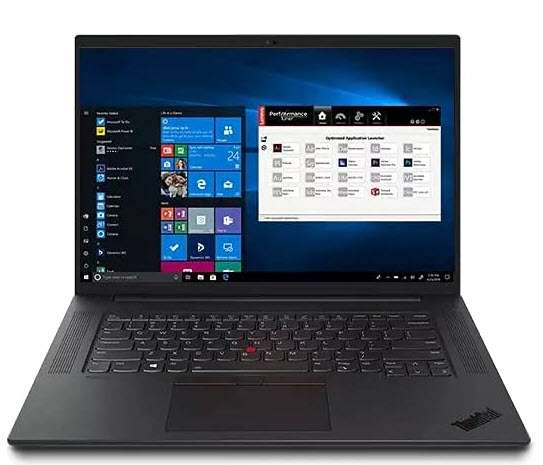
  • First angle and third angle projection system

    First angle and third angle projection system

    [fusion_builder_container type=”flex” hundred_percent=”no” hundred_percent_height=”no” min_height_medium=”” min_height_small=”” min_height=”” hundred_percent_height_scroll=”no” align_content=”stretch” flex_align_items=”flex-start” flex_justify_content=”flex-start” flex_column_spacing=”” hundred_percent_height_center_content=”yes” equal_height_columns=”no” container_tag=”div” menu_anchor=”” hide_on_mobile=”small-visibility,medium-visibility,large-visibility” status=”published” publish_date=”” class=”” id=”” spacing_medium=”” margin_top_medium=”” margin_bottom_medium=”” spacing_small=”” margin_top_small=”” margin_bottom_small=”” margin_top=”” margin_bottom=”” padding_dimensions_medium=”” padding_top_medium=”” padding_right_medium=”” padding_bottom_medium=”” padding_left_medium=”” padding_dimensions_small=”” padding_top_small=”” padding_right_small=”” padding_bottom_small=”” padding_left_small=”” padding_top=”” padding_right=”” padding_bottom=”” padding_left=”” link_color=”” link_hover_color=”” border_sizes=”” border_sizes_top=”” border_sizes_right=”” border_sizes_bottom=”” border_sizes_left=”” border_color=”” border_style=”solid” box_shadow=”no” box_shadow_vertical=”” box_shadow_horizontal=”” box_shadow_blur=”0″ box_shadow_spread=”0″ box_shadow_color=”” box_shadow_style=”” z_index=”” overflow=”” gradient_start_color=”” gradient_end_color=”” gradient_start_position=”0″ gradient_end_position=”100″ gradient_type=”linear” radial_direction=”center center” linear_angle=”180″ background_color=”” background_image=”” skip_lazy_load=”” background_position=”center center” background_repeat=”no-repeat” fade=”no” background_parallax=”none” enable_mobile=”no” parallax_speed=”0.3″ background_blend_mode=”none” video_mp4=”” video_webm=”” video_ogv=”” video_url=”” video_aspect_ratio=”16:9″ video_loop=”yes” video_mute=”yes” video_preview_image=”” pattern_bg=”none” pattern_custom_bg=”” pattern_bg_color=”” pattern_bg_style=”default” pattern_bg_opacity=”100″ pattern_bg_size=”” pattern_bg_blend_mode=”normal” mask_bg=”none” mask_custom_bg=”” mask_bg_color=”” mask_bg_accent_color=”” mask_bg_style=”default” mask_bg_opacity=”100″ mask_bg_transform=”left” mask_bg_blend_mode=”normal” render_logics=”” absolute=”off” absolute_devices=”small,medium,large” sticky=”off” sticky_devices=”small-visibility,medium-visibility,large-visibility” sticky_background_color=”” sticky_height=”” sticky_offset=”” sticky_transition_offset=”0″ scroll_offset=”0″ animation_type=”” animation_direction=”left” animation_speed=”0.3″ animation_offset=”” filter_hue=”0″ filter_saturation=”100″ filter_brightness=”100″ filter_contrast=”100″ filter_invert=”0″ filter_sepia=”0″ filter_opacity=”100″ filter_blur=”0″ filter_hue_hover=”0″ filter_saturation_hover=”100″ filter_brightness_hover=”100″ filter_contrast_hover=”100″ filter_invert_hover=”0″ filter_sepia_hover=”0″ filter_opacity_hover=”100″ filter_blur_hover=”0″ admin_toggled=”yes”][fusion_builder_row][fusion_builder_column type=”1_1″ layout=”1_1″ align_self=”auto” content_layout=”column” align_content=”flex-start” valign_content=”flex-start” content_wrap=”wrap” spacing=”” center_content=”no” column_tag=”div” link=”” target=”_self” link_description=”” min_height=”” hide_on_mobile=”small-visibility,medium-visibility,large-visibility” sticky_display=”normal,sticky” class=”” id=”” type_medium=”” type_small=”” order_medium=”0″ order_small=”0″ dimension_spacing_medium=”” dimension_spacing_small=”” dimension_spacing=”” dimension_margin_medium=”” dimension_margin_small=”” margin_top=”” margin_bottom=”” padding_medium=”” padding_small=”” padding_top=”” padding_right=”” padding_bottom=”” padding_left=”” hover_type=”none” border_sizes=”” border_color=”” border_style=”solid” border_radius=”” box_shadow=”no” dimension_box_shadow=”” box_shadow_blur=”0″ box_shadow_spread=”0″ box_shadow_color=”” box_shadow_style=”” z_index_subgroup=”regular” z_index=”” z_index_hover=”” overflow=”” background_type=”single” gradient_start_color=”” gradient_end_color=”” gradient_start_position=”0″ gradient_end_position=”100″ gradient_type=”linear” radial_direction=”center center” linear_angle=”180″ background_color=”” background_image=”” background_image_id=”” lazy_load=”avada” skip_lazy_load=”” background_position=”left top” background_repeat=”no-repeat” background_blend_mode=”none” render_logics=”” sticky=”off” sticky_devices=”small-visibility,medium-visibility,large-visibility” sticky_offset=”” filter_type=”regular” filter_hue=”0″ filter_saturation=”100″ filter_brightness=”100″ filter_contrast=”100″ filter_invert=”0″ filter_sepia=”0″ filter_opacity=”100″ filter_blur=”0″ filter_hue_hover=”0″ filter_saturation_hover=”100″ filter_brightness_hover=”100″ filter_contrast_hover=”100″ filter_invert_hover=”0″ filter_sepia_hover=”0″ filter_opacity_hover=”100″ filter_blur_hover=”0″ transform_type=”regular” transform_scale_x=”1″ transform_scale_y=”1″ transform_translate_x=”0″ transform_translate_y=”0″ transform_rotate=”0″ transform_skew_x=”0″ transform_skew_y=”0″ transform_scale_x_hover=”1″ transform_scale_y_hover=”1″ transform_translate_x_hover=”0″ transform_translate_y_hover=”0″ transform_rotate_hover=”0″ transform_skew_x_hover=”0″ transform_skew_y_hover=”0″ transform_origin=”” animation_type=”” animation_direction=”left” animation_speed=”0.3″ animation_offset=”” last=”true” border_position=”all” first=”true”][fusion_text columns=”” column_min_width=”” column_spacing=”” rule_style=”” rule_size=”” rule_color=”” hue=”” saturation=”” lightness=”” alpha=”” content_alignment_medium=”” content_alignment_small=”” content_alignment=”” hide_on_mobile=”small-visibility,medium-visibility,large-visibility” sticky_display=”normal,sticky” class=”” id=”” margin_top=”” margin_right=”” margin_bottom=”” margin_left=”” fusion_font_family_text_font=”” fusion_font_variant_text_font=”” font_size=”” line_height=”” letter_spacing=”” text_transform=”” text_color=”” animation_type=”” animation_direction=”left” animation_color=”” animation_speed=”0.3″ animation_delay=”0″ animation_offset=”” logics=””]

    The first angle and third angle projection system are common terms that you must have seen in technical drawings.

    These projection systems are used to represent the features and dimensions of a 3D orthographic drawing on a 2D plane.

    In this article, we will learn all about first-angle and third-angle projection systems.

    Why use a projected system for dimensioning? 

    Dimensioning in 3D is just not practical, you can’t keep the text direction proper, adding tolerances is a nightmare and defining datums can sometimes be ambiguous.

    For all these reasons 2D projected views are used for 3D drawings.

    As an example take a look at the drawings shown below.

    In drawing A dimension is added directly to the orthographic view of the 3D part but in drawing, B dimensions are added using projected views of the orthographic view.

    In drawing A adding dimensions is tedious with several changes required in dimension style for every single dimension.

    Moreover, it’s good for a simple non-technical drawing where you just need to show simple dimensions but no other information like manufacturing process, surface roughness, tolerances and more.

    If you try adding all these details in a 3D drawing containing features like fillets, holes, threads, surface roughness and more then it will fill the space around the single 3D drawing making it cluttered.

    On the other hand, we can easily add different technical features and dimensions on different views of the drawing and this will keep all the dimensions clear and non-ambiguous.

    What are the angles of projection?

    We can divide 3D space into four quadrants as shown in the figure down below.

    Here the entire 3D space is divided into four quadrants using two projection planes, a horizontal (yellow plane) and another verticle (Purple plane) one.

    If the object is placed in the first quadrant of this 3D space and its views are created on the horizontal and verticle projected planes of the first quadrant then the views thus created are said to be in the first angle of projection.

    Similarly, if it’s in the third quadrant then it’s called the third angle of projection.

    We don’t use the 2nd and 4th quadrants and I will explain later why it’s the case.

    Now let’s talk about the first angle of projection and how its views are created using projection planes.

    The first angle of projection

    Let’s take the first quadrant from the 3D space we saw earlier and place the 3D object in it.

    The object will be viewed by an observer from the top and right sides.

    So when the object is placed in the first quadrant, and the viewer looks at these objects from the right side and from the top then she will see a view that looks like the 2D drawings (shown in red) created on the horizontal plane and verticle plane as shown in the figure above.

    In simple words, we can say that if a torch is lit up from the top, it creates a shadow that falls on the plane below the object so the top view is created at the bottom of the object.

    Similarly, if a torch is lit up from the right side of the object, it creates a shadow that falls on the plane on the left of the object as its projection. So the view from the right side is created on the left of the object.

    In this case, our object falls between the observer and the projection plane.

    This is an important observation as this same system can be used to create other projected views as well.

    Now assume that our projected shadow is permanently imprinted on the planes and then we decided to make these planes flat by moving the horizontal plane in the clockwise direction.

    The resulting projected drawings will look like the image shown below.

    As you can see in these projections the view from the top is now at the bottom and the view from the right is above the top view.

    For creating the other views in the first quadrant all you need to do is place the object between the observer and projection plane.

    So, if you look at the drawing from the left its projection will be made on a plane on the right, if you look at it from the front its projection will be made at back and so on.

    So, the final projection views of this drawing in the first angle of projection will look like the following image.

    This projection system is most common in India, Europe and other Asian countries.

    The third angle of projection

    Now in the third angle projection, the object is placed in the third quadrant as shown in the following figure.

    Here once again the observer is at the right side and at the top.

    But in this case, the plane of projection is between the observer and the object.

    So, here the view from the top is created on the projection plane which is already above the object and the view from the right is created on the right plane which is once again before the object.

    Once again rotate the horizontal plane in the clockwise direction so the project views will look like this image.

    So, in this case, the top view is now at the top of the drawing and the right side view is below the top view.

    For creating other views in the third quadrant all you need to do is place the projection plane between the observer and object.

    As the projection plane comes right after the observer and before the object, the view of the respective side will be created on the same side.

    So the right side view will be on the right, the left side view will be on the left, the top view on top and the bottom view on the bottom.

    The final projection views of this drawing in the third angle of projection will look like the following image.

    This projection system is most widely used in the United States of America and Australia.

    Why second and fourth angles of projection are not used?

    It all comes down to one simple rule of orthographic projection.

    The horizontal plane is rotated in a clockwise direction to create the projected views.

    So, if you rotate the horizontal plane in the clockwise direction you will end up with horizontal and vertical planes merging with each other in the second and fourth quadrants as shown in the following image.

    With this, the projected views will also merge and you will end up with drawing views that are on top of one another and completely obscured.

    So, that’s the reason we don’t use the second and fourth angles of projection.

    Projection symbols

    The first and third angles are represented by the symbols shown below.

    Here both the symbols A and B are acceptable symbols of the first angle of projection.

    Now, the question is why are these specific symbols used for the first and third angles of projection?

    Let’s start with the 3D drawing of our cork shape of the drawing in the first angle of projection.

    If we look at the cork from the right side in such a way that observer is looking at the smaller diameter side of the cork then the project view created will show one circle on the purple projected plane, not two concentric circles.

    If however, we look at this cork from the left side in such a way that the observer is looking at it from the larger diameter side then the projection on the opposite side will contain two concentric circles.

    So, here the view from the observer’s perspective is on the opposite side, the left view is on right and the right view is on left and that is happening with the first angle o the projection symbol.

    Though the concentric circles are visible from the side of smaller diameter the concentric circles are placed on the opposite side i.e the side of larger diameter.

    Both are acceptable symbols of the first angle of projection

    In the case of the third angle of projection, the observer view and projection are on the same side so the two concentric circles are visible from the smaller diameter side and the concentric circle are also placed on the smaller diameter side of the drawing.

    Both are acceptable symbols of the third angle of projection

    In the following section, I have added a summary of the difference between the first and third angles of projections.

    Summary

    In a nutshell, if you stand on the left side of the object and the same view is represented on the left side of the drawing then that is the third angle of projection, similar for other views as well.

    If however, the views are on opposite sides then it’s the first angle of projection.

    Here is a summary of the major differences between the first and third angles of projection.

    [fusion_table fusion_table_type=”1″ fusion_table_rows=”” fusion_table_columns=”” margin_top=”” margin_right=”” margin_bottom=”” margin_left=”” hide_on_mobile=”small-visibility,medium-visibility,large-visibility” class=”” id=”” animation_type=”” animation_direction=”left” animation_speed=”0.3″ animation_offset=””]

    The first angle of projection The third angle of projection
    The object is placed in the first quadrant of the 3-dimensional space. The object is placed in the third quadrant of the 3-dimensional space.
    The object falls between the observer and the projection plane. The projection plane falls between the object and the observer.
    The concentric circle of the projection symbol is on the larger diameter side. The concentric circle of the projection symbol is on the smaller diameter side
    The First Angle of projection is commonly used in India, Europe, and other Asian countries The Third Angle of projection is widely used in United State and Australia.

    [/fusion_table]

    [/fusion_text][/fusion_builder_column][/fusion_builder_row][/fusion_builder_container]

  • 13 Best free 3D modeling software for beginners

    13 Best free 3D modeling software for beginners

    [fusion_builder_container type=”flex” hundred_percent=”no” hundred_percent_height=”no” min_height_medium=”” min_height_small=”” min_height=”” hundred_percent_height_scroll=”no” align_content=”stretch” flex_align_items=”flex-start” flex_justify_content=”flex-start” flex_column_spacing=”” hundred_percent_height_center_content=”yes” equal_height_columns=”no” container_tag=”div” menu_anchor=”” hide_on_mobile=”small-visibility,medium-visibility,large-visibility” status=”published” publish_date=”” class=”” id=”” margin_top_medium=”” margin_bottom_medium=”” margin_top_small=”” margin_bottom_small=”” margin_top=”” margin_bottom=”” padding_top_medium=”” padding_right_medium=”” padding_bottom_medium=”” padding_left_medium=”” padding_top_small=”” padding_right_small=”” padding_bottom_small=”” padding_left_small=”” padding_top=”” padding_right=”” padding_bottom=”” padding_left=”” link_color=”var(–awb-color3)” hue=”” saturation=”” lightness=”” alpha=”” link_hover_color=”var(–awb-color4)” border_sizes_top=”” border_sizes_right=”” border_sizes_bottom=”” border_sizes_left=”” border_color=”” border_style=”solid” box_shadow=”no” box_shadow_vertical=”” box_shadow_horizontal=”” box_shadow_blur=”0″ box_shadow_spread=”0″ box_shadow_color=”” box_shadow_style=”” z_index=”” overflow=”” gradient_start_color=”” gradient_end_color=”” gradient_start_position=”0″ gradient_end_position=”100″ gradient_type=”linear” radial_direction=”center center” linear_angle=”180″ background_color=”” background_image=”” skip_lazy_load=”” background_position=”center center” background_repeat=”no-repeat” fade=”no” background_parallax=”none” enable_mobile=”no” parallax_speed=”0.3″ background_blend_mode=”none” video_mp4=”” video_webm=”” video_ogv=”” video_url=”” video_aspect_ratio=”16:9″ video_loop=”yes” video_mute=”yes” video_preview_image=”” pattern_bg=”none” pattern_custom_bg=”” pattern_bg_color=”” pattern_bg_style=”default” pattern_bg_opacity=”100″ pattern_bg_size=”” pattern_bg_blend_mode=”normal” mask_bg=”none” mask_custom_bg=”” mask_bg_color=”” mask_bg_accent_color=”” mask_bg_style=”default” mask_bg_opacity=”100″ mask_bg_transform=”left” mask_bg_blend_mode=”normal” render_logics=”” absolute=”off” absolute_devices=”small,medium,large” sticky=”off” sticky_devices=”small-visibility,medium-visibility,large-visibility” sticky_background_color=”” sticky_height=”” sticky_offset=”” sticky_transition_offset=”0″ scroll_offset=”0″ animation_type=”” animation_direction=”left” animation_speed=”0.3″ animation_offset=”” filter_hue=”0″ filter_saturation=”100″ filter_brightness=”100″ filter_contrast=”100″ filter_invert=”0″ filter_sepia=”0″ filter_opacity=”100″ filter_blur=”0″ filter_hue_hover=”0″ filter_saturation_hover=”100″ filter_brightness_hover=”100″ filter_contrast_hover=”100″ filter_invert_hover=”0″ filter_sepia_hover=”0″ filter_opacity_hover=”100″ filter_blur_hover=”0″ admin_toggled=”yes”][fusion_builder_row][fusion_builder_column type=”1_1″ layout=”1_1″ align_self=”auto” content_layout=”column” align_content=”flex-start” valign_content=”flex-start” content_wrap=”wrap” spacing=”” center_content=”no” column_tag=”div” link=”” target=”_self” link_description=”” min_height=”” hide_on_mobile=”small-visibility,medium-visibility,large-visibility” sticky_display=”normal,sticky” class=”” id=”” type_medium=”” type_small=”” order_medium=”0″ order_small=”0″ dimension_spacing_medium=”” dimension_spacing_small=”” dimension_spacing=”” dimension_margin_medium=”” dimension_margin_small=”” margin_top=”” margin_bottom=”” padding_medium=”” padding_small=”” padding_top=”” padding_right=”” padding_bottom=”” padding_left=”” hover_type=”none” border_sizes=”” border_color=”” border_style=”solid” border_radius=”” box_shadow=”no” dimension_box_shadow=”” box_shadow_blur=”0″ box_shadow_spread=”0″ box_shadow_color=”” box_shadow_style=”” z_index_subgroup=”regular” z_index=”” z_index_hover=”” overflow=”” background_type=”single” gradient_start_color=”” gradient_end_color=”” gradient_start_position=”0″ gradient_end_position=”100″ gradient_type=”linear” radial_direction=”center center” linear_angle=”180″ background_color=”” background_image=”” background_image_id=”” lazy_load=”avada” skip_lazy_load=”” background_position=”left top” background_repeat=”no-repeat” background_blend_mode=”none” render_logics=”” sticky=”off” sticky_devices=”small-visibility,medium-visibility,large-visibility” sticky_offset=”” filter_type=”regular” filter_hue=”0″ filter_saturation=”100″ filter_brightness=”100″ filter_contrast=”100″ filter_invert=”0″ filter_sepia=”0″ filter_opacity=”100″ filter_blur=”0″ filter_hue_hover=”0″ filter_saturation_hover=”100″ filter_brightness_hover=”100″ filter_contrast_hover=”100″ filter_invert_hover=”0″ filter_sepia_hover=”0″ filter_opacity_hover=”100″ filter_blur_hover=”0″ transform_type=”regular” transform_scale_x=”1″ transform_scale_y=”1″ transform_translate_x=”0″ transform_translate_y=”0″ transform_rotate=”0″ transform_skew_x=”0″ transform_skew_y=”0″ transform_scale_x_hover=”1″ transform_scale_y_hover=”1″ transform_translate_x_hover=”0″ transform_translate_y_hover=”0″ transform_rotate_hover=”0″ transform_skew_x_hover=”0″ transform_skew_y_hover=”0″ transform_origin=”” animation_type=”” animation_direction=”left” animation_speed=”0.3″ animation_offset=”” last=”true” border_position=”all” first=”true”][fusion_text columns=”” column_min_width=”” column_spacing=”” rule_style=”” rule_size=”” rule_color=”” hue=”” saturation=”” lightness=”” alpha=”” content_alignment_medium=”” content_alignment_small=”” content_alignment=”” hide_on_mobile=”small-visibility,medium-visibility,large-visibility” sticky_display=”normal,sticky” class=”” id=”” margin_top=”” margin_right=”” margin_bottom=”” margin_left=”” fusion_font_family_text_font=”” fusion_font_variant_text_font=”” font_size=”” line_height=”” letter_spacing=”” text_transform=”” text_color=”” animation_type=”” animation_direction=”left” animation_color=”” animation_speed=”0.3″ animation_delay=”0″ animation_offset=””]

    If you want to make your first 3D design then there are plenty of great and free 3D modelling software available to help you do the work with minimal effort with the best results.

    But with the availability of so many software in the industry, it can easily become overwhelming to find the right one that you need for your specific requirement.

    So, to help you with this we have compiled a list of the 13 best 3D modelling software for beginners that you can start using right now.

    How we selected the software for this list?

    Our first criterion for this list was its free availability.

    So, the only software that is absolutely free or offers a free tier is included in this list and we have NOT included software where free access is limited to the trial period.

    The second criterion was the ease of use for a beginner and how steep the learning curve is.

    And the final criteria are the practical applications of the software in additive manufacturing, design, game and education.

    So, let’s start our list with Autodesk which is undoubtedly the market leader in CAD software.

    [/fusion_text][fusion_text columns=”” column_min_width=”” column_spacing=”” rule_style=”” rule_size=”” rule_color=”” hue=”” saturation=”” lightness=”” alpha=”” content_alignment_medium=”” content_alignment_small=”” content_alignment=”” hide_on_mobile=”small-visibility,medium-visibility,large-visibility” sticky_display=”normal,sticky” class=”” id=”” margin_top=”” margin_right=”” margin_bottom=”” margin_left=”” fusion_font_family_text_font=”” fusion_font_variant_text_font=”” font_size=”” line_height=”” letter_spacing=”” text_transform=”” text_color=”” animation_type=”” animation_direction=”left” animation_color=”” animation_speed=”0.3″ animation_delay=”0″ animation_offset=”” logics=””]

    Fusion 360

    Fusion 360 is a lot more than a simple 3D modelling software and it has powerful features that go beyond simple 3D modelling.

    Despite the rich feature set, it’s still great software for beginners who want to tinker with basic 3D modelling with precise control over the shape and dimensions of the product.

    You can design parts for manufacturing, 3D printing and even for machining using Fusion 360.

    The user interface is very basic and intuitive and this makes it very easy to use Fusion 360 as the ribbon area is not crowded and has minimal tools and commands there.

    Fusion 360 is the go-to software for makers like 3D printing enthusiasts, woodworkers and even machinists.

    So, if you want to get started with 3D modelling then this can be your best choice as after learning the basics you can easily move to the advanced parts of Fusion 360.

    The free version of Fusion 360 is available with Student and personal licenses and you can even use a free startup license if you are a new manufacturing startup that wants to explore 3D modelling and manufacturing with Fusion 360.

    We also have a free Fusion 360 tutorial series that will help you get started in no time.

    For more comprehensive learning, you can also check Fusion 360 courses.

    [/fusion_text][fusion_table fusion_table_type=”1″ fusion_table_rows=”7″ fusion_table_columns=”2″ margin_top=”” margin_right=”” margin_bottom=”3%” margin_left=”” hide_on_mobile=”small-visibility,medium-visibility,large-visibility” class=”” id=”” animation_type=”” animation_direction=”left” animation_speed=”0.3″ animation_offset=””]

    Feature Description
    Online/Offline Offline
    Operating system Windows and MacOS
    Supported filetypes F3D, IPT, 3MF, OBJ, SKP, FBX, STL, DXF, DWG and a lot more
    Primarily known for 3D modelling and manufacturing
    Recommended for First-time 3D modellers and pro users
    How to get it Visit Fusion 360

    [/fusion_table][fusion_text columns=”” column_min_width=”” column_spacing=”” rule_style=”” rule_size=”” rule_color=”” hue=”” saturation=”” lightness=”” alpha=”” content_alignment_medium=”” content_alignment_small=”” content_alignment=”” hide_on_mobile=”small-visibility,medium-visibility,large-visibility” sticky_display=”normal,sticky” class=”” id=”” margin_top=”” margin_right=”” margin_bottom=”” margin_left=”” fusion_font_family_text_font=”” fusion_font_variant_text_font=”” font_size=”” line_height=”” letter_spacing=”” text_transform=”” text_color=”” animation_type=”” animation_direction=”left” animation_speed=”0.3″ animation_offset=””]

    Autodesk Tinkercad

    Autodesk Tinkercad is a free online browser-based 3D software which is very fun and easy to learn with an extensive 3D shape library that one can start with.

    This software is perfect for beginners who are just starting in the world of 3D design.

    The user interface is very basic and intuitive and this makes it very easy to use Tinkercad even if you have never used this kind of software before.

    TinkeCAD has three main “workspaces” called 3D design, Circuits and Codeblocks.

    “3D Design” is the workspace where users can design and build their own 3D parts in the software and also they can export the files as STL to a 3D printer.

    “Circuits” is the workspace where users can create and test their circuits in the circuit simulator.

    This helps the user to understand the basics of circuiting and also helps to cross-check various options before actually building the circuit.

    Autodesk Tinkercad has dedicated libraries that consist of various electronic components that you can use in your circuit diagram.

    “Codeblocks” is the workspace where users can use OpenSCAD to make 3D models.

    Basically here you will be making 3D models using code and the block-based code helps the user to easily create parametric, dynamic, and adaptive designs that are not easy to build using simple tools.

    Tinkercad is an ideal choice for first-time 3D modellers.

    You can also start with Tinkercad if you don’t want to spend time learning a new 3D tool as this has probably the easiest learning curve with lots of reference materials in Tinkercad documentation.

    [/fusion_text][fusion_table fusion_table_type=”1″ fusion_table_rows=”6″ fusion_table_columns=”2″ margin_top=”” margin_right=”” margin_bottom=”3%” margin_left=”” hide_on_mobile=”small-visibility,medium-visibility,large-visibility” class=”” id=”” animation_type=”” animation_direction=”left” animation_speed=”0.3″ animation_offset=””]

    Feature Description
    Online/Offline Online
    Operating system Windows, MacOS, Linux, Android Browser
    Supported filetypes OBJ, SVG, STL, PART
    Primarily known for Basic 3D modelling and circuit design
    Recommended for First-time 3D modellers
    How to get it Visit TinkerCAD

    [/fusion_table][fusion_text columns=”” column_min_width=”” column_spacing=”” rule_style=”” rule_size=”” rule_color=”” hue=”” saturation=”” lightness=”” alpha=”” content_alignment_medium=”” content_alignment_small=”” content_alignment=”” hide_on_mobile=”small-visibility,medium-visibility,large-visibility” sticky_display=”normal,sticky” class=”” id=”” margin_top=”” margin_right=”” margin_bottom=”” margin_left=”” fusion_font_family_text_font=”” fusion_font_variant_text_font=”” font_size=”” line_height=”” letter_spacing=”” text_transform=”” text_color=”” animation_type=”” animation_direction=”left” animation_color=”” animation_speed=”0.3″ animation_delay=”0″ animation_offset=””]

    Shapr 3D

    Shapr 3D is a freemium software with a free tier available with all 3D modeling tools and export limited to 2 files but if you are a student or educator then this software is completely free for you without any restrictions.

    You can download its offline installer on your PC, Mac, or mobile device like an iPad.

    Its user interface is very intuitive and all the navigation tools like zoom, pan, and orbit work like other software.

    3D modeling in Shapr 3D starts with 2D sketches and then you can convert them into 3D using 3D modeling tools.

    Other than 3D modeling you can use it for visualization and for creating product demos.

    You can also use it for prototyping and manufacturing and you can validate your design ideas by making 3D print-ready parts using Shapr 3D.

    It is made on top of Siemens Parasolid engine so you can be sure of drawing accuracy and precision.

    It has a dedicated YouTube channel with a large library of tutorial videos and learning content is LAO available on its website.

    When you launch the software the first time it will also guide you through a series of tutorials that will help you become familiar with the user interface and the basic tools.

    [/fusion_text][fusion_table fusion_table_type=”1″ fusion_table_rows=”7″ fusion_table_columns=”2″ margin_top=”” margin_right=”” margin_bottom=”3%” margin_left=”” hide_on_mobile=”small-visibility,medium-visibility,large-visibility” class=”” id=”” animation_type=”” animation_direction=”left” animation_color=”” hue=”” saturation=”” lightness=”” alpha=”” animation_speed=”0.3″ animation_delay=”0″ animation_offset=””]

    Feature Description
    Online/Offline Offline
    Operating system Windows, MacOS, iPad
    Supported filetypes OBJ, STL, DWG, 3MF, Parasolid, STEP, DXF, SVG, IGES, PDF, PNG, JPG and more
    Primarily known for 3D modeling and visualization
    Recommended for Beginners and seasoned users who want a simple 3D modeling and visualization tool
    How to get it Visit Shapr3d

    [/fusion_table][fusion_text columns=”” column_min_width=”” column_spacing=”” rule_style=”” rule_size=”” rule_color=”” hue=”” saturation=”” lightness=”” alpha=”” content_alignment_medium=”” content_alignment_small=”” content_alignment=”” hide_on_mobile=”small-visibility,medium-visibility,large-visibility” sticky_display=”normal,sticky” class=”” id=”” margin_top=”” margin_right=”” margin_bottom=”” margin_left=”” fusion_font_family_text_font=”” fusion_font_variant_text_font=”” font_size=”” line_height=”” letter_spacing=”” text_transform=”” text_color=”” animation_type=”” animation_direction=”left” animation_speed=”0.3″ animation_offset=””]

    SculptGL

    ScultpGl is free and open-source online browser-based free 3D sculpting software.

    It has an offline version as well that you can download and install and you can also get its Android and ios applications (the ios app is paid but Android is free).

    Its user interface is very intuitive and finding the tools you need is quite easy.

    Just like a standard sculpting tool here you can start with a sphere primitive and use the brushes to model it.

    You can also import other primitives like cylinders and cuboids into the interface and work on it with standard tools like Brush, Smooth, Twist, and Drag.

    SculptGL also supports multiresolution sculpting, Voxel remeshing, Dynamic topology and more.

    It has a dedicated YouTube channel with learning content but more or less sculpting tools that work on other software will work exactly the same here as well.

    [/fusion_text][fusion_table fusion_table_type=”1″ fusion_table_rows=”6″ fusion_table_columns=”2″ margin_top=”” margin_right=”” margin_bottom=”3%” margin_left=”” hide_on_mobile=”small-visibility,medium-visibility,large-visibility” class=”” id=”” animation_type=”” animation_direction=”left” animation_speed=”0.3″ animation_offset=””]

    Feature Description
    Online/Offline Online and offline
    Operating system Windows, MacOS, Linux, Android Browser
    Supported filetypes OBJ, PLY, STL
    Primarily known for Basic sculpting
    Recommended for First-time artists who want to use sculpting tools to create 3D models
    How to get it Visit SculptGL

    [/fusion_table][fusion_text columns=”” column_min_width=”” column_spacing=”” rule_style=”” rule_size=”” rule_color=”” hue=”” saturation=”” lightness=”” alpha=”” content_alignment_medium=”” content_alignment_small=”” content_alignment=”” hide_on_mobile=”small-visibility,medium-visibility,large-visibility” sticky_display=”normal,sticky” class=”” id=”” margin_top=”” margin_right=”” margin_bottom=”” margin_left=”” fusion_font_family_text_font=”” fusion_font_variant_text_font=”” font_size=”” line_height=”” letter_spacing=”” text_transform=”” text_color=”” animation_type=”” animation_direction=”left” animation_speed=”0.3″ animation_offset=””]

    SelfCAD

    SelfCAD is free online browser-based free 3D modelling, sculpting, animation and rendering software.

    Its user interface is very intuitive and finding the tools you need can never get easier.

    You can start 3D modeling by importing 3D primitive shapes like cuboids, and cylinders and you can also create 2D sketches and use them to create 3D shapes.

    With the free version, you can also create a part for 3D printing and export it directly to your 3D printer.

    SelfCAD has an inbuilt 3D slicer with default settings inbuilt for your 3D printer but you can still tweak settings like materials, infill percentage, print speed, temperature settings and more.

    You can also create animations to create a compelling presentation with your 3D models directly in the software.

    Some features like sculpting and rendering are available only on paid plans but the paid plans are very affordable.

    It has a tutorial library directly built into the software and you can use it to learn almost everything about the software.

    [/fusion_text][fusion_table fusion_table_type=”1″ fusion_table_rows=”6″ fusion_table_columns=”2″ margin_top=”” margin_right=”” margin_bottom=”3%” margin_left=”” hide_on_mobile=”small-visibility,medium-visibility,large-visibility” class=”” id=”” animation_type=”” animation_direction=”left” animation_speed=”0.3″ animation_offset=””]

    Feature Description
    Online/Offline Online
    Operating system Windows, MacOS, Linux, Android Browser
    Supported filetypes OBJ, STL, FBX, 3DS, 3MF, BLEND, STP and a lot more
    Primarily known for Basic 3D modelling and 3D printing
    Recommended for New 3D modelers and hobbyists
    How to get it Visit SelfCAD

    [/fusion_table][fusion_text columns=”” column_min_width=”” column_spacing=”” rule_style=”” rule_size=”” rule_color=”” hue=”” saturation=”” lightness=”” alpha=”” content_alignment_medium=”” content_alignment_small=”” content_alignment=”” hide_on_mobile=”small-visibility,medium-visibility,large-visibility” sticky_display=”normal,sticky” class=”” id=”” margin_top=”” margin_right=”” margin_bottom=”” margin_left=”” fusion_font_family_text_font=”” fusion_font_variant_text_font=”” font_size=”” line_height=”” letter_spacing=”” text_transform=”” text_color=”” animation_type=”” animation_direction=”left” animation_color=”” animation_speed=”0.3″ animation_delay=”0″ animation_offset=”” logics=””]

    SketchUp Free

    SketchUp Free is an online browser-based free 3D modelling software which is the minimal version of its popular desktop software.

    This is CAD software that you can use to make accurate 3D models using sketches and 2D shapes.

    You can create and save your 3D drawings in the Sketchup cloud which gives a 10GB of storage with your free account.

    As this is cloud-based you can save your files online and then access them anywhere from any device simply by logging into your account.

    It also has a dedicated mobile application named Sketchup Viewer which can be used on mobile phones or tablets.

    This web application supports SKP , JPG, PNG file types to import and SKP, PNG and STL file types to Export.

    The user also has limited access to a 3D warehouse which is an online library where you can find user and manufacturer-produced 3D models.

    You can use these objects from the library in your own designs saving quite a bit of time.

    SketchUp Free is recommended for users who are okay with a little bit of a learning curve and want freedom when it comes to file access.

    There are a few beginner-friendly Sketchup courses as well that will help you get started in no time.

    [/fusion_text][fusion_table fusion_table_type=”1″ fusion_table_rows=”6″ fusion_table_columns=”2″ margin_top=”” margin_right=”” margin_bottom=”3%” margin_left=”” hide_on_mobile=”small-visibility,medium-visibility,large-visibility” class=”” id=”” animation_type=”” animation_direction=”left” animation_speed=”0.3″ animation_offset=””]

    Feature Description
    Online/Offline Online
    Operating system Windows, MacOS, Linux, Android Browser
    Supported filetypes SKP, PNG, JPG, STL
    Primarily known for 3D modelling
    Recommended for Beginner 3D modellers who need cloud storage
    How to get it Visit Sketchup

    [/fusion_table][fusion_text columns=”” column_min_width=”” column_spacing=”” rule_style=”” rule_size=”” rule_color=”” hue=”” saturation=”” lightness=”” alpha=”” content_alignment_medium=”” content_alignment_small=”” content_alignment=”” hide_on_mobile=”small-visibility,medium-visibility,large-visibility” sticky_display=”normal,sticky” class=”” id=”” margin_top=”” margin_right=”” margin_bottom=”” margin_left=”” fusion_font_family_text_font=”” fusion_font_variant_text_font=”” font_size=”” line_height=”” letter_spacing=”” text_transform=”” text_color=”” animation_type=”” animation_direction=”left” animation_speed=”0.3″ animation_offset=””]

    Blender

    Blender needs no introduction, it’s an industry leader in 3D character modelling, sculpting, and animation.

    It’s completely free and open source and it rivals big players in the industry like Maya and 3Ds Max.

    Blender has a steep learning curve and there is quite a lot of learning involved before you start to work with this software.

    Blender is the go-to software for digital artists, 3D designers, Visualizers, VFX Engineers, and many more.

    Blender has already set its benchmark in the industry.

    Blender not only has sculpting, 3D modelling, and animation but also a realistic rendering engine and all of this for absolutely zero cost.

    Though the user interface of Blender may look a bit intimidating to first-time users still it is quite flexible and you can customize it as per your workflow.

    Perhaps one of the strongest features of Blender is its large and robust community of users and artists where you can collaborate on projects and get help in no time.

    [/fusion_text][fusion_table fusion_table_type=”1″ fusion_table_rows=”6″ fusion_table_columns=”2″ margin_top=”” margin_right=”” margin_bottom=”3%” margin_left=”” hide_on_mobile=”small-visibility,medium-visibility,large-visibility” class=”” id=”” animation_type=”” animation_direction=”left” animation_speed=”0.3″ animation_offset=””]

    Feature Description
    Online/Offline Offline
    Operating system Windows, MacOS, Linux
    Supported filetypes DAE, ABC, USDC, SVG, PDF, BVH, PLY, STL, FBX, GLB, OBJ, X3D
    Primarily known for Sculpting, Mesh Modeling, Designing, Rendering, VFX, and Animation
    Recommended for New and seasoned 3D artists
    How to get it Visit Blender

    [/fusion_table][fusion_text columns=”” column_min_width=”” column_spacing=”” rule_style=”” rule_size=”” rule_color=”” hue=”” saturation=”” lightness=”” alpha=”” content_alignment_medium=”” content_alignment_small=”” content_alignment=”” hide_on_mobile=”small-visibility,medium-visibility,large-visibility” sticky_display=”normal,sticky” class=”” id=”” margin_top=”” margin_right=”” margin_bottom=”” margin_left=”” fusion_font_family_text_font=”” fusion_font_variant_text_font=”” font_size=”” line_height=”” letter_spacing=”” text_transform=”” text_color=”” animation_type=”” animation_direction=”left” animation_speed=”0.3″ animation_offset=””]

    Autodesk Meshmixer

    Autodesk Meshmixer is one of the oldest free 3D modelling software that is mostly known for its 3D print optimization capabilities.

    It’s a relatively lightweight software with just a 100MB download size.

    As this is lightweight software it does not need crazy hardware specifications to run smoothly.

    Even though the software is lightweight it has a steep learning curve but Autodesk has created robust documentation that will help you learn Meshmixer in no time.

    Meshmixer is known mostly for sculpting capabilities but you can use it for 3D modelling as well.

    Mostly it is used by professionals for optimizing their 3D models for 3D printing including generating supports and adding infills.

    Recently Autodesk announced that they have stopped enhancing the software as they have already incorporated most of the features of Meshmixer into Autodesk Fusion360 which is a cloud-based paid software.

    But the good news is they have also declared that they have no plans to retire Meshmixer any time soon, so it will remain one of the best 3D modelling software in the foreseeable future.

    [/fusion_text][fusion_table fusion_table_type=”1″ fusion_table_rows=”6″ fusion_table_columns=”2″ margin_top=”” margin_right=”” margin_bottom=”3%” margin_left=”” hide_on_mobile=”small-visibility,medium-visibility,large-visibility” class=”” id=”” animation_type=”” animation_direction=”left” animation_speed=”0.3″ animation_offset=””]

    Feature Description
    Online/Offline Offline
    Operating system Windows, MacOS (unofficial)
    Supported filetypes OBJ, STL, 3MF, AMF, DAE, PLY, WRL, SMES
    Primarily known for Modelling, Sculpting
    Recommended for 3D printing professionals and new users
    How to get it Visit Meshmixer

    [/fusion_table][fusion_text columns=”” column_min_width=”” column_spacing=”” rule_style=”” rule_size=”” rule_color=”” hue=”” saturation=”” lightness=”” alpha=”” content_alignment_medium=”” content_alignment_small=”” content_alignment=”” hide_on_mobile=”small-visibility,medium-visibility,large-visibility” sticky_display=”normal,sticky” class=”” id=”” margin_top=”” margin_right=”” margin_bottom=”” margin_left=”” fusion_font_family_text_font=”” fusion_font_variant_text_font=”” font_size=”” line_height=”” letter_spacing=”” text_transform=”” text_color=”” animation_type=”” animation_direction=”left” animation_speed=”0.3″ animation_offset=””]

    Wings 3D

    Wings3D is a free and open-source mesh modeller also called Subdivison modeller where you can make 3D designs using polygonal meshes.

    It is a very lightweight software which is easy on the processing side as well.

    The software interface may not be very intuitive but it’s easy enough for a newbie to get a hang of the software workflow in no time.

    It’s tools are context sensitive which means you need to right-click on the area you want to modify and based on your click the tools will show up that you can use.

    So essentially, all the drawing tools are available in the right-click menu and the key to exit or to execute a command is the space bar, which is slightly unconventional in this industry.

    But Wings 3D has hotkeys that you can use to speed up your 3D modelling workflow.

    You can also create models for 3D printing and export them in STL or OBJ formats.

    [/fusion_text][fusion_table fusion_table_type=”1″ fusion_table_rows=”6″ fusion_table_columns=”2″ margin_top=”” margin_right=”” margin_bottom=”3%” margin_left=”” hide_on_mobile=”small-visibility,medium-visibility,large-visibility” class=”” id=”” animation_type=”” animation_direction=”left” animation_speed=”0.3″ animation_offset=””]

    Feature Description
    Online/Offline Offline
    Operating system Windows, MacOS, Linux
    Supported filetypes NDO, 3DS, BZW, DAE, GLB, EPS, SVG, JSCAD, IWO, IXO, OBJ, RWX, STL, WRL, X
    Primarily known for Mesh modeling
    Recommended for Beginner 3D modellers who prefer mesh modeling
    How to get it Visit Wings 3D

    [/fusion_table][fusion_text columns=”” column_min_width=”” column_spacing=”” rule_style=”” rule_size=”” rule_color=”” hue=”” saturation=”” lightness=”” alpha=”” content_alignment_medium=”” content_alignment_small=”” content_alignment=”” hide_on_mobile=”small-visibility,medium-visibility,large-visibility” sticky_display=”normal,sticky” class=”” id=”” margin_top=”” margin_right=”” margin_bottom=”” margin_left=”” fusion_font_family_text_font=”” fusion_font_variant_text_font=”” font_size=”” line_height=”” letter_spacing=”” text_transform=”” text_color=”” animation_type=”” animation_direction=”left” animation_speed=”0.3″ animation_offset=””]

    3D Builder

    3D Builder is a completely free 3D modeling software from Microsoft which is integrated directly into the windows operating system.

    It is a very lightweight software which has crazy hardware requirements.

    The software interface is very intuitive and it is divided into logical categories like insert, object, edit and paint.

    So essentially toola for making stuff is in the Object panel, for modifying 3D you will get tools in the edit panel and for visualization, you will get tools in paint.

    You can save your files in STL and OBJ formats for 3D printing and if you have a 3D printer driver installed on your PC it will detect it automatically and you can send your files directly to your 3D printer from the 3D builder.

    This software is recommended for users who are absolutely new to 3D modeling and don’t want to use any third-party tool.

    Especially for students, this is a great software to begin learning 3D modeling.

    [/fusion_text][fusion_table fusion_table_type=”1″ fusion_table_rows=”6″ fusion_table_columns=”2″ margin_top=”” margin_right=”” margin_bottom=”3%” margin_left=”” hide_on_mobile=”small-visibility,medium-visibility,large-visibility” class=”” id=”” animation_type=”” animation_direction=”left” animation_speed=”0.3″ animation_offset=””]

    Feature Description
    Online/Offline Offline
    Operating system Windows
    Supported filetypes 3MF, STL, OBJ, PLY, GLTF, GLB
    Primarily known for Basic 3D modeling
    Recommended for Beginner 3D modellers
    How to get it Visit 3D Builder on Microsoft store

    [/fusion_table][fusion_text columns=”” column_min_width=”” column_spacing=”” rule_style=”” rule_size=”” rule_color=”” hue=”” saturation=”” lightness=”” alpha=”” content_alignment_medium=”” content_alignment_small=”” content_alignment=”” hide_on_mobile=”small-visibility,medium-visibility,large-visibility” sticky_display=”normal,sticky” class=”” id=”” margin_top=”” margin_right=”” margin_bottom=”” margin_left=”” fusion_font_family_text_font=”” fusion_font_variant_text_font=”” font_size=”” line_height=”” letter_spacing=”” text_transform=”” text_color=”” animation_type=”” animation_direction=”left” animation_speed=”0.3″ animation_offset=””]

    Vectary

    If you want 3D modelling software which is made for creating great presentations of 3D objects then Vectary is for you.

    Vectary is a browser-based application that has a very intuitive user interface.

    If you are an interface designer using Figma then you can connect Vectary directly with it and share your 3D models directly in your mockups.

    You can also create completely free shareable links to your projects for your collaborators.

    Vectary supports more than 60 file formats including OBJ, STL, JPG, PNG, FBX, SVG, DXF, STEP and IGES.

    The user can start creating instantly by building their own 3D models right from scratch or they can use blocks available in the 3D asset library of the software.

    With Vectary you can enhance your designs with AR technology by using virtual environments for your 3D designs and see the product “in context” with the environment it is supposed to be in.

    [/fusion_text][fusion_table fusion_table_type=”1″ fusion_table_rows=”6″ fusion_table_columns=”2″ margin_top=”” margin_right=”” margin_bottom=”3%” margin_left=”” hide_on_mobile=”small-visibility,medium-visibility,large-visibility” class=”” id=”” animation_type=”” animation_direction=”left” animation_speed=”0.3″ animation_offset=””]

    Feature Description
    Online/Offline Online
    Operating system Windows, MacOS, Linux, Android Browser
    Supported filetypes OBJ, STL, JPG, PNG, FBX, SVG, DXF, STEP, IGES and more
    Primarily known for 3D modelling, Presentation and AR
    Recommended for New and seasoned product designers
    How to get it Visit Vectary

    [/fusion_table][fusion_text columns=”” column_min_width=”” column_spacing=”” rule_style=”” rule_size=”” rule_color=”” hue=”” saturation=”” lightness=”” alpha=”” content_alignment_medium=”” content_alignment_small=”” content_alignment=”” hide_on_mobile=”small-visibility,medium-visibility,large-visibility” sticky_display=”normal,sticky” class=”” id=”” margin_top=”” margin_right=”” margin_bottom=”” margin_left=”” fusion_font_family_text_font=”” fusion_font_variant_text_font=”” font_size=”” line_height=”” letter_spacing=”” text_transform=”” text_color=”” animation_type=”” animation_direction=”left” animation_speed=”0.3″ animation_offset=””]

    3D Slash

    Just like the name this 3D modelling software allows the shaping of parts by chiselling away cubes one by one.

    It’s like sculpting a rock with a chisel or hammer where you give shape by removing cuboidal blocks one by one.

    The interface is simple and you can select different tools like a chisel, hammer and trowel to remove or add materials to shape your 3D part.

    You can also add color and texture to your parts and export them in STL for 3D printing or directly send it to print-on-demand services with integrated apps.

    Apart from 3D chisel tools, you can also import logos and images and it will automatically convert them into 3D cuboidal shapes which you can further refine using the 3D tools.

    This 3D modeling software is especially useful for school students and new users who are completely new to the software as it needs no training for working with this software.

    [/fusion_text][fusion_table fusion_table_type=”1″ fusion_table_rows=”6″ fusion_table_columns=”2″ margin_top=”” margin_right=”” margin_bottom=”3%” margin_left=”” hide_on_mobile=”small-visibility,medium-visibility,large-visibility” class=”” id=”” animation_type=”” animation_direction=”left” animation_speed=”0.3″ animation_offset=””]

    Feature Description
    Online/Offline Online and offline
    Operating system Windows, MacOS, Linux, Raspberry Pi
    Supported filetypes 3DSLASH, OBJ, STL, DAE, FBX, GLB
    Primarily known for Simple 3D modeling
    Recommended for School students new to 3D modeling
    How to get it Visit 3D Slash

    [/fusion_table][fusion_text columns=”” column_min_width=”” column_spacing=”” rule_style=”” rule_size=”” rule_color=”” hue=”” saturation=”” lightness=”” alpha=”” content_alignment_medium=”” content_alignment_small=”” content_alignment=”” hide_on_mobile=”small-visibility,medium-visibility,large-visibility” sticky_display=”normal,sticky” class=”” id=”” margin_top=”” margin_right=”” margin_bottom=”” margin_left=”” fusion_font_family_text_font=”” fusion_font_variant_text_font=”” font_size=”” line_height=”” letter_spacing=”” text_transform=”” text_color=”” animation_type=”” animation_direction=”left” animation_speed=”0.3″ animation_offset=””]

    BlocksCAD

    BlocksCAD is the easy mode of OpenSCAD 3D modeling where instead of using a script to generate 3D models we use script blocks to generate and render 3D models.

    Think of it as the code block workspace of TinkerCAD where you can use blocks of code to generate 3D models.

    This software is great for school students to help them visualize their scripts in real-time with the script blocks.

    As BlocksCAD is based on OpenSCAD its modeling is more inclined towards the CAD side rather than the artistic aspect of it.

    So, if you want to create 3D models with precise parameters and geometry control then this is the software for you.

    As this is a beginner-friendly software it has a small knowledgebase and not many tutorials are available on the internet related to BlocksCAD.

    If you want someone to develop an interest in logical coding, mathematics and analytical thinking then is the software.

    Once you get familiar with the way BlocksCAD works you can then create your own conditional logic to create patterns and even create a library of shapes that you can use later in any model.

    You can directly export a file in STL for 3D printing from BlcoskCAD with no additional tweaks.

    Other file formats are available too with a BlocksCAD to OpenSCAD workaround.

    So, essentially you can use the scripts generated in BlocksCAD and render them in OpenSCAD to generate files in DXF, SVG, 3MF and other formats supported by OpenSCAD.

    [/fusion_text][fusion_table fusion_table_type=”1″ fusion_table_rows=”6″ fusion_table_columns=”2″ margin_top=”” margin_right=”” margin_bottom=”3%” margin_left=”” hide_on_mobile=”small-visibility,medium-visibility,large-visibility” class=”” id=”” animation_type=”” animation_direction=”left” animation_speed=”0.3″ animation_offset=””]

    Feature Description
    Online/Offline Online
    Operating system Windows, MacOS, Linux, Android Browser
    Supported filetypes XML, SCAD (Other formats like STL, DXF, SVG, 3MF and more are available via OpenSCAD)
    Primarily known for 3D CAD modelling with scripting
    Recommended for Programming beginners and school students
    How to get it Visit BlocksCAD

    [/fusion_table][fusion_text columns=”” column_min_width=”” column_spacing=”” rule_style=”” rule_size=”” rule_color=”” hue=”” saturation=”” lightness=”” alpha=”” content_alignment_medium=”” content_alignment_small=”” content_alignment=”” hide_on_mobile=”small-visibility,medium-visibility,large-visibility” sticky_display=”normal,sticky” class=”” id=”” margin_top=”” margin_right=”” margin_bottom=”” margin_left=”” fusion_font_family_text_font=”” fusion_font_variant_text_font=”” font_size=”” line_height=”” letter_spacing=”” text_transform=”” text_color=”” animation_type=”” animation_direction=”left” animation_speed=”0.3″ animation_offset=””]

    Before we wrap this article here are some questions that our readers have asked frequently:

    Which is the best 3D modeling software for beginners?

    TinkerCAD and SelfCAD are the best 3D modelling software for a beginner with the easiest learning curve.

    Which is the best sculpting software for beginners?

    If you are completely new to Sculpting then SculptGL is the easiest to learn and if you know the basics of sculpting then Blender is the best software for you.

    Which is the best 3D printing software for beginners?

    Autodesk Meshmixer is the best overall software for creating and optimizing (especially optimizing) 3D models for 3D printing.

    Conclusion

    So, that was our list of best 3D modelling software for beginners.

    Which software you are planning to use or currently using for learning 3D modeling? let us know in the comments below.

    [/fusion_text][/fusion_builder_column][/fusion_builder_row][/fusion_builder_container]

  • How to convert PDF to DWG, Including Scanned PDF and images

    How to convert PDF to DWG, Including Scanned PDF and images

    [fusion_builder_container type=”flex” hundred_percent=”no” hundred_percent_height=”no” min_height_medium=”” min_height_small=”” min_height=”” hundred_percent_height_scroll=”no” align_content=”stretch” flex_align_items=”flex-start” flex_justify_content=”flex-start” flex_wrap_medium=”” flex_wrap_small=”” flex_wrap=”wrap” flex_column_spacing=”” hundred_percent_height_center_content=”yes” equal_height_columns=”no” container_tag=”div” menu_anchor=”” hide_on_mobile=”small-visibility,medium-visibility,large-visibility” status=”published” publish_date=”” class=”” id=”” margin_top_medium=”” margin_bottom_medium=”” margin_top_small=”” margin_bottom_small=”” margin_top=”” margin_bottom=”” padding_top_medium=”” padding_right_medium=”” padding_bottom_medium=”” padding_left_medium=”” padding_top_small=”” padding_right_small=”” padding_bottom_small=”” padding_left_small=”” padding_top=”” padding_right=”” padding_bottom=”” padding_left=”” link_hover_color=”” hue=”” saturation=”” lightness=”” alpha=”” link_color=”var(–awb-color3)” border_sizes_top=”” border_sizes_right=”” border_sizes_bottom=”” border_sizes_left=”” border_color=”” border_style=”solid” border_radius_top_left=”” border_radius_top_right=”” border_radius_bottom_right=”” border_radius_bottom_left=”” box_shadow=”no” box_shadow_vertical=”” box_shadow_horizontal=”” box_shadow_blur=”0″ box_shadow_spread=”0″ box_shadow_color=”” box_shadow_style=”” z_index=”” overflow=”” gradient_start_color=”” gradient_end_color=”” gradient_start_position=”0″ gradient_end_position=”100″ gradient_type=”linear” radial_direction=”center center” linear_angle=”180″ background_color_medium=”” background_color_small=”” background_color=”” background_image_medium=”” background_image_small=”” background_image=”” skip_lazy_load=”” background_position_medium=”” background_position_small=”” background_position=”center center” background_repeat_medium=”” background_repeat_small=”” background_repeat=”no-repeat” background_size_medium=”” background_size_small=”” background_size=”” background_custom_size=”” background_custom_size_medium=”” background_custom_size_small=”” fade=”no” background_parallax=”none” enable_mobile=”no” parallax_speed=”0.3″ background_blend_mode_medium=”” background_blend_mode_small=”” background_blend_mode=”none” video_mp4=”” video_webm=”” video_ogv=”” video_url=”” video_aspect_ratio=”16:9″ video_loop=”yes” video_mute=”yes” video_preview_image=”” pattern_bg=”none” pattern_custom_bg=”” pattern_bg_color=”” pattern_bg_style=”default” pattern_bg_opacity=”100″ pattern_bg_size=”” pattern_bg_blend_mode=”normal” mask_bg=”none” mask_custom_bg=”” mask_bg_color=”” mask_bg_accent_color=”” mask_bg_style=”default” mask_bg_opacity=”100″ mask_bg_transform=”left” mask_bg_blend_mode=”normal” render_logics=”” logics=”” absolute=”off” absolute_devices=”small,medium,large” sticky=”off” sticky_devices=”small-visibility,medium-visibility,large-visibility” sticky_background_color=”” sticky_height=”” sticky_offset=”” sticky_transition_offset=”0″ scroll_offset=”0″ animation_type=”” animation_direction=”left” animation_color=”” animation_speed=”0.3″ animation_delay=”0″ animation_offset=”” filter_hue=”0″ filter_saturation=”100″ filter_brightness=”100″ filter_contrast=”100″ filter_invert=”0″ filter_sepia=”0″ filter_opacity=”100″ filter_blur=”0″ filter_hue_hover=”0″ filter_saturation_hover=”100″ filter_brightness_hover=”100″ filter_contrast_hover=”100″ filter_invert_hover=”0″ filter_sepia_hover=”0″ filter_opacity_hover=”100″ filter_blur_hover=”0″ admin_toggled=”yes”][fusion_builder_row][fusion_builder_column type=”1_1″ layout=”1_1″ align_self=”auto” content_layout=”column” align_content=”flex-start” valign_content=”flex-start” content_wrap=”wrap” spacing=”” center_content=”no” column_tag=”div” link=”” target=”_self” link_description=”” min_height=”” hide_on_mobile=”small-visibility,medium-visibility,large-visibility” sticky_display=”normal,sticky” class=”” id=”” type_medium=”” type_small=”” order_medium=”0″ order_small=”0″ dimension_spacing_medium=”” dimension_spacing_small=”” dimension_spacing=”” dimension_margin_medium=”” dimension_margin_small=”” margin_top=”” margin_bottom=”” padding_medium=”” padding_small=”” padding_top=”” padding_right=”” padding_bottom=”” padding_left=”” hover_type=”none” border_sizes=”” border_color=”” border_style=”solid” border_radius=”” box_shadow=”no” dimension_box_shadow=”” box_shadow_blur=”0″ box_shadow_spread=”0″ box_shadow_color=”” box_shadow_style=”” z_index_subgroup=”regular” z_index=”” z_index_hover=”” overflow=”” background_type=”single” gradient_start_color=”” gradient_end_color=”” gradient_start_position=”0″ gradient_end_position=”100″ gradient_type=”linear” radial_direction=”center center” linear_angle=”180″ background_color=”” background_image=”” background_image_id=”” lazy_load=”avada” skip_lazy_load=”” background_position=”left top” background_repeat=”no-repeat” background_blend_mode=”none” render_logics=”” sticky=”off” sticky_devices=”small-visibility,medium-visibility,large-visibility” sticky_offset=”” filter_type=”regular” filter_hue=”0″ filter_saturation=”100″ filter_brightness=”100″ filter_contrast=”100″ filter_invert=”0″ filter_sepia=”0″ filter_opacity=”100″ filter_blur=”0″ filter_hue_hover=”0″ filter_saturation_hover=”100″ filter_brightness_hover=”100″ filter_contrast_hover=”100″ filter_invert_hover=”0″ filter_sepia_hover=”0″ filter_opacity_hover=”100″ filter_blur_hover=”0″ transform_type=”regular” transform_scale_x=”1″ transform_scale_y=”1″ transform_translate_x=”0″ transform_translate_y=”0″ transform_rotate=”0″ transform_skew_x=”0″ transform_skew_y=”0″ transform_scale_x_hover=”1″ transform_scale_y_hover=”1″ transform_translate_x_hover=”0″ transform_translate_y_hover=”0″ transform_rotate_hover=”0″ transform_skew_x_hover=”0″ transform_skew_y_hover=”0″ transform_origin=”” animation_type=”” animation_direction=”left” animation_speed=”0.3″ animation_offset=”” last=”true” border_position=”all” first=”true”][fusion_text columns=”” column_min_width=”” column_spacing=”” rule_style=”” rule_size=”” rule_color=”” hue=”” saturation=”” lightness=”” alpha=”” content_alignment_medium=”” content_alignment_small=”” content_alignment=”” hide_on_mobile=”small-visibility,medium-visibility,large-visibility” sticky_display=”normal,sticky” class=”” id=”” margin_top=”” margin_right=”” margin_bottom=”” margin_left=”” fusion_font_family_text_font=”” fusion_font_variant_text_font=”” font_size=”” line_height=”” letter_spacing=”” text_transform=”” text_color=”” animation_type=”” animation_direction=”left” animation_color=”” animation_speed=”0.3″ animation_delay=”0″ animation_offset=”” logics=””]

    To convert PDF into DWG you need to first know the type of PDF file that you have.

    There are essentially two types of PDF files, a raster file and a vector.

    If you’ve exported the PDF from AutoCAD using its PDF plotters, then it’s essentially a vector file that can be easily added back to AutoCAD and converted to DWG.

    However, if your file is a scanned drawing then that’s a raster file which you cannot directly import in AutoCAD as a line drawing.

    You need to convert it into a readable format first using other software like Inkscape to make it work in AutoCAD.

    In this article, I will show you step by step method of converting a raster as well as Vector PDF files into AutoCAD in native CAD format.

    I will also show you the complete workflow of cleaning the imported file, scaling it with proper units and converting line objects into the text from the imported file.

    So, let’s start with the obvious option that’s built-in AutoCAD PDF import tool.

    Importing vector PDF into AutoCAD

    Importing PDFs created by AutoCAD or other software capable of producing vector output like Illustrator is quite easy and you can import these types of files with layer, line, text and more data types.

    If you prefer a video instead of this article then watch it here to learn all about converting vector PDFs into AutoCAD files.

    [fusion_youtube id=”https://www.youtube.com/watch?v=SL9Ku_pxCY0″ alignment=”center” width=”” height=”” autoplay=”false” api_params=”” title_attribute=”” video_facade=”” margin_top=”” margin_bottom=”” hide_on_mobile=”small-visibility,medium-visibility,large-visibility” class=”” css_id=”” structured_data=”off” video_upload_date=”” video_duration=”” video_title=”” video_desc=””][/fusion_youtube]

    Before you import the PDF make sure you open a blank drawing in AutoCAD and then type UN and press enter.

    Now set the unit you want for the imported drawing here in the “Insertion scale” drop-down and set the Precision and Length format.

    For this example, I am using Architectural formal with ½” precision and inches as the unit.

    After setting the unit go to the Insert tab and select the PDF import option as shown in the following image:

    In the window that opens select the PDF file and click Open.

    In the import window, you can select the data types that you want to import in the AutoCAD window from your PDF file.

    I would highly recommend you check the “Use PDF layers” option in the layers panel as shown in the following image.

    This will import the PDF layers into the AutoCAD file as well and objects will be on the respective layers.

    You can also check the“vector geometry” option to import all lines, arcs, circles, ellipses, and Bezier curves as polylines or respective geometry if these geometries are within the tolerance range of the specific geometry.

    If they are outside the tolerance range, they are usually added as polylines.

    To import solid-filled areas like a 2D solid hatch, wide polylines and Wipeout objects check the “solid fills” option.

    If your PDF file is using true type text AutoCAD will recognise it as such and it will import it if you select the “TrueType text” option.

    The shape font is imported in AutoCAD as geometric objects like lines, polylines or arcs but you can convert it into Mtext using a setting that I have mentioned in the following section.

    The “Raster images” option lets you import the raster images from the PDF file, and they are added as an image file in AutoCAD.

    You can also select options like “Import as block” from the “Import options” panel to import the entire drawing as a block.

    The “Join line and arc segments” option will join all the connected lines, arcs and other segments into one single polyline.

    “Convert solid fills to hatches” will convert 2D solid-filled objects into hatches.

    To insert the geometries with line weight properties, keep the “Apply linewidth properties” option checked.

    “Infer line types from collinear dashes” will let you import the line types as one continuous polyline with a dashed line type assigned to it.

    When you are done making your preferred settings in the “import PDF” window click OK, and the PDF file will be added as a DWG object.

    After inserting you can check the scale of the added PDF and resize it using the scale command as shown in the following example.

    Scaling added PDF

    After adding the drawing, the first step is making sure the added drawing is correct to scale.

    To set the scale properly I will use the Scale command with the Reference option.

    In the example drawing as shown in the following image the distance between points A and B is 57’5”.

    Select the Scale command from Modify panel of the home tab or type SC and press enter to start the scale command.

    Select the entire set of objects and press enter key.

    Now select point A as the base point and then select the reference option from the command line as shown in the following image.

    Now click on point A and then on point B and then type 57’5” on the command line and press enter key.

    This will change the length of line AB to 57’5” and change everything else in the drawing proportionally.

    The next step after scaling our drawing is converting the text that is added as geometry into an actual text format.

    Converting text in the PDF

    The text is added in the drawing file as Mtext if you’ve created it using true type font but if the PDF contains shape font, then it is added as geometry like line, arc and polyline.

    To convert the shape (SHX) font into actual text you can use the “Recognize SHX text” option.

    To do that select the text from the imported AutoCAD drawing and click on the “Recognize SHX Text” option from the “Import” panel of the Insert tab as shown in the image below.

    The text in the form of geometry will be converted into Mtext.

    If, however, the “Recognize SHX Text” option is not able to convert the text into Mtext then select smaller pieces of text like a few words and then try the command a few times.

    Text in vertical orientation is hard to convert and you may need to make the text horizontal before converting it into Mtext.

    To make the text recognition settings better you can click on the “Recognition settings” option which is right underneath the “Recognize SHX Text” option on the Import panel of the Insert tab as shown in the image above.

    A “PDF Text Recognition Settings” window will open where you can click multiple fonts from the list to allow AutoCAD to compare the geometry with multiple Shape fonts.

    You can also decrease the Recognition threshold slider to a lower value to allow loosely similar texts to match and thereby increasing the chances of converting geometry into text.

    Click OK after making these changes in the PDF Text Recognition Settings window and once again try converting geometry into text using Recognize SHX Text option.

    [/fusion_text][/fusion_builder_column][/fusion_builder_row][/fusion_builder_container][fusion_builder_container admin_label=”Course CTA” type=”flex” hundred_percent=”no” hundred_percent_height=”no” min_height_medium=”” min_height_small=”” min_height=”” hundred_percent_height_scroll=”no” align_content=”stretch” flex_align_items=”center” flex_justify_content=”center” flex_column_spacing=”” hundred_percent_height_center_content=”yes” equal_height_columns=”no” container_tag=”div” menu_anchor=”” hide_on_mobile=”small-visibility,medium-visibility,large-visibility” status=”published” publish_date=”” class=”” id=”” margin_top_medium=”” margin_bottom_medium=”” margin_top_small=”” margin_bottom_small=”” margin_top=”” margin_bottom=”” padding_top_medium=”” padding_right_medium=”” padding_bottom_medium=”” padding_left_medium=”” padding_top_small=”” padding_right_small=”” padding_bottom_small=”” padding_left_small=”” padding_top=”” padding_right=”” padding_bottom=”” padding_left=”” link_color=”” hue=”” saturation=”” lightness=”” alpha=”” link_hover_color=”” border_sizes_top=”” border_sizes_right=”” border_sizes_bottom=”” border_sizes_left=”” border_color=”” border_style=”solid” border_radius_top_left=”” border_radius_top_right=”” border_radius_bottom_right=”” border_radius_bottom_left=”” box_shadow=”no” box_shadow_vertical=”” box_shadow_horizontal=”” box_shadow_blur=”0″ box_shadow_spread=”0″ box_shadow_color=”” box_shadow_style=”” z_index=”” overflow=”” gradient_start_color=”” gradient_end_color=”” gradient_start_position=”0″ gradient_end_position=”100″ gradient_type=”linear” radial_direction=”center center” linear_angle=”180″ background_color=”” background_image=”” skip_lazy_load=”” background_position=”center center” background_repeat=”no-repeat” fade=”no” background_parallax=”none” enable_mobile=”no” parallax_speed=”0.3″ background_blend_mode=”none” video_mp4=”” video_webm=”” video_ogv=”” video_url=”” video_aspect_ratio=”16:9″ video_loop=”yes” video_mute=”yes” video_preview_image=”” pattern_bg=”none” pattern_custom_bg=”” pattern_bg_color=”” pattern_bg_style=”default” pattern_bg_opacity=”100″ pattern_bg_size=”” pattern_bg_blend_mode=”normal” mask_bg=”none” mask_custom_bg=”” mask_bg_color=”” mask_bg_accent_color=”” mask_bg_style=”default” mask_bg_opacity=”100″ mask_bg_transform=”left” mask_bg_blend_mode=”normal” render_logics=”” absolute=”off” absolute_devices=”small,medium,large” sticky=”off” sticky_devices=”small-visibility,medium-visibility,large-visibility” sticky_background_color=”” sticky_height=”” sticky_offset=”” sticky_transition_offset=”0″ scroll_offset=”0″ animation_type=”” animation_direction=”left” animation_color=”” animation_speed=”0.3″ animation_delay=”0″ animation_offset=”” filter_hue=”0″ filter_saturation=”100″ filter_brightness=”100″ filter_contrast=”100″ filter_invert=”0″ filter_sepia=”0″ filter_opacity=”100″ filter_blur=”0″ filter_hue_hover=”0″ filter_saturation_hover=”100″ filter_brightness_hover=”100″ filter_contrast_hover=”100″ filter_invert_hover=”0″ filter_sepia_hover=”0″ filter_opacity_hover=”100″ filter_blur_hover=”0″ admin_toggled=”yes”][fusion_builder_row][fusion_builder_column type=”1_1″ layout=”1_1″ align_self=”flex-start” content_layout=”column” align_content=”center” valign_content=”flex-start” content_wrap=”wrap” spacing=”” center_content=”no” column_tag=”div” link=”” target=”_self” link_description=”” min_height=”” hide_on_mobile=”small-visibility,medium-visibility,large-visibility” sticky_display=”normal,sticky” class=”” id=”” background_image_id=”” type_medium=”” type_small=”” order_medium=”0″ order_small=”0″ spacing_left_medium=”” spacing_right_medium=”” spacing_left_small=”” spacing_right_small=”” spacing_left=”” spacing_right=”” margin_top_medium=”” margin_bottom_medium=”” margin_top_small=”” margin_bottom_small=”” margin_top=”” margin_bottom=”” padding_top_medium=”” padding_right_medium=”” padding_bottom_medium=”” padding_left_medium=”” padding_top_small=”” padding_right_small=”” padding_bottom_small=”” padding_left_small=”” padding_top=”2%” padding_right=”2%” padding_bottom=”2%” padding_left=”2%” hover_type=”none” border_sizes_top=”” border_sizes_right=”” border_sizes_bottom=”” border_sizes_left=”” border_color=”” hue=”” saturation=”” lightness=”” alpha=”” border_style=”solid” border_radius_top_left=”10″ border_radius_top_right=”10″ border_radius_bottom_right=”10″ border_radius_bottom_left=”10″ box_shadow=”no” box_shadow_vertical=”” box_shadow_horizontal=”” box_shadow_blur=”0″ box_shadow_spread=”0″ box_shadow_color=”” box_shadow_style=”” z_index_subgroup=”regular” z_index=”” z_index_hover=”” overflow=”” background_type=”single” gradient_start_color=”” gradient_end_color=”” gradient_start_position=”0″ gradient_end_position=”100″ gradient_type=”linear” radial_direction=”center center” linear_angle=”180″ background_color=”var(–awb-color5)” background_image=”” lazy_load=”avada” skip_lazy_load=”” background_position=”left top” background_repeat=”no-repeat” background_blend_mode=”none” render_logics=”” sticky=”off” sticky_devices=”small-visibility,medium-visibility,large-visibility” sticky_offset=”” absolute=”off” absolute_top=”” absolute_right=”” absolute_bottom=”” absolute_left=”” filter_type=”regular” filter_hover_element=”self” filter_hue=”0″ filter_saturation=”100″ filter_brightness=”100″ filter_contrast=”100″ filter_invert=”0″ filter_sepia=”0″ filter_opacity=”100″ filter_blur=”0″ filter_hue_hover=”0″ filter_saturation_hover=”100″ filter_brightness_hover=”100″ filter_contrast_hover=”100″ filter_invert_hover=”0″ filter_sepia_hover=”0″ filter_opacity_hover=”100″ filter_blur_hover=”0″ transform_type=”regular” transform_hover_element=”self” transform_scale_x=”1″ transform_scale_y=”1″ transform_translate_x=”0″ transform_translate_y=”0″ transform_rotate=”0″ transform_skew_x=”0″ transform_skew_y=”0″ transform_origin=”” transform_scale_x_hover=”1″ transform_scale_y_hover=”1″ transform_translate_x_hover=”0″ transform_translate_y_hover=”0″ transform_rotate_hover=”0″ transform_skew_x_hover=”0″ transform_skew_y_hover=”0″ transition_duration=”300″ transition_easing=”ease” transition_custom_easing=”” animation_type=”” animation_direction=”left” animation_color=”” animation_speed=”0.3″ animation_delay=”0″ animation_offset=”” last=”true” border_position=”all” first=”true”][fusion_builder_row_inner][fusion_builder_column_inner type=”2_3″ layout=”2_3″ align_self=”center” content_layout=”column” align_content=”center” valign_content=”flex-start” content_wrap=”wrap” spacing=”” center_content=”no” column_tag=”div” link=”” target=”_self” link_description=”” min_height=”” hide_on_mobile=”small-visibility,medium-visibility,large-visibility” sticky_display=”normal,sticky” class=”” id=”” background_image_id=”” type_medium=”” type_small=”” order_medium=”0″ order_small=”0″ spacing_left_medium=”” spacing_right_medium=”” spacing_left_small=”” spacing_right_small=”” spacing_left=”6%” spacing_right=”” margin_top_medium=”” margin_bottom_medium=”” margin_top_small=”” margin_bottom_small=”” margin_top=”4%” margin_bottom=”4%” padding_top_medium=”” padding_right_medium=”” padding_bottom_medium=”” padding_left_medium=”” padding_top_small=”” padding_right_small=”” padding_bottom_small=”” padding_left_small=”” padding_top=”” padding_right=”” padding_bottom=”” padding_left=”2%” hover_type=”none” border_sizes_top=”” border_sizes_right=”” border_sizes_bottom=”” border_sizes_left=”” border_color=”” hue=”” saturation=”” lightness=”” alpha=”” border_style=”solid” border_radius_top_left=”” border_radius_top_right=”” border_radius_bottom_right=”” border_radius_bottom_left=”” box_shadow=”no” box_shadow_vertical=”” box_shadow_horizontal=”” box_shadow_blur=”0″ box_shadow_spread=”0″ box_shadow_color=”” box_shadow_style=”” overflow=”” background_type=”single” gradient_start_color=”” gradient_end_color=”” gradient_start_position=”0″ gradient_end_position=”100″ gradient_type=”linear” radial_direction=”center center” linear_angle=”180″ background_color=”” background_image=”” lazy_load=”avada” skip_lazy_load=”” background_position=”left top” background_repeat=”no-repeat” background_blend_mode=”none” render_logics=”” filter_type=”regular” filter_hue=”0″ filter_saturation=”100″ filter_brightness=”100″ filter_contrast=”100″ filter_invert=”0″ filter_sepia=”0″ filter_opacity=”100″ filter_blur=”0″ filter_hue_hover=”0″ filter_saturation_hover=”100″ filter_brightness_hover=”100″ filter_contrast_hover=”100″ filter_invert_hover=”0″ filter_sepia_hover=”0″ filter_opacity_hover=”100″ filter_blur_hover=”0″ animation_type=”” animation_direction=”left” animation_speed=”0.3″ animation_offset=”” last=”false” border_position=”all” first=”true”][fusion_text columns=”” column_min_width=”” column_spacing=”” rule_style=”” rule_size=”” rule_color=”” hue=”” saturation=”” lightness=”” alpha=”” content_alignment_medium=”” content_alignment_small=”” content_alignment=”” hide_on_mobile=”small-visibility,medium-visibility,large-visibility” sticky_display=”normal,sticky” class=”” id=”” margin_top=”” margin_right=”” margin_bottom=”” margin_left=”” fusion_font_family_text_font=”” fusion_font_variant_text_font=”” font_size=”” line_height=”” letter_spacing=”” text_transform=”none” text_color=”var(–awb-color8)” animation_type=”” animation_direction=”left” animation_color=”” animation_speed=”0.3″ animation_delay=”0″ animation_offset=”” logics=””]

    Learn AutoCAD right from scratch with video courses and Q&A support by published Authors

    [/fusion_text][fusion_button link=”https://thesourcecad.com/autocad-courses/” title=”” target=”_self” link_attributes=”” alignment_medium=”” alignment_small=”” alignment=”left” modal=”” hide_on_mobile=”small-visibility,medium-visibility,large-visibility” sticky_display=”normal,sticky” class=”” id=”” color=”custom” button_gradient_top_color_hover=”var(–awb-color4)” hue=”” saturation=”” lightness=”” alpha=”” button_gradient_top_color=”var(–awb-color3)” button_gradient_bottom_color_hover=”var(–awb-color4)” button_gradient_bottom_color=”var(–awb-color3)” gradient_start_position=”” gradient_end_position=”” gradient_type=”” radial_direction=”” linear_angle=”180″ accent_hover_color=”” accent_color=”” type=”flat” bevel_color=”” bevel_color_hover=”” border_top=”” border_right=”” border_bottom=”” border_left=”” border_radius_top_left=”” border_radius_top_right=”” border_radius_bottom_right=”” border_radius_bottom_left=”” border_hover_color=”” border_color=”” size=”large” padding_top=”” padding_right=”” padding_bottom=”” padding_left=”” fusion_font_family_button_font=”” fusion_font_variant_button_font=”” font_size=”” line_height=”” letter_spacing=”” text_transform=”” stretch=”no” margin_top=”” margin_right=”” margin_bottom=”” margin_left=”” icon=”” icon_position=”left” icon_divider=”no” hover_transition=”none” animation_type=”” animation_direction=”left” animation_color=”” animation_speed=”0.3″ animation_delay=”0″ animation_offset=””]Check Course Details[/fusion_button][/fusion_builder_column_inner][fusion_builder_column_inner type=”1_3″ layout=”1_3″ align_self=”center” content_layout=”column” align_content=”center” valign_content=”flex-start” content_wrap=”wrap” spacing=”” center_content=”yes” column_tag=”div” link=”” target=”_self” link_description=”” min_height=”” hide_on_mobile=”large-visibility” sticky_display=”normal,sticky” class=”” id=”” background_image_id=”” type_medium=”” type_small=”” order_medium=”0″ order_small=”0″ spacing_left_medium=”” spacing_right_medium=”” spacing_left_small=”” spacing_right_small=”” spacing_left=”” spacing_right=”” margin_top_medium=”” margin_bottom_medium=”” margin_top_small=”” margin_bottom_small=”” margin_top=”” margin_bottom=”” padding_top_medium=”” padding_right_medium=”” padding_bottom_medium=”” padding_left_medium=”” padding_top_small=”” padding_right_small=”” padding_bottom_small=”” padding_left_small=”” padding_top=”” padding_right=”” padding_bottom=”” padding_left=”” hover_type=”none” border_sizes_top=”” border_sizes_right=”” border_sizes_bottom=”” border_sizes_left=”” border_color=”” hue=”” saturation=”” lightness=”” alpha=”” border_style=”solid” border_radius_top_left=”” border_radius_top_right=”” border_radius_bottom_right=”” border_radius_bottom_left=”” box_shadow=”no” box_shadow_vertical=”” box_shadow_horizontal=”” box_shadow_blur=”0″ box_shadow_spread=”0″ box_shadow_color=”” box_shadow_style=”” z_index_subgroup=”regular” z_index=”” z_index_hover=”” overflow=”” background_type=”single” gradient_start_color=”” gradient_end_color=”” gradient_start_position=”0″ gradient_end_position=”100″ gradient_type=”linear” radial_direction=”center center” linear_angle=”180″ background_color=”” background_image=”” lazy_load=”avada” skip_lazy_load=”” background_position=”left top” background_repeat=”no-repeat” background_blend_mode=”none” render_logics=”” sticky=”off” sticky_devices=”small-visibility,medium-visibility,large-visibility” sticky_offset=”” absolute=”off” absolute_top=”” absolute_right=”” absolute_bottom=”” absolute_left=”” filter_type=”regular” filter_hover_element=”self” filter_hue=”0″ filter_saturation=”100″ filter_brightness=”100″ filter_contrast=”100″ filter_invert=”0″ filter_sepia=”0″ filter_opacity=”100″ filter_blur=”0″ filter_hue_hover=”0″ filter_saturation_hover=”100″ filter_brightness_hover=”100″ filter_contrast_hover=”100″ filter_invert_hover=”0″ filter_sepia_hover=”0″ filter_opacity_hover=”100″ filter_blur_hover=”0″ transform_type=”regular” transform_hover_element=”self” transform_scale_x=”1″ transform_scale_y=”1″ transform_translate_x=”0″ transform_translate_y=”0″ transform_rotate=”0″ transform_skew_x=”0″ transform_skew_y=”0″ transform_origin=”” transform_scale_x_hover=”1″ transform_scale_y_hover=”1″ transform_translate_x_hover=”0″ transform_translate_y_hover=”0″ transform_rotate_hover=”0″ transform_skew_x_hover=”0″ transform_skew_y_hover=”0″ transition_duration=”300″ transition_easing=”ease” transition_custom_easing=”” animation_type=”” animation_direction=”left” animation_color=”” animation_speed=”0.3″ animation_delay=”0″ animation_offset=”” last=”true” border_position=”all” first=”false”][fusion_imageframe image_id=”25502|full” aspect_ratio=”” custom_aspect_ratio=”100″ aspect_ratio_position=”” skip_lazy_load=”” lightbox=”no” gallery_id=”” lightbox_image=”” lightbox_image_id=”” alt=”” link=”” linktarget=”_self” hide_on_mobile=”small-visibility,medium-visibility,large-visibility” sticky_display=”normal,sticky” class=”” id=”” max_width=”” sticky_max_width=”” align_medium=”none” align_small=”none” align=”center” mask=”” custom_mask=”” mask_size=”” mask_custom_size=”” mask_position=”” mask_custom_position=”” mask_repeat=”” style_type=”” blur=”” stylecolor=”” hue=”” saturation=”” lightness=”” alpha=”” hover_type=”none” margin_top_medium=”” margin_right_medium=”” margin_bottom_medium=”” margin_left_medium=”” margin_top_small=”” margin_right_small=”” margin_bottom_small=”” margin_left_small=”” margin_top=”” margin_right=”” margin_bottom=”” margin_left=”” bordersize=”” bordercolor=”” borderradius=”” z_index=”” caption_style=”off” caption_align_medium=”none” caption_align_small=”none” caption_align=”none” caption_title=”” caption_text=”” caption_title_tag=”2″ fusion_font_family_caption_title_font=”” fusion_font_variant_caption_title_font=”” caption_title_size=”” caption_title_line_height=”” caption_title_letter_spacing=”” caption_title_transform=”” caption_title_color=”” caption_background_color=”” fusion_font_family_caption_text_font=”” fusion_font_variant_caption_text_font=”” caption_text_size=”” caption_text_line_height=”” caption_text_letter_spacing=”” caption_text_transform=”” caption_text_color=”” caption_border_color=”” caption_overlay_color=”” caption_margin_top=”” caption_margin_right=”” caption_margin_bottom=”” caption_margin_left=”” animation_type=”” animation_direction=”left” animation_color=”” animation_speed=”0.3″ animation_delay=”0″ animation_offset=”” filter_hue=”0″ filter_saturation=”100″ filter_brightness=”100″ filter_contrast=”100″ filter_invert=”0″ filter_sepia=”0″ filter_opacity=”100″ filter_blur=”0″ filter_hue_hover=”0″ filter_saturation_hover=”100″ filter_brightness_hover=”100″ filter_contrast_hover=”100″ filter_invert_hover=”0″ filter_sepia_hover=”0″ filter_opacity_hover=”100″ filter_blur_hover=”0″]https://thesourcecad.com/wp-content/uploads/2014/10/Courses-new.png[/fusion_imageframe][/fusion_builder_column_inner][/fusion_builder_row_inner][/fusion_builder_column][/fusion_builder_row][/fusion_builder_container][fusion_builder_container type=”flex” hundred_percent=”no” hundred_percent_height=”no” min_height_medium=”” min_height_small=”” min_height=”” hundred_percent_height_scroll=”no” align_content=”stretch” flex_align_items=”flex-start” flex_justify_content=”flex-start” flex_wrap_medium=”” flex_wrap_small=”” flex_wrap=”wrap” flex_column_spacing=”” hundred_percent_height_center_content=”yes” equal_height_columns=”no” container_tag=”div” menu_anchor=”” hide_on_mobile=”small-visibility,medium-visibility,large-visibility” status=”published” publish_date=”” class=”” id=”” margin_top_medium=”” margin_bottom_medium=”” margin_top_small=”” margin_bottom_small=”” margin_top=”” margin_bottom=”” padding_top_medium=”” padding_right_medium=”” padding_bottom_medium=”” padding_left_medium=”” padding_top_small=”” padding_right_small=”” padding_bottom_small=”” padding_left_small=”” padding_top=”” padding_right=”” padding_bottom=”” padding_left=”” link_hover_color=”” hue=”” saturation=”” lightness=”” alpha=”” link_color=”var(–awb-color3)” border_sizes_top=”” border_sizes_right=”” border_sizes_bottom=”” border_sizes_left=”” border_color=”” border_style=”solid” border_radius_top_left=”” border_radius_top_right=”” border_radius_bottom_right=”” border_radius_bottom_left=”” box_shadow=”no” box_shadow_vertical=”” box_shadow_horizontal=”” box_shadow_blur=”0″ box_shadow_spread=”0″ box_shadow_color=”” box_shadow_style=”” z_index=”” overflow=”” gradient_start_color=”” gradient_end_color=”” gradient_start_position=”0″ gradient_end_position=”100″ gradient_type=”linear” radial_direction=”center center” linear_angle=”180″ background_color_medium=”” background_color_small=”” background_color=”” background_image_medium=”” background_image_small=”” background_image=”” skip_lazy_load=”” background_position_medium=”” background_position_small=”” background_position=”center center” background_repeat_medium=”” background_repeat_small=”” background_repeat=”no-repeat” background_size_medium=”” background_size_small=”” background_size=”” background_custom_size=”” background_custom_size_medium=”” background_custom_size_small=”” fade=”no” background_parallax=”none” enable_mobile=”no” parallax_speed=”0.3″ background_blend_mode_medium=”” background_blend_mode_small=”” background_blend_mode=”none” video_mp4=”” video_webm=”” video_ogv=”” video_url=”” video_aspect_ratio=”16:9″ video_loop=”yes” video_mute=”yes” video_preview_image=”” pattern_bg=”none” pattern_custom_bg=”” pattern_bg_color=”” pattern_bg_style=”default” pattern_bg_opacity=”100″ pattern_bg_size=”” pattern_bg_blend_mode=”normal” mask_bg=”none” mask_custom_bg=”” mask_bg_color=”” mask_bg_accent_color=”” mask_bg_style=”default” mask_bg_opacity=”100″ mask_bg_transform=”left” mask_bg_blend_mode=”normal” render_logics=”” logics=”” absolute=”off” absolute_devices=”small,medium,large” sticky=”off” sticky_devices=”small-visibility,medium-visibility,large-visibility” sticky_background_color=”” sticky_height=”” sticky_offset=”” sticky_transition_offset=”0″ scroll_offset=”0″ animation_type=”” animation_direction=”left” animation_color=”” animation_speed=”0.3″ animation_delay=”0″ animation_offset=”” filter_hue=”0″ filter_saturation=”100″ filter_brightness=”100″ filter_contrast=”100″ filter_invert=”0″ filter_sepia=”0″ filter_opacity=”100″ filter_blur=”0″ filter_hue_hover=”0″ filter_saturation_hover=”100″ filter_brightness_hover=”100″ filter_contrast_hover=”100″ filter_invert_hover=”0″ filter_sepia_hover=”0″ filter_opacity_hover=”100″ filter_blur_hover=”0″ admin_toggled=”yes”][fusion_builder_row][fusion_builder_column type=”1_1″ layout=”1_1″ align_self=”auto” content_layout=”column” align_content=”flex-start” valign_content=”flex-start” content_wrap=”wrap” spacing=”” center_content=”no” column_tag=”div” link=”” target=”_self” link_description=”” min_height=”” hide_on_mobile=”small-visibility,medium-visibility,large-visibility” sticky_display=”normal,sticky” class=”” id=”” type_medium=”” type_small=”” order_medium=”0″ order_small=”0″ dimension_spacing_medium=”” dimension_spacing_small=”” dimension_spacing=”” dimension_margin_medium=”” dimension_margin_small=”” margin_top=”” margin_bottom=”” padding_medium=”” padding_small=”” padding_top=”” padding_right=”” padding_bottom=”” padding_left=”” hover_type=”none” border_sizes=”” border_color=”” border_style=”solid” border_radius=”” box_shadow=”no” dimension_box_shadow=”” box_shadow_blur=”0″ box_shadow_spread=”0″ box_shadow_color=”” box_shadow_style=”” z_index_subgroup=”regular” z_index=”” z_index_hover=”” overflow=”” background_type=”single” gradient_start_color=”” gradient_end_color=”” gradient_start_position=”0″ gradient_end_position=”100″ gradient_type=”linear” radial_direction=”center center” linear_angle=”180″ background_color=”” background_image=”” background_image_id=”” lazy_load=”avada” skip_lazy_load=”” background_position=”left top” background_repeat=”no-repeat” background_blend_mode=”none” render_logics=”” sticky=”off” sticky_devices=”small-visibility,medium-visibility,large-visibility” sticky_offset=”” filter_type=”regular” filter_hue=”0″ filter_saturation=”100″ filter_brightness=”100″ filter_contrast=”100″ filter_invert=”0″ filter_sepia=”0″ filter_opacity=”100″ filter_blur=”0″ filter_hue_hover=”0″ filter_saturation_hover=”100″ filter_brightness_hover=”100″ filter_contrast_hover=”100″ filter_invert_hover=”0″ filter_sepia_hover=”0″ filter_opacity_hover=”100″ filter_blur_hover=”0″ transform_type=”regular” transform_scale_x=”1″ transform_scale_y=”1″ transform_translate_x=”0″ transform_translate_y=”0″ transform_rotate=”0″ transform_skew_x=”0″ transform_skew_y=”0″ transform_scale_x_hover=”1″ transform_scale_y_hover=”1″ transform_translate_x_hover=”0″ transform_translate_y_hover=”0″ transform_rotate_hover=”0″ transform_skew_x_hover=”0″ transform_skew_y_hover=”0″ transform_origin=”” animation_type=”” animation_direction=”left” animation_speed=”0.3″ animation_offset=”” last=”true” border_position=”all” first=”true”][fusion_text columns=”” column_min_width=”” column_spacing=”” rule_style=”” rule_size=”” rule_color=”” hue=”” saturation=”” lightness=”” alpha=”” content_alignment_medium=”” content_alignment_small=”” content_alignment=”” hide_on_mobile=”small-visibility,medium-visibility,large-visibility” sticky_display=”normal,sticky” class=”” id=”” margin_top=”” margin_right=”” margin_bottom=”” margin_left=”” fusion_font_family_text_font=”” fusion_font_variant_text_font=”” font_size=”” line_height=”” letter_spacing=”” text_transform=”” text_color=”” animation_type=”” animation_direction=”left” animation_color=”” animation_speed=”0.3″ animation_delay=”0″ animation_offset=”” logics=””]

    Importing Scanned PDF into AutoCAD

    If your PDF file is just a simple image made with pixels like a scan taken from a scanner or a simple image that you clicked using your smartphone, then the method is slightly different.

    If you prefer a video instead of this article then watch it here to learn all about converting raster PDFs into AutoCAD files.

    [fusion_youtube id=”https://www.youtube.com/watch?v=q4QIuR8T9Js” alignment=”” width=”” height=”” autoplay=”false” api_params=”” title_attribute=”” video_facade=”” margin_top=”” margin_bottom=”” hide_on_mobile=”small-visibility,medium-visibility,large-visibility” class=”” css_id=”” structured_data=”off” video_upload_date=”” video_duration=”” video_title=”” video_desc=””][/fusion_youtube]

    This method will also work the same if you want to convert the scanned images into AutoCAD drawings.

    In this case, you need to first prepare the file using a free vector software called Inkscape.

    If you use Adobe Illustrator, you can use that too but for this example, I will use Inkscape as its open source can free.

    Download and install Inkscape for windows here and for mac here.

    After you’ve installed Inkscape you can import the scanned PDF or image directly into the software.

    Go to the File menu then select Import and locate the scanned PDF (or image) and then click OK to import it in the Inkscape window as shown in the following image.

    Select the imported image and then click on it and it will highlight with a border, simply drag it and drop it on the blank paper.

    You can also click on the anchors at the end of the scanned image to scale it and fit it into the paper as shown in the following image.

    Make sure you press and hold the Ctrl key when scaling the image using anchors to ensure uniform scaling in all directions.

    After you’ve scaled the image, you need to ungroup it to make it properly editable in Inkscape.

    Simply select the imported image and then right-click and select “Ungroup” from the menu.

    After ungrouping the image keep it selected and then go to the path menu and select Trace Bitmap.

    The trace bitmap option will show up and the preview of the image will also show in the preview panel as shown in the following image.

    If you don’t see the preview yet, then simply right-click on the image again and select “ungroup” a few times so that you get a preview in the “Trace bitmap” option.

    In the Trace Bitmap option select the “Single scan” tab and, in the “detection mode” select “Brightness Cut-off”.

    Now change the Threshold value to a higher number to make the lines prominently visible and you can change it to a lower number value to decrease the visibility of lines.

    If you want to remove objects like shaded regions, you can move this slider to a lower value and to include more details move it towards the right to a larger value.

    In my case, I will keep it somewhere close to 0.5 and click “update preview”.

    Next, you need to select “Edge detection” from the “Detection mode” option and move the threshold to a higher number like 0.6 or 0.8.

    This will ensure your drawing edges are clearly highlighted, dark pixels appear darker and lighter pixels fade.

    After you are done making these changes click the apply button and that will create a new image on top of the existing one with new settings.

    Drag and drop this new image on the new page either to the left or right and delete the original file that you added.

    Now select the “File” menu and select the “Save as” option.

    From the list of formats select “AutoCAD DxF R14” format as shown in the following image.

    This will save your file in DXF format that you can now open with AutoCAD and save as a DWG file.

    The file thus opened will have line geometry instead of a regular scan image.

    Converting PDF to DWG using PDF Agile

    This is a paid option that you can use to convert PDF files into AutoCAD.

    PDF Agile is my default PDF viewer as well due to its functions that go beyond converting PDF into DWG.

    Download PDF Agile from here and after installation go to the Start tab and select the PDF to CAD option as shown in the following image.

    Now select the Vector PDF file (not the scanned PDF file) and click Start conversion as shown in the following image.

    The file will be converted into a DWG, and you can directly import it into AutoCAD as a native DWG file.

    After adding this DWG file, you can use “Recognize SHX Text” to convert text geometry into actual SHX text just as we did in the examples above.

    Using PDF Agile you can also convert text from scanned PDF directly into an editable format using its optical recognition capabilities as shown in the following short video.

    [fusion_youtube id=”GRfXDfi0VIo” alignment=”” width=”” height=”” autoplay=”false” api_params=”” title_attribute=”” video_facade=”” margin_top=”” margin_bottom=”” hide_on_mobile=”small-visibility,medium-visibility,large-visibility” class=”” css_id=”” structured_data=”off” video_upload_date=”” video_duration=”” video_title=”” video_desc=””][/fusion_youtube]

    You can not only import the text but also images and more and modify the PDF directly too.

    Conclusion

    So, the workflow of conversion of PDF to CAD depends on the type of PDF file that you have.

    For vector files, it is quite easy and straightforward with the built-in AutoCAD PDF import option but for raster files or scanned PDFs, the intermediate software is required to make the file readable by AutoCAD.

    I hope this article answered your questions, if you have any questions or feedback let me know in the comments below.

    [/fusion_text][/fusion_builder_column][/fusion_builder_row][/fusion_builder_container]

  • New features of AutoCAD 2020

    New features of AutoCAD 2020

    [fusion_builder_container type=”flex” hundred_percent=”no” hundred_percent_height=”no” min_height_medium=”” min_height_small=”” min_height=”” hundred_percent_height_scroll=”no” align_content=”stretch” flex_align_items=”flex-start” flex_justify_content=”flex-start” flex_wrap_medium=”” flex_wrap_small=”” flex_wrap=”wrap” flex_column_spacing=”” hundred_percent_height_center_content=”yes” equal_height_columns=”no” container_tag=”div” menu_anchor=”” hide_on_mobile=”small-visibility,medium-visibility,large-visibility” status=”published” publish_date=”” class=”” id=”” margin_top_medium=”” margin_bottom_medium=”” margin_top_small=”” margin_bottom_small=”” margin_top=”” margin_bottom=”” padding_top_medium=”” padding_right_medium=”” padding_bottom_medium=”” padding_left_medium=”” padding_top_small=”” padding_right_small=”” padding_bottom_small=”” padding_left_small=”” padding_top=”” padding_right=”” padding_bottom=”” padding_left=”” link_hover_color=”” hue=”” saturation=”” lightness=”” alpha=”” link_color=”var(–awb-color3)” border_sizes_top=”” border_sizes_right=”” border_sizes_bottom=”” border_sizes_left=”” border_color=”” border_style=”solid” border_radius_top_left=”” border_radius_top_right=”” border_radius_bottom_right=”” border_radius_bottom_left=”” box_shadow=”no” box_shadow_vertical=”” box_shadow_horizontal=”” box_shadow_blur=”0″ box_shadow_spread=”0″ box_shadow_color=”” box_shadow_style=”” z_index=”” overflow=”” gradient_start_color=”” gradient_end_color=”” gradient_start_position=”0″ gradient_end_position=”100″ gradient_type=”linear” radial_direction=”center center” linear_angle=”180″ background_color_medium=”” background_color_small=”” background_color=”” background_image_medium=”” background_image_small=”” background_image=”” skip_lazy_load=”” background_position_medium=”” background_position_small=”” background_position=”center center” background_repeat_medium=”” background_repeat_small=”” background_repeat=”no-repeat” background_size_medium=”” background_size_small=”” background_size=”” background_custom_size=”” background_custom_size_medium=”” background_custom_size_small=”” fade=”no” background_parallax=”none” enable_mobile=”no” parallax_speed=”0.3″ background_blend_mode_medium=”” background_blend_mode_small=”” background_blend_mode=”none” video_mp4=”” video_webm=”” video_ogv=”” video_url=”” video_aspect_ratio=”16:9″ video_loop=”yes” video_mute=”yes” video_preview_image=”” pattern_bg=”none” pattern_custom_bg=”” pattern_bg_color=”” pattern_bg_style=”default” pattern_bg_opacity=”100″ pattern_bg_size=”” pattern_bg_blend_mode=”normal” mask_bg=”none” mask_custom_bg=”” mask_bg_color=”” mask_bg_accent_color=”” mask_bg_style=”default” mask_bg_opacity=”100″ mask_bg_transform=”left” mask_bg_blend_mode=”normal” render_logics=”” logics=”” absolute=”off” absolute_devices=”small,medium,large” sticky=”off” sticky_devices=”small-visibility,medium-visibility,large-visibility” sticky_background_color=”” sticky_height=”” sticky_offset=”” sticky_transition_offset=”0″ scroll_offset=”0″ animation_type=”” animation_direction=”left” animation_color=”” animation_speed=”0.3″ animation_delay=”0″ animation_offset=”” filter_hue=”0″ filter_saturation=”100″ filter_brightness=”100″ filter_contrast=”100″ filter_invert=”0″ filter_sepia=”0″ filter_opacity=”100″ filter_blur=”0″ filter_hue_hover=”0″ filter_saturation_hover=”100″ filter_brightness_hover=”100″ filter_contrast_hover=”100″ filter_invert_hover=”0″ filter_sepia_hover=”0″ filter_opacity_hover=”100″ filter_blur_hover=”0″ admin_toggled=”yes”][fusion_builder_row][fusion_builder_column type=”1_1″ layout=”1_1″ background_position=”left top” background_color=”” border_color=”” border_style=”solid” border_position=”all” spacing=”yes” background_image=”” background_repeat=”no-repeat” padding_top=”” padding_right=”” padding_bottom=”” padding_left=”” margin_top=”0px” margin_bottom=”0px” class=”” id=”” animation_type=”” animation_speed=”0.3″ animation_direction=”left” hide_on_mobile=”small-visibility,medium-visibility,large-visibility” center_content=”no” last=”true” min_height=”” hover_type=”none” link=”” border_sizes_top=”” border_sizes_bottom=”” border_sizes_left=”” border_sizes_right=”” first=”true”][fusion_text columns=”” column_min_width=”” column_spacing=”” rule_style=”” rule_size=”” rule_color=”” hue=”” saturation=”” lightness=”” alpha=”” content_alignment_medium=”” content_alignment_small=”” content_alignment=”” hide_on_mobile=”small-visibility,medium-visibility,large-visibility” sticky_display=”normal,sticky” class=”” id=”” margin_top=”” margin_right=”” margin_bottom=”” margin_left=”” fusion_font_family_text_font=”” fusion_font_variant_text_font=”” font_size=”” line_height=”” letter_spacing=”” text_transform=”” text_color=”” animation_type=”” animation_direction=”left” animation_color=”” animation_speed=”0.3″ animation_delay=”0″ animation_offset=”” logics=””]

    Just like every year, the new version of AutoCAD is released with new features and enhancements.

    I also installed my shiny new software to test the new features of AutoCAD 2020 version.

    So let’s begin with the very first noticeable change in the 2020 version which is the user interface.

    User Interface new look

    The user interface has a fresh look with flat tabs and a light grey ribbon sticking out of the dark contrast of the drawing area.

    Apart from the ribbon area and file tabs the status bar and info bar also have a revamped dark and flat look.

    New Blocks Palette

    A new Blocks palette is added in the new version which can be activated by BLOCKSPALETTE command.

    This palette has three tabs Current Drawing, Recent and Other Drawing.

    All the blocks of the drawings rest in the Current drawing tab, the recently used blocks will show up in the Recent tab and you can use the Other Drawing tab to access blocks from other drawings.

    You no longer need to open drawings with Design Center to access blocks from other drawings and you can now do it directly from the blocks palette.

    To insert the blocks from the Current drawing and Recent tabs you need to just click on the block and click in the drawing area to insert it.

    Also, you can drag and drop the blocks from the palette to the drawing area.

    To insert blocks from other drawing select the browse icon on the Other Drawing tab and select your drawing in the next window and click the open button. All the blocks from that drawing will be populated in the Other Drawing tab from where you can insert it by simple drag and drop.

    The Blocks palette also has a new “Insertion Options” panel with common options like insertion point, scale, Rotation angle and Explode.

    A new option Repeat Placement is also added and checking this option in the palette allows you to repeatedly insert the same block without selecting it from the blocks palette again and again.

    Quick Measure Tool

    The new tool Quick Measure now allows measuring distances in the drawing in Realtime by dynamically moving the cursor in the drawing area.

    This new tool is added to the Utilities panel of the Home tab.

    When you select the tool and move around your drawing it will automatically measure the distances between parallel sides of the drawing and it will also show the perpendicular angles in the drawing.

    The tool will not work on intersecting lines it will, however, show the values like the radius of a circle or arc when you hover your cursor over that kind of object.

    Revamped Purge Tool

    The Purge tool has also been revamped and with that cleaning AutoCAD drawing is now a lot easier.

    The new purge tool looks like the following image.

    As you can see in this window there are two huge buttons on the top “Purgeable Items” and “Find Non-Purgeable Items”.

    To show a list of items that can be purged click on the first button and the list below will only show objects that can be purged, similarly clicking the other button will show only non-purgeable objects in the list below.

    You can click the check boxes next to the objects that you want to purge and then click the Purge Checked Items button at the bottom of the window.

    The classical Purge All button and Purge options are still available in the Options panel of the Purge window.

    Improved DWG Compare Tool

    The DWG Compare tool which was released in the last version of AutoCAD has been further improved and now the drawing to be compared opens up in the same window as the original drawing.

    Moreover, a new DWG Compare panel shows some frequently used tools like On/Off which activates/deactivates the changes in the drawing.

    The import objects option allows you to import objects which are not in the current drawing and when imported the object turns grey indicating it’s the same as the original drawing.

    The export snapshot option exports both versions of the drawing in a separate file.

    The other options in the original DWG Compare tool like the colour of compared tools and revision cloud display are intact and can be accessed by clicking the gear icon on the DWG Compare palette.

    Cloud Storage app Integrations

    AutoCAD now supports multiple cloud platforms like Dropbox, OneDrive and Box and these options will be available in the save as, save and open windows.

    So, now you can save your drawings directly to these cloud services or open drawings from there as well thereby making collaboration a lot easier for users using these services.

    Other Improvements

    Other improvements in the latest 2020 version of AutoCAD include the performance enhancements like faster installation time on SSD and faster network access time for Xref and blocks.

    Better support for 4K monitors and security enhancements in AutoCAD files.

    If you have questions related to this article let me know in the comments below and for a complete list of enhancements see the references mentioned below.

    References: Autodesk Knowledge network

    [/fusion_text][/fusion_builder_column][/fusion_builder_row][/fusion_builder_container]
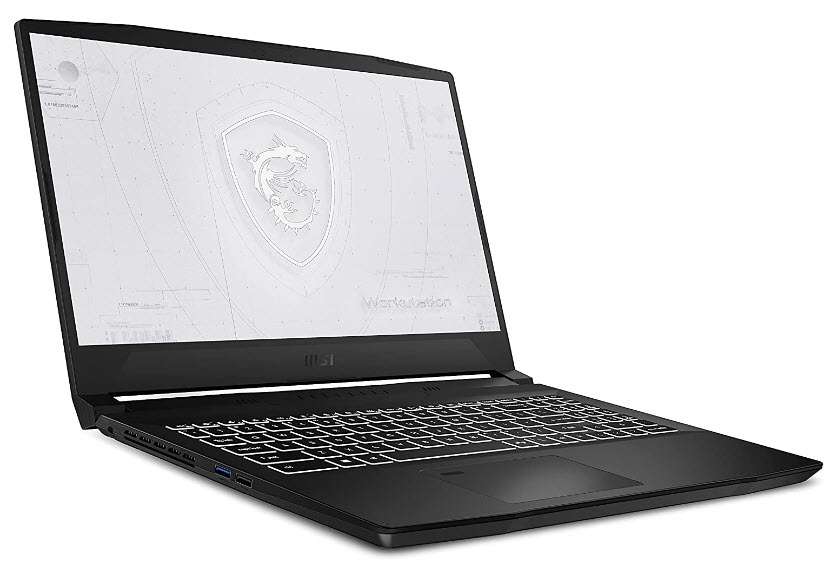
  • How to add materials on solid body and faces in AutoCAD

    How to add materials on solid body and faces in AutoCAD

    [fusion_builder_container type=”flex” hundred_percent=”no” hundred_percent_height=”no” min_height_medium=”” min_height_small=”” min_height=”” hundred_percent_height_scroll=”no” align_content=”stretch” flex_align_items=”flex-start” flex_justify_content=”flex-start” flex_wrap_medium=”” flex_wrap_small=”” flex_wrap=”wrap” flex_column_spacing=”” hundred_percent_height_center_content=”yes” equal_height_columns=”no” container_tag=”div” menu_anchor=”” hide_on_mobile=”small-visibility,medium-visibility,large-visibility” status=”published” publish_date=”” class=”” id=”” margin_top_medium=”” margin_bottom_medium=”” margin_top_small=”” margin_bottom_small=”” margin_top=”” margin_bottom=”” padding_top_medium=”” padding_right_medium=”” padding_bottom_medium=”” padding_left_medium=”” padding_top_small=”” padding_right_small=”” padding_bottom_small=”” padding_left_small=”” padding_top=”” padding_right=”” padding_bottom=”” padding_left=”” link_hover_color=”” hue=”” saturation=”” lightness=”” alpha=”” link_color=”var(–awb-color3)” border_sizes_top=”” border_sizes_right=”” border_sizes_bottom=”” border_sizes_left=”” border_color=”” border_style=”solid” border_radius_top_left=”” border_radius_top_right=”” border_radius_bottom_right=”” border_radius_bottom_left=”” box_shadow=”no” box_shadow_vertical=”” box_shadow_horizontal=”” box_shadow_blur=”0″ box_shadow_spread=”0″ box_shadow_color=”” box_shadow_style=”” z_index=”” overflow=”” gradient_start_color=”” gradient_end_color=”” gradient_start_position=”0″ gradient_end_position=”100″ gradient_type=”linear” radial_direction=”center center” linear_angle=”180″ background_color_medium=”” background_color_small=”” background_color=”” background_image_medium=”” background_image_small=”” background_image=”” skip_lazy_load=”” background_position_medium=”” background_position_small=”” background_position=”center center” background_repeat_medium=”” background_repeat_small=”” background_repeat=”no-repeat” background_size_medium=”” background_size_small=”” background_size=”” background_custom_size=”” background_custom_size_medium=”” background_custom_size_small=”” fade=”no” background_parallax=”none” enable_mobile=”no” parallax_speed=”0.3″ background_blend_mode_medium=”” background_blend_mode_small=”” background_blend_mode=”none” video_mp4=”” video_webm=”” video_ogv=”” video_url=”” video_aspect_ratio=”16:9″ video_loop=”yes” video_mute=”yes” video_preview_image=”” pattern_bg=”none” pattern_custom_bg=”” pattern_bg_color=”” pattern_bg_style=”default” pattern_bg_opacity=”100″ pattern_bg_size=”” pattern_bg_blend_mode=”normal” mask_bg=”none” mask_custom_bg=”” mask_bg_color=”” mask_bg_accent_color=”” mask_bg_style=”default” mask_bg_opacity=”100″ mask_bg_transform=”left” mask_bg_blend_mode=”normal” render_logics=”” logics=”” absolute=”off” absolute_devices=”small,medium,large” sticky=”off” sticky_devices=”small-visibility,medium-visibility,large-visibility” sticky_background_color=”” sticky_height=”” sticky_offset=”” sticky_transition_offset=”0″ scroll_offset=”0″ animation_type=”” animation_direction=”left” animation_color=”” animation_speed=”0.3″ animation_delay=”0″ animation_offset=”” filter_hue=”0″ filter_saturation=”100″ filter_brightness=”100″ filter_contrast=”100″ filter_invert=”0″ filter_sepia=”0″ filter_opacity=”100″ filter_blur=”0″ filter_hue_hover=”0″ filter_saturation_hover=”100″ filter_brightness_hover=”100″ filter_contrast_hover=”100″ filter_invert_hover=”0″ filter_sepia_hover=”0″ filter_opacity_hover=”100″ filter_blur_hover=”0″ admin_toggled=”yes”][fusion_builder_row][fusion_builder_column type=”1_1″ layout=”1_1″ align_self=”auto” content_layout=”column” align_content=”flex-start” valign_content=”flex-start” content_wrap=”wrap” spacing=”” center_content=”no” column_tag=”div” link=”” target=”_self” link_description=”” min_height=”” hide_on_mobile=”small-visibility,medium-visibility,large-visibility” sticky_display=”normal,sticky” class=”” id=”” type_medium=”” type_small=”” flex_grow_medium=”” flex_grow_small=”” flex_grow=”” flex_shrink_medium=”” flex_shrink_small=”” flex_shrink=”” order_medium=”0″ order_small=”0″ dimension_spacing_medium=”” dimension_spacing_small=”” dimension_spacing=”” dimension_margin_medium=”” dimension_margin_small=”” margin_top=”” margin_bottom=”” padding_medium=”” padding_small=”” padding_top=”” padding_right=”” padding_bottom=”” padding_left=”” hover_type=”none” border_sizes=”” border_color_hover=”” border_color=”” border_style=”solid” border_radius=”” box_shadow=”no” dimension_box_shadow=”” box_shadow_blur=”0″ box_shadow_spread=”0″ box_shadow_color=”” box_shadow_style=”” z_index_hover=”” z_index=”” overflow=”” background_type=”single” gradient_start_color=”” gradient_end_color=”” gradient_start_position=”0″ gradient_end_position=”100″ gradient_type=”linear” radial_direction=”center center” linear_angle=”180″ background_color_medium=”” background_color_small=”” background_color_medium_hover=”” background_color_small_hover=”” background_color_hover=”” background_color=”” background_image_medium=”” background_image_small=”” background_image=”” background_image_id_medium=”” background_image_id_small=”” background_image_id=”” lazy_load=”avada” skip_lazy_load=”” background_position_medium=”” background_position_small=”” background_position=”left top” background_repeat_medium=”” background_repeat_small=”” background_repeat=”no-repeat” background_size_medium=”” background_size_small=”” background_size=”” background_custom_size=”” background_custom_size_medium=”” background_custom_size_small=”” background_blend_mode_medium=”” background_blend_mode_small=”” background_blend_mode=”none” render_logics=”” sticky=”off” sticky_devices=”small-visibility,medium-visibility,large-visibility” sticky_offset=”” absolute=”off” absolute_props=”” filter_type=”regular” filter_hover_element=”self” filter_hue=”0″ filter_saturation=”100″ filter_brightness=”100″ filter_contrast=”100″ filter_invert=”0″ filter_sepia=”0″ filter_opacity=”100″ filter_blur=”0″ filter_hue_hover=”0″ filter_saturation_hover=”100″ filter_brightness_hover=”100″ filter_contrast_hover=”100″ filter_invert_hover=”0″ filter_sepia_hover=”0″ filter_opacity_hover=”100″ filter_blur_hover=”0″ transform_type=”regular” transform_hover_element=”self” transform_scale_x=”1″ transform_scale_y=”1″ transform_translate_x=”0″ transform_translate_y=”0″ transform_rotate=”0″ transform_skew_x=”0″ transform_skew_y=”0″ transform_scale_x_hover=”1″ transform_scale_y_hover=”1″ transform_translate_x_hover=”0″ transform_translate_y_hover=”0″ transform_rotate_hover=”0″ transform_skew_x_hover=”0″ transform_skew_y_hover=”0″ transform_origin=”” transition_duration=”300″ transition_easing=”ease” transition_custom_easing=”” motion_effects=”” scroll_motion_devices=”small-visibility,medium-visibility,large-visibility” animation_type=”” animation_direction=”left” animation_color=”” animation_speed=”0.3″ animation_delay=”0″ animation_offset=”” last=”true” border_position=”all” first=”true”][fusion_text columns=”” column_min_width=”” column_spacing=”” rule_style=”” rule_size=”” rule_color=”” hue=”” saturation=”” lightness=”” alpha=”” content_alignment_medium=”” content_alignment_small=”” content_alignment=”” hide_on_mobile=”small-visibility,medium-visibility,large-visibility” sticky_display=”normal,sticky” class=”” id=”” margin_top=”” margin_right=”” margin_bottom=”” margin_left=”” fusion_font_family_text_font=”” fusion_font_variant_text_font=”” font_size=”” line_height=”” letter_spacing=”” text_transform=”” text_color=”” animation_type=”” animation_direction=”left” animation_color=”” animation_speed=”0.3″ animation_delay=”0″ animation_offset=”” logics=””]

    In AutoCAD, we have a comprehensive library of materials and you can add material to any 3D solid object with a simple drag and drop.

    You can also create your own custom materials in AutoCAD to give it a completely personalized appearance.

    And if you like you can even make a complete photorealistic house with interior and exterior renderings as shown in this course.

    Though you can apply materials to the entire object using default options there are some workarounds that you can use to apply materials to selected faces of 3D objects as well.

    And in this article, we will explore all these methods of applying materials to objects and selected faces too.

    Adding material to 3D solid

    In this example, I will use this Oldham’s coupling 3D drawing and add materials to it.

    Switch to the 3D modeling workspace, you can do that by clicking the gear icon on the bottom right of the status bar and then selecting the 3D modeling option from the list.

    Now go to the visualize tab and then click on the Materials Browser icon on the Materials panel.

    The Materials Browser palette will open with a list of materials available for you which can be used in the drawing.

    Now expand the panel on the left which says Home and you will get a categorized list of materials.

    Clicking on a particular category from this panel will show only materials of that category in the Materials Browser palette.

    For example, selecting Wood will show only wood materials in the palette as shown in the following image.

    This will help you in sorting through the list of materials and in finding the right one easily.

    This list is pretty comprehensive with lots of materials but if required you can also make your own custom material in AutoCAD.

    Now adding material is as easy as drag and drop.

    Just find your material from this browser and drag the material and drop it on the object to which you want to add.

    Alternatively, you can also select the object(s) first and then right-click on the material you want to add from Materials Browser and then select Assign to Selection from right-click context menu.

    After adding the material make sure your Visual style is set to “Realistic” and “Material/Texture On” is active as shown in the animated image above else the material effect will not be visible on the objects.

    [/fusion_text][/fusion_builder_column][/fusion_builder_row][/fusion_builder_container][fusion_builder_container admin_label=”Course CTA” type=”flex” hundred_percent=”no” hundred_percent_height=”no” min_height_medium=”” min_height_small=”” min_height=”” hundred_percent_height_scroll=”no” align_content=”stretch” flex_align_items=”center” flex_justify_content=”center” flex_column_spacing=”” hundred_percent_height_center_content=”yes” equal_height_columns=”no” container_tag=”div” menu_anchor=”” hide_on_mobile=”small-visibility,medium-visibility,large-visibility” status=”published” publish_date=”” class=”” id=”” margin_top_medium=”” margin_bottom_medium=”” margin_top_small=”” margin_bottom_small=”” margin_top=”” margin_bottom=”” padding_top_medium=”” padding_right_medium=”” padding_bottom_medium=”” padding_left_medium=”” padding_top_small=”” padding_right_small=”” padding_bottom_small=”” padding_left_small=”” padding_top=”” padding_right=”” padding_bottom=”” padding_left=”” link_color=”” hue=”” saturation=”” lightness=”” alpha=”” link_hover_color=”” border_sizes_top=”” border_sizes_right=”” border_sizes_bottom=”” border_sizes_left=”” border_color=”” border_style=”solid” border_radius_top_left=”” border_radius_top_right=”” border_radius_bottom_right=”” border_radius_bottom_left=”” box_shadow=”no” box_shadow_vertical=”” box_shadow_horizontal=”” box_shadow_blur=”0″ box_shadow_spread=”0″ box_shadow_color=”” box_shadow_style=”” z_index=”” overflow=”” gradient_start_color=”” gradient_end_color=”” gradient_start_position=”0″ gradient_end_position=”100″ gradient_type=”linear” radial_direction=”center center” linear_angle=”180″ background_color=”” background_image=”” skip_lazy_load=”” background_position=”center center” background_repeat=”no-repeat” fade=”no” background_parallax=”none” enable_mobile=”no” parallax_speed=”0.3″ background_blend_mode=”none” video_mp4=”” video_webm=”” video_ogv=”” video_url=”” video_aspect_ratio=”16:9″ video_loop=”yes” video_mute=”yes” video_preview_image=”” pattern_bg=”none” pattern_custom_bg=”” pattern_bg_color=”” pattern_bg_style=”default” pattern_bg_opacity=”100″ pattern_bg_size=”” pattern_bg_blend_mode=”normal” mask_bg=”none” mask_custom_bg=”” mask_bg_color=”” mask_bg_accent_color=”” mask_bg_style=”default” mask_bg_opacity=”100″ mask_bg_transform=”left” mask_bg_blend_mode=”normal” render_logics=”” absolute=”off” absolute_devices=”small,medium,large” sticky=”off” sticky_devices=”small-visibility,medium-visibility,large-visibility” sticky_background_color=”” sticky_height=”” sticky_offset=”” sticky_transition_offset=”0″ scroll_offset=”0″ animation_type=”” animation_direction=”left” animation_color=”” animation_speed=”0.3″ animation_delay=”0″ animation_offset=”” filter_hue=”0″ filter_saturation=”100″ filter_brightness=”100″ filter_contrast=”100″ filter_invert=”0″ filter_sepia=”0″ filter_opacity=”100″ filter_blur=”0″ filter_hue_hover=”0″ filter_saturation_hover=”100″ filter_brightness_hover=”100″ filter_contrast_hover=”100″ filter_invert_hover=”0″ filter_sepia_hover=”0″ filter_opacity_hover=”100″ filter_blur_hover=”0″ admin_toggled=”yes”][fusion_builder_row][fusion_builder_column type=”1_1″ layout=”1_1″ align_self=”flex-start” content_layout=”column” align_content=”center” valign_content=”flex-start” content_wrap=”wrap” spacing=”” center_content=”no” column_tag=”div” link=”” target=”_self” link_description=”” min_height=”” hide_on_mobile=”small-visibility,medium-visibility,large-visibility” sticky_display=”normal,sticky” class=”” id=”” background_image_id=”” type_medium=”” type_small=”” order_medium=”0″ order_small=”0″ spacing_left_medium=”” spacing_right_medium=”” spacing_left_small=”” spacing_right_small=”” spacing_left=”” spacing_right=”” margin_top_medium=”” margin_bottom_medium=”” margin_top_small=”” margin_bottom_small=”” margin_top=”” margin_bottom=”” padding_top_medium=”” padding_right_medium=”” padding_bottom_medium=”” padding_left_medium=”” padding_top_small=”” padding_right_small=”” padding_bottom_small=”” padding_left_small=”” padding_top=”2%” padding_right=”2%” padding_bottom=”2%” padding_left=”2%” hover_type=”none” border_sizes_top=”” border_sizes_right=”” border_sizes_bottom=”” border_sizes_left=”” border_color=”” hue=”” saturation=”” lightness=”” alpha=”” border_style=”solid” border_radius_top_left=”10″ border_radius_top_right=”10″ border_radius_bottom_right=”10″ border_radius_bottom_left=”10″ box_shadow=”no” box_shadow_vertical=”” box_shadow_horizontal=”” box_shadow_blur=”0″ box_shadow_spread=”0″ box_shadow_color=”” box_shadow_style=”” z_index_subgroup=”regular” z_index=”” z_index_hover=”” overflow=”” background_type=”single” gradient_start_color=”” gradient_end_color=”” gradient_start_position=”0″ gradient_end_position=”100″ gradient_type=”linear” radial_direction=”center center” linear_angle=”180″ background_color=”var(–awb-color5)” background_image=”” lazy_load=”avada” skip_lazy_load=”” background_position=”left top” background_repeat=”no-repeat” background_blend_mode=”none” render_logics=”” sticky=”off” sticky_devices=”small-visibility,medium-visibility,large-visibility” sticky_offset=”” absolute=”off” absolute_top=”” absolute_right=”” absolute_bottom=”” absolute_left=”” filter_type=”regular” filter_hover_element=”self” filter_hue=”0″ filter_saturation=”100″ filter_brightness=”100″ filter_contrast=”100″ filter_invert=”0″ filter_sepia=”0″ filter_opacity=”100″ filter_blur=”0″ filter_hue_hover=”0″ filter_saturation_hover=”100″ filter_brightness_hover=”100″ filter_contrast_hover=”100″ filter_invert_hover=”0″ filter_sepia_hover=”0″ filter_opacity_hover=”100″ filter_blur_hover=”0″ transform_type=”regular” transform_hover_element=”self” transform_scale_x=”1″ transform_scale_y=”1″ transform_translate_x=”0″ transform_translate_y=”0″ transform_rotate=”0″ transform_skew_x=”0″ transform_skew_y=”0″ transform_origin=”” transform_scale_x_hover=”1″ transform_scale_y_hover=”1″ transform_translate_x_hover=”0″ transform_translate_y_hover=”0″ transform_rotate_hover=”0″ transform_skew_x_hover=”0″ transform_skew_y_hover=”0″ transition_duration=”300″ transition_easing=”ease” transition_custom_easing=”” animation_type=”” animation_direction=”left” animation_color=”” animation_speed=”0.3″ animation_delay=”0″ animation_offset=”” last=”true” border_position=”all” first=”true”][fusion_builder_row_inner][fusion_builder_column_inner type=”2_3″ layout=”2_3″ align_self=”center” content_layout=”column” align_content=”center” valign_content=”flex-start” content_wrap=”wrap” spacing=”” center_content=”no” column_tag=”div” link=”” target=”_self” link_description=”” min_height=”” hide_on_mobile=”small-visibility,medium-visibility,large-visibility” sticky_display=”normal,sticky” class=”” id=”” background_image_id=”” type_medium=”” type_small=”” order_medium=”0″ order_small=”0″ spacing_left_medium=”” spacing_right_medium=”” spacing_left_small=”” spacing_right_small=”” spacing_left=”6%” spacing_right=”” margin_top_medium=”” margin_bottom_medium=”” margin_top_small=”” margin_bottom_small=”” margin_top=”4%” margin_bottom=”4%” padding_top_medium=”” padding_right_medium=”” padding_bottom_medium=”” padding_left_medium=”” padding_top_small=”” padding_right_small=”” padding_bottom_small=”” padding_left_small=”” padding_top=”” padding_right=”” padding_bottom=”” padding_left=”2%” hover_type=”none” border_sizes_top=”” border_sizes_right=”” border_sizes_bottom=”” border_sizes_left=”” border_color=”” hue=”” saturation=”” lightness=”” alpha=”” border_style=”solid” border_radius_top_left=”” border_radius_top_right=”” border_radius_bottom_right=”” border_radius_bottom_left=”” box_shadow=”no” box_shadow_vertical=”” box_shadow_horizontal=”” box_shadow_blur=”0″ box_shadow_spread=”0″ box_shadow_color=”” box_shadow_style=”” overflow=”” background_type=”single” gradient_start_color=”” gradient_end_color=”” gradient_start_position=”0″ gradient_end_position=”100″ gradient_type=”linear” radial_direction=”center center” linear_angle=”180″ background_color=”” background_image=”” lazy_load=”avada” skip_lazy_load=”” background_position=”left top” background_repeat=”no-repeat” background_blend_mode=”none” render_logics=”” filter_type=”regular” filter_hue=”0″ filter_saturation=”100″ filter_brightness=”100″ filter_contrast=”100″ filter_invert=”0″ filter_sepia=”0″ filter_opacity=”100″ filter_blur=”0″ filter_hue_hover=”0″ filter_saturation_hover=”100″ filter_brightness_hover=”100″ filter_contrast_hover=”100″ filter_invert_hover=”0″ filter_sepia_hover=”0″ filter_opacity_hover=”100″ filter_blur_hover=”0″ animation_type=”” animation_direction=”left” animation_speed=”0.3″ animation_offset=”” last=”false” border_position=”all” first=”true”][fusion_text columns=”” column_min_width=”” column_spacing=”” rule_style=”” rule_size=”” rule_color=”” hue=”” saturation=”” lightness=”” alpha=”” content_alignment_medium=”” content_alignment_small=”” content_alignment=”” hide_on_mobile=”small-visibility,medium-visibility,large-visibility” sticky_display=”normal,sticky” class=”” id=”” margin_top=”” margin_right=”” margin_bottom=”” margin_left=”” fusion_font_family_text_font=”” fusion_font_variant_text_font=”” font_size=”” line_height=”” letter_spacing=”” text_transform=”none” text_color=”var(–awb-color8)” animation_type=”” animation_direction=”left” animation_color=”” animation_speed=”0.3″ animation_delay=”0″ animation_offset=”” logics=””]

    Learn to make a 3D photorealistic house with interior and exterior details in AutoCAD right from scratch

    [/fusion_text][fusion_button link=”https://thesourcecad.com/3d-photorealistic-house-autocad/” title=”” target=”_self” link_attributes=”” alignment_medium=”” alignment_small=”” alignment=”left” modal=”” hide_on_mobile=”small-visibility,medium-visibility,large-visibility” sticky_display=”normal,sticky” class=”” id=”” color=”custom” button_gradient_top_color_hover=”var(–awb-color4)” hue=”” saturation=”” lightness=”” alpha=”” button_gradient_top_color=”var(–awb-color3)” button_gradient_bottom_color_hover=”var(–awb-color4)” button_gradient_bottom_color=”var(–awb-color3)” gradient_start_position=”” gradient_end_position=”” gradient_type=”” radial_direction=”” linear_angle=”180″ accent_hover_color=”” accent_color=”” type=”flat” bevel_color=”” bevel_color_hover=”” border_top=”” border_right=”” border_bottom=”” border_left=”” border_radius_top_left=”” border_radius_top_right=”” border_radius_bottom_right=”” border_radius_bottom_left=”” border_hover_color=”” border_color=”” size=”large” padding_top=”” padding_right=”” padding_bottom=”” padding_left=”” fusion_font_family_button_font=”” fusion_font_variant_button_font=”” font_size=”” line_height=”” letter_spacing=”” text_transform=”” stretch=”no” margin_top=”” margin_right=”” margin_bottom=”” margin_left=”” icon=”” icon_position=”left” icon_divider=”no” hover_transition=”none” animation_type=”” animation_direction=”left” animation_color=”” animation_speed=”0.3″ animation_delay=”0″ animation_offset=””]Check Course Details[/fusion_button][/fusion_builder_column_inner][fusion_builder_column_inner type=”1_3″ layout=”1_3″ align_self=”center” content_layout=”column” align_content=”center” valign_content=”flex-start” content_wrap=”wrap” spacing=”” center_content=”yes” column_tag=”div” link=”” target=”_self” link_description=”” min_height=”” hide_on_mobile=”large-visibility” sticky_display=”normal,sticky” class=”” id=”” background_image_id=”” type_medium=”” type_small=”” order_medium=”0″ order_small=”0″ spacing_left_medium=”” spacing_right_medium=”” spacing_left_small=”” spacing_right_small=”” spacing_left=”” spacing_right=”” margin_top_medium=”” margin_bottom_medium=”” margin_top_small=”” margin_bottom_small=”” margin_top=”” margin_bottom=”” padding_top_medium=”” padding_right_medium=”” padding_bottom_medium=”” padding_left_medium=”” padding_top_small=”” padding_right_small=”” padding_bottom_small=”” padding_left_small=”” padding_top=”” padding_right=”” padding_bottom=”” padding_left=”” hover_type=”none” border_sizes_top=”” border_sizes_right=”” border_sizes_bottom=”” border_sizes_left=”” border_color=”” hue=”” saturation=”” lightness=”” alpha=”” border_style=”solid” border_radius_top_left=”” border_radius_top_right=”” border_radius_bottom_right=”” border_radius_bottom_left=”” box_shadow=”no” box_shadow_vertical=”” box_shadow_horizontal=”” box_shadow_blur=”0″ box_shadow_spread=”0″ box_shadow_color=”” box_shadow_style=”” z_index_subgroup=”regular” z_index=”” z_index_hover=”” overflow=”” background_type=”single” gradient_start_color=”” gradient_end_color=”” gradient_start_position=”0″ gradient_end_position=”100″ gradient_type=”linear” radial_direction=”center center” linear_angle=”180″ background_color=”” background_image=”” lazy_load=”avada” skip_lazy_load=”” background_position=”left top” background_repeat=”no-repeat” background_blend_mode=”none” render_logics=”” sticky=”off” sticky_devices=”small-visibility,medium-visibility,large-visibility” sticky_offset=”” absolute=”off” absolute_top=”” absolute_right=”” absolute_bottom=”” absolute_left=”” filter_type=”regular” filter_hover_element=”self” filter_hue=”0″ filter_saturation=”100″ filter_brightness=”100″ filter_contrast=”100″ filter_invert=”0″ filter_sepia=”0″ filter_opacity=”100″ filter_blur=”0″ filter_hue_hover=”0″ filter_saturation_hover=”100″ filter_brightness_hover=”100″ filter_contrast_hover=”100″ filter_invert_hover=”0″ filter_sepia_hover=”0″ filter_opacity_hover=”100″ filter_blur_hover=”0″ transform_type=”regular” transform_hover_element=”self” transform_scale_x=”1″ transform_scale_y=”1″ transform_translate_x=”0″ transform_translate_y=”0″ transform_rotate=”0″ transform_skew_x=”0″ transform_skew_y=”0″ transform_origin=”” transform_scale_x_hover=”1″ transform_scale_y_hover=”1″ transform_translate_x_hover=”0″ transform_translate_y_hover=”0″ transform_rotate_hover=”0″ transform_skew_x_hover=”0″ transform_skew_y_hover=”0″ transition_duration=”300″ transition_easing=”ease” transition_custom_easing=”” animation_type=”” animation_direction=”left” animation_color=”” animation_speed=”0.3″ animation_delay=”0″ animation_offset=”” last=”true” border_position=”all” first=”false”][fusion_imageframe image_id=”25502|full” aspect_ratio=”” custom_aspect_ratio=”100″ aspect_ratio_position=”” skip_lazy_load=”” lightbox=”no” gallery_id=”” lightbox_image=”” lightbox_image_id=”” alt=”” link=”” linktarget=”_self” hide_on_mobile=”small-visibility,medium-visibility,large-visibility” sticky_display=”normal,sticky” class=”” id=”” max_width=”” sticky_max_width=”” align_medium=”none” align_small=”none” align=”center” mask=”” custom_mask=”” mask_size=”” mask_custom_size=”” mask_position=”” mask_custom_position=”” mask_repeat=”” style_type=”” blur=”” stylecolor=”” hue=”” saturation=”” lightness=”” alpha=”” hover_type=”none” margin_top_medium=”” margin_right_medium=”” margin_bottom_medium=”” margin_left_medium=”” margin_top_small=”” margin_right_small=”” margin_bottom_small=”” margin_left_small=”” margin_top=”” margin_right=”” margin_bottom=”” margin_left=”” bordersize=”” bordercolor=”” borderradius=”” z_index=”” caption_style=”off” caption_align_medium=”none” caption_align_small=”none” caption_align=”none” caption_title=”” caption_text=”” caption_title_tag=”2″ fusion_font_family_caption_title_font=”” fusion_font_variant_caption_title_font=”” caption_title_size=”” caption_title_line_height=”” caption_title_letter_spacing=”” caption_title_transform=”” caption_title_color=”” caption_background_color=”” fusion_font_family_caption_text_font=”” fusion_font_variant_caption_text_font=”” caption_text_size=”” caption_text_line_height=”” caption_text_letter_spacing=”” caption_text_transform=”” caption_text_color=”” caption_border_color=”” caption_overlay_color=”” caption_margin_top=”” caption_margin_right=”” caption_margin_bottom=”” caption_margin_left=”” animation_type=”” animation_direction=”left” animation_color=”” animation_speed=”0.3″ animation_delay=”0″ animation_offset=”” filter_hue=”0″ filter_saturation=”100″ filter_brightness=”100″ filter_contrast=”100″ filter_invert=”0″ filter_sepia=”0″ filter_opacity=”100″ filter_blur=”0″ filter_hue_hover=”0″ filter_saturation_hover=”100″ filter_brightness_hover=”100″ filter_contrast_hover=”100″ filter_invert_hover=”0″ filter_sepia_hover=”0″ filter_opacity_hover=”100″ filter_blur_hover=”0″]https://thesourcecad.com/wp-content/uploads/2014/10/Courses-new.png[/fusion_imageframe][/fusion_builder_column_inner][/fusion_builder_row_inner][/fusion_builder_column][/fusion_builder_row][/fusion_builder_container][fusion_builder_container type=”flex” hundred_percent=”no” hundred_percent_height=”no” min_height_medium=”” min_height_small=”” min_height=”” hundred_percent_height_scroll=”no” align_content=”stretch” flex_align_items=”flex-start” flex_justify_content=”flex-start” flex_wrap_medium=”” flex_wrap_small=”” flex_wrap=”wrap” flex_column_spacing=”” hundred_percent_height_center_content=”yes” equal_height_columns=”no” container_tag=”div” menu_anchor=”” hide_on_mobile=”small-visibility,medium-visibility,large-visibility” status=”published” publish_date=”” class=”” id=”” margin_top_medium=”” margin_bottom_medium=”” margin_top_small=”” margin_bottom_small=”” margin_top=”” margin_bottom=”” padding_top_medium=”” padding_right_medium=”” padding_bottom_medium=”” padding_left_medium=”” padding_top_small=”” padding_right_small=”” padding_bottom_small=”” padding_left_small=”” padding_top=”” padding_right=”” padding_bottom=”” padding_left=”” link_hover_color=”” hue=”” saturation=”” lightness=”” alpha=”” link_color=”var(–awb-color3)” border_sizes_top=”” border_sizes_right=”” border_sizes_bottom=”” border_sizes_left=”” border_color=”” border_style=”solid” border_radius_top_left=”” border_radius_top_right=”” border_radius_bottom_right=”” border_radius_bottom_left=”” box_shadow=”no” box_shadow_vertical=”” box_shadow_horizontal=”” box_shadow_blur=”0″ box_shadow_spread=”0″ box_shadow_color=”” box_shadow_style=”” z_index=”” overflow=”” gradient_start_color=”” gradient_end_color=”” gradient_start_position=”0″ gradient_end_position=”100″ gradient_type=”linear” radial_direction=”center center” linear_angle=”180″ background_color_medium=”” background_color_small=”” background_color=”” background_image_medium=”” background_image_small=”” background_image=”” skip_lazy_load=”” background_position_medium=”” background_position_small=”” background_position=”center center” background_repeat_medium=”” background_repeat_small=”” background_repeat=”no-repeat” background_size_medium=”” background_size_small=”” background_size=”” background_custom_size=”” background_custom_size_medium=”” background_custom_size_small=”” fade=”no” background_parallax=”none” enable_mobile=”no” parallax_speed=”0.3″ background_blend_mode_medium=”” background_blend_mode_small=”” background_blend_mode=”none” video_mp4=”” video_webm=”” video_ogv=”” video_url=”” video_aspect_ratio=”16:9″ video_loop=”yes” video_mute=”yes” video_preview_image=”” pattern_bg=”none” pattern_custom_bg=”” pattern_bg_color=”” pattern_bg_style=”default” pattern_bg_opacity=”100″ pattern_bg_size=”” pattern_bg_blend_mode=”normal” mask_bg=”none” mask_custom_bg=”” mask_bg_color=”” mask_bg_accent_color=”” mask_bg_style=”default” mask_bg_opacity=”100″ mask_bg_transform=”left” mask_bg_blend_mode=”normal” render_logics=”” logics=”” absolute=”off” absolute_devices=”small,medium,large” sticky=”off” sticky_devices=”small-visibility,medium-visibility,large-visibility” sticky_background_color=”” sticky_height=”” sticky_offset=”” sticky_transition_offset=”0″ scroll_offset=”0″ animation_type=”” animation_direction=”left” animation_color=”” animation_speed=”0.3″ animation_delay=”0″ animation_offset=”” filter_hue=”0″ filter_saturation=”100″ filter_brightness=”100″ filter_contrast=”100″ filter_invert=”0″ filter_sepia=”0″ filter_opacity=”100″ filter_blur=”0″ filter_hue_hover=”0″ filter_saturation_hover=”100″ filter_brightness_hover=”100″ filter_contrast_hover=”100″ filter_invert_hover=”0″ filter_sepia_hover=”0″ filter_opacity_hover=”100″ filter_blur_hover=”0″ admin_toggled=”yes”][fusion_builder_row][fusion_builder_column type=”1_1″ layout=”1_1″ align_self=”auto” content_layout=”column” align_content=”flex-start” valign_content=”flex-start” content_wrap=”wrap” spacing=”” center_content=”no” column_tag=”div” link=”” target=”_self” link_description=”” min_height=”” hide_on_mobile=”small-visibility,medium-visibility,large-visibility” sticky_display=”normal,sticky” class=”” id=”” type_medium=”” type_small=”” flex_grow_medium=”” flex_grow_small=”” flex_grow=”” flex_shrink_medium=”” flex_shrink_small=”” flex_shrink=”” order_medium=”0″ order_small=”0″ dimension_spacing_medium=”” dimension_spacing_small=”” dimension_spacing=”” dimension_margin_medium=”” dimension_margin_small=”” margin_top=”” margin_bottom=”” padding_medium=”” padding_small=”” padding_top=”” padding_right=”” padding_bottom=”” padding_left=”” hover_type=”none” border_sizes=”” border_color_hover=”” border_color=”” border_style=”solid” border_radius=”” box_shadow=”no” dimension_box_shadow=”” box_shadow_blur=”0″ box_shadow_spread=”0″ box_shadow_color=”” box_shadow_style=”” z_index_hover=”” z_index=”” overflow=”” background_type=”single” gradient_start_color=”” gradient_end_color=”” gradient_start_position=”0″ gradient_end_position=”100″ gradient_type=”linear” radial_direction=”center center” linear_angle=”180″ background_color_medium=”” background_color_small=”” background_color_medium_hover=”” background_color_small_hover=”” background_color_hover=”” background_color=”” background_image_medium=”” background_image_small=”” background_image=”” background_image_id_medium=”” background_image_id_small=”” background_image_id=”” lazy_load=”avada” skip_lazy_load=”” background_position_medium=”” background_position_small=”” background_position=”left top” background_repeat_medium=”” background_repeat_small=”” background_repeat=”no-repeat” background_size_medium=”” background_size_small=”” background_size=”” background_custom_size=”” background_custom_size_medium=”” background_custom_size_small=”” background_blend_mode_medium=”” background_blend_mode_small=”” background_blend_mode=”none” render_logics=”” sticky=”off” sticky_devices=”small-visibility,medium-visibility,large-visibility” sticky_offset=”” absolute=”off” absolute_props=”” filter_type=”regular” filter_hover_element=”self” filter_hue=”0″ filter_saturation=”100″ filter_brightness=”100″ filter_contrast=”100″ filter_invert=”0″ filter_sepia=”0″ filter_opacity=”100″ filter_blur=”0″ filter_hue_hover=”0″ filter_saturation_hover=”100″ filter_brightness_hover=”100″ filter_contrast_hover=”100″ filter_invert_hover=”0″ filter_sepia_hover=”0″ filter_opacity_hover=”100″ filter_blur_hover=”0″ transform_type=”regular” transform_hover_element=”self” transform_scale_x=”1″ transform_scale_y=”1″ transform_translate_x=”0″ transform_translate_y=”0″ transform_rotate=”0″ transform_skew_x=”0″ transform_skew_y=”0″ transform_scale_x_hover=”1″ transform_scale_y_hover=”1″ transform_translate_x_hover=”0″ transform_translate_y_hover=”0″ transform_rotate_hover=”0″ transform_skew_x_hover=”0″ transform_skew_y_hover=”0″ transform_origin=”” transition_duration=”300″ transition_easing=”ease” transition_custom_easing=”” motion_effects=”” scroll_motion_devices=”small-visibility,medium-visibility,large-visibility” animation_type=”” animation_direction=”left” animation_color=”” animation_speed=”0.3″ animation_delay=”0″ animation_offset=”” last=”true” border_position=”all” first=”true”][fusion_text columns=”” column_min_width=”” column_spacing=”” rule_style=”” rule_size=”” rule_color=”” hue=”” saturation=”” lightness=”” alpha=”” content_alignment_medium=”” content_alignment_small=”” content_alignment=”” hide_on_mobile=”small-visibility,medium-visibility,large-visibility” sticky_display=”normal,sticky” class=”” id=”” margin_top=”” margin_right=”” margin_bottom=”” margin_left=”” fusion_font_family_text_font=”” fusion_font_variant_text_font=”” font_size=”” line_height=”” letter_spacing=”” text_transform=”” text_color=”” animation_type=”” animation_direction=”left” animation_color=”” animation_speed=”0.3″ animation_delay=”0″ animation_offset=”” logics=””]

    Adding Material to the Face of the Object

    As you must have noticed here that the material is applied to the entire object by default and this method can be limiting sometimes when you only want to add material on any selected face.

    For example, if you have a wall where you want to add different paints to the interior and exterior you can use this method.

    Here I will use a simple rectangular 3D solid wall and I will apply Pink paint material to one side of the wall and Blue color to the other side.

    The workflow will be a little different here.

    In this case, once again go to the Materials Browser palette and find the materials that you want to add to the wall.

    Select Paint from the material category and then hover your cursor on the Pink paint and click on the arrow as shown in the image below.

    This will add the material to your active list of materials on the top of the Materials Browser palette.

    Now right-click on the Pink material on the top of the palette and select Rename from the context menu and name it A.

    Similarly, go to the Wall Paint category and add Cadet Blue color to the top of the Materials Browser palette by clicking the arrow as shown in the image above. Rename this material to B.

    In this case, I am asking you to rename the materials as it will simplify the process of adding the materials in upcoming steps.

    Now we are all set to add Material A which is Pink and Material B which is Blue to different sides of the wall.

    Type SOLIDEDIT on the command line and press enter then select Face from the options of the command line and then select mAterial from the next set of options.

    Now AutoCAD will prompt you to select the faces, click on one of the faces and press enter.

    Now command line will prompt you to type the name of the material you want to add to this face, just type A and press enter three times to exit the command.

    You will notice that the material will now be added only to the selected face and since we already simplified the name of the material using a small name “A” you won’t need to type in the complete name of the material.

    Once the material is added to the face you can rename it again to any name which is easy to remember.

    Also, make sure the visual style is selected as “Realistic” and “Materials/textures On” is checked in the Materials panel.

    Similarly, repeat the steps for another side of the wall but use material B this time.

    Summary

    So these are some of the basic methods of adding material to any solid body or face and there are also other ways of adding materials to a set of objects like applying the material to layers in AutoCAD.

    You can also add decals in AutoCAD to create a logo on an object and use images as a surface too.

    I hope you will find this article helpful, if you have any questions let me know in the comments below.

    [/fusion_text][/fusion_builder_column][/fusion_builder_row][/fusion_builder_container]
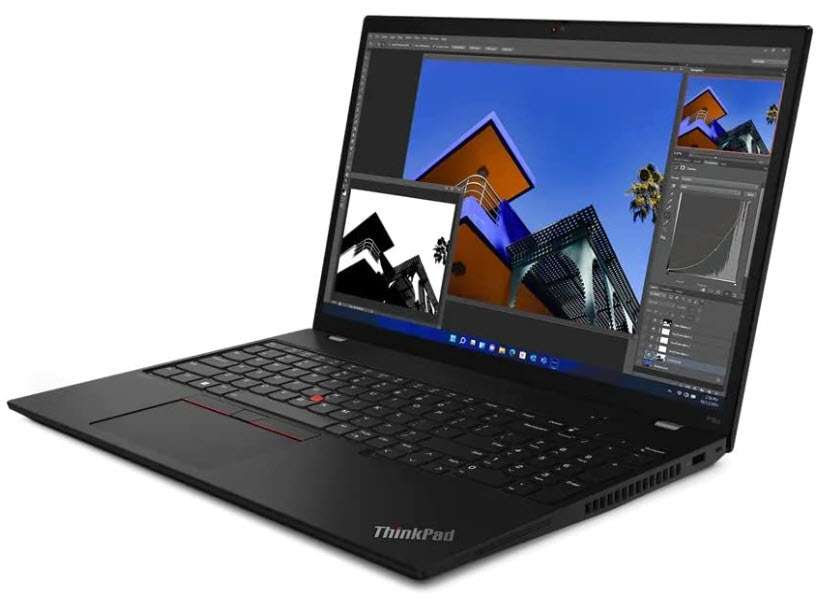
  • How to make custom linetypes in AutoCAD

    How to make custom linetypes in AutoCAD

    [fusion_builder_container type=”flex” hundred_percent=”yes” hundred_percent_height=”no” min_height_medium=”” min_height_small=”” min_height=”” hundred_percent_height_scroll=”no” align_content=”stretch” flex_align_items=”flex-start” flex_justify_content=”flex-start” flex_wrap_medium=”” flex_wrap_small=”” flex_wrap=”wrap” flex_column_spacing=”” hundred_percent_height_center_content=”yes” equal_height_columns=”no” container_tag=”div” menu_anchor=”” hide_on_mobile=”small-visibility,medium-visibility,large-visibility” status=”published” publish_date=”” class=”” id=”” margin_top_medium=”” margin_bottom_medium=”” margin_top_small=”” margin_bottom_small=”” margin_top=”” margin_bottom=”” padding_top_medium=”” padding_right_medium=”” padding_bottom_medium=”” padding_left_medium=”” padding_top_small=”” padding_right_small=”” padding_bottom_small=”” padding_left_small=”” padding_top=”” padding_right=”” padding_bottom=”” padding_left=”” link_hover_color=”” hue=”” saturation=”” lightness=”” alpha=”” link_color=”var(–awb-color3)” border_sizes_top=”” border_sizes_right=”” border_sizes_bottom=”” border_sizes_left=”” border_color=”” border_style=”solid” border_radius_top_left=”” border_radius_top_right=”” border_radius_bottom_right=”” border_radius_bottom_left=”” box_shadow=”no” box_shadow_vertical=”” box_shadow_horizontal=”” box_shadow_blur=”0″ box_shadow_spread=”0″ box_shadow_color=”” box_shadow_style=”” z_index=”” overflow=”” gradient_start_color=”” gradient_end_color=”” gradient_start_position=”0″ gradient_end_position=”100″ gradient_type=”linear” radial_direction=”center center” linear_angle=”180″ background_color_medium=”” background_color_small=”” background_color=”” background_image_medium=”” background_image_small=”” background_image=”” skip_lazy_load=”” background_position_medium=”” background_position_small=”” background_position=”center center” background_repeat_medium=”” background_repeat_small=”” background_repeat=”no-repeat” background_size_medium=”” background_size_small=”” background_size=”” background_custom_size=”” background_custom_size_medium=”” background_custom_size_small=”” fade=”no” background_parallax=”none” enable_mobile=”no” parallax_speed=”0.3″ background_blend_mode_medium=”” background_blend_mode_small=”” background_blend_mode=”none” video_mp4=”” video_webm=”” video_ogv=”” video_url=”” video_aspect_ratio=”16:9″ video_loop=”yes” video_mute=”yes” video_preview_image=”” pattern_bg=”none” pattern_custom_bg=”” pattern_bg_color=”” pattern_bg_style=”default” pattern_bg_opacity=”100″ pattern_bg_size=”” pattern_bg_blend_mode=”normal” mask_bg=”none” mask_custom_bg=”” mask_bg_color=”” mask_bg_accent_color=”” mask_bg_style=”default” mask_bg_opacity=”100″ mask_bg_transform=”left” mask_bg_blend_mode=”normal” render_logics=”” logics=”” absolute=”off” absolute_devices=”small,medium,large” sticky=”off” sticky_devices=”small-visibility,medium-visibility,large-visibility” sticky_background_color=”” sticky_height=”” sticky_offset=”” sticky_transition_offset=”0″ scroll_offset=”0″ animation_type=”” animation_direction=”left” animation_color=”” animation_speed=”0.3″ animation_delay=”0″ animation_offset=”” filter_hue=”0″ filter_saturation=”100″ filter_brightness=”100″ filter_contrast=”100″ filter_invert=”0″ filter_sepia=”0″ filter_opacity=”100″ filter_blur=”0″ filter_hue_hover=”0″ filter_saturation_hover=”100″ filter_brightness_hover=”100″ filter_contrast_hover=”100″ filter_invert_hover=”0″ filter_sepia_hover=”0″ filter_opacity_hover=”100″ filter_blur_hover=”0″ admin_toggled=”yes”][fusion_builder_row][fusion_builder_column type=”1_1″ layout=”1_1″ background_position=”left top” background_color=”” border_color=”” border_style=”solid” border_position=”all” spacing=”yes” background_image=”” background_repeat=”no-repeat” padding_top=”” padding_right=”” padding_bottom=”” padding_left=”” margin_top=”0px” margin_bottom=”0px” class=”” id=”” animation_type=”” animation_speed=”0.3″ animation_direction=”left” hide_on_mobile=”small-visibility,medium-visibility,large-visibility” center_content=”no” last=”true” min_height=”” hover_type=”none” link=”” border_sizes_top=”” border_sizes_bottom=”” border_sizes_left=”” border_sizes_right=”” first=”true”][fusion_text columns=”” column_min_width=”” column_spacing=”” rule_style=”” rule_size=”” rule_color=”” hue=”” saturation=”” lightness=”” alpha=”” content_alignment_medium=”” content_alignment_small=”” content_alignment=”” hide_on_mobile=”small-visibility,medium-visibility,large-visibility” sticky_display=”normal,sticky” class=”” id=”” margin_top=”” margin_right=”” margin_bottom=”” margin_left=”” fusion_font_family_text_font=”” fusion_font_variant_text_font=”” font_size=”” line_height=”” letter_spacing=”” text_transform=”” text_color=”” animation_type=”” animation_direction=”left” animation_color=”” animation_speed=”0.3″ animation_delay=”0″ animation_offset=”” logics=””]

    AutoCAD has its own library of linetypes which is quite sufficient for most of the common drawings.

    Still, if you are wondering how to make custom linetypes in AutoCAD then this article will help you with that.

    Just like linetypes you can also make custom hatch patterns in AutoCAD but here we will stick with linetypes only.

    Before we start if you prefer a video then here is the video version of this article.

    [fusion_youtube id=”ptFkR1sIMWw” alignment=”center” width=”800″ height=”” autoplay=”false” mute=”false” api_params=”” title_attribute=”” video_facade=”” margin_top=”” margin_bottom=”” hide_on_mobile=”small-visibility,medium-visibility,large-visibility” class=”” css_id=”” structured_data=”off” video_upload_date=”” video_duration=”” video_title=”” video_desc=””][/fusion_youtube]

    Making Linetype with text and symbol

    Let’s assume that we want a custom linetype containing repeating patterns of text and symbols as shown in the image below.

    Image 1

    In this case, the arrows are used from the character map (Symbol library of Windows operating system) and A letter is Mtext.

    Let’s start by making this linetype pattern.

    Type MTEXT and press enter, now make a box to start writing your Mtext.

    To add the symbol in this Mtext box you need to select the “Other” option from the Symbol tool of the “Insert” panel on the “Text Editor” tab as shown in the following image.

    Image 2

    Select the Arial font in the character map window and scroll down the list of symbols till you see solid arrows.

    Select the left pointing arrow then click on the Select button then click the Copy button and close the character map.

    Image 3

    Now right-click in the text box and select Paste from the contextual menu, you can also use Ctrl + V to paste the character.

    Now type A and repeat the process of adding the left-pointing arrow symbol.

    After adding text and symbols make two lines of equal length as shown in image 1.

    Our segment of linetype is ready and we can convert it into a linetype.

    For this, we will use MKLTYPE express tool.

    But before using this tool explode the text and arrow symbol, this is an important step and without exploding the next commands won’t work.

    Select the text as well as arrow symbols then type X and press enter.

    By doing so we have converted the Mtext into simple Text or single line text.

    MKLTYPE doesn’t recognize Mtext hence we need to convert Mtext into text using explode command before using the command.

    Now type MKLTYPE and press enter, “Select linetype file” window will show up.

    Specify a location where you want to save this custom linetype and give it a name.

    In my case, I am selecting the desktop as the location and naming it as Sample_Ltype.

    The linetype will be saved with the .lin file extension.

    Now the command line will prompt you to specify the name of linetype.

    I will use ATEXT as the name of linetype.

    Press enter and it will prompt you for a description, add the description which you want or press enter to skip this.

    Image 4

    Now the command line will prompt you to specify the starting point of the line definition.

    Select the leftmost point on this linetype segment and press enter.

    Again command line will prompt you for the endpoint of the linetype segment.

    Click on the rightmost point of the linetype segment and press enter.

    Now the command line will prompt you to select the objects.

    Make a window to select the text, symbol and lines in the selection window and press enter.

    Finally, the command line will prompt that the ATEXT linetype is now created and loaded as shown in the image below.

    Image 5

    So, now our custom linetype is ready for use, let’s use it in a simple drawing.

    I will make a circle and a rectangle as shown in the image below and then change its linetype from the properties palette.

    Image 6

    After changing the linetype of the rectangle as well as the circle this is how my drawing looked like.

    Image 7

    Just like any normal linetype, you can change the scale of this linetype too.

    To do that select the rectangle and circle and then right-click and select properties from the context menu.

    Now from the Linetype scale option select a scale you want and the scale of the selected linetype will change.

    Making linetypes with complex shapes

    In this case, I will show you the method of making a linetype with a complex shape containing an arc as well as a line as shown in the image below.

    Image 8

    Now, in this case, we are using an arc which MKLTYPE command won’t recognize and hence we need to convert this complete linetype segment into a “shape” which MKLTYPE command recognizes.

    Start by making the two slot shapes as shown in the image above using line and arc commands.

    If you are using polyline to make the shape then make sure you explode it after making it as polyline can’t be used for making linetypes.

    Now, to make the Shape file type MKSHAPE and press enter, the “select the shape” window will show up.

    Specify the location where you want to save the shape file and give it a name.

    I am saving it on the desktop with the name “Complex_Shape”.

    The shape will be saved with the SHP extension.

    Now command line will prompt you to specify the name of the Shape file.

    In this case, I am using CLT as the name of the shape, after typing the name press enter.

    Image 9

    On the next prompt, it will prompt for a resolution value, simply press enter to accept the default value.

    Now click on the midpoint of the left line to specify the base point then select the complete drawing and press enter.

    Image 10

    The CLT Shape file is now created and it can be used for making our linetype.

    Type SHAPE and press enter, command line will prompt you to enter the name of the shape which you want to insert, type CLT and press enter again.

    The cursor will now have the shape, click on the midpoint of the left line again as marked in the red circle in the image above.

    This will overlap the shape over the existing geometry.

    On the next prompts of height and rotation angle simply press the enter key to accept the default values and exit the command.

    Now we have the shape clearly overlapping the existing drawing.

    To start making linetype from this shape you need to start with MKLTYPE command.

    Type MKLTYPE and press enter.

    Now Specify a location where you want to save this linetype and give it a name.

    I am using the desktop as the location and “Complex line” as the name.

    Now the command line will prompt you for the name of linetype, type CLINE, and press enter.

    Press enter again on the next prompt to skip adding any description.

    Now command line will prompt you to add starting point, click on the midpoint of the left line as shown in the red circle in the image below and the second point right opposite as shown with the green circle.

    Image 11

    Now click on the shape to select it and press enter.

    The new linetype with the CLINE name is now added and loaded in the drawing.

    Now make a circle and a line and then apply this newly created linetype.

    After applying the new linetype it looked like this on my drawing.

    custom linetypes in autocad
    Image 12

    So, that’s the step-by-step method of making a custom linetype using complex shapes in AutoCAD.

    [/fusion_text][/fusion_builder_column][/fusion_builder_row][/fusion_builder_container][fusion_builder_container admin_label=”Course CTA” type=”flex” hundred_percent=”no” hundred_percent_height=”no” min_height_medium=”” min_height_small=”” min_height=”” hundred_percent_height_scroll=”no” align_content=”stretch” flex_align_items=”center” flex_justify_content=”center” flex_column_spacing=”” hundred_percent_height_center_content=”yes” equal_height_columns=”no” container_tag=”div” menu_anchor=”” hide_on_mobile=”small-visibility,medium-visibility,large-visibility” status=”published” publish_date=”” class=”” id=”” margin_top_medium=”” margin_bottom_medium=”” margin_top_small=”” margin_bottom_small=”” margin_top=”” margin_bottom=”” padding_top_medium=”” padding_right_medium=”” padding_bottom_medium=”” padding_left_medium=”” padding_top_small=”” padding_right_small=”” padding_bottom_small=”” padding_left_small=”” padding_top=”” padding_right=”” padding_bottom=”” padding_left=”” link_color=”” hue=”” saturation=”” lightness=”” alpha=”” link_hover_color=”” border_sizes_top=”” border_sizes_right=”” border_sizes_bottom=”” border_sizes_left=”” border_color=”” border_style=”solid” border_radius_top_left=”” border_radius_top_right=”” border_radius_bottom_right=”” border_radius_bottom_left=”” box_shadow=”no” box_shadow_vertical=”” box_shadow_horizontal=”” box_shadow_blur=”0″ box_shadow_spread=”0″ box_shadow_color=”” box_shadow_style=”” z_index=”” overflow=”” gradient_start_color=”” gradient_end_color=”” gradient_start_position=”0″ gradient_end_position=”100″ gradient_type=”linear” radial_direction=”center center” linear_angle=”180″ background_color=”” background_image=”” skip_lazy_load=”” background_position=”center center” background_repeat=”no-repeat” fade=”no” background_parallax=”none” enable_mobile=”no” parallax_speed=”0.3″ background_blend_mode=”none” video_mp4=”” video_webm=”” video_ogv=”” video_url=”” video_aspect_ratio=”16:9″ video_loop=”yes” video_mute=”yes” video_preview_image=”” pattern_bg=”none” pattern_custom_bg=”” pattern_bg_color=”” pattern_bg_style=”default” pattern_bg_opacity=”100″ pattern_bg_size=”” pattern_bg_blend_mode=”normal” mask_bg=”none” mask_custom_bg=”” mask_bg_color=”” mask_bg_accent_color=”” mask_bg_style=”default” mask_bg_opacity=”100″ mask_bg_transform=”left” mask_bg_blend_mode=”normal” render_logics=”” absolute=”off” absolute_devices=”small,medium,large” sticky=”off” sticky_devices=”small-visibility,medium-visibility,large-visibility” sticky_background_color=”” sticky_height=”” sticky_offset=”” sticky_transition_offset=”0″ scroll_offset=”0″ animation_type=”” animation_direction=”left” animation_color=”” animation_speed=”0.3″ animation_delay=”0″ animation_offset=”” filter_hue=”0″ filter_saturation=”100″ filter_brightness=”100″ filter_contrast=”100″ filter_invert=”0″ filter_sepia=”0″ filter_opacity=”100″ filter_blur=”0″ filter_hue_hover=”0″ filter_saturation_hover=”100″ filter_brightness_hover=”100″ filter_contrast_hover=”100″ filter_invert_hover=”0″ filter_sepia_hover=”0″ filter_opacity_hover=”100″ filter_blur_hover=”0″ admin_toggled=”yes”][fusion_builder_row][fusion_builder_column type=”1_1″ layout=”1_1″ align_self=”flex-start” content_layout=”column” align_content=”center” valign_content=”flex-start” content_wrap=”wrap” spacing=”” center_content=”no” column_tag=”div” link=”” target=”_self” link_description=”” min_height=”” hide_on_mobile=”small-visibility,medium-visibility,large-visibility” sticky_display=”normal,sticky” class=”” id=”” background_image_id=”” type_medium=”” type_small=”” order_medium=”0″ order_small=”0″ spacing_left_medium=”” spacing_right_medium=”” spacing_left_small=”” spacing_right_small=”” spacing_left=”” spacing_right=”” margin_top_medium=”” margin_bottom_medium=”” margin_top_small=”” margin_bottom_small=”” margin_top=”” margin_bottom=”” padding_top_medium=”” padding_right_medium=”” padding_bottom_medium=”” padding_left_medium=”” padding_top_small=”” padding_right_small=”” padding_bottom_small=”” padding_left_small=”” padding_top=”2%” padding_right=”2%” padding_bottom=”2%” padding_left=”2%” hover_type=”none” border_sizes_top=”” border_sizes_right=”” border_sizes_bottom=”” border_sizes_left=”” border_color=”” hue=”” saturation=”” lightness=”” alpha=”” border_style=”solid” border_radius_top_left=”10″ border_radius_top_right=”10″ border_radius_bottom_right=”10″ border_radius_bottom_left=”10″ box_shadow=”no” box_shadow_vertical=”” box_shadow_horizontal=”” box_shadow_blur=”0″ box_shadow_spread=”0″ box_shadow_color=”” box_shadow_style=”” z_index_subgroup=”regular” z_index=”” z_index_hover=”” overflow=”” background_type=”single” gradient_start_color=”” gradient_end_color=”” gradient_start_position=”0″ gradient_end_position=”100″ gradient_type=”linear” radial_direction=”center center” linear_angle=”180″ background_color=”var(–awb-color5)” background_image=”” lazy_load=”avada” skip_lazy_load=”” background_position=”left top” background_repeat=”no-repeat” background_blend_mode=”none” render_logics=”” sticky=”off” sticky_devices=”small-visibility,medium-visibility,large-visibility” sticky_offset=”” absolute=”off” absolute_top=”” absolute_right=”” absolute_bottom=”” absolute_left=”” filter_type=”regular” filter_hover_element=”self” filter_hue=”0″ filter_saturation=”100″ filter_brightness=”100″ filter_contrast=”100″ filter_invert=”0″ filter_sepia=”0″ filter_opacity=”100″ filter_blur=”0″ filter_hue_hover=”0″ filter_saturation_hover=”100″ filter_brightness_hover=”100″ filter_contrast_hover=”100″ filter_invert_hover=”0″ filter_sepia_hover=”0″ filter_opacity_hover=”100″ filter_blur_hover=”0″ transform_type=”regular” transform_hover_element=”self” transform_scale_x=”1″ transform_scale_y=”1″ transform_translate_x=”0″ transform_translate_y=”0″ transform_rotate=”0″ transform_skew_x=”0″ transform_skew_y=”0″ transform_origin=”” transform_scale_x_hover=”1″ transform_scale_y_hover=”1″ transform_translate_x_hover=”0″ transform_translate_y_hover=”0″ transform_rotate_hover=”0″ transform_skew_x_hover=”0″ transform_skew_y_hover=”0″ transition_duration=”300″ transition_easing=”ease” transition_custom_easing=”” animation_type=”” animation_direction=”left” animation_color=”” animation_speed=”0.3″ animation_delay=”0″ animation_offset=”” last=”true” border_position=”all” first=”true”][fusion_builder_row_inner][fusion_builder_column_inner type=”2_3″ layout=”2_3″ align_self=”center” content_layout=”column” align_content=”center” valign_content=”flex-start” content_wrap=”wrap” spacing=”” center_content=”no” column_tag=”div” link=”” target=”_self” link_description=”” min_height=”” hide_on_mobile=”small-visibility,medium-visibility,large-visibility” sticky_display=”normal,sticky” class=”” id=”” background_image_id=”” type_medium=”” type_small=”” order_medium=”0″ order_small=”0″ spacing_left_medium=”” spacing_right_medium=”” spacing_left_small=”” spacing_right_small=”” spacing_left=”6%” spacing_right=”” margin_top_medium=”” margin_bottom_medium=”” margin_top_small=”” margin_bottom_small=”” margin_top=”4%” margin_bottom=”4%” padding_top_medium=”” padding_right_medium=”” padding_bottom_medium=”” padding_left_medium=”” padding_top_small=”” padding_right_small=”” padding_bottom_small=”” padding_left_small=”” padding_top=”” padding_right=”” padding_bottom=”” padding_left=”2%” hover_type=”none” border_sizes_top=”” border_sizes_right=”” border_sizes_bottom=”” border_sizes_left=”” border_color=”” hue=”” saturation=”” lightness=”” alpha=”” border_style=”solid” border_radius_top_left=”” border_radius_top_right=”” border_radius_bottom_right=”” border_radius_bottom_left=”” box_shadow=”no” box_shadow_vertical=”” box_shadow_horizontal=”” box_shadow_blur=”0″ box_shadow_spread=”0″ box_shadow_color=”” box_shadow_style=”” overflow=”” background_type=”single” gradient_start_color=”” gradient_end_color=”” gradient_start_position=”0″ gradient_end_position=”100″ gradient_type=”linear” radial_direction=”center center” linear_angle=”180″ background_color=”” background_image=”” lazy_load=”avada” skip_lazy_load=”” background_position=”left top” background_repeat=”no-repeat” background_blend_mode=”none” render_logics=”” filter_type=”regular” filter_hue=”0″ filter_saturation=”100″ filter_brightness=”100″ filter_contrast=”100″ filter_invert=”0″ filter_sepia=”0″ filter_opacity=”100″ filter_blur=”0″ filter_hue_hover=”0″ filter_saturation_hover=”100″ filter_brightness_hover=”100″ filter_contrast_hover=”100″ filter_invert_hover=”0″ filter_sepia_hover=”0″ filter_opacity_hover=”100″ filter_blur_hover=”0″ animation_type=”” animation_direction=”left” animation_speed=”0.3″ animation_offset=”” last=”false” border_position=”all” first=”true”][fusion_text columns=”” column_min_width=”” column_spacing=”” rule_style=”” rule_size=”” rule_color=”” hue=”” saturation=”” lightness=”” alpha=”” content_alignment_medium=”” content_alignment_small=”” content_alignment=”” hide_on_mobile=”small-visibility,medium-visibility,large-visibility” sticky_display=”normal,sticky” class=”” id=”” margin_top=”” margin_right=”” margin_bottom=”” margin_left=”” fusion_font_family_text_font=”” fusion_font_variant_text_font=”” font_size=”” line_height=”” letter_spacing=”” text_transform=”none” text_color=”var(–awb-color8)” animation_type=”” animation_direction=”left” animation_color=”” animation_speed=”0.3″ animation_delay=”0″ animation_offset=””]

    Learn AutoCAD right from scratch with video courses by published Authors

    [/fusion_text][fusion_button link=”https://thesourcecad.com/autocad-courses/” title=”” target=”_self” link_attributes=”” alignment_medium=”” alignment_small=”” alignment=”left” modal=”” hide_on_mobile=”small-visibility,medium-visibility,large-visibility” sticky_display=”normal,sticky” class=”” id=”” color=”custom” button_gradient_top_color_hover=”var(–awb-color4)” hue=”” saturation=”” lightness=”” alpha=”” button_gradient_top_color=”var(–awb-color3)” button_gradient_bottom_color_hover=”var(–awb-color4)” button_gradient_bottom_color=”var(–awb-color3)” gradient_start_position=”” gradient_end_position=”” gradient_type=”” radial_direction=”” linear_angle=”180″ accent_hover_color=”” accent_color=”” type=”flat” bevel_color=”” bevel_color_hover=”” border_top=”” border_right=”” border_bottom=”” border_left=”” border_radius_top_left=”” border_radius_top_right=”” border_radius_bottom_right=”” border_radius_bottom_left=”” border_hover_color=”” border_color=”” size=”large” padding_top=”” padding_right=”” padding_bottom=”” padding_left=”” fusion_font_family_button_font=”” fusion_font_variant_button_font=”” font_size=”” line_height=”” letter_spacing=”” text_transform=”” stretch=”no” margin_top=”” margin_right=”” margin_bottom=”” margin_left=”” icon=”” icon_position=”left” icon_divider=”no” hover_transition=”none” animation_type=”” animation_direction=”left” animation_color=”” animation_speed=”0.3″ animation_delay=”0″ animation_offset=””]Check Course Details[/fusion_button][/fusion_builder_column_inner][fusion_builder_column_inner type=”1_3″ layout=”1_3″ align_self=”center” content_layout=”column” align_content=”center” valign_content=”flex-start” content_wrap=”wrap” spacing=”” center_content=”yes” column_tag=”div” link=”” target=”_self” link_description=”” min_height=”” hide_on_mobile=”large-visibility” sticky_display=”normal,sticky” class=”” id=”” background_image_id=”” type_medium=”” type_small=”” order_medium=”0″ order_small=”0″ spacing_left_medium=”” spacing_right_medium=”” spacing_left_small=”” spacing_right_small=”” spacing_left=”” spacing_right=”” margin_top_medium=”” margin_bottom_medium=”” margin_top_small=”” margin_bottom_small=”” margin_top=”” margin_bottom=”” padding_top_medium=”” padding_right_medium=”” padding_bottom_medium=”” padding_left_medium=”” padding_top_small=”” padding_right_small=”” padding_bottom_small=”” padding_left_small=”” padding_top=”” padding_right=”” padding_bottom=”” padding_left=”” hover_type=”none” border_sizes_top=”” border_sizes_right=”” border_sizes_bottom=”” border_sizes_left=”” border_color=”” hue=”” saturation=”” lightness=”” alpha=”” border_style=”solid” border_radius_top_left=”” border_radius_top_right=”” border_radius_bottom_right=”” border_radius_bottom_left=”” box_shadow=”no” box_shadow_vertical=”” box_shadow_horizontal=”” box_shadow_blur=”0″ box_shadow_spread=”0″ box_shadow_color=”” box_shadow_style=”” z_index_subgroup=”regular” z_index=”” z_index_hover=”” overflow=”” background_type=”single” gradient_start_color=”” gradient_end_color=”” gradient_start_position=”0″ gradient_end_position=”100″ gradient_type=”linear” radial_direction=”center center” linear_angle=”180″ background_color=”” background_image=”” lazy_load=”avada” skip_lazy_load=”” background_position=”left top” background_repeat=”no-repeat” background_blend_mode=”none” render_logics=”” sticky=”off” sticky_devices=”small-visibility,medium-visibility,large-visibility” sticky_offset=”” absolute=”off” absolute_top=”” absolute_right=”” absolute_bottom=”” absolute_left=”” filter_type=”regular” filter_hover_element=”self” filter_hue=”0″ filter_saturation=”100″ filter_brightness=”100″ filter_contrast=”100″ filter_invert=”0″ filter_sepia=”0″ filter_opacity=”100″ filter_blur=”0″ filter_hue_hover=”0″ filter_saturation_hover=”100″ filter_brightness_hover=”100″ filter_contrast_hover=”100″ filter_invert_hover=”0″ filter_sepia_hover=”0″ filter_opacity_hover=”100″ filter_blur_hover=”0″ transform_type=”regular” transform_hover_element=”self” transform_scale_x=”1″ transform_scale_y=”1″ transform_translate_x=”0″ transform_translate_y=”0″ transform_rotate=”0″ transform_skew_x=”0″ transform_skew_y=”0″ transform_origin=”” transform_scale_x_hover=”1″ transform_scale_y_hover=”1″ transform_translate_x_hover=”0″ transform_translate_y_hover=”0″ transform_rotate_hover=”0″ transform_skew_x_hover=”0″ transform_skew_y_hover=”0″ transition_duration=”300″ transition_easing=”ease” transition_custom_easing=”” animation_type=”” animation_direction=”left” animation_color=”” animation_speed=”0.3″ animation_delay=”0″ animation_offset=”” last=”true” border_position=”all” first=”false”][fusion_imageframe image_id=”25502|full” aspect_ratio=”” custom_aspect_ratio=”100″ aspect_ratio_position=”” skip_lazy_load=”” lightbox=”no” gallery_id=”” lightbox_image=”” lightbox_image_id=”” alt=”” link=”” linktarget=”_self” hide_on_mobile=”small-visibility,medium-visibility,large-visibility” sticky_display=”normal,sticky” class=”” id=”” max_width=”” sticky_max_width=”” align_medium=”none” align_small=”none” align=”center” mask=”” custom_mask=”” mask_size=”” mask_custom_size=”” mask_position=”” mask_custom_position=”” mask_repeat=”” style_type=”” blur=”” stylecolor=”” hue=”” saturation=”” lightness=”” alpha=”” hover_type=”none” margin_top_medium=”” margin_right_medium=”” margin_bottom_medium=”” margin_left_medium=”” margin_top_small=”” margin_right_small=”” margin_bottom_small=”” margin_left_small=”” margin_top=”” margin_right=”” margin_bottom=”” margin_left=”” bordersize=”” bordercolor=”” borderradius=”” z_index=”” caption_style=”off” caption_align_medium=”none” caption_align_small=”none” caption_align=”none” caption_title=”” caption_text=”” caption_title_tag=”2″ fusion_font_family_caption_title_font=”” fusion_font_variant_caption_title_font=”” caption_title_size=”” caption_title_line_height=”” caption_title_letter_spacing=”” caption_title_transform=”” caption_title_color=”” caption_background_color=”” fusion_font_family_caption_text_font=”” fusion_font_variant_caption_text_font=”” caption_text_size=”” caption_text_line_height=”” caption_text_letter_spacing=”” caption_text_transform=”” caption_text_color=”” caption_border_color=”” caption_overlay_color=”” caption_margin_top=”” caption_margin_right=”” caption_margin_bottom=”” caption_margin_left=”” animation_type=”” animation_direction=”left” animation_color=”” animation_speed=”0.3″ animation_delay=”0″ animation_offset=”” filter_hue=”0″ filter_saturation=”100″ filter_brightness=”100″ filter_contrast=”100″ filter_invert=”0″ filter_sepia=”0″ filter_opacity=”100″ filter_blur=”0″ filter_hue_hover=”0″ filter_saturation_hover=”100″ filter_brightness_hover=”100″ filter_contrast_hover=”100″ filter_invert_hover=”0″ filter_sepia_hover=”0″ filter_opacity_hover=”100″ filter_blur_hover=”0″]https://thesourcecad.com/wp-content/uploads/2014/10/Courses-new.png[/fusion_imageframe][/fusion_builder_column_inner][/fusion_builder_row_inner][/fusion_builder_column][/fusion_builder_row][/fusion_builder_container][fusion_builder_container type=”flex” hundred_percent=”yes” hundred_percent_height=”no” min_height_medium=”” min_height_small=”” min_height=”” hundred_percent_height_scroll=”no” align_content=”stretch” flex_align_items=”flex-start” flex_justify_content=”flex-start” flex_wrap_medium=”” flex_wrap_small=”” flex_wrap=”wrap” flex_column_spacing=”” hundred_percent_height_center_content=”yes” equal_height_columns=”no” container_tag=”div” menu_anchor=”” hide_on_mobile=”small-visibility,medium-visibility,large-visibility” status=”published” publish_date=”” class=”” id=”” margin_top_medium=”” margin_bottom_medium=”” margin_top_small=”” margin_bottom_small=”” margin_top=”” margin_bottom=”” padding_top_medium=”” padding_right_medium=”” padding_bottom_medium=”” padding_left_medium=”” padding_top_small=”” padding_right_small=”” padding_bottom_small=”” padding_left_small=”” padding_top=”” padding_right=”” padding_bottom=”” padding_left=”” link_hover_color=”” hue=”” saturation=”” lightness=”” alpha=”” link_color=”var(–awb-color3)” border_sizes_top=”” border_sizes_right=”” border_sizes_bottom=”” border_sizes_left=”” border_color=”” border_style=”solid” border_radius_top_left=”” border_radius_top_right=”” border_radius_bottom_right=”” border_radius_bottom_left=”” box_shadow=”no” box_shadow_vertical=”” box_shadow_horizontal=”” box_shadow_blur=”0″ box_shadow_spread=”0″ box_shadow_color=”” box_shadow_style=”” z_index=”” overflow=”” gradient_start_color=”” gradient_end_color=”” gradient_start_position=”0″ gradient_end_position=”100″ gradient_type=”linear” radial_direction=”center center” linear_angle=”180″ background_color_medium=”” background_color_small=”” background_color=”” background_image_medium=”” background_image_small=”” background_image=”” skip_lazy_load=”” background_position_medium=”” background_position_small=”” background_position=”center center” background_repeat_medium=”” background_repeat_small=”” background_repeat=”no-repeat” background_size_medium=”” background_size_small=”” background_size=”” background_custom_size=”” background_custom_size_medium=”” background_custom_size_small=”” fade=”no” background_parallax=”none” enable_mobile=”no” parallax_speed=”0.3″ background_blend_mode_medium=”” background_blend_mode_small=”” background_blend_mode=”none” video_mp4=”” video_webm=”” video_ogv=”” video_url=”” video_aspect_ratio=”16:9″ video_loop=”yes” video_mute=”yes” video_preview_image=”” pattern_bg=”none” pattern_custom_bg=”” pattern_bg_color=”” pattern_bg_style=”default” pattern_bg_opacity=”100″ pattern_bg_size=”” pattern_bg_blend_mode=”normal” mask_bg=”none” mask_custom_bg=”” mask_bg_color=”” mask_bg_accent_color=”” mask_bg_style=”default” mask_bg_opacity=”100″ mask_bg_transform=”left” mask_bg_blend_mode=”normal” render_logics=”” logics=”” absolute=”off” absolute_devices=”small,medium,large” sticky=”off” sticky_devices=”small-visibility,medium-visibility,large-visibility” sticky_background_color=”” sticky_height=”” sticky_offset=”” sticky_transition_offset=”0″ scroll_offset=”0″ animation_type=”” animation_direction=”left” animation_color=”” animation_speed=”0.3″ animation_delay=”0″ animation_offset=”” filter_hue=”0″ filter_saturation=”100″ filter_brightness=”100″ filter_contrast=”100″ filter_invert=”0″ filter_sepia=”0″ filter_opacity=”100″ filter_blur=”0″ filter_hue_hover=”0″ filter_saturation_hover=”100″ filter_brightness_hover=”100″ filter_contrast_hover=”100″ filter_invert_hover=”0″ filter_sepia_hover=”0″ filter_opacity_hover=”100″ filter_blur_hover=”0″ admin_toggled=”yes”][fusion_builder_row][fusion_builder_column type=”1_1″ layout=”1_1″ background_position=”left top” background_color=”” border_color=”” border_style=”solid” border_position=”all” spacing=”yes” background_image=”” background_repeat=”no-repeat” padding_top=”” padding_right=”” padding_bottom=”” padding_left=”” margin_top=”0px” margin_bottom=”0px” class=”” id=”” animation_type=”” animation_speed=”0.3″ animation_direction=”left” hide_on_mobile=”small-visibility,medium-visibility,large-visibility” center_content=”no” last=”true” min_height=”” hover_type=”none” link=”” border_sizes_top=”” border_sizes_bottom=”” border_sizes_left=”” border_sizes_right=”” first=”true”][fusion_text columns=”” column_min_width=”” column_spacing=”” rule_style=”” rule_size=”” rule_color=”” hue=”” saturation=”” lightness=”” alpha=”” content_alignment_medium=”” content_alignment_small=”” content_alignment=”” hide_on_mobile=”small-visibility,medium-visibility,large-visibility” sticky_display=”normal,sticky” class=”” id=”” margin_top=”” margin_right=”” margin_bottom=”” margin_left=”” fusion_font_family_text_font=”” fusion_font_variant_text_font=”” font_size=”” line_height=”” letter_spacing=”” text_transform=”” text_color=”” animation_type=”” animation_direction=”left” animation_color=”” animation_speed=”0.3″ animation_delay=”0″ animation_offset=”” logics=””]

    Understanding and Modifying linetype files

    So far we have made linetypes using MKLTYPE express tool which generates .lin linetype file automatically.

    But, you can make this .lin linetype file yourself and a single .lin file can contain multiple linetypes too.

    In this example, I will explain all the components of linetype file with the help of a simple linetype which I created using MKLTYPE command.

    This is the linetype which I made.

    Image 13

    When you open the .lin file of this linetype it will look like this.

    Image 14

    All the characters of this file have a specific meaning. Let’s discuss all the components of this linetype file, they are marked with numbers and I am explaining these numbers here.

    1. The new linetype starts with the * sign followed by the name of linetype. In this case, the name of linetype is ATEXT
    2. This is the description of the linetype that shows up on Linetype window, this is added after putting a comma next to the linetype name.
    3. The A character here indicates that the construction of linetype starts from this point.
    4. 1 here indicates the length of the dashed line, this value can be anything and it will indicate the length of the dash.
    5. -.25 is the gap length, any value followed by the negative sign indicates the gap length of linetype.
    6. The value inside the square bracket is for the text. In this case, A is the text in Standard text style and y=.1 is the offset value of text along the Y-axis (explained in the video) S=.2 is the scale of text.
    7. Again -.4 is the gap length after the text.
    8. 1 again here indicates the length of the dash line and then the whole pattern repeats itself.

    Here the length of the first segment is 1 then .25 gap then “A” text in standard text style then a gap of 0.4 and again segment length of 1 and then the pattern repeats.

    Image 15

    You can copy-paste the same set of codes inside a single .lin file to create multiple linetypes with different text or segment lengths.

    One such example is this file which has three different lientypes with slightly different types of lientypes as shown in the image below.

    Image 16

    In the example shown above, we have three different linetypes with ATEXT, BTEXT, and CTEXT as names of linetypes and slightly different properties.

    Importing and exporting linetypes

    There is no single command in AutoCAD with which you can export or import linetypes.

    Actually, you need to use a combination of different techniques to import linetypes of different types from one drawing to another.

    Importing simple linetypes

    Let’s start with the most basic linetypes that contain simple text and lines and which can be made using the MKLTYPE command.

    When you make the linetype using MKLTYPE command AutoCAD creates a .lin file which contains the data required to create the linetype.

    To insert this linetype type LT and press enter.

    Linetype manager window will open up, click on the Load button and then click on the File button in the next window as shown in the image below and select the .lin file and click OK.

    Image 17

    The Load linetype window will open up with a list of linetypes available in your selected .lin file.

    Select all the linetypes that you want to load from this list and click OK.

    You will notice that the linetypes will be loaded in the Linetype manager and now you can use them in your drawing.

    Simply click OK to close the linetype manager.

    [/fusion_text][fusion_tagline_box content_alignment=”left” link=”” button=”” linktarget=”_self” modal=”” button_size=”” button_type=”” buttoncolor=”default” title=”” description=”” hide_on_mobile=”small-visibility,medium-visibility,large-visibility” class=”” id=”” fusion_font_family_title_font=”” fusion_font_variant_title_font=”” title_font_size=”” title_line_height=”” title_letter_spacing=”” title_text_transform=”” title_color=”var(–awb-color2)” hue=”” saturation=”” lightness=”” alpha=”” description_font_size=”” content_font_size=”” backgroundcolor=”” shadow=”no” shadowopacity=”0.70″ border=”1″ bordercolor=”#ff9800″ highlightposition=”left” button_border_radius_top_left=”” button_border_radius_top_right=”” button_border_radius_bottom_right=”” button_border_radius_bottom_left=”” padding_top=”” padding_right=”” padding_bottom=”” padding_left=”” margin_top=”” margin_bottom=”” animation_type=”” animation_direction=”left” animation_color=”” animation_speed=”0.3″ animation_delay=”0″ animation_offset=””]

    Note: If you are getting an error like “bad definition on line XX” then open the .lin file using notepad and check the name of text style which looks like the style name marked in the red box in the image below.

    custom linetypes in autocad
    Image 18

    If your current drawing does not contain that text style of the same name then first create the text style with the same name and then import the linetype.

    [/fusion_tagline_box][fusion_text columns=”” column_min_width=”” column_spacing=”” rule_style=”” rule_size=”” rule_color=”” hue=”” saturation=”” lightness=”” alpha=”” content_alignment_medium=”” content_alignment_small=”” content_alignment=”” hide_on_mobile=”small-visibility,medium-visibility,large-visibility” sticky_display=”normal,sticky” class=”” id=”” margin_top=”” margin_right=”” margin_bottom=”” margin_left=”” fusion_font_family_text_font=”” fusion_font_variant_text_font=”” font_size=”” line_height=”” letter_spacing=”” text_transform=”” text_color=”” animation_type=”” animation_direction=”left” animation_color=”” animation_speed=”0.3″ animation_delay=”0″ animation_offset=”” logics=””]

    Importing linetype containing Shape

    Things are a little different when your linetype contains shapes.

    In the case of a simple linetype containing text, all you need to worry about is the text style which should be available in the drawing where you are importing the linetype.

    But for linetype containing shapes you also need to ensure that shapes are available in the drawing where you are importing those linetypes.

    To import the shapes you need to convert them into SHX or Shape files which can be done using COMPILE command.

    You need to ensure that you already have the .lin file and the corresponding .shp file.

    Once you have these files, open the drawing where you want to import that linetype and type COMPILE and press enter.

    Select shape window will open up, select the .shp file and click on Open.

    Image 19

    AutoCAD will automatically create the SHX file from that .shp file in the same location where your .shp file is saved.

    Now type LOAD and press enter, select the SHX file created in the example above and click on Open.

    The shape is now loaded in the current drawing.

    Type SHAPE and press enter, command line will now prompt you to type the name of the Shape.

    Type CLT and press enter (this is the shape file we created in the second linetype example above and I am using this linetype here), the shape will now follow your cursor.

    Click at a point in the drawing area and press enter twice to accept the default value.

    This step of inserting shape in the drawing may seem unnecessary but it is quite important as AutoCAD will now recognize the shape file used in the linetype once you insert it in the drawing.

    You can delete the shape file after it is inserted once in your drawing.

    After adding the shape file and loading the shape in your drawing you are all set to import the linetype file now.

    Type LT and press enter, select the Load button then click on the File button and load the .lin file which contains the shape-defined linetype.

    The linetype will be added and now you can use this linetype in your current drawing.

    All of these methods of modifying .lin files and more have been explained in this video.

    [fusion_youtube id=”oGXvMq8ZZS0″ alignment=”center” width=”800″ height=”” autoplay=”false” mute=”false” api_params=”” title_attribute=”” video_facade=”” margin_top=”” margin_bottom=”” hide_on_mobile=”small-visibility,medium-visibility,large-visibility” class=”” css_id=”” structured_data=”off” video_upload_date=”” video_duration=”” video_title=”” video_desc=””][/fusion_youtube]

    Conclusion

    The method of making linetypes and working with them may not be very straightforward involving lots of different steps still it’s pretty easy once you get a hang of it.

    I hope this article helped you in understanding the nuances of making, modifying and importing/exporting different types of linetypes.

    If you have any questions related to this article let me know in the comment below.

    [/fusion_text][/fusion_builder_column][/fusion_builder_row][/fusion_builder_container]
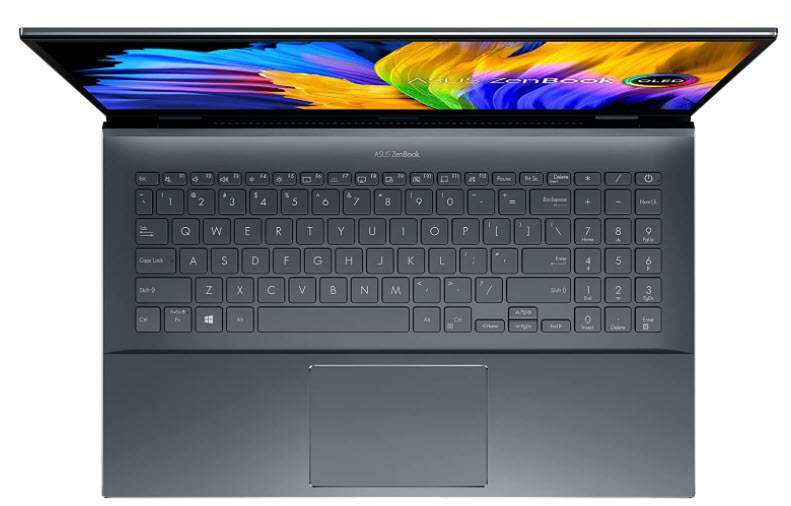
  • How to scale in AutoCAD, all about using Scale in drawings

    How to scale in AutoCAD, all about using Scale in drawings

    [fusion_builder_container hundred_percent=”no” equal_height_columns=”no” menu_anchor=”” hide_on_mobile=”small-visibility,medium-visibility,large-visibility” class=”” id=”” background_color=”” background_image=”” background_position=”center center” background_repeat=”no-repeat” fade=”no” background_parallax=”none” parallax_speed=”0.3″ video_mp4=”” video_webm=”” video_ogv=”” video_url=”” video_aspect_ratio=”16:9″ video_loop=”yes” video_mute=”yes” overlay_color=”” video_preview_image=”” border_color=”” border_style=”solid” padding_top=”” padding_bottom=”” padding_left=”” padding_right=”” admin_toggled=”yes” type=”legacy”][fusion_builder_row][fusion_builder_column type=”1_1″ layout=”1_1″ background_position=”left top” background_color=”” border_color=”” border_style=”solid” border_position=”all” spacing=”yes” background_image=”” background_repeat=”no-repeat” padding_top=”” padding_right=”” padding_bottom=”” padding_left=”” margin_top=”0px” margin_bottom=”0px” class=”” id=”” animation_type=”” animation_speed=”0.3″ animation_direction=”left” hide_on_mobile=”small-visibility,medium-visibility,large-visibility” center_content=”no” last=”true” min_height=”” hover_type=”none” link=”” border_sizes_top=”” border_sizes_bottom=”” border_sizes_left=”” border_sizes_right=”” type=”1_1″ first=”true”][fusion_text columns=”” column_min_width=”” column_spacing=”” rule_style=”default” rule_size=”” rule_color=”” content_alignment_medium=”” content_alignment_small=”” content_alignment=”” hide_on_mobile=”small-visibility,medium-visibility,large-visibility” sticky_display=”normal,sticky” class=”” id=”” font_size=”” fusion_font_family_text_font=”” fusion_font_variant_text_font=”” line_height=”” letter_spacing=”” text_color=”” animation_type=”” animation_direction=”left” animation_speed=”0.3″ animation_offset=””]

    In this article, I have included as many scenarios as possible where scaling is required and I have explained them with relevant examples.

    Simple Scale command

    Using scale command you can change the size of an object in AutoCAD. To explain scale command I will use this simple window block which has the size of 10 unit along the X-axis and 15 units along Y-axis.

    Select the scale tool from Modify panel of the home tab or use its command SC.

    Now select the window drawing and press enter. Now you need to select the base point. The base point will remain fixed when the object is scaled, in this case, I am using the lower left corner of the window as the base point.

    The command line will now prompt you to specify the scale factor. This scale factor actually determines the final size of your window.

    A scale factor of 0 to 1 will decrease the size of your object (in this case window). For example, a scale factor of 0.5 will reduce the overall size of your drawing to half of its original dimensions and a scale factor of 0.25 will decrease the size of the object to one-fourth of the original size.

    Similarly, scale factor greater than 1 will increase the size of the drawing. For example, a scale factor of 2 will increase the size to twice of its original value and a scale factor of 3 will increase the size three times.

    Enter the scale factor and press enter. In this case, I am using a scale factor of 2, the final size of the object will become 20 unit along the X-axis and 30 unit along the Y-axis.

    Additional tip: If you want to keep the original object even after changing the scale then click on “Copy” option from the command line when prompted for the scale factor.

    Scale using reference

    Consider this scenario, we have the window used in the previous example with the length along the X-axis 10 units and height of 15 units. Now we want to change the size of this window so that the length along the X-axis now becomes 17 unit and the height should change proportionally.

    Now, in this case, you can use the “Reference” option of scale command to change the size of the object.

    Once again start the scale command and then select the window and press enter. Now specify the lower left corner of the window as the base point, you can use any other base point as well if you want.

    Now the command line will prompt you for scale factor, on this prompt click on the Reference option from the command line.

    Now the command line will prompt you to specify the reference length. Type 10 and press enter, this is the current length of the window along the X-axis.

    Now command line will prompt you to specify the new length which you want for the 10 unit line of the window. In this case type 17 and press enter again.

    Now the base of the window will become 17 units in length and height of the window will automatically change proportionally.

    As you can see, this command is quite useful if you want to change the size of an object with reference to other existing objects or any reference length and in this case, you obviously don’t need to specify the scale factor.

    Scaling Blocks

    The scale commands explained above will work for block references too and you don’t need to use any special property to scale blocks. However, you can scale your blocks with different scale factors along the X, Y and Z axis which I will explain here.

    I will use this drawing of a simple chair to explain this.

    First, we need to convert this simple object into a block and for that, you can use B command. This article explains more about making a block in AutoCAD.

    Just make sure that while creating the block you keep “Scale Uniformly” box unchecked as shown in the image here.

    Once you have your block prepared you can change scales and then insert it in your drawing. To insert the block use I command.

    Type I and press enter, the Insert window will show up. In this window, you can assign the scale of the block along X, Y and Z axis separately. If you keep the value of scale factor same along X, Y and Z axis then the overall size of the block will change.

    Let’s use the scale factor of 1 along the X-axis and 1.5 along the Y-axis, I will keep scale along the Z axis as 1.

    Now click OK and click at a point to insert the block. The block will look like image B shown below where image A is the original block at the overall scale of 1.

    As you can clearly see the block, in this case, will be scaled to a factor of 1.5 only in the Y direction and not in any other direction.

     Scaling Xrefs and images

    Xrefs or external references are entities like DWG files, PDF or images that can be inserted in a drawing as a reference. You can scale your Xrefs while inserting them or you can change their size even after inserting them into the drawing.

    For this example, I will use a DWG file but you can use the same method for PDF file and Images.

    Type ATTACH and press enter, the attach window will open up. Select DWG from the format dropdown as shown in the image below. Now select the location where your file is saved then select the drawing and click on open.

    The Xref window will open up where you can assign different scale for different axes and you can even keep it at 1 for all the axes to keep the original size of attached Xref.

    Even after adding the Xref you can change its scale using the property palette. Just select the Xref from drawing area then type PR and press enter. The property palette will open up, scroll down in the palette and change the scale from the geometry tab of the property palette.

    You can also use scale command to change the overall scale of the attached Xref.

    In a similar way, you can change the scale of attached images and PDF files. Here I will attach an image of the floor plan to explain it.

    Type ATTACH and press enter then select an image and click OK. Specify a point in the drawing are to insert it and press enter to accept the default scale of 1.

    After inserting the image in my drawing it looked like this.

    This image is not properly scaled ie the 10′ length on the image is not actually 10′ on the drawing. To fix this we need to scale this image again with reference to any existing dimension in the floor plan image.

    Let’s take the reference of 10′ length which is on the top of this floor plan.

    Type SC and press enter to start the scale command. Now select the floor plan image and press enter again. Click on the top left corner of the image as the base point and then select the reference option from the command line.

    Now click at point A then point B (refer image below) to specify the reference and type 10′ and press enter again. Now the distance AB on the image will change to 10′ and other distances will adjust accordingly.

    In this case, I have used Architectural units so make sure you change the unit to architectural before using scale option in this example. To change it to Architectural type UN press enter and then select Architectural from Length drop-down as shown in the image here.

    Scaling Hatches

    When you add hatches in any closed area it may appear like a solid pattern or it may not appear at all. Often times this happens because of the improper scale of hatches which can be easily adjusted from hatch creation panel to make them look right.

    Start hatch command from the Draw panel or use its command H. A temporary hatch creation tab will show up. Select the hatch pattern and then specify the area where you want to add the hatch.

    If the size of the hatch pattern is very small or very large then change its scale from the scale field of properties panel as shown in the red box of the image below.

    If the pattern is very small then you need to increase the value in the scale field and if the pattern is widely spaced then you need to decrease the scale value. Here is how my ANSI 31 hatch pattern looks on a scale of 1, 0.05 and 50.

    Even after adding the hatches if you select them again, it will open the hatch creation tab from where you can again modify the hatch scale or other properties.

    You can also change the hatch scale from property palette, just select the hatch pattern, then type PR and press enter. This will open the property palette, scroll down to the Pattern section and change the scale as shown in the image below.

    Scaling Viewports

    Drawings are often made in model space but text, title blocks and other required information related to drawing are generally added in the layout or paper space. In this section, I will explain methods of creating viewports in paper space and changing their scale to fit the drawing.

    I am using this simple elevation drawing to explain this feature.

    This drawing is in model space but we will insert this one in viewports of different scale in the layout. Start by selecting Layout 1 from the bottom left tabs, you can also hit the + icon to make a new layout tab.

    The layout space will open up with a default viewport and your model space drawing will be automatically added in it. Delete the existing viewport and then click on the Page Setup option from the Layout tab as shown in the image here.

    Click on Modify button in the page setup manager window and change settings of the layout like printer/plotter and page size. I have selected DWG to PDF.pc3 in the plotter and ANSI A as the paper size.

    After making these changes click OK to exit all open windows. Now we are all set to make our viewports.

    Type -VPORTS and press enter (don’t forget to add the dash before vports). Now click at a point close to the top left of the layout well within plotter margin and then click at another point to make a rectangular viewport. Repeat the command and make two more rectangular viewports in the same layout view.

    After making all the viewports your layout space should look like this.

    Currently, the scale of drawing inside the viewport is automatically set by AutoCAD but you can change it manually. To change the scale select the viewport boundary then change the scale from scale option of the status bar as shown in the image here.

    If the scale which you want to use is not available in this list of viewport scales then you can add your own custom scale too. To add the custom scale select any viewport then click on scale option from the status bar as shown in the image above and select the Custom option from the list of scales.

    “Edit Drawing Scales” window will open up. Let’s assume that we want to add a scale of 1:6 in this list, for that click on add button.

    In the name field of the next window add 1:6 and then add 1 in the paper unit and 6 in the drawing unit field. Click OK to accept the changes and close all open windows.

    You will notice that your new scale is now added to the list and you can now use it in your viewports. You can also watch the video shown below to know more about scaling drawings in paper space or layouts.

    [fusion_youtube id=”8D_WtxCr70I” alignment=”center” width=”” height=”” autoplay=”false” api_params=”” hide_on_mobile=”small-visibility,medium-visibility,large-visibility” class=””][/fusion_youtube]

    Conclusion

    So, this was all about using scale option in different tools and features of AutoCAD. There are still some features like the Annotative scale in AutoCAD and use of scale in layout space which I have I have not included here as they are discussed already in relevant articles and videos.

    I hope you will find this article useful, if you have any question related to this article let me know in the comments below and don’t forget to share the article.

    [/fusion_text][/fusion_builder_column][/fusion_builder_row][/fusion_builder_container]

  • Making AutoCAD drawing template with proper Unit and Limits

    Making AutoCAD drawing template with proper Unit and Limits

    [fusion_builder_container hundred_percent=”no” equal_height_columns=”no” menu_anchor=”” hide_on_mobile=”small-visibility,medium-visibility,large-visibility” class=”” id=”” background_color=”” background_image=”” background_position=”center center” background_repeat=”no-repeat” fade=”no” background_parallax=”none” parallax_speed=”0.3″ video_mp4=”” video_webm=”” video_ogv=”” video_url=”” video_aspect_ratio=”16:9″ video_loop=”yes” video_mute=”yes” overlay_color=”” video_preview_image=”” border_size=”” border_color=”” border_style=”solid” padding_top=”” padding_bottom=”” padding_left=”” padding_right=”” admin_toggled=”yes”][fusion_builder_row][fusion_builder_column type=”1_1″ layout=”1_1″ background_position=”left top” background_color=”” border_size=”” border_color=”” border_style=”solid” border_position=”all” spacing=”yes” background_image=”” background_repeat=”no-repeat” padding_top=”” padding_right=”” padding_bottom=”” padding_left=”” margin_top=”0px” margin_bottom=”0px” class=”” id=”” animation_type=”” animation_speed=”0.3″ animation_direction=”left” hide_on_mobile=”small-visibility,medium-visibility,large-visibility” center_content=”no” last=”no” min_height=”” hover_type=”none” link=””][fusion_text]

    Before we start making a drawing we generally make many settings in the blank file like changing Units, Limits, Adding Layers, Linetypes, Blocks Dimension styles etc and it is not always practical to repeat the settings every time you start a new drawing.

    To make this task easier you can make a drawing template in AutoCAD with all of your custom settings and then, later on, open that template and start making the drawing in it. Templates are saved with DWT file extension and when you save your work in a template file it gets saved as a DWG file.

    In this article, I will explain the methods of setting your own units in AutoCAD drawings, specifying limits and its significance and then saving those settings as a template file, you can obviously save your templates with a lot more custom properties. Let’s start by configuring the unit in AutoCAD drawing.

    Setting Drawing Units

    Close all open tabs from your AutoCAD window to reach the start screen. Now click on the arrow which is next to  “Templates” and select acad.dwt template from the list as shown in the image below.

    A completely blank drawing will open. Go to Application menu on the top left of AutoCAD window and select Drawing Utilities option and then select Units as shown in the image below. Alternatively, you can also use its command UN.

    The Drawing Units window will open with default settings as per the selected template. Click the Type drop-down menu and change the unit type to Architectural, if you are a metric user then change it to Decimal. Click on the precision dropdown and change it to 0’-0 ¼”, metric users change it to 0.00.

    The precision format is just for reference, you can choose your own format of precision display. The precision selected here will not determine the precision with which AutoCAD measures your drawing, it is simply the precision up to which AutoCAD will display the decimal places. Irrespective of the precision format, AutoCAD will still calculate geometries with the maximum allowable precision.

    In the “Units to scale inserted content” dropdown change the value to Inches, this is the Unit which will be displayed in the drawing and also used for external geometries like blocks which are inserted in the drawing. You can learn more about the different type of AutoCAD blocks in this article.

    Related: Introduction to AutoCAD blocks and why you should use them

    In the Angle panel change type to Decimal Degrees, however, you can change it to other angle formats as well from the drop-down menu. Change the precision from Angle drop-down menu to 0.00

    Your final Drawing Units window should look like the image below. Click OK to save these changes and close the Drawing Units window.

    Understanding Units representation

    When Architectural length type is selected in the Units window, we can use apostrophes symbol to specify the drawing units like (‘) for feet and (“) for inches. In the steps above we applied default unit as Inches, so skipping the apostrophe symbol will apply the default unit value i.e Inches.

    For example, if you want to make a line of length 3 feet and 5 inches then you can enter its length as 3’5” on the command line, alternatively, you can also enter 41 (without apostrophes) as the length of line which is the inch equivalent of 3’5” line (1’=12”).

    If you are using Decimal length format instead of Architectural then feet and inches symbol will return an error and in those cases, you need to simply use the decimal value of the size. For example, to make a line of length 1’4” simply type 16 for its length (1’=12”) without any apostrophes.

    You can also watch this video to learn about setting Units in AutoCAD drawing.

    [/fusion_text][fusion_youtube id=”gYNCno2Aktw” alignment=”center” width=”” height=”” autoplay=”false” api_params=”” hide_on_mobile=”small-visibility,medium-visibility,large-visibility” class=”” /][fusion_text]

    Setting drawing limits

    Our drawing unit is already specified, now we need to specify the extents of the working area of the drawing. All the drawings are not made on a single scale as an example a large floor plan of an Auditorium would take a lot of space and its dimensions will be in the range of many feet whereas if you are making a simple watch gear then the dimensions should remain in the scale of a few millimeters.

    So, specifying drawing limits will give you an overall idea of the size of the screen or drawing extents in which you are working.

    For our case, we will make a simple drawing which has maximum dimensions of 10 feet in length and width. So, to make it we will define a drawing area of 15 feet in length and width keeping 5 feet margin.

    Type LIMITS and press enter. Command line will prompt “Specify lower left corner or [ON/OFF] <0′-0″,0′-0″>:” simply press enter to accept the default values of the lower left corner which is 0,0.

    On the next prompt “Specify upper right corner <1′-0″,0′-9″>:” type 15’,15’ and press enter. The drawing limits will get specified but now we need to apply the changes in the drawing area. To apply the changes type Z and press enter then type A and press enter again. This will reset your drawing area according to the newly applied limits.

    Now the height of your drawing area is 15 inches and the length of the drawing area will be 15 inches or more depending on the aspect ratio of your monitor.

    This limit value is not a permanent property and you can alter the limits by zooming in or out of your drawing. Limits are specified only to set an approximate size of drawing area with respect to the drawing which you intend to make in it.

    Creating drawing Template

    So far, we have made some changes in the existing drawing and we can save these changes as a template file so that these settings are always accessible whenever we start a new drawing. To save these changes as a template go to application button the top left of the drawing area and select “Save As” option and select Drawing Template as shown in the image below.

    Save Drawing As window will open with a list of preinstalled templates in the Template folder as shown in the image below.

    You can save your template with these pre-existing templates or you can also specify a new location to save the template file. For this example, I will select desktop as the template location and name it as “My Template”.

    Now click on save and click OK when description box prompts. The template will be saved on the desktop with dwt file extension. You can now open your drawing with this template simply by double-clicking on the My template file on the desktop.

    Opening drawing with no templates

    If you don’t want to use any preinstalled or custom template to start your drawing and instead want to open the drawing with the blank properties then there is an option for that too. Click on the “New” icon on the quick access toolbar or use command NEW.

    The drawing template window will open. Click on the arrow right next to the open button and select “open with no template” option as shown in the image below. You can select imperial as well as metric in these cases and the selection will only determine the insertion units of inches or millimeter.

    I hope you are now comfortable with making drawing templates with different units. If you have any question related to this article then let me know in the comments below.

    [/fusion_text][/fusion_builder_column][/fusion_builder_row][/fusion_builder_container]